The short answer
Make your main music video 16:9 at 1920 x 1080 for YouTube, and cut vertical 9:16 versions at 1080 x 1920 for YouTube Shorts, Instagram Reels, TikTok and Spotify Canvas, plus a 1:1 or 4:5 version for feed posts. Keep 24, 25 or 30 frames per second throughout, and reframe each shot for the vertical cut instead of shrinking the widescreen picture.
- 16:9 (1920 x 1080) is the main video; 9:16 (1080 x 1920) covers every short-form app.
- Square 1:1 or portrait 4:5 is for feed posts, where vertical gets cropped.
- Keep faces and action out of the bottom and right edges of vertical video, where the app's buttons sit.
- Reframe, don't letterbox: crop close shots, show wide shots whole over a blurred fill.
- Pick one frame rate (24, 25 or 30) and keep it in every version.
On this page (5 sections)ShowHide
The cheat sheet: sizes by platform
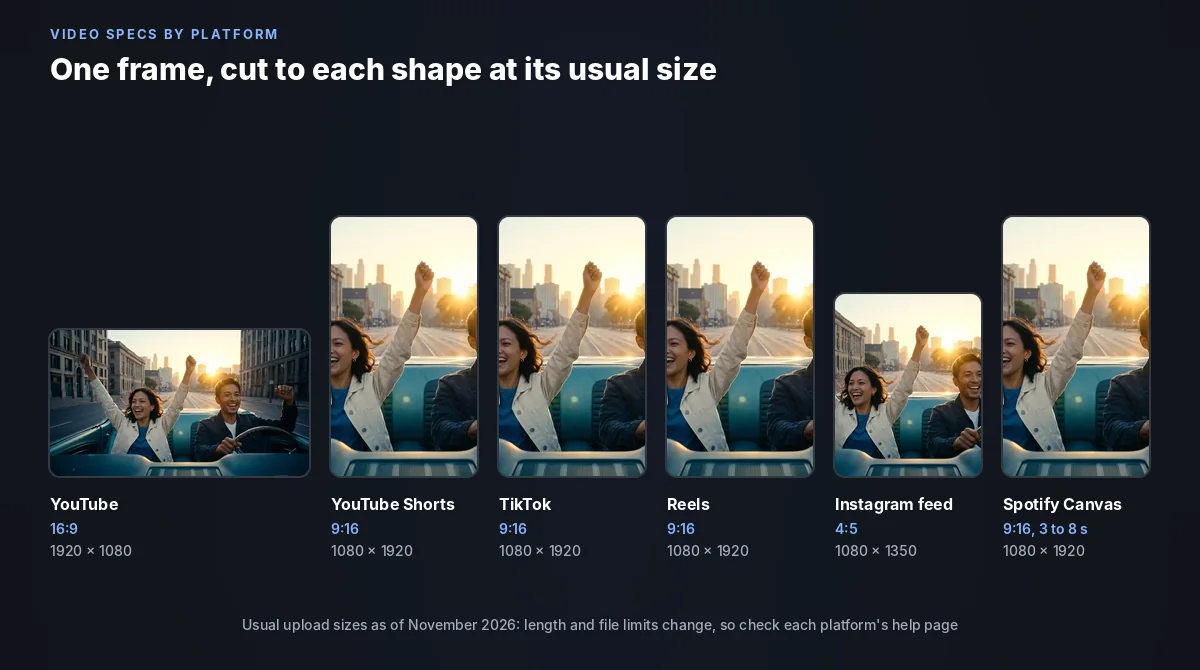
Platforms accept many shapes, but each has one that fills the screen. Export that shape for each place you post, from the same edit, and your release looks deliberate everywhere.
| Where | Aspect ratio | Resolution | Length |
|---|---|---|---|
| YouTube (main video) | 16:9 | 1920 x 1080 (or 3840 x 2160) | The whole song |
| YouTube Shorts | 9:16 (square also counts) | 1080 x 1920 | Up to 3 minutes |
| TikTok | 9:16 | 1080 x 1920 | Varies by account: check the app |
| Instagram Reels | 9:16 | 1080 x 1920 | Varies by account: check the app |
| Instagram and Facebook feed | 1:1 or 4:5 | 1080 x 1080 or 1080 x 1350 | A short clip |
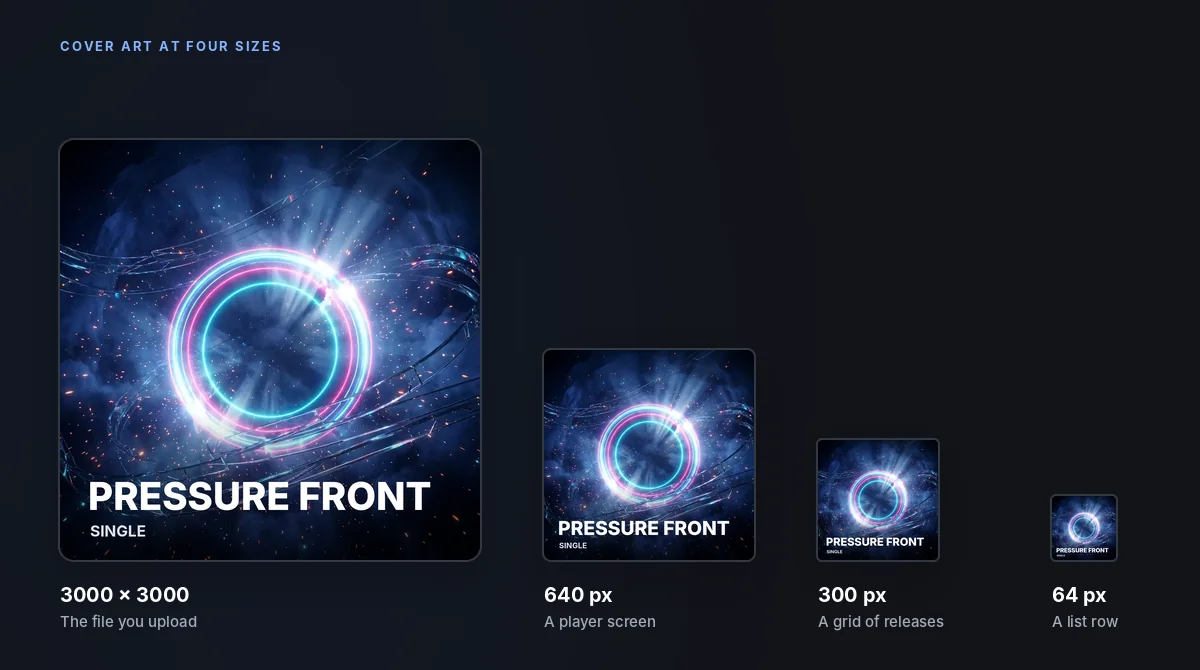
| Cover art for stores and streaming | 1:1 | 3000 x 3000 (see the album cover size guide) | A still image |
| Spotify Canvas | 9:16 | At least 720 px tall (1080 x 1920 ideal) | 3 to 8 seconds, looping |
| Your website or a TV | 16:9 | 1920 x 1080 | The whole song |
YouTube, websites, TV
Shorts, Reels, TikTok, Canvas
Feed posts
Instagram feed
YouTube treats a square or vertical upload of three minutes or less as a Short, as its help page on three-minute Shorts explains. Upload your main video in 16:9 so it stays a regular video with chapters and a full watch page. For the Canvas details, see the Spotify Canvas guide.
Frame rate and quality settings
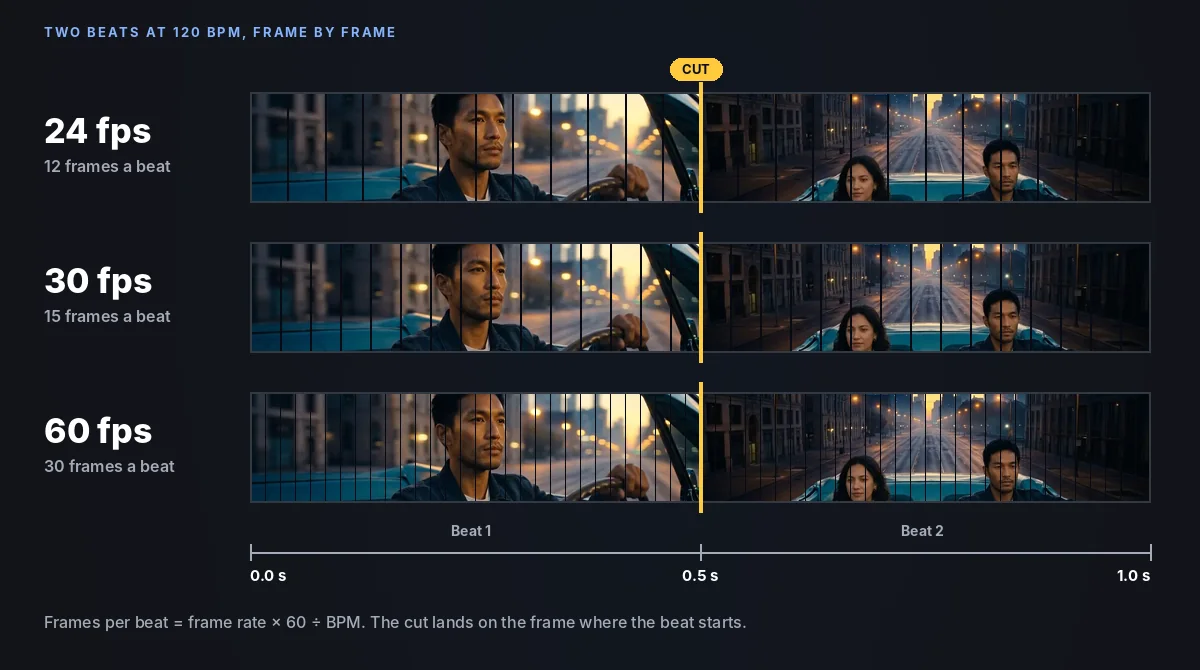
Frame rate matters more for a music video than most edits, because every cut is timed to the beat and a beat rarely lands exactly on a frame. Choose one rate and stay with it in every version:
- 24 fps gives the classic film look, and is what most music videos and AI video models use. Muvora's exports are all 24 fps.
- 25 fps is the broadcast standard in Europe and much of the world; footage shot at 25 looks smooth on any platform.
- 30 fps looks a little more like live video or TV; common for phone footage and vlog-style content.
- 60 fps is for gaming and sports. It makes most music videos look like a soap opera, and makes the files bigger.
Export H.264 MP4 with AAC audio at the highest bitrate the platform accepts: everything gets compressed again on upload, so give it the best file you have. Use the original master for the audio track, not a sound recorded from speakers. If you're timing cuts to frames, the BPM calculator shows how many frames a beat and a bar take at each rate.
Skip the blank page
Upload your song and Muvora's AI director plans a shot-by-shot storyboard on the beat. Edit every shot for free, and pay only if you render.
Safe areas in vertical video
Vertical apps lay their interface over your video: the caption and account name at the bottom, the like, comment and share buttons down the right side, and sometimes a search or tab bar along the top. Anything important that falls under those is hidden.
- Keep faces and the main action in the middle of the frame, a little above center.
- Leave the bottom fifth of the frame clear of anything that matters, and more on TikTok, where captions can run long.
- Keep a margin on the right edge for the button column.
- If you burn in lyric captions, place them above the bottom interface, not at the very bottom of the frame.
Reframing a 16:9 video for vertical
A 9:16 frame is less than a third as wide as a 16:9 frame of the same height. Shrinking the whole widescreen picture into it leaves black bars and a tiny image nobody will stop scrolling for. There are better ways, and the right one depends on the shot.
| Shot | Best treatment | Why |
|---|---|---|
| Close-up or medium shot | Crop the center | The face or action is already in the middle and fills the tall frame. |
| Performance (singing) | Crop the center | The mouth must stay large and clearly visible for the lip sync to read. |
| Wide, extreme wide or aerial | Show it whole over a blurred, enlarged copy of itself | Cropping a wide shot loses the place it was there to show. |
| Shot with the subject off center | Crop toward the subject | A center crop would cut them out of the frame. |
That is exactly how Muvora builds the 9:16 and 1:1 exports: wide framings are shown whole over a blurred fill of themselves, every other shot is cropped to the center, and performance shots are always cropped so the singer stays big. Because the storyboard knows each shot's framing, no one has to reframe by hand.

When a song is meant mainly for short-form, plan it vertical from the start instead of reframing: choose 9:16 when you upload, and every shot is composed for the tall frame. The TikTok music video maker page shows what that looks like.
One render, every shape
The cheapest way to cover every platform is to render the video once and export each shape from it, rather than making separate videos. That also keeps the release consistent: the same characters, colors and moments everywhere a fan meets the song.
- 16:9 main video for YouTube, your website and press
- 9:16 vertical cut for Shorts, Reels and TikTok, with captions placed above the app's interface
- 1:1 square for feed posts and ads
- An 8-second 9:16 loop for Spotify Canvas
- Optional: a version with burned-in lyric captions and one without
Muvora exports all of these from one render at 24 fps, H.264 with your original audio (the Canvas has none), each checked frame by frame against the song's length. For the rest of what a release needs, see the music release checklist.
Spotify Canvas checkerCheck any vertical clip's length, shape and height against Spotify's Canvas specs, right in your browser.Every format from one render
Upload your song, edit the free storyboard, and render once: you get 16:9, 9:16, 1:1 and a Canvas loop, all cut on the beat.
Written by the Muvora team. Last updated November 13, 2026. Spotted something out of date? Tell us at [email protected].