Change the key of a song, or its tempo, without changing the other
Open a song on your device and move it up or down by as much as 12 semitones, fine-tuned in cents, while its tempo stays exactly where it was. Or change the tempo anywhere from 50% to 200% and keep the key, or do both at once. Pick the song's key to see the new one, hear 15 seconds of the change beside the same 15 seconds of the original, then save the whole song as a 16 or 24-bit WAV at its own sample rate. A resampler and a phase vocoder do the work in your browser, and nothing is uploaded.
Free, no sign-up. Runs in your browser: nothing is uploaded.
Choose the key and the tempo
A hundred cents make a semitone: nudge a song recorded slightly off A = 440 Hz back in tune.
Pick the song's key to see the new one, or find it with the BPM and key finder.
Original tempo · the key doesn't move with it
Type it to see the new tempo
Everything runs in this page; nothing is uploaded. A new key moves a voice's formants with its pitch, so past about three semitones voices sound less natural, and sharp drum hits can soften a little: it isn't a formant-preserving vocal tool. An MP3 or AAC stays as lossy as it was, even saved as a WAV.
Song finished? Upload it and Muvora plans the whole video on its beats. The storyboard is free.
Make the videoUpload a new songHow to use the pitch shifter
- 01
Open the song
Choose an MP3, WAV, M4A, AAC or FLAC of your own song, or one you have permission to change, up to 10 minutes long: the whole song is held in your browser's memory while it changes, and a longer file can run a phone out of room. It's decoded at the file's own sample rate.
- 02
Set the key and the tempo
Step the key a semitone at a time, up to an octave either way, and fine-tune it in cents, or pick the song's key and the key you want. Set the tempo as a percentage, and type the BPM to read the new one.
- 03
Hear it before you commit
Choose a start point and play 15 seconds of the change, then the same passage of the original, as many times as you like. Each preview runs the same processing the WAV will.
- 04
Save the WAV
Make the WAV at 16 or 24-bit. If the change pushes the peak past full scale, it's turned down to a peak of -1 dBFS (you can switch that off), and the file is named after the song and the change.
How a pitch shifter keeps the tempo when the key moves
Speed up a recording and it gets shorter and higher at once, the way a record does at the wrong speed, because every cycle of the waveform plays faster. A pitch shifter pulls the two apart in two steps: a band-limited resampler moves the pitch, which also changes the length, then a time-stretch puts the length back without touching the pitch. This tool's stretch is a phase vocoder. It splits the song into overlapping frames of about 46 ms, reads each partial's frequency from how its phase moves between frames, and rebuilds the song with the frames spaced further apart or closer together, keeping the bins of each partial in step (phase locking) and resetting the phase at drum hits so they land where they should. One semitone multiplies every frequency by about 1.0595, so +12 turns A at 440 Hz into 880 Hz and -12 turns it into 220 Hz. A tempo change on its own is the stretch alone, which is how a solo slowed to 75% stays in its key. The slowed and reverb generator does the opposite on purpose and moves both together.
- One semitone multiplies frequencies by 1.0595
- +12 semitones: A at 440 Hz becomes 880 Hz
- A tempo change alone is the stretch, no resampling
What a new key does to a voice, and how far to push it
A voice's character comes from its formants, resonances set by the shape of the throat and mouth that stay put while a singer moves between notes. A pitch shifter moves them with the pitch, so a voice shifted up sounds thinner and younger, and one shifted down sounds thicker and darker. One or two semitones usually pass unnoticed; past about three, voices start to sound processed, which is why the tool flags it. Full mixes, guitars and keys take bigger moves before they give themselves away. This isn't a formant-preserving vocal tool, so for a lead vocal far from its original key, recording it again in the new key sounds more natural. Drums can lose a little snap, more so at big tempo changes. And a lossy file stays lossy: saving an MP3 as a WAV keeps the result from losing more, but nothing brings back what the encoder removed, so start from a WAV or FLAC master when you have one.
- One or two semitones usually pass unnoticed
- Past three, voices start to sound processed
- Start from a WAV or FLAC master
Why musicians change a song's key or tempo
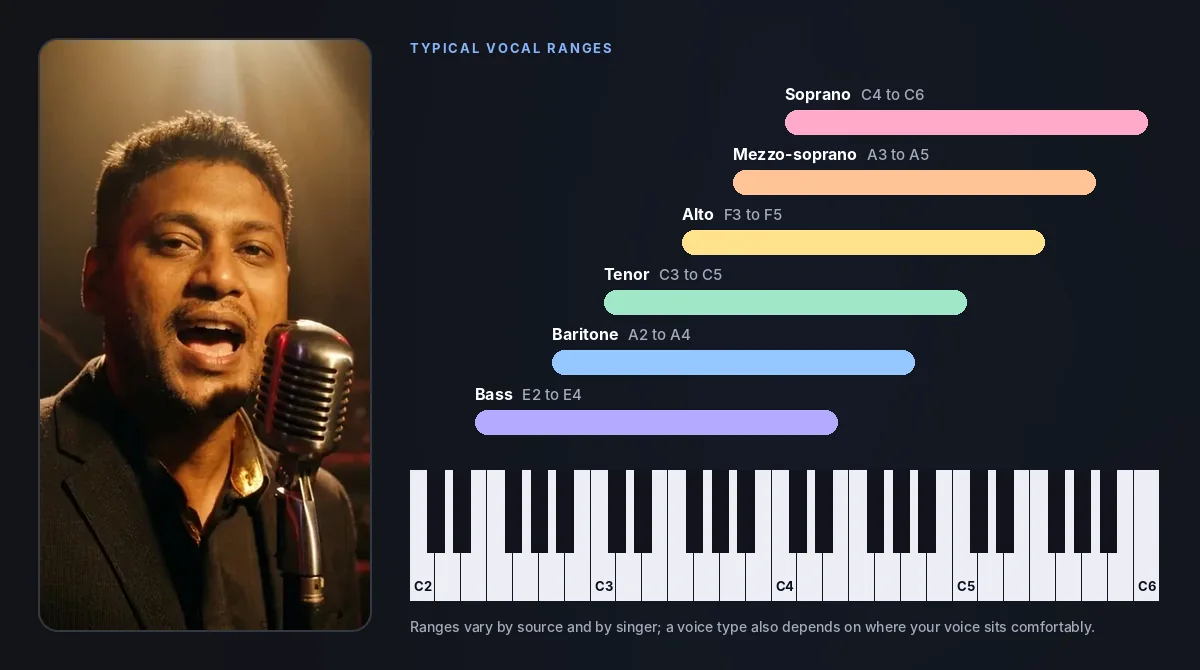
Singers move a song to fit their range: find your lowest and highest notes with the vocal range test, shift the backing track until the melody sits where your voice is comfortable, and rewrite the chords to match with the chord transposer. Guitarists play along with songs recorded in E♭ tuning, half a step below standard, by shifting them up one semitone. Players learning a fast part often slow it to 70 or 80% and bring it back up a few percent at a time, with the metronome set to the new BPM. DJs nudge a track into a key that mixes with the next one, read from the BPM and key finder. One rule covers all of it: use your own songs or ones you have permission for. A re-pitched copy of someone else's recording is still their recording, and posting it needs the rights holders' permission.
- Fit a song to your vocal range
- Slow a part to 70 or 80% to learn it
- Post only what you have the rights to
Then give the new version a music video
Muvora makes the music video for the finished song. Upload the new WAV (or a FLAC or MP3 of it if a long WAV passes the 60 MB limit) and its analysis reads this version's own tempo, beats and sections, so a slower version gets longer shots and a faster one quicker cuts, each landing on a downbeat. The video's soundtrack is the file you upload, unchanged. An AI director writes a storyboard you can read and edit for free, and you see the price before anything renders.
Questions, answered
Can't find what you need? Start a free storyboard and see for yourself.
Can I change the key of a song without changing its tempo?
Yes. Move the key slider and leave the tempo at 100%: the pitch shifter moves every frequency by the interval you pick and keeps the song's length to the sample. Playing a recording faster or slower moves pitch and tempo together; keeping the tempo needs a time-stretch, which this tool runs in your browser after its resampler changes the pitch.
How do I change the tempo of a song without changing the pitch?
Leave the key at its original setting and set the tempo: 90% turns a 3:00 song into 3:20 in the same key, and 110% makes it about 2:44. Type the song's BPM to read the new one. The phase vocoder spaces the song's frames out or packs them closer, so notes keep their pitch while their timing changes.
How many semitones can I shift a song before it sounds unnatural?
Voices usually take one or two semitones without anyone noticing and start to sound processed past about three, thinner going up and thicker going down, because their formants move with the pitch. Instrumental mixes hold up further. This tool doesn't correct formants, so for a lead vocal far from the original key, singing it again in the new key sounds more natural.
What are cents, and when do I need them?
A cent is a hundredth of a semitone. Use them when a recording sits between two keys, such as a band that tuned by ear or an old tape that ran a little fast. A song tuned to A = 432 Hz sits about 32 cents below the A = 440 Hz most music uses, so shifting it up 32 cents brings it back to standard tuning.
Does changing the key lower the audio quality?
A little, always. A phase vocoder can soften drum attacks and add a faint swirl to large changes, and nothing can restore what an MP3 or AAC encoder discarded. Saving the result as a WAV stops it losing more. For the cleanest result, start from the WAV or FLAC master, keep the change small and choose 24-bit.
Is my song uploaded when I change its key?
No. Your browser decodes the song, a background worker on your device changes it, and the WAV is saved straight from the page. Nothing goes to Muvora or any server, which is also why songs are limited to 10 minutes: the whole song has to fit in the page's memory, about 210 MB for 10 minutes of 44.1 kHz stereo before it's processed.
Keep exploring
BPM and key finder
The tempo and musical key of any song, with its Camelot code for mixing.
Open the toolVocal range test
Sing your lowest and highest notes into the microphone to find your vocal range in note names and the voice types whose typical ranges it fits.
Open the toolChord transposer
Paste a chord sheet and move it to any key, spelled for that key, with chords kept over the lyrics and the capo shapes to play.
Open the toolSlowed and reverb generator
Make a slowed and reverb, sped up or nightcore version of your own song, hear every change as you make it and save a WAV.
Open the toolMetronome
A steady click from 20 to 300 BPM in seven time signatures, with accents, subdivisions, tap tempo and a tempo trainer.
Open the toolFind your vocal range
Find your lowest and highest clear notes, see where they sit among the voice types, pick song keys that suit you and put your voice in a video.
Read the guideSped up song maker
Speed your own song up 1.05x to 1.5x, with the pitch rising for the nightcore sound or held in its key, and save a WAV.
Open the tool
More free tools: loudness and audio
Check and normalize loudness, change the key, make a slowed and reverb or reversed version, join files, convert to WAV, cut a snippet and make waveform art.
Your song deserves a music video
Upload a track and get a free beat-synced storyboard in minutes. Render it when you are ready.
No card needed to start.






