Extract the audio from a video and save it as a WAV
Open a video from your phone, camera or editing app and the tool shows what its sound is, reads it, and saves it as a WAV: the whole soundtrack, or a part you pick by typing the times or from the player, at 16-bit, 24-bit or 32-bit float. From an MP4 or MOV only the sound is read, so even a video of several gigabytes opens quickly. Compressed sound is decoded by your browser's own decoder, and the video never leaves your device.
Free, no sign-up. Runs in your browser: nothing is uploaded.
Open a video to take its sound out
MP4, MOV, M4V, WebM or MKV, with up to 15 minutes of sound. It stays on your device: an MP4 or MOV has only its soundtrack read.
Everything happens on your device: nothing is uploaded. AAC sound in MP4 and MOV opens in current Chrome, Edge, Firefox and Safari; Opus and Vorbis in WebM and MKV depend on the browser. A lossy soundtrack stays lossy in a WAV. Only extract sound from videos you made or have permission to use.
Song finished? Upload it and Muvora plans the whole video on its beats. The storyboard is free.
Make the videoUpload a new songHow to use the extract audio from video
- 01
Open the video
Choose or drop an MP4, MOV, M4V, WebM or MKV file. Its headers are read first, so you see the length, the picture's format and the sound's codec, sample rate and channels before anything is decoded.
- 02
Let it read the sound
An MP4 or MOV has only its soundtrack read from the file, other formats are read whole. Compressed sound goes through your browser's decoder, uncompressed sound is copied as it is, and the whole soundtrack is saved as a WAV straight away.
- 03
Keep a part if you want one
Pick A part, then type a start and an end, or play the video to a moment and use the player's time. Change the bit depth, the sample rate or the channels, and press Save again.
- 04
Listen, then download
Play the WAV in the page to check it, then download it. It's named after the video, with the part's start and end in seconds when you saved a part.
What happens to the sound on the way out
Most phone videos store their sound as AAC, a lossy format: while the video was recording, the encoder threw away detail it judged you wouldn't hear. Taking the sound out can't bring that back. The WAV holds exactly what the AAC kept, decoded the way a player decodes it, in a format every audio editor opens and that loses nothing more each time you edit and save. Some cameras and editing apps write uncompressed PCM instead, and that sound is copied straight from the file with no decoder in between, so the WAV is lossless. You can see where an AAC encoder cut the highest frequencies off with the spectrogram viewer. And when the song in the video is your own, the master you exported from your session (WAV or FLAC) will always sound better than anything taken out of a video.
- AAC sound keeps its AAC quality in a WAV
- Camera PCM is copied sample for sample
- Your exported master beats any video's sound
Why a big MP4 or MOV opens fast, and where the limits are
An MP4 or MOV carries an index of where every piece of sound and picture sits in the file. The tool reads that index, then only the chunks of sound, a few megabytes for a song-length phone video even when the file is past a gigabyte, and passes them to the decoder as a small audio file. WebM, MKV and fragmented MP4 files (the kind recorded in a browser) have to be read whole, so they're limited to 300 MB. Every soundtrack is decoded into this tab's memory before it's saved, more than 20 MB a minute at 48 kHz stereo, so the sound can run up to 15 minutes. To check a file's codecs and frame rate before you open it, use the video file checker.
- MP4 and MOV: only the sound is read
- WebM, MKV and fragmented files: up to 300 MB
- Up to 15 minutes of sound per video
Picking the WAV's format
For sound that came from AAC, 16-bit is plenty: the encoder's own losses are far bigger than 16-bit's rounding. Choose 24-bit for a camera's 24-bit PCM, which the tool picks for you, and 32-bit float to keep float PCM as it was or to keep peaks a decoder pushes past full scale (at 16 or 24-bit those are clipped, and the tool says how many). Video sound is usually recorded at 48 kHz: leave the rate as the video has it unless a session or an upload form asks for 44.1 kHz, which resamples it. As the video keeps mono as mono and stereo as stereo and folds 5.1 down to stereo; Mono averages the two sides, handy for a single microphone. At 16-bit, 48 kHz stereo a minute takes about 11 MB, so a four-minute soundtrack comes to roughly 44 MB.
- 16-bit is plenty for AAC sound
- 24-bit or float for camera PCM
- About 11 MB a minute at 16-bit, 48 kHz stereo
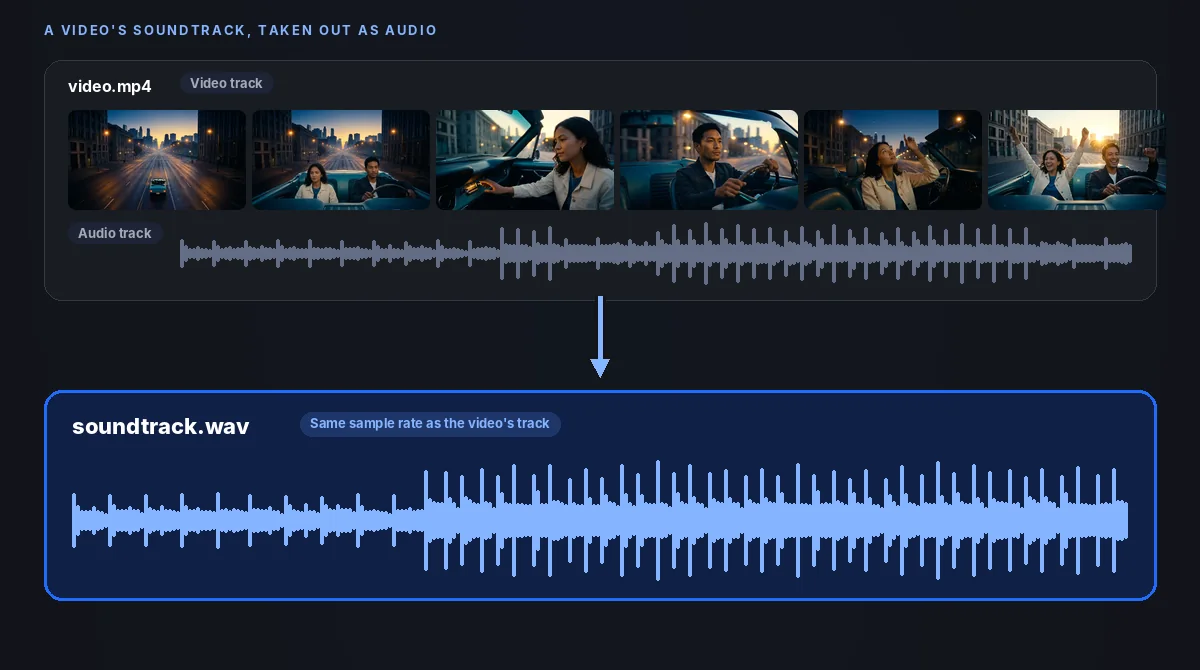
From the soundtrack to a music video
If the sound in your video is your own song (a live take, an acoustic session, a rehearsal that came out right), the WAV can go straight into Muvora. It takes MP3, WAV, M4A, AAC or FLAC up to 8 minutes and 60 MB, so save a part, or pick 16-bit mono, when a long soundtrack runs over. Muvora keeps the file you upload as the video's soundtrack exactly as it is, which is why your exported master is the better upload whenever you have it. It finds the beats, sections and drops, writes a storyboard cut on the downbeats that's free to read and edit, and shows the price before anything renders.
Questions, answered
Can't find what you need? Start a free storyboard and see for yourself.
Does extracting the audio from a video lower its quality?
No, and it can't raise it either. Compressed sound such as AAC is decoded the way a player decodes it and stored sample for sample, and uncompressed PCM is copied as it is. Whatever the video's encoder threw away when it recorded stays gone, so if you still have the original recording or your exported master, use that instead.
Which video files can I take the sound from?
MP4, MOV and M4V files, the kind phones, cameras and editing apps save, work in current Chrome, Edge, Firefox and Safari when their sound is AAC, as nearly every phone video's is, or uncompressed PCM, which the tool reads itself. WebM and MKV files usually hold Opus or Vorbis sound, and whether those decode depends on the browser. Copy-protected videos from streaming services can't be read.
Why can the sound only be 15 minutes long?
The whole soundtrack is decoded into this tab's memory before the WAV is written, at more than 20 MB a minute for 48 kHz stereo, and a phone's browser can run out of room on a long one. For a concert or a livestream, cut out the part you need in a video editor first, then open that shorter file here.
Can I save only one song or the chorus?
Yes. Choose A part, then type the start and the end in minutes and seconds, or play the video to the right moment and use the player's time for each. The cut lands exactly on those times with no fade, and the audio cutter can add fades and line the cut up with the bar lines afterwards.
Why does it save a WAV and not an MP3?
A WAV stores the decoded sound exactly, so nothing more is lost, and every editor and DAW opens it. An MP3 would mean encoding sound that was already compressed a second time, losing detail again, and browsers don't include an MP3 encoder a page can use.
Does my video leave my device when I take its sound out?
No. The file is read on your device (an MP4 or MOV a slice at a time), compressed sound is decoded by your browser, and the WAV is written in this page's memory. Nothing is sent to Muvora or anyone else, and closing the page clears it. Only take the sound from videos you made or have permission to use.
Keep exploring
MP3 to WAV converter
Convert MP3, M4A, AAC, FLAC or OGG files to 16-bit, 24-bit or 32-bit float WAV on your device, several at once.
Open the toolAudio cutter
Cut a 15 to 60 second clip from a song that starts and ends on a bar line, add fades and save it as a WAV.
Open the toolVideo file checker
Open a video and see its resolution, frame rate, length, codec, bitrate and sound checked against YouTube, Shorts, TikTok, Reels and Canvas.
Open the toolSpectrogram viewer
Open a song and see its frequencies over time, with the note and level under your pointer, a playhead, and a PNG to save.
Open the toolVideo frame grabber
Open a video, step to the exact frame and save it as a full-size PNG, JPEG or WebP, or a 1280 × 720 YouTube thumbnail.
Open the toolVertical video converter
Turn a horizontal clip into a 9:16 video for TikTok, Reels and Shorts: crop with a position you choose, or fit it over a blurred fill.
Open the toolLUFS meter
Open a song to read its integrated LUFS, true peak and loudness range, and how far Spotify, YouTube and Apple Music turn it down.
Open the tool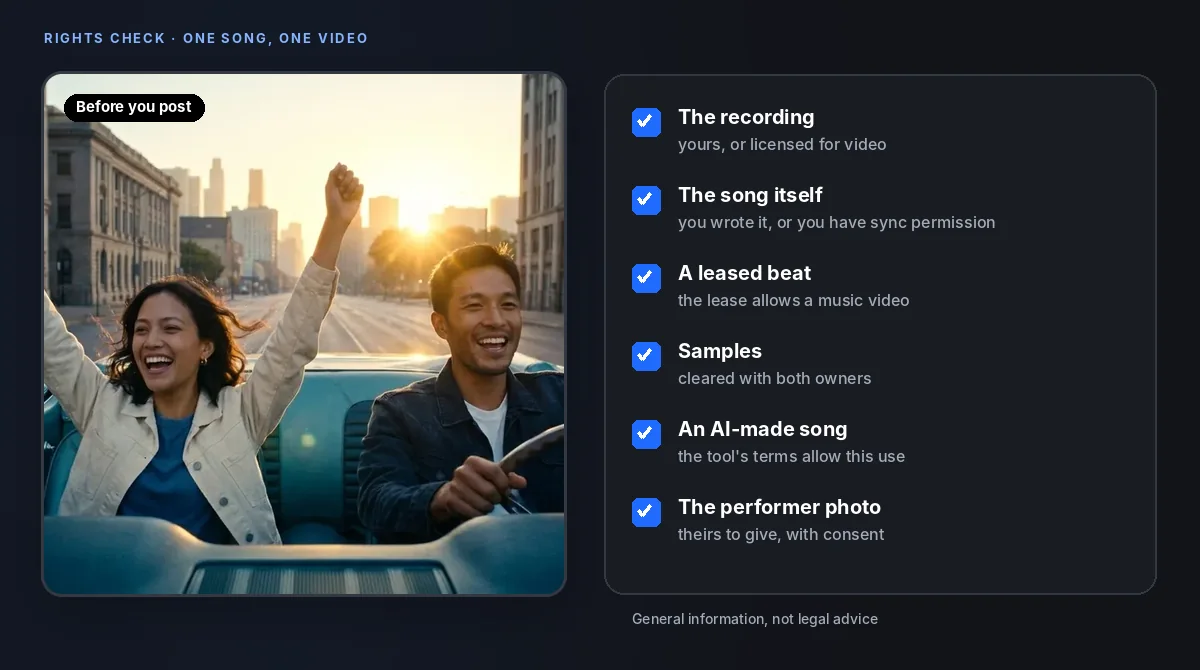
Music video copyright
Covers, samples, leased beats, AI songs and Content ID: what to clear before you make and post a music video.
Read the guide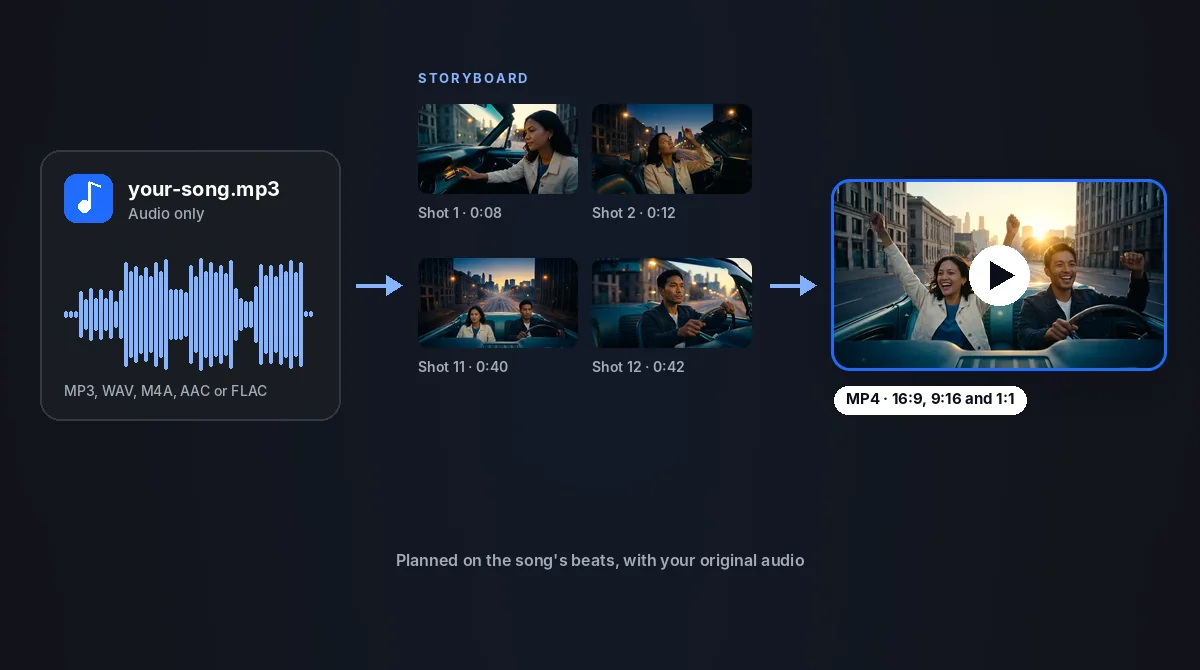
MP3 to video
Convert an MP3 or WAV into an MP4 with AI visuals cut to the song, ready for YouTube.
Learn more
More free tools: loudness and audio
Check and normalize loudness, change the key, make a slowed and reverb or reversed version, join files, convert to WAV, cut a snippet and make waveform art.
Your song deserves a music video
Upload a track and get a free beat-synced storyboard in minutes. Render it when you are ready.
No card needed to start.






