Turn your song's waveform into artwork
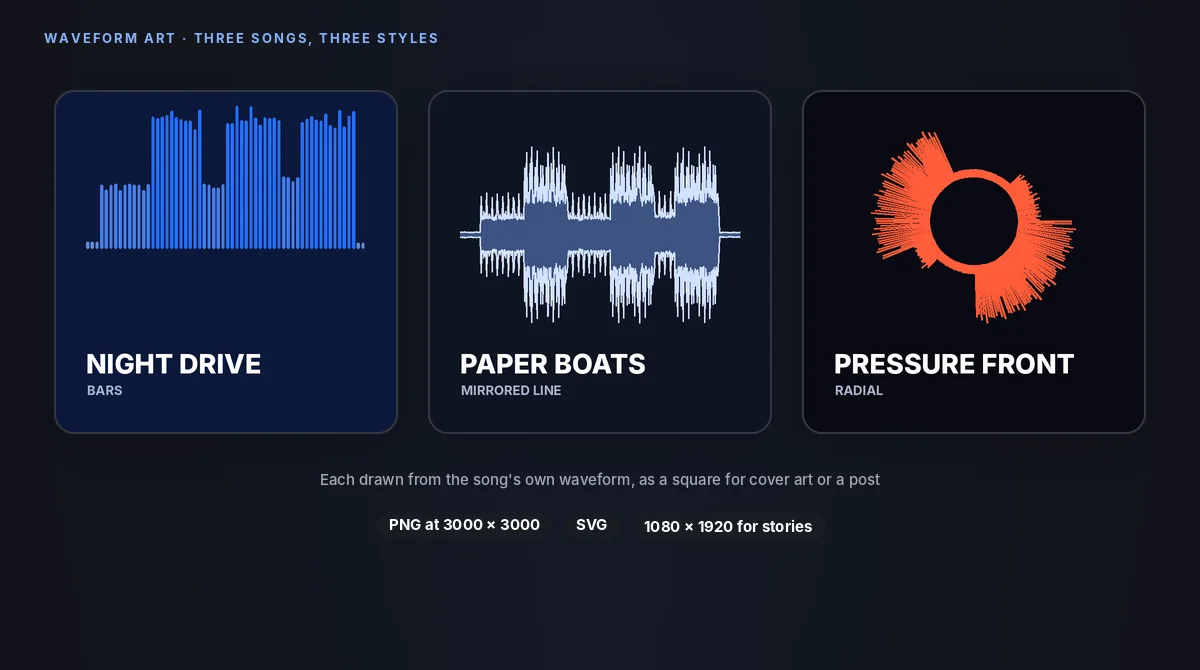
Open a song on your device and its waveform becomes a picture: bars, mirrored bars, a line, a filled wave or a circle, in your colors, with the title and artist if you want them. Pick a size from a 3000 × 3000 cover down to a 1500 × 500 banner, then save a full-size PNG or an SVG. The song is decoded in your browser and never uploaded.
Free, no sign-up. Runs in your browser: nothing is uploaded.
Showing a sample waveform. Open a song (MP3, WAV, M4A, AAC or FLAC) to draw your own; it never leaves your device.
Cover art, 3000 × 3000, the size stores and distributors ask for.
Open a song to save the artwork.
Using it as cover art? Stores accept the artist name and the title on a cover and little else (no links, handles or prices). Check the sizes in the album cover size guide and run the PNG through the album cover checker.
Song finished? Upload it and Muvora plans the whole video on its beats. The storyboard is free.
Make the videoUpload a new songHow to use the waveform generator
- 01
Open the song
Choose an MP3, WAV, M4A, AAC or FLAC from your device. Your browser decodes it and keeps only its outline, 200 readings a second, to draw from.
- 02
Pick a shape and a size
Choose bars, mirrored bars, a line, a filled wave or a circle, then a size: square cover art, a feed post, widescreen, vertical or a banner.
- 03
Style it
Set the bar width and the gap, peaks or average levels, smoothing, the colors or a gradient, a solid or see-through background, and the title and artist.
- 04
Save the file
Download the PNG at full size to post or upload, or the SVG to change the shapes and the words in a design app.
What a waveform shows, and what it doesn't
A waveform is the song's level over time: each bar is the loudest sample (or the average power) in its slice of the song, so a quiet intro draws low, a chorus tall and a drop as a sudden wall. It shows nothing of pitch, key or melody. A heavily limited master sits near full scale from the first chorus on and draws as a flat block, so switch to average (RMS) levels, add some smoothing, or draw only the part of the song with the most contrast, such as the last bars of the build and the drop.
- Peaks: the loudest sample in each slice
- Average (RMS): the power, a calmer outline
- Draw any part of the song, not only the whole
PNG or SVG, and which size
The PNG is pixels at the size you pick: 3000 × 3000 is what distributors ask for on cover art, 1080 × 1080 a feed post, 1920 × 1080 a video frame or a desktop wallpaper, 1080 × 1920 a story, 1500 × 500 a profile header. The SVG holds the same bars as shapes, so it scales to a poster or a shirt print without going soft, and the title and artist stay as text you can retype, in whatever fonts your design app has. A see-through background lets you lay the waveform over a photo.
- PNG at full size, ready to post
- SVG for print and further editing
- A see-through background for layering
Using it on a cover or merch
On a cover, keep the words to the artist name and the title, spelled exactly as on the release: stores turn down covers with web addresses, social handles, prices or other companies' logos. The album cover size guide has each store's figures, and the album cover checker reads your PNG against them. Look at the art at 300 px across, the size of a tile in a playlist grid, and use wider bars and fewer of them for anything small, such as a sticker or a badge.
- Artist and title only on a cover
- Check it at playlist-tile size
- Wider bars for small prints
From the waveform to a music video
A waveform shows where a song is quiet and where it hits. Muvora reads the same song far more closely (every beat and downbeat, the sections, the drops, the energy of each beat), and its AI director writes a storyboard with every cut on a downbeat and a flash on each drop. Edit the storyboard for free and see the price before you render; one render gives a widescreen video, vertical and square cuts and a Spotify Canvas loop to post beside your waveform art.
Questions, answered
Can't find what you need? Start a free storyboard and see for yourself.
How do I make a waveform image of a song?
Open the song in the waveform generator, pick a style and a size, and download the PNG or the SVG. The file is decoded by your browser, so an MP3, WAV, M4A, AAC or FLAC on your computer or phone works without being uploaded anywhere.
Why does my waveform look like a solid block?
Loud masters stay near full scale for most of the song, so their peaks barely move from bar to bar. Switch the levels to average (RMS), add a little smoothing, or draw only a part of the song where it changes most, such as the intro into the first chorus.
Can I use a waveform as my album cover?
Yes, if it's the cover you want: save it at 3000 × 3000, the size most distributors ask for. Keep any words to the artist name and the title as they appear on the release, and check the PNG with an album cover checker before you send it.
What's the difference between the PNG and the SVG?
The PNG is a picture at the exact size you chose, ready to post or upload. The SVG describes the same bars as shapes, so it prints sharply at any size and opens in vector apps such as Illustrator, Figma or Inkscape, with the title and artist kept as editable text.
Can I draw the sound wave of just one line of a song?
Yes. Choose A part and type the start and end times, such as 0:45 to 0:52 for a single line. A short part draws fewer peaks in more detail, a common choice for a print of a favorite lyric.
Is my song uploaded?
No. Your browser decodes the file on your device, reduces it to its outline and draws the picture there. Nothing is sent to Muvora or anyone else, and closing the tab clears it.
Keep exploring
Music video thumbnails
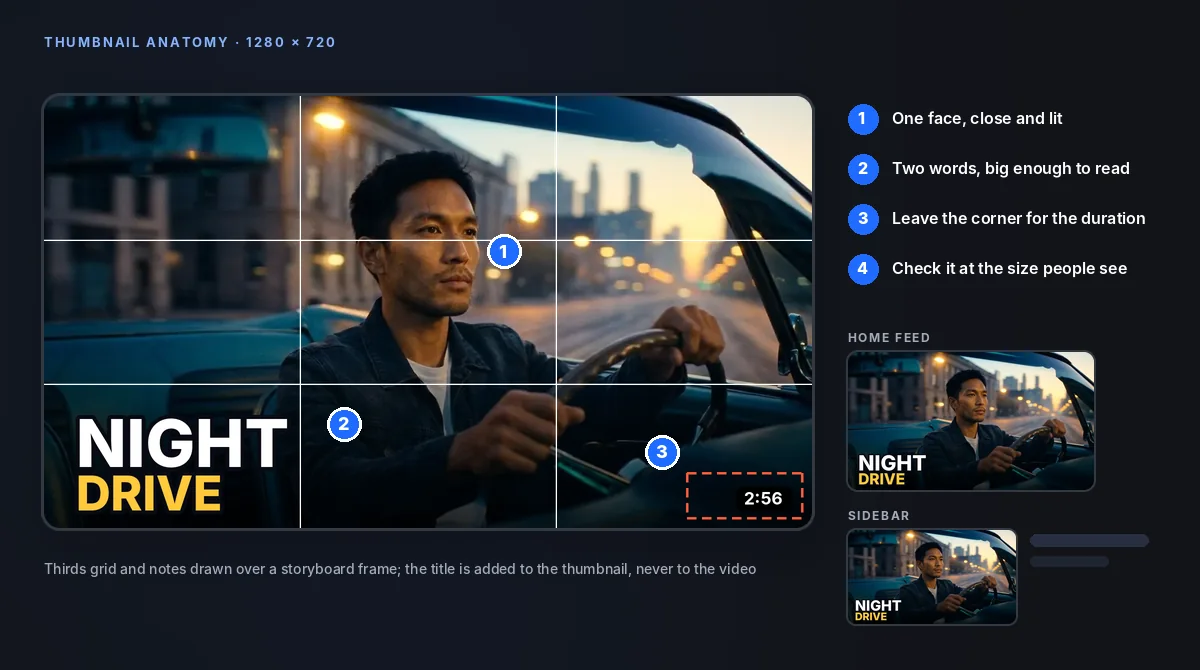
YouTube's size and file rules, what gets a music video thumbnail clicked, grabbing the right frame, the words, the color and testing.
Read the guideAlbum cover checker
Check cover art against Apple Music, Spotify and distributor rules: square, pixel size, format, color mode and file size.
Open the tool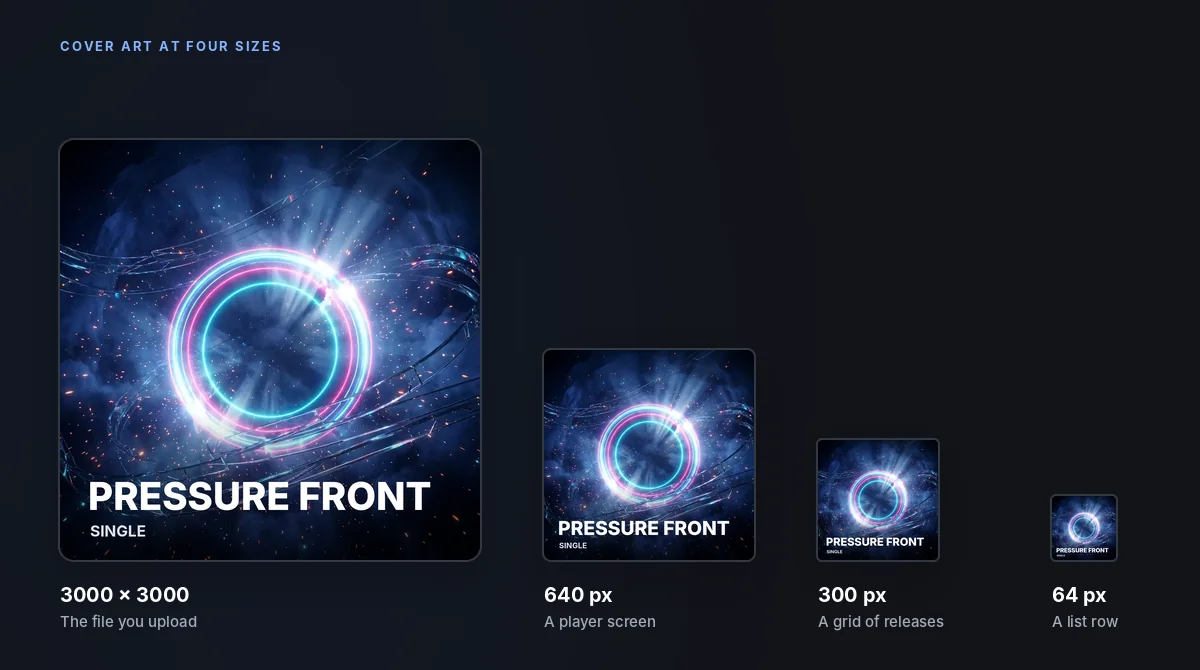
Album cover size and specs
The square size to export, the file and color settings, what gets cover art rejected and how to design for a tiny thumbnail.
Read the guide
Music visualizers
AI video for a whole song, cut on the beat, at the lowest credit rate.
Learn moreSpotify Canvas checker
Check a video against Canvas's specs before you upload: length, shape, resolution and format.
Open the toolVideo frame grabber
Open a video, step to the exact frame and save it as a full-size PNG, JPEG or WebP, or a 1280 × 720 YouTube thumbnail.
Open the tool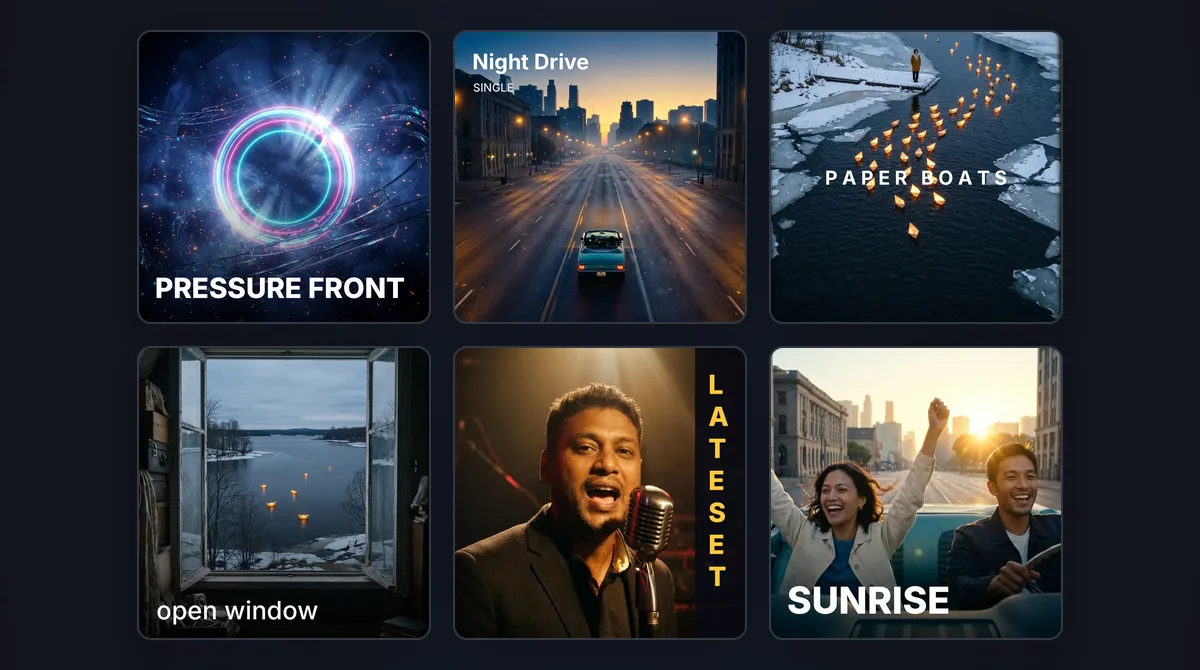
Album cover ideas
28 cover art concepts, from a phone-lit portrait to a three-single rollout, each written so a designer can make it and a video can match it.
Read the guideColor palette generator
Drop in any image and get its five to eight main colors with hex codes, shares and readable text colors, ready to copy as CSS or as an idea for a video.
Open the toolSlowed and reverb generator
Make a slowed and reverb, sped up or nightcore version of your own song, hear every change as you make it and save a WAV.
Open the toolAudio spectrum visualizer
A song file as a moving spectrum: bars, mirrored bars, a circle or a waveform over your cover art, recorded to a video on your device.
Open the tool
More free tools: loudness and audio
Check and normalize loudness, change the key, make a slowed and reverb or reversed version, join files, convert to WAV, cut a snippet and make waveform art.
Your song deserves a music video
Upload a track and get a free beat-synced storyboard in minutes. Render it when you are ready.
No card needed to start.






