Join audio files into one, in the order you set
Add up to 20 audio files from your device (MP3, WAV, M4A, AAC or FLAC), put them in order and join them into one WAV: back to back with nothing between them, with a gap of silence, or with an equal-power crossfade, anywhere from a tenth of a second to ten seconds. Files recorded at different sample rates are brought to one rate, a mono file sits at the same level in both channels of a stereo join, and every length is exact to the sample. Your browser decodes the files one at a time, and none of them leaves your device.
Free, no sign-up. Runs in your browser: nothing is uploaded.
Each file is decoded by your browser, one at a time, and the WAV is built in this page's memory: up to 20 files and 30 minutes in all. MP3, WAV, M4A, AAC and FLAC open in current browsers; OGG and Opus depend on the browser. Join only audio you made or have permission to use.
Song finished? Upload it and Muvora plans the whole video on its beats. The storyboard is free.
Make the videoUpload a new songHow to use the audio joiner
- 01
Add the files
Drop in or choose up to 20 files at once. Each one lists its length, channels, sample rate and format, and the total under the list says how long the joined file will run.
- 02
Put them in order
Move a file up or down with its arrows, or remove it. The first file in the list opens the joined audio and the last one ends it.
- 03
Choose what goes between them
Pick back to back, a gap or a crossfade and how many seconds it lasts, then the bit depth and the sample rate. Auto takes the rate most of your files already share.
- 04
Join, listen and save
Press Join. Each file is decoded and added in turn with a progress bar, then the joined WAV plays in the page and downloads with your files' names in its own.
Back to back, a gap or a crossfade
Back to back puts each file's first sample on the very next sample after the previous file's last one: use it for a take recorded in pieces or a song exported in sections, where any pause would be heard. A gap adds exactly the silence you set, and the count is exact: 2 seconds at 44.1 kHz is 88,200 silent samples in each channel, the pause you might leave between songs on a demo or an EP preview. A crossfade overlaps the end of one file with the start of the next and blends them on equal-power curves (a quarter cosine out, a quarter sine in), so two different songs hold their level through the blend instead of dipping in the middle, as a straight-line fade between unrelated material does. It overlaps exactly as many samples as the seconds you set, but never more than half of either file, so a short sting between two songs is never swallowed; the result says when a crossfade had to be shortened.
- Back to back: no pause at all
- A gap: silence exact to the sample
- A crossfade: equal power, up to 10 seconds
Sample rates, mono and stereo
Everything in a join plays at one sample rate. On Auto that is the rate most of your files share, usually 44.1 kHz for music masters or 48 kHz, the usual rate for video, and any file at another rate is resampled by your browser's own decoder as it's opened; files above 48 kHz are joined at 48 kHz to keep a long join's memory in check, or you can pick 44.1 or 48 kHz yourself. The join is stereo whenever any file is: a mono voice memo then plays at the same level in both channels, centered, the way it sounds played on its own. Only a join of mono files stays mono. 16-bit is CD quality, 24-bit gives more headroom for further editing, and 32-bit float keeps samples that a crossfade between two loud masters can push past full scale; at 16 or 24-bit those are clipped, and the tool counts them for you.
- Auto: the rate most files share
- A mono file plays centered in a stereo join
- 32-bit float keeps peaks past full scale
Before you join: loudness, gapless files and the limits
Songs mastered at different loudness jump in level where they meet, so measure them with the LUFS meter and bring them together with the audio normalizer first, and trim long intros and outros with the audio cutter. For a join with no pause at all, use WAV or FLAC files: MP3 and AAC encoders add a little silence at a file's start and end, and whether a browser's decoder removes it depends on the browser and the file. The joined WAV keeps what each file held, so a join of MP3s still sounds like those MP3s, only in a bigger file. A join takes up to 20 files and 30 minutes, each file up to 15: the WAV is built in this page's memory, about 10 MB a minute at 16-bit, 44.1 kHz stereo, so 30 minutes is about 320 MB, and much more can crash a tab, on a phone above all.
- Match loudness before you join
- WAV or FLAC for a join with no pause
- Up to 20 files and 30 minutes
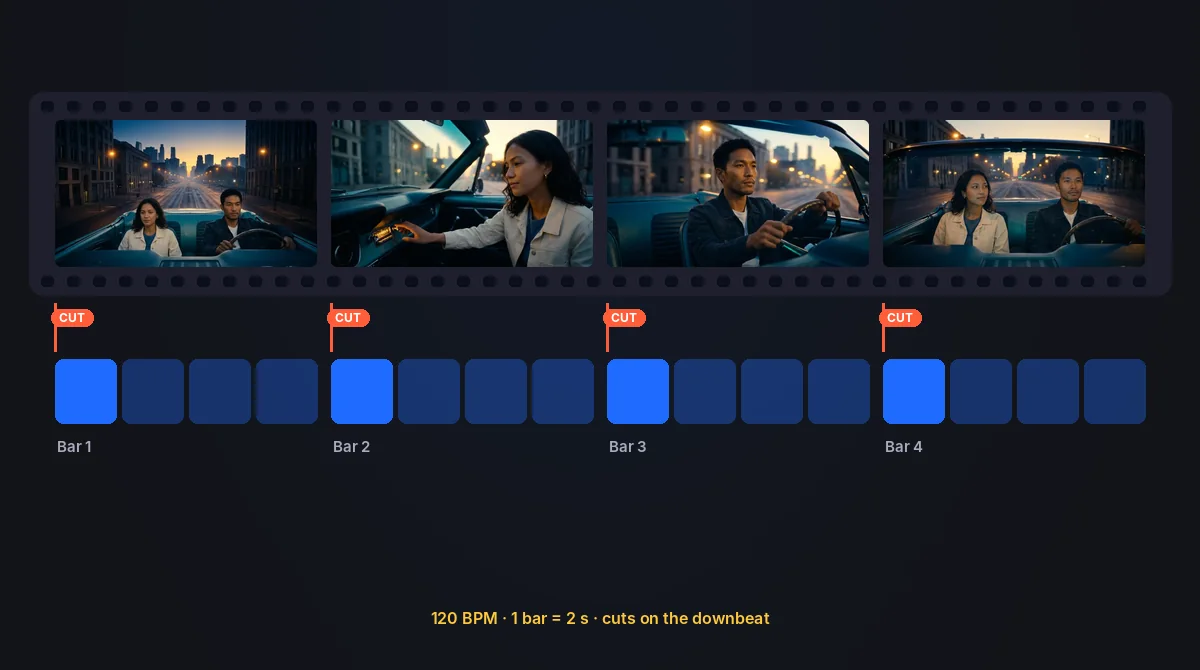
Joined a medley or an intro to a song? Make it one music video
Muvora makes one video from one song file of up to 8 minutes and 60 MB, so a medley, a blend of two songs or a spoken intro joined to a track goes in as a single upload, and the file you upload is the video's soundtrack, untouched. A joined WAV longer than about six minutes at 16-bit, 44.1 kHz stereo passes 60 MB, so save it as FLAC or MP3 in your audio editor first. Muvora finds the beats, sections and drops across the whole join, and the AI director writes a storyboard with a cut at every section change and cuts on the downbeats; reading and editing it is free, and you see the price before you render.
Questions, answered
Can't find what you need? Start a free storyboard and see for yourself.
How do I combine two songs into one file?
Add both files, put them in order with the arrows, choose back to back, a gap or a crossfade, and press Join. The joined WAV plays in the page first, then downloads under a name made from both songs' names.
How long should a crossfade between two songs be?
A few seconds gives a smooth handover between two songs, and under a second only softens the join. Long crossfades work best where both songs are quiet, or share a tempo, because two beats that don't line up clash for the whole overlap. Try a length, listen to the join in the page, and change it.
Why is there a tiny pause between my joined MP3s?
MP3 and AAC encoders pad the start and end of each file with a little silence, and not every browser's decoder strips it out. Join WAV or FLAC versions of the files to avoid it, or overlap them with a short crossfade, such as a tenth of a second.
Can I join files with different sample rates, or mono with stereo?
Yes. On Auto the join takes the rate most of your files share and your browser resamples the others as it decodes them; pick 44.1 or 48 kHz to set it yourself. A mono file in a stereo join plays at the same level in both channels.
How long can the joined file be?
Up to 30 minutes, from up to 20 files of up to 15 minutes each. The WAV is assembled in your browser's memory, and longer joins risk crashing the tab, so use a desktop audio editor for an album-length file.
Are my audio files uploaded to join them?
No. Each file is opened and decoded by your browser on your device, and the joined WAV is built in this page's memory. Nothing is sent to Muvora or anyone else; closing the tab clears it, so download the file before you leave.
Keep exploring
Audio cutter
Cut a 15 to 60 second clip from a song that starts and ends on a bar line, add fades and save it as a WAV.
Open the toolReverse audio
Play a song or any sound backwards: reverse the whole file, one part on its own or a part in place, and save it as a WAV.
Open the toolAudio normalizer
Normalize a song to -14 LUFS, another loudness or a peak level, with its true peak kept under a ceiling, and save it as a 16 or 24-bit WAV.
Open the tool
Free tools for musicians
Free tools by job, from writing and recording to the master check, lyric timing, artwork, the release and the video, and who each one suits.
Read the guideMP3 to WAV converter
Convert MP3, M4A, AAC, FLAC or OGG files to 16-bit, 24-bit or 32-bit float WAV on your device, several at once.
Open the tool
Audio to video
Turn any song file into a video timed to its beats, sections and drops.
Learn moreSilence remover
Trim the silence from the start and end of a song file, with every cut shown on its levels, and save a WAV at the file's own rate.
Open the tool
More free tools: loudness and audio
Check and normalize loudness, change the key, make a slowed and reverb or reversed version, join files, convert to WAV, cut a snippet and make waveform art.
Your song deserves a music video
Upload a track and get a free beat-synced storyboard in minutes. Render it when you are ready.
No card needed to start.






