The short answer
Choose an artist name people can say after hearing it once, spell without asking and find in a search. Write a long list, cut it with those tests, then search the finalists on streaming services, social platforms and domain registrars, and run a trademark search where you'll release. Use the exact same spelling on every release, because changing it later is slow and can cost followers.
- Sayable, spellable and searchable beats clever.
- Search every streaming service first: a shared name can land your music on someone else's page.
- Enter the name the same way, to the letter and the capital, on every release.
- Renaming usually means a new artist page, and followers may not move with you.
- Run a trademark search where you'll sell music or merch, and ask a lawyer before you file.
On this page (9 sections)ShowHide
- 1.What makes an artist name work
- 2.The kinds of artist names
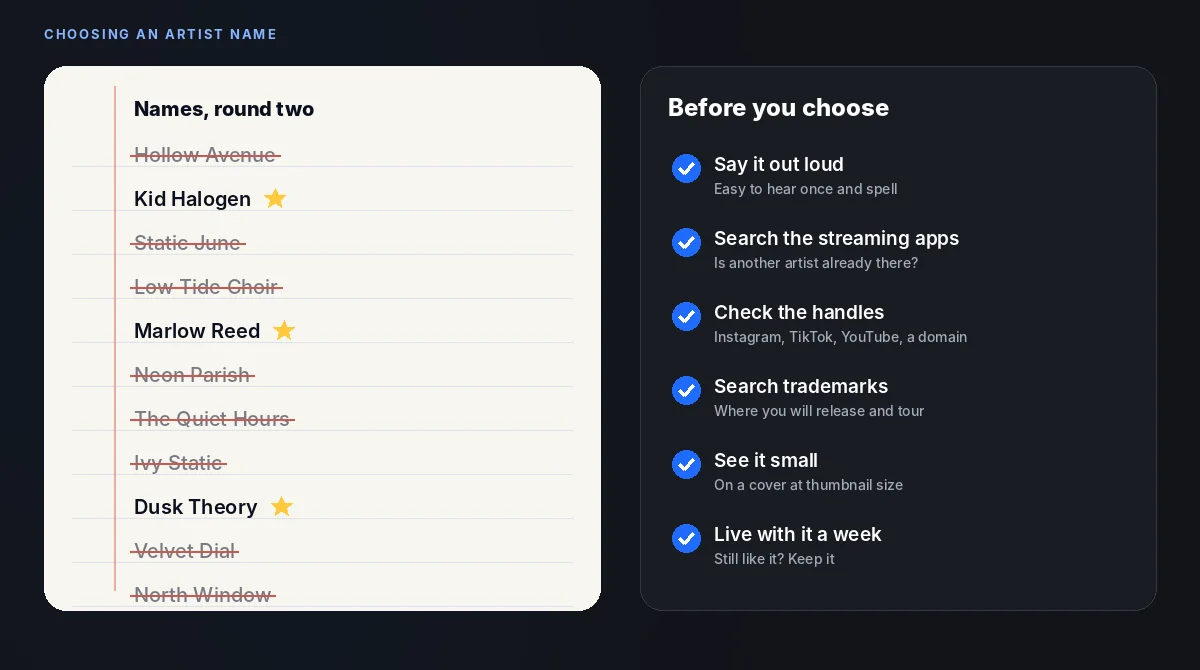
- 3.How to choose an artist name in seven steps
- 4.The checks to run before you commit
- 5.Trademarks: search where you'll release
- 6.Enter it the same way everywhere
- 7.If another artist has the same name
- 8.Changing your artist name later
- 9.Your name and your first video
- Questions
What makes an artist name work
A good artist name does three jobs before it does anything clever. Someone who hears it once on a podcast or at a gig can say it back, can type it into a search box without guessing the spelling, and finds you, not someone else, in the results. The mood it sets and how it looks on a cover matter too, but only once those three work.
| Test | Run it like this | A name fails when |
|---|---|---|
| Say it | Read it aloud to three people and ask them to repeat it | They hesitate, stress it differently or ask how it's said |
| Spell it | Say it once, out loud, and ask someone to type it | They have to ask, or they type a different spelling |
| Search it | Type it into Spotify, YouTube and a search engine | The first page is another act, or a common word's results |
| See it small | Set it as a caption under a profile picture and on a phone-sized cover | It's too long or too fussy to read at thumbnail size |
| Grow with it | Picture it on your fifth release, in a style you haven't tried yet | It ties you to one genre, joke or age you'll outgrow |
| Hear it elsewhere | Look it up in the languages of the places you hope to reach | It means something you wouldn't put on a poster |
Distinct beats descriptive. A single everyday word, a color or an emotion disappears into millions of unrelated results, while an unusual pairing of two ordinary words, an invented word or your own name with a twist can own its search. Shorter usually helps, but not without limit: a name of two or three letters is hard to search too.
The kinds of artist names
| Kind | What it looks like | Strengths | Watch for |
|---|---|---|---|
| Your own name | Your first and last name as they are | Personal, honest, easy to stand behind for decades | Other people with the same name; a surname that's hard to spell |
| A variation of it | A middle name, initials, a shortened or respelled first name | Still yours, and often more distinct | A spelling only you would guess |
| A stage name | A new first and last name, or one word | Searchable, and it keeps your private name private | It should still sound like a person, not a product |
| A band or project name | "The" and a plural, two words, an invented word | Room for members to change, and a mood of its own | Generic words and names close to existing acts |
| A producer or DJ alias | Initials and a number, a compound word, a word without its vowels | Sharp on a flyer and easy to stylize | Hard to say aloud; symbols that search boxes ignore |
Rappers and singers often use one stage name, built from their own name, a nickname or a word that means something to them. The rap name generator makes ideas from your own name, initials and words, and the band name generator covers bands, solo artists and DJs by genre and mood. Treat both lists as raw material for the tests above, never as finished names: no generator can tell you a name is free to use.
Skip the blank page
Upload your song and Muvora's AI director plans a shot-by-shot storyboard on the beat. Edit every shot for free, and pay only if you render.
How to choose an artist name in seven steps
- 01
Write a long list
Spend one session writing thirty or more candidates: versions of your name, words from your lyrics, places, objects, nicknames and invented words, without judging any of them yet.
- 02
Cut it to five
Read every name aloud and cross out each one that fails the say, spell or see-it-small tests, until five or fewer remain.
- 03
Search the streaming services
Search each finalist in quotes on Spotify, Apple Music, YouTube, Bandcamp and SoundCloud, and strike any name another act already releases under, or one only a letter away from it.
- 04
Check handles and domains
Look for the name, or a close handle, on each social platform you'll use and as a web domain, and note which finalists are free in the most places.
- 05
Run a trademark search
Search the trademark databases for the countries where you'll release and sell merch, looking for the same name or a confusingly similar one used for music, entertainment or clothing.
- 06
Live with it for a week
Use your favorite in conversation, on a mock cover and as a test handle, and check that you still like saying it at the end of the week.
- 07
Lock the exact spelling
Write down the final spelling with its capitals, spaces and punctuation, and use exactly that on every release, profile and credit from then on.
Named, and the first single is ready?
Upload the song and Muvora finds its beats, sections and energy, then an AI director writes a storyboard for it, free to read and edit. Render when you're ready, at a price shown before you click Generate, and one widescreen render gives you the video, vertical and square cuts and a Spotify Canvas.
The checks to run before you commit
No single search proves a name is free. These checks, done in an evening, catch most of the clashes that cause trouble later, and the trademark search in the next section covers the rest.
- Streaming services: search the exact name and close spellings on every service you'll release to. An act already releasing under it is a reason to move on, even if it has few listeners.
- Social handles: check the handle you'd want on each platform, and how close you can get. On YouTube, for example, a handle is 3 to 30 characters of letters and numbers, may also use underscores, hyphens and periods but not at the start or end, isn't case-sensitive and can't already be in use (YouTube Help, as of November 2026). Every platform has its own rules, so check each one.
- Domains: check whether the .com, or your country's ending, is free with any domain registrar. A domain is worth holding even if it only forwards to your link page.
- Search engines: search the name on its own and with the word music, and look at the image results too. A brand, a film or a public figure already attached to it will bury you.
Trademarks: search where you'll release
A trademark protects a name used for goods and services, and artist and band names are often registered for recordings, live shows and merchandise. Whether or not you register yours, check that nobody has an earlier claim to it. This section is general information, not legal advice: trademark law differs by country, and a trademark attorney can run a full search and tell you what the results mean.
The US Patent and Trademark Office says one of the most common reasons applications are rejected is a likelihood of confusion with a registered mark, meaning customers would think two parties' goods or services come from the same source. It recommends a clearance search before you apply, covering its own database of registered and pending marks, state trademark databases and the internet, because someone using a name in business can have rights in it without registering it (USPTO, why search; clearance search, as of November 2026).
| Where | What it covers |
|---|---|
| The USPTO's trademark search system | US federal registrations and pending applications |
| US state trademark registries | Marks registered with individual states |
| Madrid Monitor | International registrations made through the Madrid System |
| WIPO's Global Brand Database | Trademarks from many national and international offices |
| The EUIPO's TMview | Applications and registrations from EU national offices, the EUIPO and partner offices |
| Search engines | Unregistered use, which can still give someone rights |
Search for the exact name and anything that sounds or looks close, in the kinds of goods and services that matter for music: recordings and downloads, entertainment such as live shows, and clothing if you'll sell shirts. Finding nothing doesn't prove a name is clear, and a similar name in an unrelated business may not stand in your way. Weighing that is a lawyer's job, and the USPTO itself suggests an experienced attorney for a clearance search and its results.
Enter it the same way everywhere
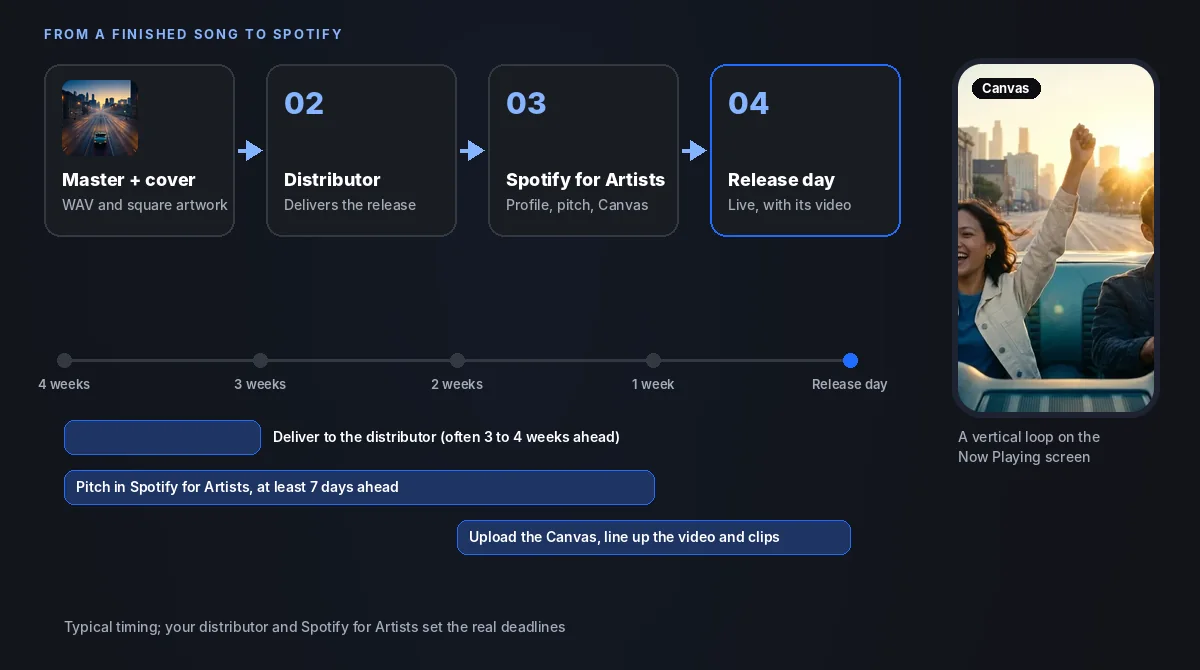
Streaming services show your name exactly as your distributor delivers it, so the spelling you lock in has to reach every release. Spotify's metadata guidelines ask artists to keep the spelling and formatting of artist names consistent from one release to the next, punctuation, abbreviations and acronyms included, to list each artist in a separate field, and say Spotify doesn't allow artist names made of search terms, giving "Christmas Hits" and "Sleep Music" as examples (Spotify for Artists, as of November 2026). TuneCore's formatting guide says artist name formatting must be exactly the same on every release, that names are case-sensitive, and that the field takes the name alone, with nothing such as an instrument or a band added (TuneCore, as of November 2026).
- Capitals, spaces and periods count: initials with periods on one release and without them on the next can look like two different artists to a store.
- Collaborators get their own field: a featured artist goes in a separate artist field, never typed into yours after "and" or "feat.".
- Match everything else: use the same spelling on your social profiles, your YouTube channel, your bio and the files you send out, such as an MP3's artist tag, which the MP3 tag editor can set.
If another artist has the same name
It happens, especially with real names. DistroKid's help page calls a name nobody else uses on streaming services best practice, because it makes your music easier to find and helps keep it from being grouped with other artists of the same or a similar name; it also says sharing a name has no effect on how your earnings are paid (DistroKid, as of November 2026). The practical risk is your release landing on the other artist's page, or theirs on yours.
If that happens on Spotify, its help page says to report it with the content mismatch form in Spotify for Artists, or through your distributor, and that some distributors can deliver music with a specified artist ID to help prevent future mix-ups; Spotify says it usually fixes a reported mix-up within a few days (Spotify for Artists, as of November 2026). It can be fixed, but a name nobody else uses saves you from fixing it on every release.
Changing your artist name later
Artists do rename, but it isn't a quick edit. Spotify's help page says you can't change your artist name on Spotify yourself: the name comes from the metadata your label or distributor sends, so they ask Spotify's Content Operations team for the change, then redeliver every release with the new name (Spotify for Artists, as of November 2026). Distributors handle their side differently.
| Distributor | How a name change works | What it warns about |
|---|---|---|
| DistroKid | An edit request on releases that are live, with an option to update every release under the old name at once (for releases with one primary artist) | Followers and monthly listeners probably won't transfer, since most stores create a new artist page; play counts and playlists should carry over, though that's up to the stores; updates can take up to a couple of weeks; there's no quick undo |
| CD Baby | No direct change on delivered releases: cancel them and resubmit under the new name, or keep the old catalog under the old name and release new music under the new one | The old releases must be fully removed before resubmitting; most platforms accept a resubmission under a new name, but not every time; a genuine spelling mistake may qualify for a correction instead |
So decide before the first release if you can. If you're unsure between two finalists, release a song under the one you'd keep for ten years, not the one that fits this month. Renaming later is possible, but it can cost you the followers and the search history you built under the old name.
Your name and your first video
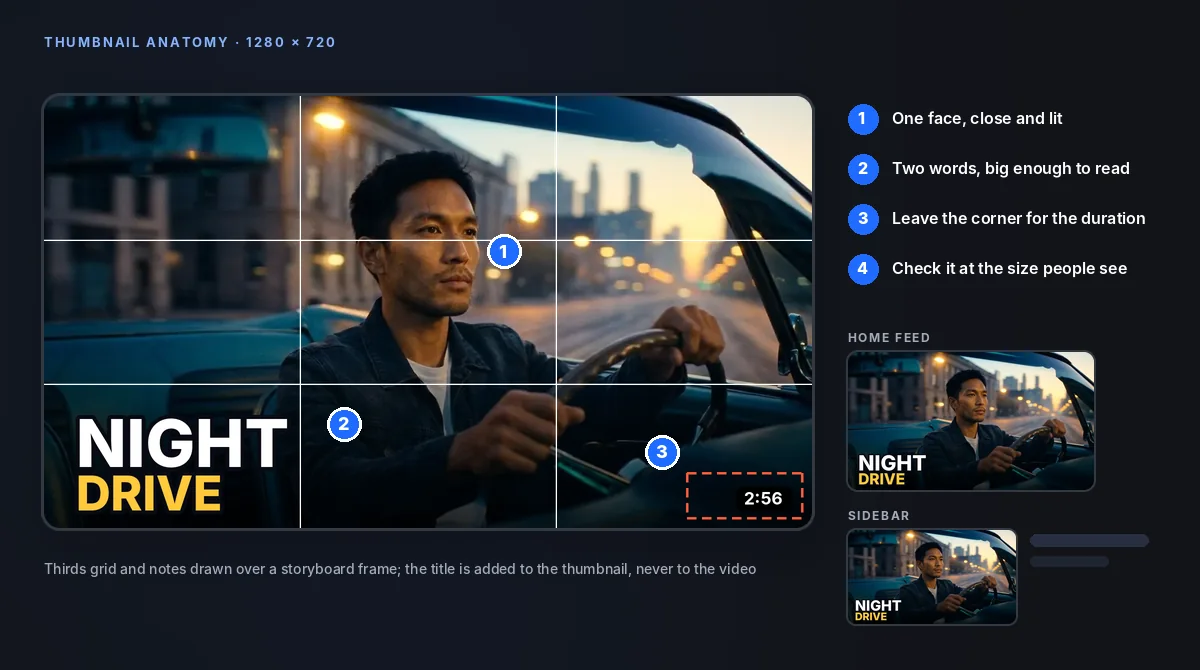
A new name is easiest to remember when it arrives with a song people can watch. Muvora makes the music video from your song: upload it, and an AI director writes a storyboard on its beats and sections, free to read and edit, before you choose a quality and render. Muvora's pictures never contain lettering, so your name doesn't appear inside the video itself; it goes where people read, in the video's title and description, on the thumbnail you make, and on your profiles, spelled exactly as you locked it.
Launch the name with a video
Upload your single, pick a style and a look, and read the storyboard before you pay. The price shows before the video renders, shots that fail cost nothing, and the exports cover YouTube, Shorts, Reels and a Spotify Canvas. For more on releasing it, see how to release music independently.
Written by the Muvora team. Last updated November 18, 2026. Spotted something out of date? Tell us at [email protected].