The short answer
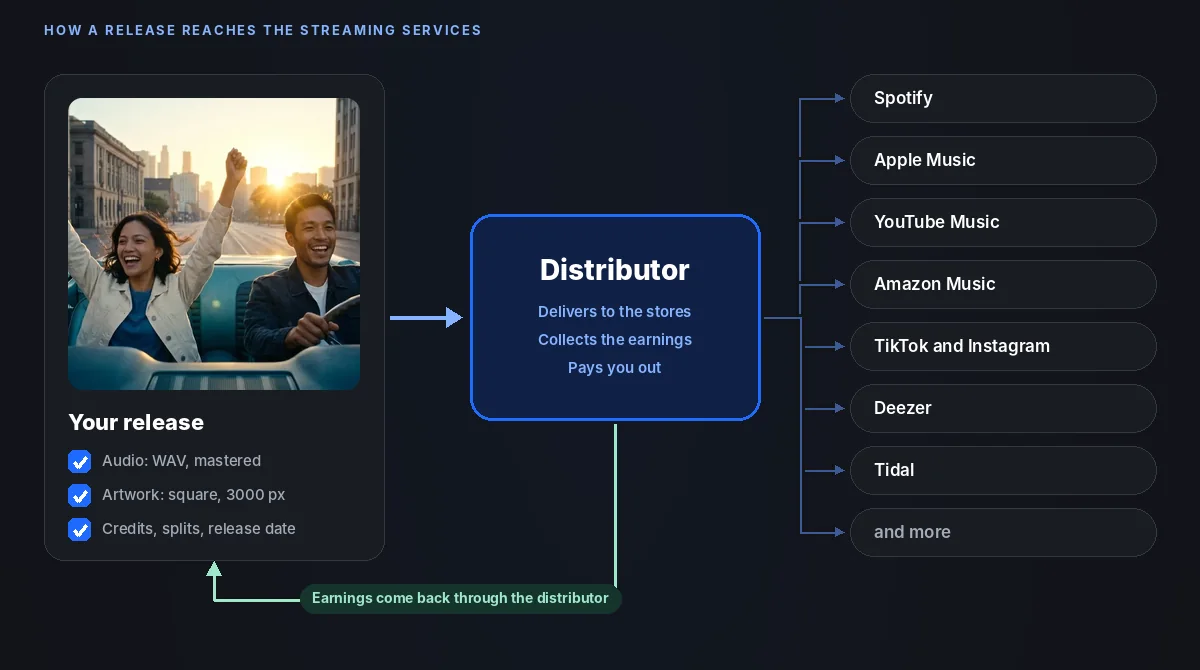
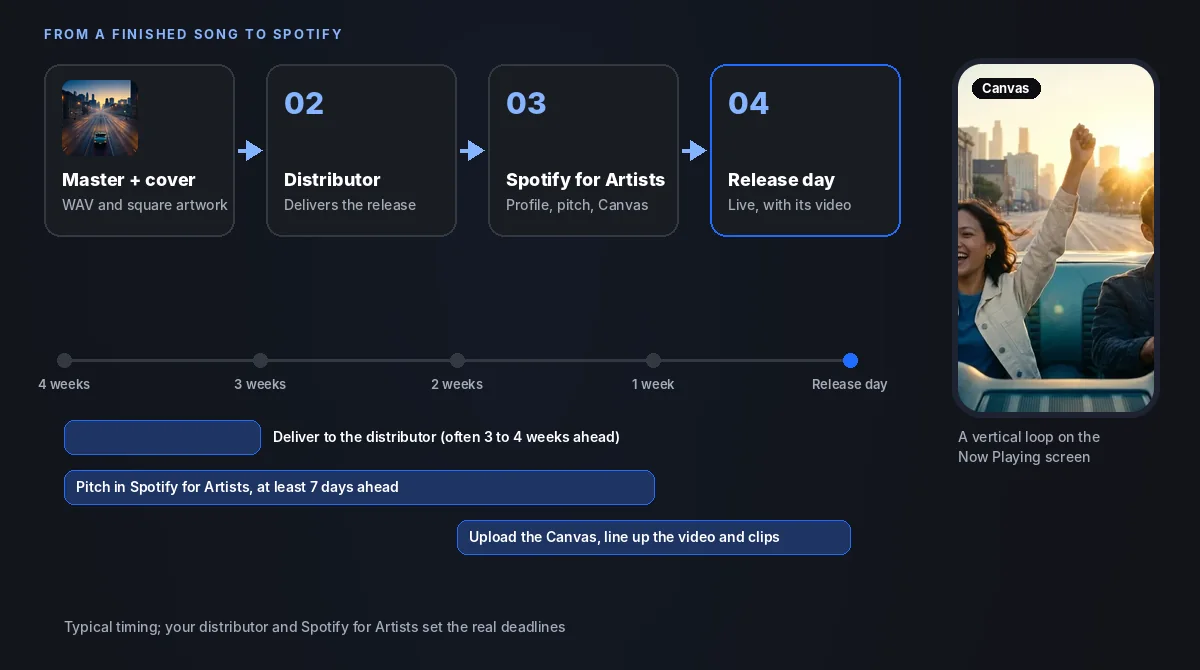
You can't upload songs to Spotify yourself: a distributor or a label delivers them. Prepare a mastered WAV, square cover art at 3000 x 3000 pixels and complete metadata and credits, then upload to a distributor at least four weeks before release day. Claim your Spotify for Artists profile, pitch the song at least 7 days ahead, and add a Canvas.
- A distributor (or a label) is the only way in: Spotify closed its own upload test in 2019.
- Have the master, the cover, the metadata and the credits final before you upload anything.
- Upload four or more weeks before release day, so the song can be pitched and pre-saved.
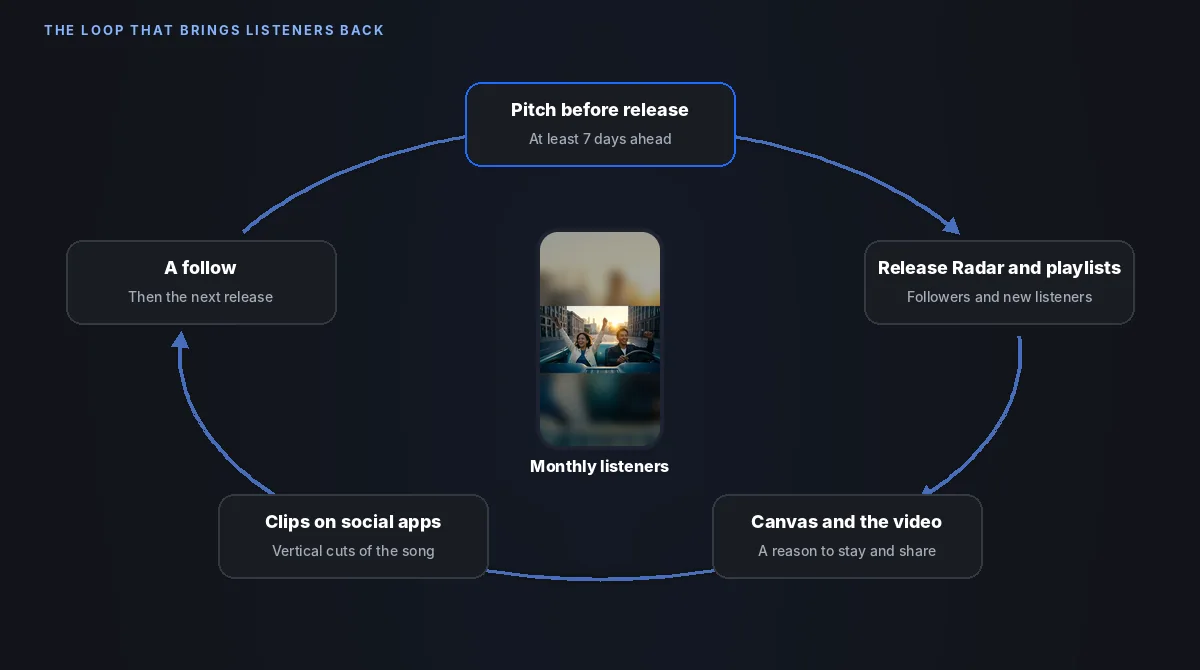
- Pitch one song in Spotify for Artists at least 7 days ahead to reach your followers' Release Radar.
- A Canvas, a music video and vertical clips give new listeners something to watch.
On this page (9 sections)ShowHide
- 1.How music gets onto Spotify
- 2.The release, step by step
- 3.What you need before you upload
- 4.Choosing a distributor
- 5.The timeline: weeks before release
- 6.Spotify for Artists: the profile, the pitch and the Canvas
- 7.The visuals: a music video, a Canvas and vertical clips
- 8.Release week
- 9.Mistakes that delay or damage a release
- Questions
How music gets onto Spotify
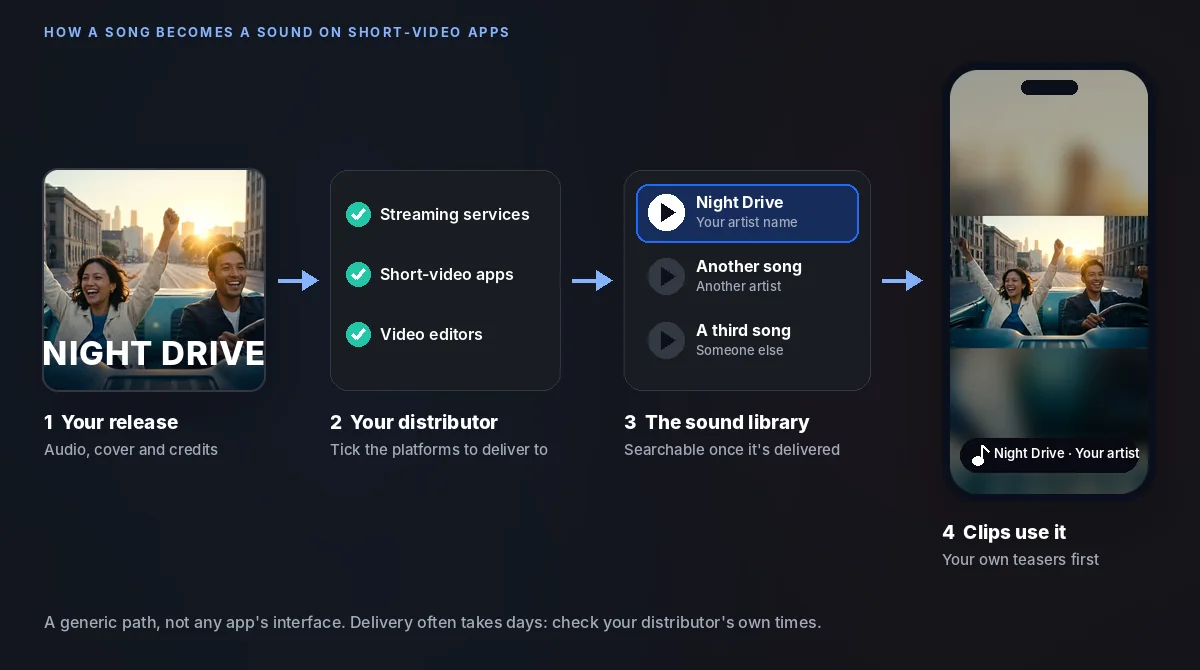
Spotify takes music from distributors and labels, not from artists directly. It did test letting independent artists upload through Spotify for Artists, starting in 2018, and closed that test in July 2019, pointing artists to distribution partners instead. So the path for every release has the same three stops.
- You finish the song and prepare everything that goes with it: the audio, the cover, the names, the credits and a release date.
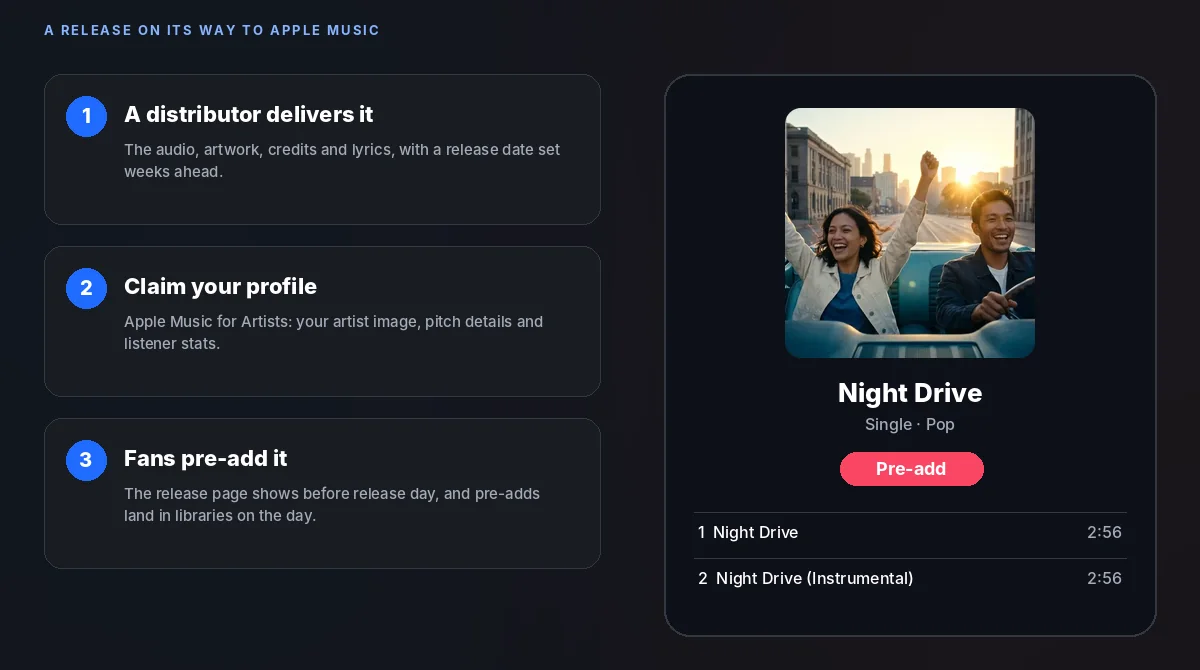
- A distributor (or your label, which usually works through one) checks the files, gives the recording its codes and delivers the release to Spotify and the other services. It collects what they pay for the recording and passes your share on.
- Spotify for Artists is where you run your profile once the release is delivered: the pitch to Spotify's editors, the Canvas, the artist picture and bio, and the stats after release.
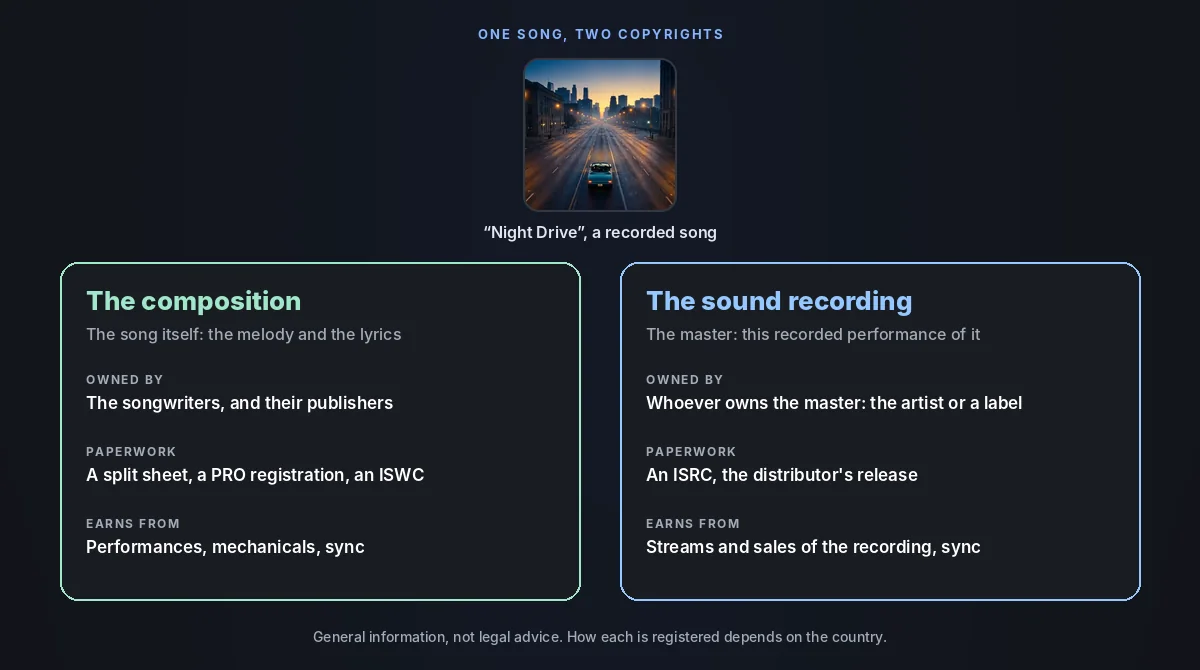
What a distributor collects is money for the recording. Money for the song as written (the songwriting side) comes through a performing rights organization and, in the US, The MLC, and you register for those separately. Who wrote what, and how to protect it, is covered in how to copyright a song and what is a split sheet.
The release, step by step
- 01
Finish and export the master
Approve the final mix and master, check its loudness and true peak, and export a WAV at the bit depth and sample rate your distributor lists, plus a clean version if an explicit song needs one.
- 02
Make the cover art
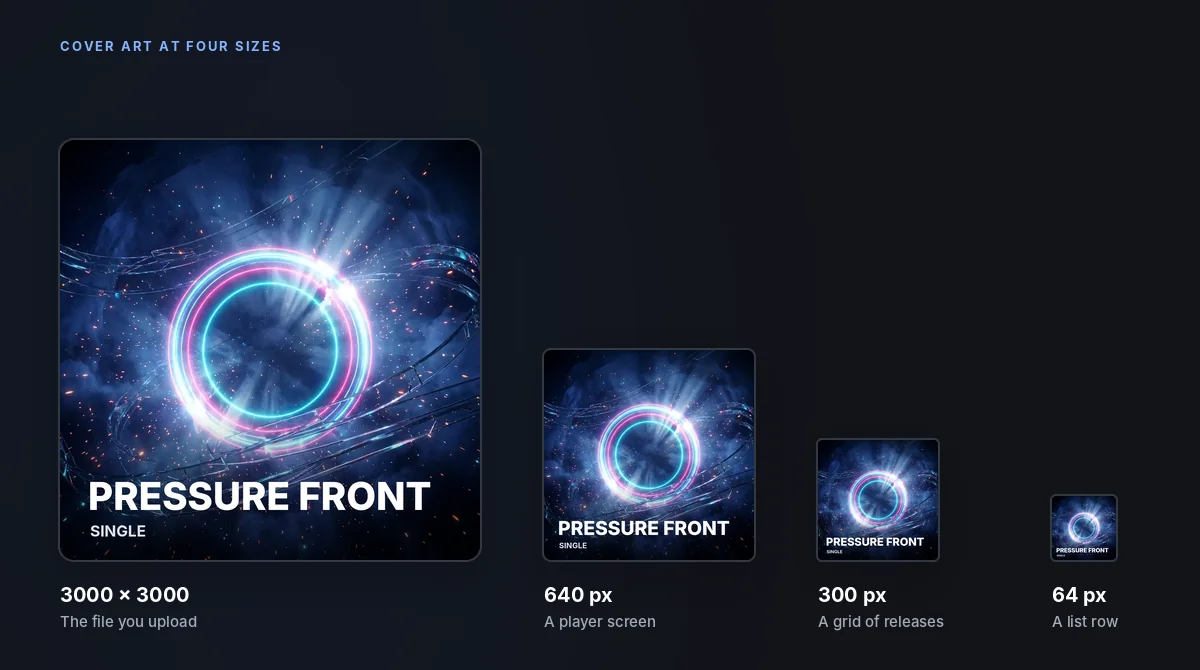
Export a perfect square of 3000 x 3000 pixels in sRGB, with no web addresses, social handles or blurry upscaled images, and check that it still reads at thumbnail size.
- 03
Gather the metadata and credits
Write the artist name exactly as on your profile, the title and any version, featured artists, every songwriter, producer and performer, the genre, the language and whether the song is explicit.
- 04
Choose a distributor and open an account
Compare how distributors charge, what happens to your releases if you stop paying, and whether they offer what you need, such as splits, YouTube Content ID or instant access to Spotify for Artists.
- 05
Upload four or more weeks before release day
Upload the audio, the cover and the metadata, choose the release date, and enter existing ISRCs for any recording that came out before; let the distributor assign new ones for the rest.
- 06
Claim your profile in Spotify for Artists
Request access to your artist profile, through your distributor where it offers instant access, and check that the upcoming release is on the right profile.
- 07
Pitch the song at least 7 days ahead
Once the release shows under Upcoming, pitch one song to Spotify's editors, ideally two to three weeks before release, so it also reaches your followers' Release Radar.
- 08
Add the visuals and check release day
Upload a Canvas, have the music video and vertical clips ready, then on release day open every link on a phone and confirm the song is live on the right profile.
Start the video while the master is fresh
Upload the same master you'll send your distributor. Muvora finds the beats and sections and writes a storyboard for free, so the video and the Canvas are ready by the time the pitch is due.
What you need before you upload
Distributors reject or delay releases for the same few reasons: an audio file that isn't final, art that breaks a rule, and names typed differently in different places. Settle all of it before you open the upload form.
| Item | What to prepare | Watch for |
|---|---|---|
| Master | A WAV at the bit depth and sample rate your distributor lists (16 or 24-bit at 44.1 kHz or higher is common) | A rough mix uploaded by mistake, or a true peak that clips once encoded |
| Cover art | A square image at 3000 x 3000 pixels, in sRGB | Web addresses, social handles, logos you don't own, or a small image stretched to size |
| Artist and title | Your artist name exactly as on your profile; the title, with versions in the version field | A misspelled name that starts a second profile or lands on someone else's |
| Featured artists | Each one in the featured artist field, spelled as on their own profile | Featured names typed into the title instead |
| Credits | Every songwriter, producer and performer, with legal names where the form asks | A co-writer left off, whose share then has no one to collect it |
| ISRC and UPC | Existing ISRCs for recordings released before; new ones from the distributor for the rest | A new code for an old master, which splits its history in two |
| Explicit flag | Set honestly, with a clean version uploaded as its own track if you want one | An explicit song left unmarked, which distributors and services may flag |
| Release date | A date four or more weeks out, usually a Friday | A date so close there's no time to pitch |
| Lyrics | The words exactly as sung | Lyrics for streaming usually go through your distributor or a lyrics service: check their current steps |
On loudness, Spotify's loudness normalization page says it plays tracks at -14 LUFS by default without changing your file, so a very loud master is simply turned down. LUFS for streaming explains the trade-off, and how to master a song covers the steps before export. Spotify's cover art requirements accept squares from 640 to 10,000 pixels a side; 3000 x 3000 fits that range and every major distributor's, as album cover size shows service by service.
Codes trip people up most. The ISRC identifies the recording and stays with it for life, while the UPC identifies the release; most distributors assign both for free. What is an ISRC code explains when a remix or an edit needs a new one and why an old master never does.
Skip the blank page
Upload your song and Muvora's AI director plans a shot-by-shot storyboard on the beat. Edit every shot for free, and pay only if you render.
Choosing a distributor
Every mainstream distributor reaches Spotify, so the choice comes down to how it charges and what it does besides delivery. Distributors independent artists commonly use include, in alphabetical order and with no ranking implied, Amuse, AWAL, CD Baby, Ditto Music, DistroKid, RouteNote, Symphonic, TuneCore and UnitedMasters. Plans and prices change often, so compare the current ones on the day you sign up.
| How it charges | What you pay | What to check |
|---|---|---|
| A yearly subscription | A fee each year for as many releases as the plan allows | Whether your releases stay up if you stop paying |
| A fee per release | A one-off fee for each single, EP or album | What extras such as Content ID or splits cost on top |
| A share of royalties | Little or nothing up front, then a percentage of what the songs earn | How large the share is, and whether it ever ends |
| Selective or label services | A larger share, sometimes with marketing help or an advance | How long the deal runs and who owns the masters afterwards |
- Spotify for Artists access. Spotify's page on getting access says delivering through one of its preferred providers can give you instant access to your profile; otherwise a request is reviewed by hand, which can take a few days.
- Splits. Can it pay a producer or bandmates their share of the recording's earnings automatically?
- Other services. Does it pitch Apple Music and others, and make pre-save links?
- YouTube. Does it register Content ID, and will it allowlist your own channel so your music video isn't claimed?
- Lead time. How many days or weeks before release does it want the files, and how fast does it fix an error?
The timeline: weeks before release
Two dates set the plan. The song has to show under Upcoming in Spotify for Artists before you can pitch it, and Spotify's pitching page says a pitch made at least 7 days before release adds it to your followers' Release Radar. Its new releases page suggests pitching at least two weeks ahead, which means delivering to your distributor about four weeks before release day, or earlier.
| Weeks before release | Task |
|---|---|
| 8 | Master approved, split sheet signed, release date chosen, music video storyboarded |
| 6 | Cover art exported at 3000 x 3000; metadata, credits and ISRCs settled; distributor chosen |
| 4 to 5 | Release uploaded to the distributor; Spotify for Artists access requested; music video rendered |
| 2 to 3 | Song visible under Upcoming and pitched; pre-save link shared; Canvas and vertical clips cut |
| 1 | Last day for the pitch to reach Release Radar (7 days out); premiere and first posts scheduled |
| 0 (release day) | Song checked live on the right profile; Canvas showing; video premiered; clips posted |
| 1 to 4 after | Stats checked weekly; new clips posted; curators written to with the live link |
- 01
6 weeks out
- · Song mastered
- · Pick the visual idea
- · Storyboard drafted
- 02
4 weeks out
- · Pitch the song
- · Render the video
- · Cover art final
- 03
2 weeks out
- · Canvas uploaded
- · Vertical teasers cut
- · Lyric video ready
- 04
Release week
- · Premiere the video
- · Post a clip a day
- · Chapters and links set
Spotify for Artists: the profile, the pitch and the Canvas
Spotify for Artists is free, and it's where an artist's team works on Spotify itself. Request access as soon as your distributor has delivered: Spotify's access page says a request that isn't made through a preferred distributor is reviewed by hand and verified through your social accounts. Then add an artist picture and bio, and check that the upcoming release sits on your profile and nobody else's.
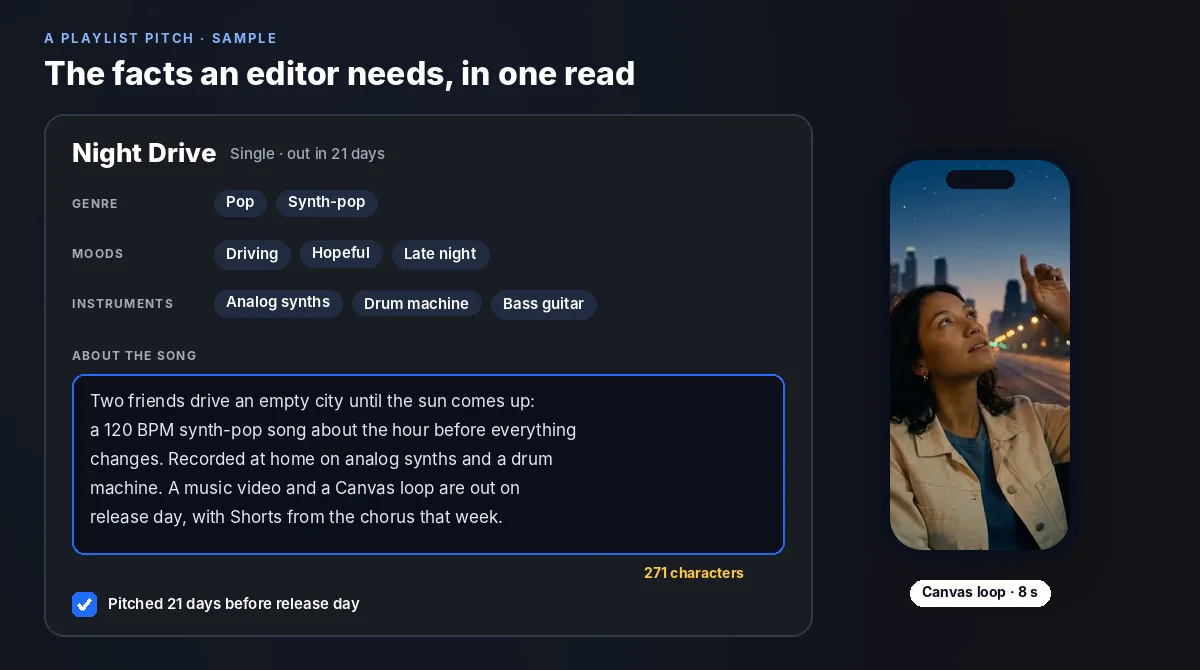
- The pitch. Under Music, then Upcoming, pick one unreleased song, fill in its genre, moods and instruments, and describe it. How to get on Spotify playlists covers what editors look for and what to avoid.
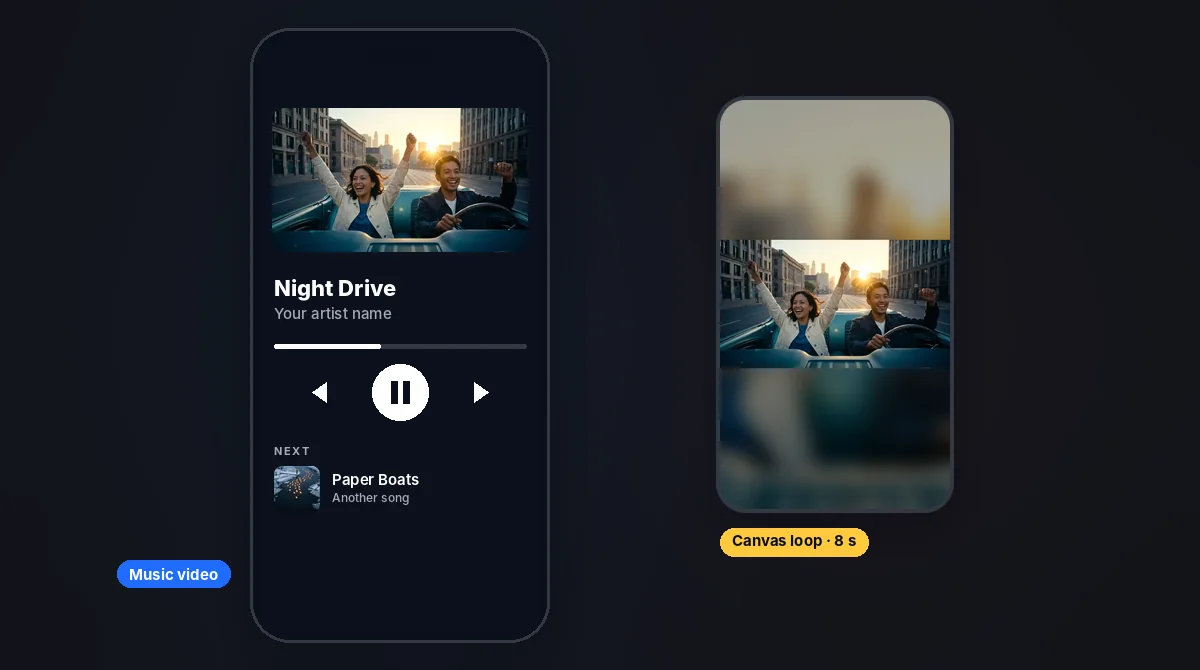
- The Canvas. A 3 to 8 second vertical loop that replaces the cover on the Now Playing screen, set per track. Spotify's Canvas guidelines give the shape and length; versions of the page state the height in pixels differently, so check Spotify for Artists' current Canvas guidelines before you export. Muvora exports the Canvas at up to 1080 x 1920, and the Spotify Canvas guide covers loops that don't jump.
- Clips and video. Spotify's Clips page says it stopped accepting new Clips on June 17, 2026; ones already uploaded stay live and appear in a Video tab on artist profiles as it rolls out. The same month Spotify opened a beta for full-length video uploads, official music videos included, to a growing number of artists with a waitlist for the rest; it says labels and distributors remain the main route for audio and video.
- Countdown Pages and Campaign Kit. Countdown Pages build anticipation for new albums and EPs from eligible artists, not singles. Paid tools such as Marquee, a full-screen recommendation of a new release, sit in Campaign Kit under Campaigns, for eligible artists in eligible markets.
The visuals: a music video, a Canvas and vertical clips
A song on Spotify starts as audio and a square picture, and many of the people who find it will meet it as a moving image first: a short on YouTube, a Reel, a TikTok, the Canvas on someone's Now Playing screen, the video a fan shares. Those pieces need to exist before release day, because the first week is when the pitch, Release Radar and your own posts all send listeners at once.
Muvora makes them from the master you deliver. Upload the song (MP3, WAV, M4A, AAC or FLAC, up to 8 minutes) and it finds the tempo, the sections and the drops, then writes a storyboard with every cut on the beat, which you can edit for free. One render gives you the 16:9 music video, a 9:16 cut for Shorts, Reels and TikTok, a square post and an 8-second Canvas loop, at 720p or 1080p. The soundtrack is your uploaded file, untouched, so the video sounds exactly like the release.

A render costs credits per finished second of video (38 a second at Visualizer quality, more at Standard and Cinematic), and the storyboard shows the exact total before you press Generate. Muvora's Canvas maker shows how the loop is cut from the strongest chorus moment, and how to release music independently puts the visuals beside the rest of the release.
Get the Canvas and clips before release day
Pick 9:16 at upload and Muvora renders the vertical video, a square cut and an 8-second Canvas loop from one storyboard, every cut on the beat. The free plan includes 5 new storyboards a month.
Release week
The song goes live on release day at the time your distributor and Spotify set. Spend the first hours checking rather than posting, so nothing you share sends people to the wrong place.
- The song plays on Spotify on a phone, under the right artist profile
- The featured artists, credits and explicit tag show as you entered them
- The Canvas shows on the Now Playing screen
- The link in your bio and every pre-save link points at the live song
- The music video is live, with the Spotify link in its first lines
- A vertical clip goes out on each app, pointing back to the song
- Fans who pre-saved get a thank-you post or email
- Stream sources in Spotify for Artists checked after the first few days
If the song lands on another artist's profile, or theirs lands on yours, contact your distributor first: it delivered the metadata, so it can correct it with Spotify. The music release checklist keeps the week's tasks in one list, and how to promote your music plans the month after.
Mistakes that delay or damage a release
- Uploading a week before release. The song may go live on time, but too late to pitch, pre-save or reach Release Radar.
- A name typed two ways. "The Test Tones" and "Test Tones" can end up as two profiles, splitting your listeners between them.
- The wrong file. A rough mix delivered by mistake is live everywhere until a corrected release replaces it.
- Text on the cover. Web addresses, social handles and promotional words on the art can get a release sent back.
- A new ISRC for an old song. A master re-released under a new code shows up as a new track, without the old one's streams or playlist adds.
- Changing the date late. Moving a release once it's pitched and the pre-save links are out can mean pitching again and replacing every link, so pick a date you can keep.
- Nothing to watch. A song that arrives with no Canvas, no video and no clips gives the first listeners nothing to share.
Make the video your release plan promised
Upload the master, shape the free storyboard, and render the music video, the vertical clips and the Canvas in one go. Every cut lands on the beat, and the soundtrack is the song exactly as you delivered it.
Written by the Muvora team. Last updated November 16, 2026. Spotted something out of date? Tell us at [email protected].