The short answer
Choose a music distributor by how it charges (a yearly subscription, a fee per release, or a share of your royalties), what happens to your releases if you stop paying, and the extras your releases need: YouTube Content ID, royalty splits, lyrics, pre-saves, video delivery. Then check that you keep your masters, how and when it pays out, and its rules for AI-made music.
- All the main distributors reach the big services; compare the business model and the extras instead.
- A yearly plan suits frequent releases; a one-off fee per release suits a slow catalog.
- Ask what happens to your releases if you stop paying, before you need to know.
- Keep your masters: a self-service distributor shouldn't need any share of ownership.
- Check the AI-music rules and how your own YouTube channel is treated before the first upload.
On this page (9 sections)ShowHide
- 1.What a music distributor does
- 2.How distributors charge
- 3.How to choose, step by step
- 4.What to compare between distributors
- 5.Six distributors in their own words
- 6.AI-made music and distributors
- 7.Switching distributors without losing your streams
- 8.Red flags in a distribution deal
- 9.After you choose: the release and its visuals
- Questions
What a music distributor does
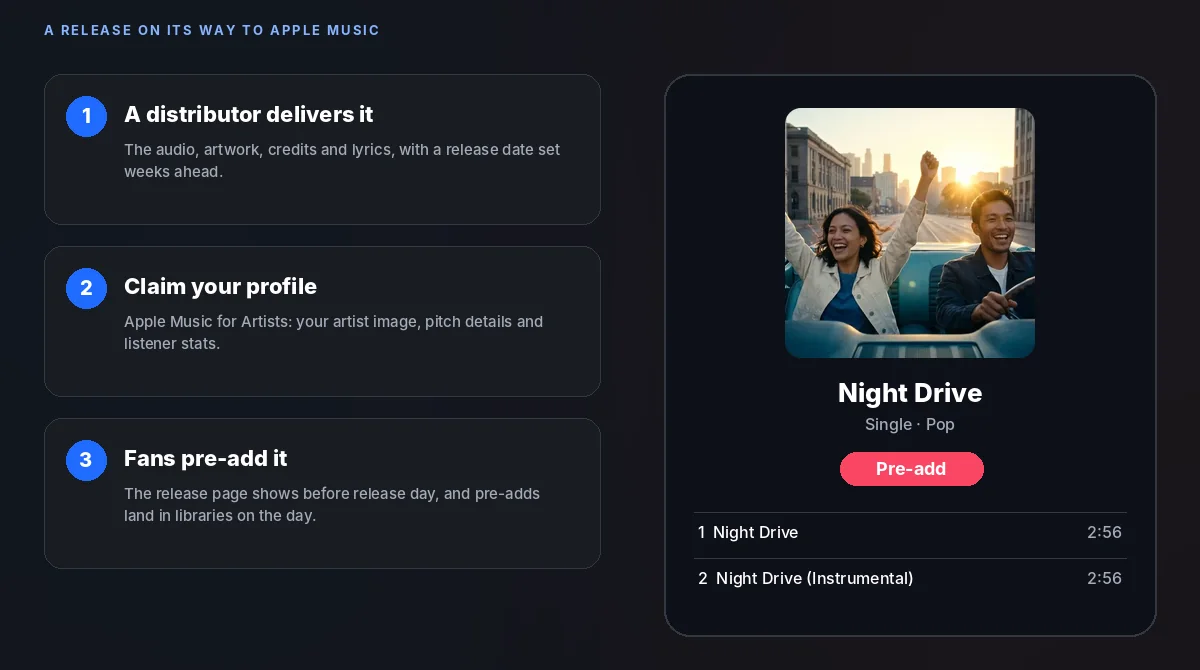
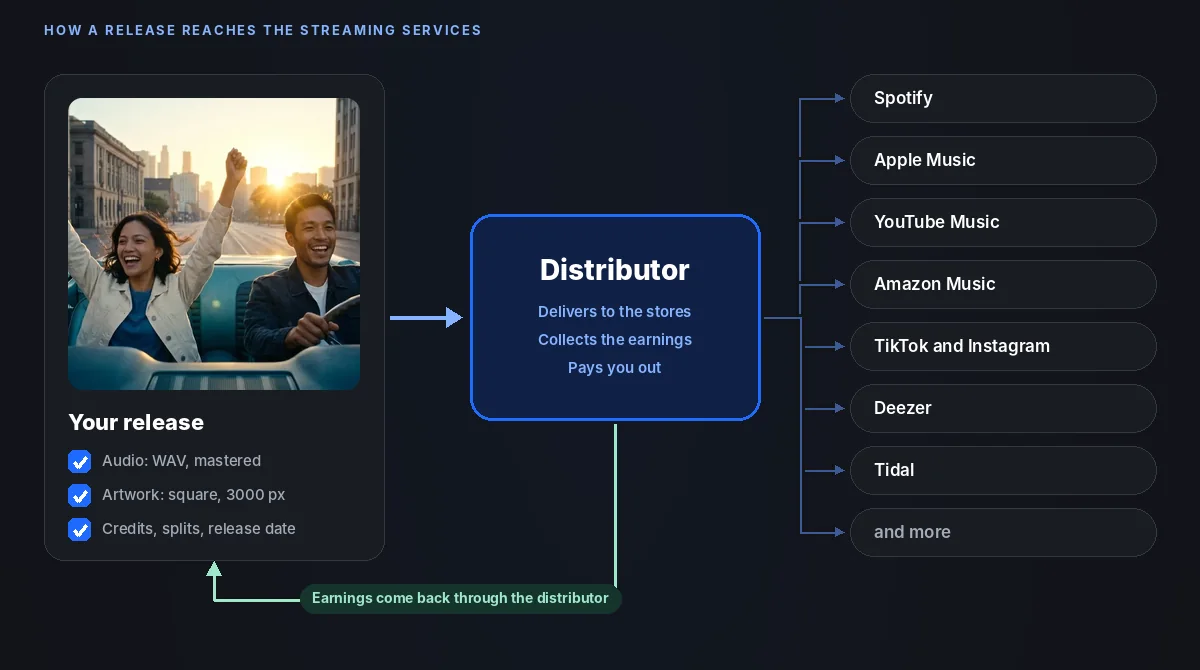
A distributor is the company between you and the streaming services. You give it the audio, the cover and the metadata; it checks them against each service's rules, assigns the codes, delivers the release, and then collects what the services pay for the recording and passes your share on. Apple's page on distributing your music describes distributors as managing the relationship between artists and the services, and says Apple talks to your distributor, not to you, about any problem with your metadata or files.
- Delivery. Your release, formatted for each store and platform, on the date you choose.
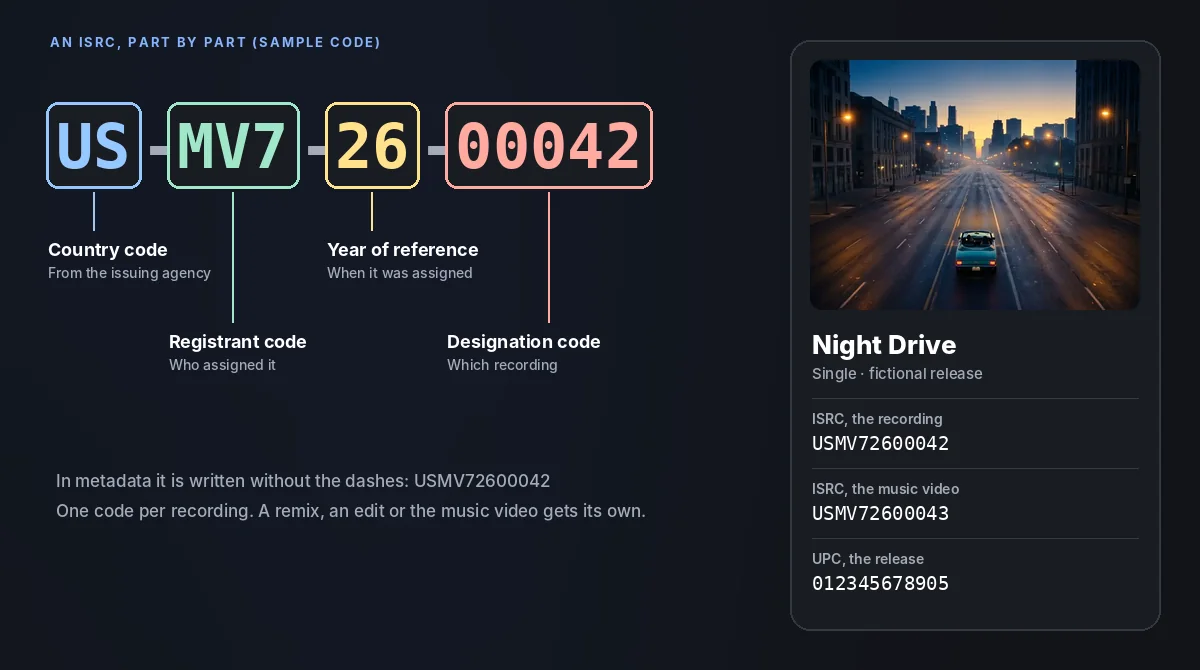
- Codes. An ISRC for each recording and a UPC for the release, unless you bring your own.
- Collection and payment. The recording's royalties from every service, paid to you and, where it supports splits, to your collaborators.
- Corrections and takedowns. Metadata fixes, replacements and removals, which only the distributor can request.
- Extras. YouTube Content ID, pre-save links, lyrics, music video delivery, pitching, publishing administration, advances: these are where distributors differ.
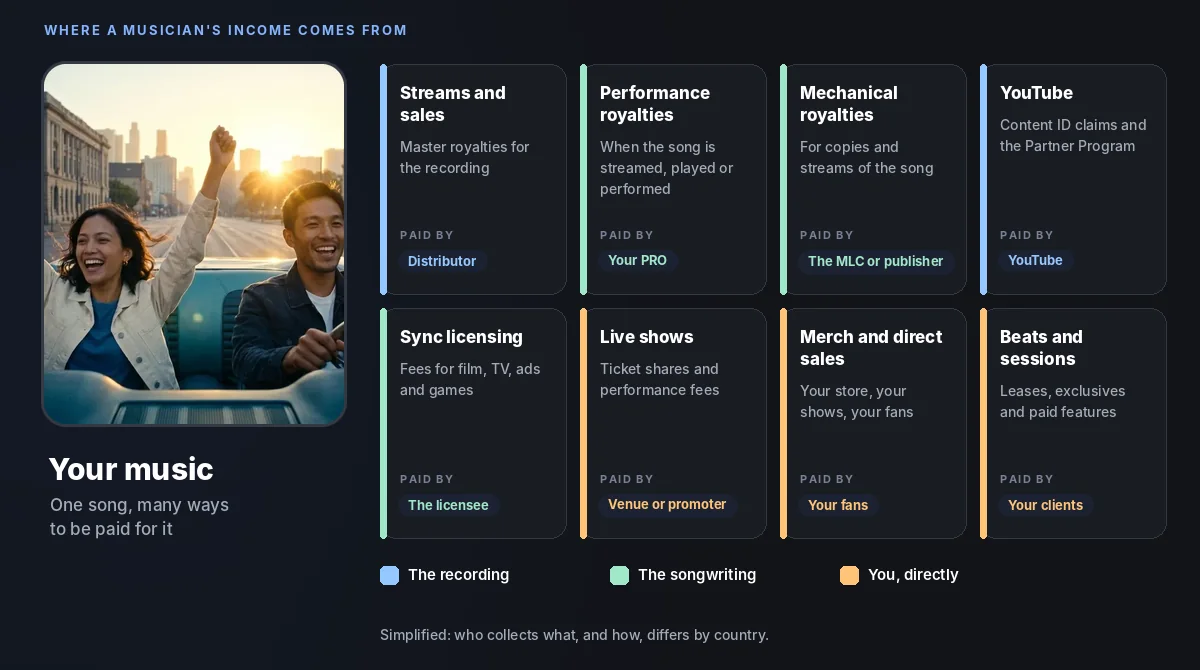
What a distributor usually doesn't collect is the songwriting side: performance and mechanical royalties for the composition come through a performing rights organization, The MLC in the US, or a publisher. Some distributors sell publishing administration as an extra, which is a separate service with its own terms. How music royalties work maps every royalty to the body that pays it.
How distributors charge
Most distributors use one of five models, and several offer more than one. None is cheaper in every case: it depends on how often you release, how long you want each release to stay up, and how much it earns.
| Model | How it works | Tends to fit | The question to ask |
|---|---|---|---|
| Yearly subscription | One fee a year covers as many releases as the plan allows, and you keep what the services pay | Artists who release often, singles every few weeks | What happens to every release if a renewal fails? |
| Fee per release | A fee for each single or album, either once or renewed every year | Artists with a small catalog who release a few times a year | Is the fee one-time, or due again each year to keep it up? |
| Share of earnings | Little or nothing up front; the distributor keeps a percentage of what the music earns | New artists who'd rather not pay before anything earns | What percentage, on which income, and for how long? |
| Free plan with limits | No fee, with a share of earnings kept or features held back for a paid plan | Testing a first release | What does upgrading later cost, and what moves with you? |
| Selective or label services | Invitation or application only; a larger share, often with marketing, pitching or an advance | Artists with an audience and momentum | How long is the term, and who owns the masters during and after it? |
Real price lists mix these. As of November 2026, TuneCore offers both yearly plans with unlimited releases and a fee per single or album renewed each year; CD Baby charges a one-time fee per release with no yearly fee and keeps 9% of digital distribution revenue; Amuse sells only yearly plans and says it doesn't offer free distribution, though building a release costs nothing; and RouteNote describes itself as offering both free and premium distribution. Read each one's whole price list, extras included, not just the headline fee.
Skip the blank page
Upload your song and Muvora's AI director plans a shot-by-shot storyboard on the beat. Edit every shot for free, and pay only if you render.
How to choose, step by step
- 01
Plan your next year of releases
Count how many singles, EPs and albums you expect to put out in the next twelve months, because that number decides whether a yearly plan or a fee per release costs less.
- 02
List the extras you need
Write down what your releases need beyond delivery: YouTube Content ID, royalty splits with collaborators, synced lyrics, pre-save links, music video delivery, publishing administration or Dolby Atmos.
- 03
Shortlist three distributors
Pick three whose model fits your release count and whose plans include your extras, and open their current price lists and help pages side by side.
- 04
Ask what happens if you stop paying
Find out whether your releases stay up when a plan lapses or a fee isn't renewed, and what share of earnings, if any, the distributor keeps from then on.
- 05
Read the agreement
Check that you keep ownership of your masters, how long the agreement runs, how you leave, how fast takedowns happen and whether any release is tied to the distributor exclusively.
- 06
Check the payout terms
Look at how often the distributor pays, the minimum balance before you can withdraw, any fee per withdrawal and how detailed its statements are by service and country.
- 07
Check its rules for your music
Read its policy on AI-generated music, covers, samples and remixes, and confirm it will allowlist your own YouTube channel if it registers your songs with Content ID.
- 08
Upload a single first
Release one single through your choice before you move a catalog there, so you see the upload form, the delivery time, the stats and the first payment for yourself.
The release needs a video either way
Whichever distributor you pick, the song arrives on every service at once. Upload it to Muvora and an AI director writes a storyboard on its beats for free, so the music video, the vertical clips and the Canvas are ready for release day.
What to compare between distributors
| Compare | Why it matters | Look for |
|---|---|---|
| Stores and platforms | The big services are standard; regional stores, social apps and newer services vary | The services where your listeners are, and automatic delivery to new ones |
| YouTube Content ID | Earns from other people's uploads of your recording | Whether it's included or costs extra, and whether your own channel is allowlisted |
| Official Artist Channel | Puts your releases and videos on one YouTube channel | Whether the distributor can request one for you |
| Lyrics | Synced lyrics on Apple Music and elsewhere come with the release | Lyrics delivery, and whether synced lyrics need a higher plan |
| Splits | Pays producers and bandmates their share of the recording directly | Automatic splits, and whether collaborators need paid accounts |
| Pre-saves and links | Lets fans save a song before release day | Pre-save links for singles and a smart link page |
| Release timing | The pitch, pre-saves and store pages all wait on delivery | How many days ahead it needs files, and whether you can set the exact release time |
| Payouts | Small balances can sit unpaid | How often it pays, the minimum withdrawal and any fees |
| Ownership and term | Decides who controls the masters and how you leave | You keep 100% of your masters; a clear way out with no long lock-in |
| Leaving or lapsing | Decides whether a back catalog survives a missed renewal | Releases that stay up, or a clear cost to keep them up |
| AI-music rules | Some distributors refuse tracks from certain AI tools | A published policy, and whether it lets you disclose AI use in the credits |
| Video delivery | Music videos reach Apple Music, Spotify, Tidal and Vevo only through distributors that deliver them | Video distribution, included or as an add-on |
| Apple Music features | Dolby Atmos, detailed credits, lyrics and motion artwork come with the release | The distributor's entry in Apple's partner directory, or a straight answer |
Two directories help. Spotify's provider directory lists distributors whose users get instant access to Spotify for Artists, among them DistroKid, CD Baby, Amuse and TuneCore. Apple's partner directory lists its preferred distributors and which Apple features each delivers, from Dolby Atmos and credits to lyrics and album motion artwork: TuneCore, for example, is listed as delivering Dolby Atmos, credits and lyrics. Many distributors that aren't on Apple's list still deliver to Apple Music; ask which Apple features they support.
Payout terms are worth reading closely if your streams are modest. Spotify's track monetization page notes that distributors typically charge a banking fee to withdraw earnings and set a minimum amount before you can, which is why very small balances can go unclaimed. For lyrics, Spotify's lyrics page says its licensed and synced lyrics come from Musixmatch, where artists can get verified and add them for free, so a distributor's lyrics feature matters more for other services.
Six distributors in their own words
These are six distributors independent artists often ask about, in alphabetical order, described only from what their own pages said in November 2026. It isn't a ranking, and leaving a distributor out says nothing about it: AWAL, LANDR, RouteNote, Symphonic and many others deliver to the same services. Fees are left out on purpose, because they change; follow the links for the current figures.
| Distributor | How it charges, in words | What its own pages list |
|---|---|---|
| Amuse | Yearly plans in three tiers (Artist, Artist Plus, Artist Pro); building a release is free, but a plan is needed to distribute | Music stays live after a plan ends, with Amuse keeping 25% of earnings from then; Content ID with a 15% fee on the first tier and none above it; a release importer; music video distribution to Spotify, Apple Music and Vevo as an add-on |
| CD Baby | A one-time fee per single or album, no yearly fee, and 9% of digital distribution revenue | Content ID included; free UPC and ISRCs; weekly payments; sync licensing and publishing collection through its CDB Boost add-on |
| Ditto Music | Yearly plans in three tiers (Starter, Pro, Labels), each keeping 100% of royalties for you | Pre-save links, automatic splits and playlist submission on every plan; Content ID, Official Artist Channel setup, publishing and sync pitching on Pro; music video distribution |
| DistroKid | Yearly plans in three tiers (Musician, Musician Plus, Ultimate), each keeping 100% of earnings for you | Royalty splits and lyrics on every plan; synced lyrics in Apple Music from Musician Plus; music videos to Spotify, Apple Music, Amazon Music, Vevo, Tidal and Boomplay through DistroVid, a separate yearly plan |
| TuneCore | Yearly plans in three tiers with unlimited releases, or a fee per single or album renewed each year | 100% ownership kept; splits, Content ID, Official Artist Channels and Apple Music for Artists verification; a 20% fee on what it collects from TikTok, Facebook, Instagram and YouTube; publishing administration |
| UnitedMasters | Plans from an entry tier to an invitation-only partner tier | 100% of royalties and full ownership of masters kept; brand and sync deals; curator pitching and advances among its plans' features |
Read the table by what you need, not by row. If you release a single every month, the yearly plans keep the cost flat; if you release once or twice a year and want each release to stay up without renewals, a one-time fee per release is simpler. If YouTube is where your audience is, look at what Content ID costs on the plan you'd actually buy. If you want music videos on Apple Music or Spotify, check video delivery, which some sell as a separate add-on or plan.
Streaming royalty calculatorPut in your streams and a distributor's cut to see what each model would leave you, from reported per-stream rates.AI-made music and distributors
Distributors' rules for songs made with AI music tools changed a lot in 2026. Music Business Worldwide reported on April 30, 2026 that Believe and its self-release platform TuneCore had started automatically blocking AI tracks made on what Believe calls unlicensed "pirate studios", Suno among them, while signing licenses with ElevenLabs and Udio. After Suno's licensing deal with Believe in September, MBW reported that tracks from Suno's newer licensed models (V6 onward) became eligible for distribution through Believe and TuneCore, while music from its earlier models stays blocked.
- Disclosure. Spotify's AI protections post, updated after an April 2026 beta, says artists can now disclose AI contributions (vocals, lyrics, production) in song credits through their label or distributor, and that not all distributors offer this yet.
- Apple's rules. Apple's style guide hides content designed to mislead listeners, such as music that mimics popular content, and says that includes using AI in a misleading manner.
- Voice clones. Spotify's policy allows vocal impersonation only when the impersonated artist has authorized it, so a song in a famous singer's cloned voice can be removed whatever the distributor accepts.
If you make music with AI tools, read the distributor's current policy and the tool's terms before you pick either: how to make a song with AI covers what each tool's plans allow, and who owns an AI music video covers the copyright questions.
Switching distributors without losing your streams
Moving a catalog is routine, but done carelessly it splits a song's history in two: a new listing with no streams, no playlist adds and no saves, beside the old one. The fix is to make the new delivery identical to the old one and to overlap them for a short time.
- Ask the new distributor for its transfer steps before you upload anything: some import releases for you.
- Download every release's details from the old distributor: the audio you delivered, the cover, the metadata, each ISRC and the UPC.
- Deliver the same audio to the new distributor with the same ISRCs, titles and artist names, typed exactly as before. Use the original release date where the form asks for one.
- Wait until the new versions are live on every service. Some distributors have tools for this: Amuse's release importer, for one, says it keeps stream counts and playlist placements.
- Only then ask the old distributor to take its versions down, and check a week later that each song still plays from the same artist page.
Red flags in a distribution deal
- It asks for any share of ownership in your masters for basic delivery
- The term runs for years, renews automatically or has no clear way out
- Releases come down the day a renewal fails, with no warning or grace period
- Content ID claims your own channel's uploads, and nobody can allowlist it
- It promises streams, playlist placements or chart positions for a fee
- Statements don't show which service and country your money came from
- Payouts need a large minimum balance or carry a fee you can't find in the price list
- Its policy on AI-made music, covers or samples isn't published anywhere
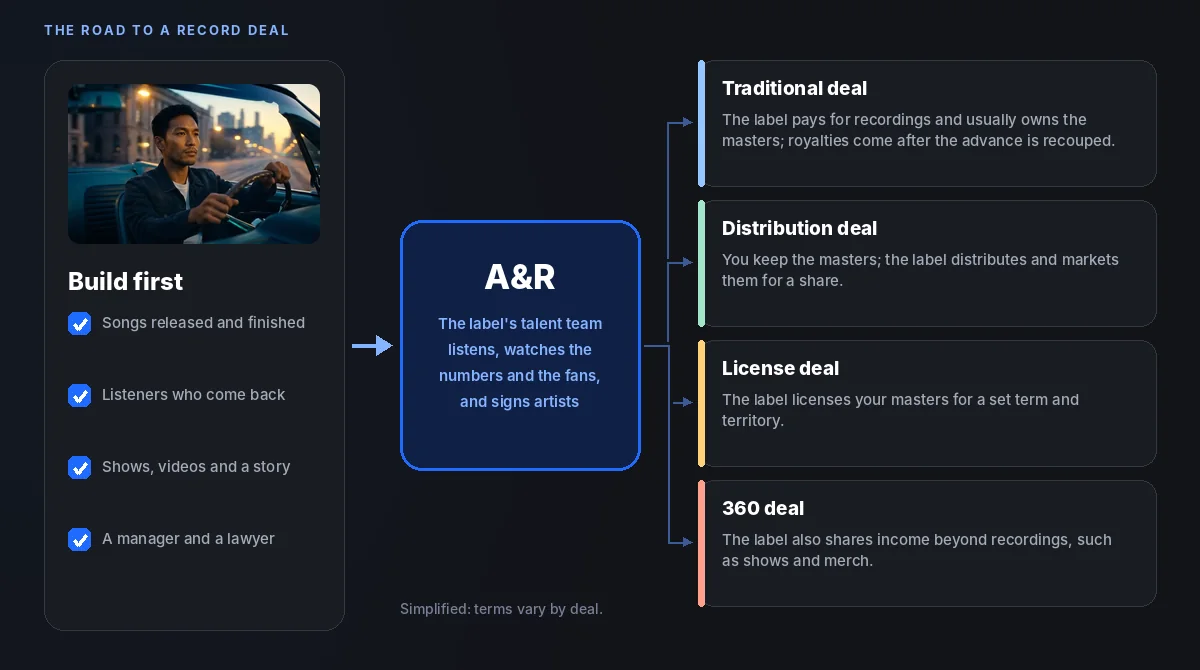
This is general information, not legal advice. Any agreement that takes a share of your rights, offers an advance against future earnings or ties you in for years is worth an hour with a music lawyer before you sign.
After you choose: the release and its visuals
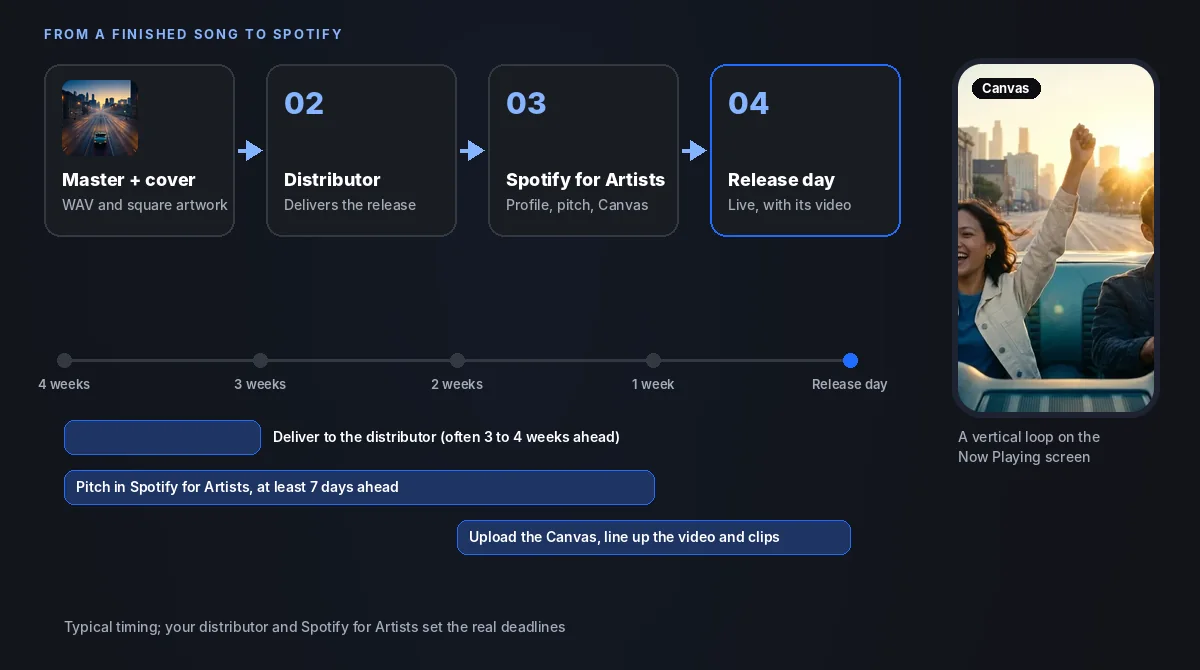
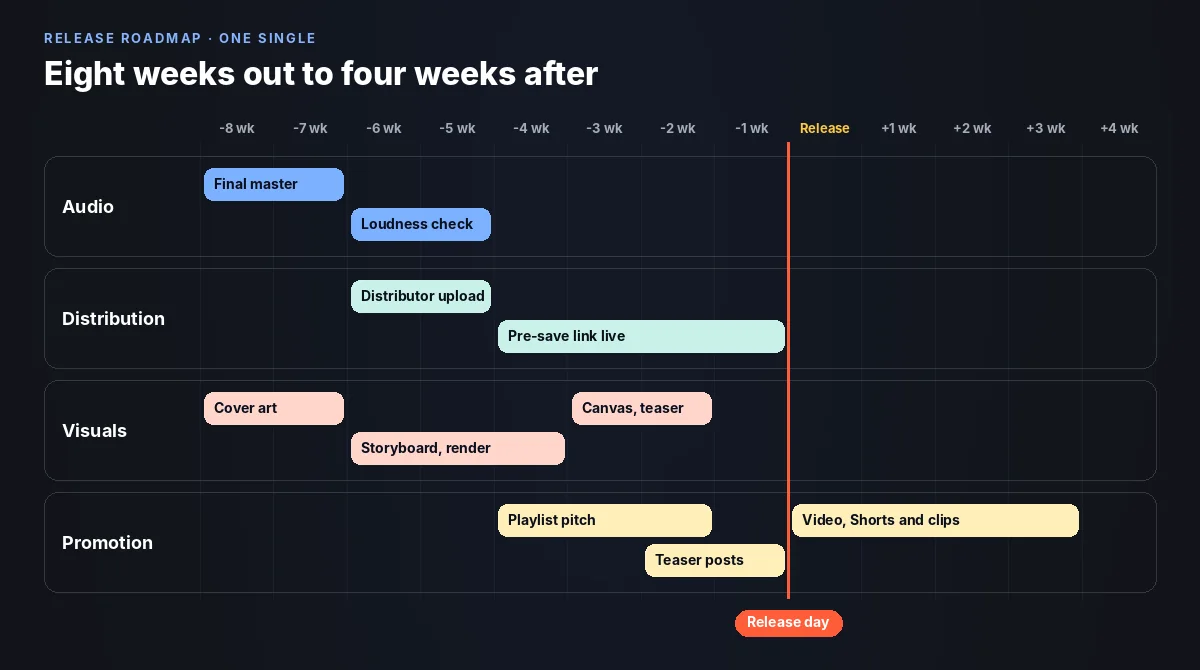
The distributor is one step of a release, not the whole of it. Once the account is open, the steps for each service are in how to get your music on Spotify and how to get your music on Apple Music, the eight-week plan is in how to release music independently, and the music release checklist keeps release week in one list.
A distributor delivers audio and a square cover. Everything people watch comes from you: the music video, the vertical clips for Shorts, Reels and TikTok, the Spotify Canvas. Muvora makes those from the master you upload: it finds the beats, sections and drops, writes a storyboard you can edit for free, and renders the 16:9 video, a 9:16 cut, a square post and an 8-second Canvas loop from one render, with your file as the untouched soundtrack. Rendering costs credits per finished second, from 38 a second at Visualizer quality, and the storyboard shows the exact price first.
Make the video before the upload deadline
Upload the master you're delivering. Muvora writes the storyboard for free and shows the price before you render, and one render gives you every shape the release needs, every cut on the beat.
Written by the Muvora team. Last updated November 17, 2026. Spotted something out of date? Tell us at [email protected].