The short answer
Good album cover ideas start with one image that still reads at thumbnail size: a single face, object or shape, two or three colors, and either no text or only the artist and title. Pick an approach (a photo, type, an illustration, a minimal mark or a place), test it at 64 pixels, then carry its palette into the Canvas and the video.
- One subject, two or three colors and strong contrast: that's what survives at 64 pixels.
- Only the artist name and the title belong on a cover, spelled as in the release details.
- Plan singles as a series: one rule (a color, a crop, an hour) that changes each time.
- Carry the cover's palette and central image into the Canvas and the video so the release reads as one.
- Muvora doesn't design covers, but its storyboard can take the cover's look from the idea box.
On this page (11 sections)ShowHide
- 1.What a cover idea needs before it's a cover
- 2.Photo-led cover ideas
- 3.Type-led cover ideas
- 4.Illustration and collage ideas
- 5.Minimal and abstract ideas
- 6.Place and object ideas
- 7.Concept series for a rollout
- 8.Make it work at thumbnail size
- 9.What text can go on a cover
- 10.One look for the cover, the Canvas and the video
- 11.From idea to finished cover, step by step
- Questions
What a cover idea needs before it's a cover
Most weak covers aren't badly made; they're unclear. Three photos fight for the middle, the type is the most interesting thing on it, or the picture could belong to any song in the genre. Before you pick a concept from the lists below, check it has four things.
- One subject. A face, an object, a shape or a place, big enough to recognize when the square is shrunk to the size of a stamp.
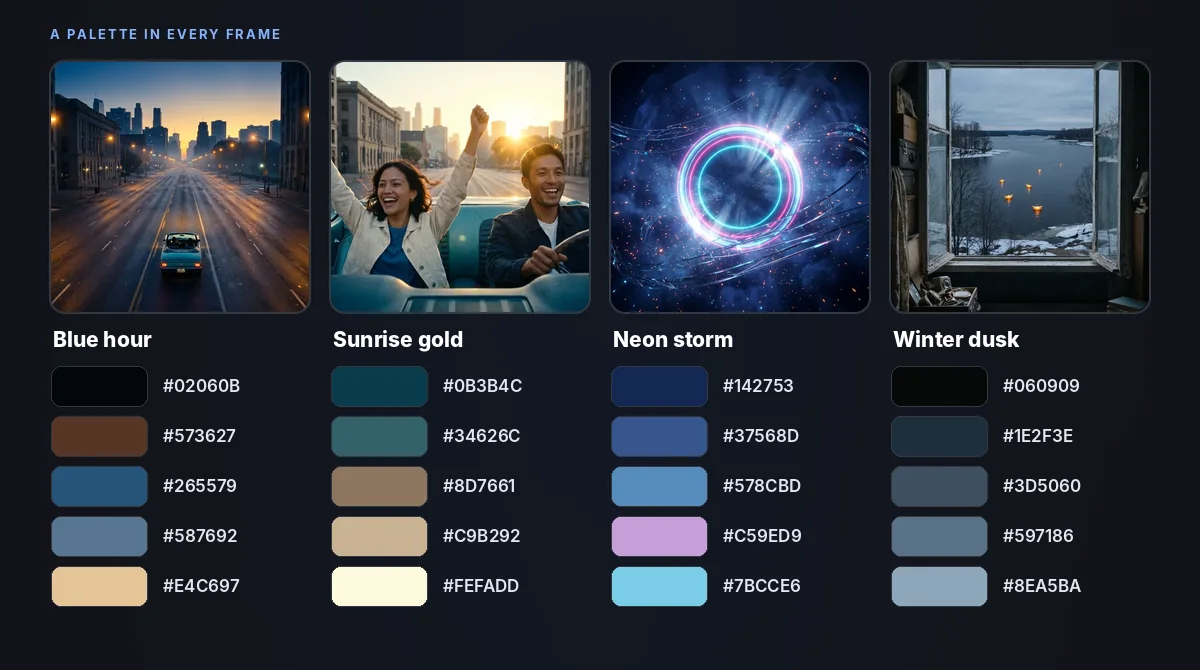
- A palette you can name in words. "Cobalt on cream" or "rust, teal and black" is a palette. If you can't say it, the listener won't remember it.
- A reason. A link to the song that you could explain in a sentence: the room it was written in, the hour it happens, an object from the lyrics, the feeling of the chorus.
- A look that can move. The same colors, light and central image have to work as a Canvas loop and a video, because the listener will see those right after the cover.
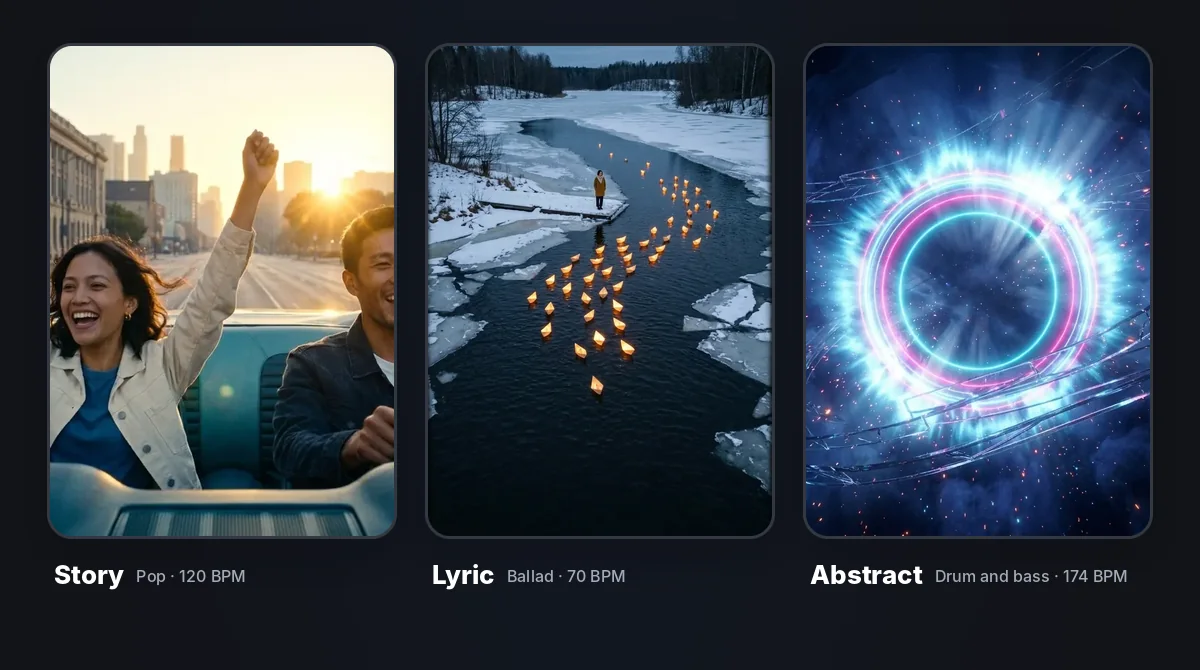
Every idea card below describes the cover first, then how a video in the same look could go. The "Use this idea on my song" link under each card opens Muvora's upload with that card in the idea box. Muvora won't draw the cover itself: it writes a storyboard for your song in the cover's palette, light and imagery, so the video looks like it belongs to the same release.
Photo-led cover ideas
A photograph is the quickest cover to make well, as long as one decision carries it: one light source, one color, one strong crop. A recent phone shoots big enough. A 12-megapixel main camera takes 4032 x 3024 pixels, which crops to a square of just over 3000, the size most distributors ask for; a digital zoom or a portrait-mode crop gives you far fewer real pixels, so step closer instead. These five ideas each hang on a single choice of light or framing.
- Photo · night portrait
Lit by a phone screen
Cover: the artist in a dark bedroom lit only by a phone held at chest height, cold blue light on the cheekbones and lashes, everything else black, the face in the upper third. Video: the same room at 3 a.m., the phone's glow the only light, a message typed and deleted in each verse and finally sent on the last chorus.
Use this idea on my songUse this idea on my song - Photo · faceless
Back to the camera
Cover: the artist seen from behind at the end of a wooden pier at dusk, one bright red jacket against a grey-blue lake and sky, the figure large and low in the square. Video: the red jacket walks through every scene, a ferry deck, a bus shelter, an empty arcade, and doesn't turn to the camera until the final chorus.
Use this idea on my songUse this idea on my song - Photo · direct flash
Flash in the parking garage
Cover: hard on-camera flash at night, the artist leaning on a car's hood in an empty parking garage, skin and jacket blown bright against deep black, two smeared red brake lights behind. Raw and documentary. Video: sodium-lit garage levels for the verses, and on every chorus the same hard white flash catching the crew mid-laugh.
Use this idea on my songUse this idea on my song - Photo · water
Half under water
Cover: the artist's face half under the surface of a bath, eyes open, the waterline cutting straight across below the nose, window light rippling on wet skin, only turquoise and skin tones. Video: slow drifting moves underwater through the verses, a lamp's light breaking on the surface above, and a gasp up into air as each chorus lands.
Use this idea on my songUse this idea on my song - Photo · archive
One color in an old snapshot
Cover: a childhood snapshot of the artist at a beach birthday, faded to warm sepia, with one object, a balloon, recolored a hard cobalt blue. Video: that summer replayed as a story in the same faded sepia, the cobalt balloon the only saturated thing in every scene, drifting from hand to hand until it's let go on the last chorus.
Use this idea on my songUse this idea on my song
Two practical notes. A photo with other people in it needs their permission to go on a cover, family snapshots included, so pick one where you're alone or ask everyone in it. And if you want the video's singer to be you, the Performance style takes one clear, front-facing photo plus a consent box and lip-syncs the sung parts; a cover shot from behind or half under water won't work as that photo, so take a plain front-facing one at the same shoot.
Skip the blank page
Upload your song and Muvora's AI director plans a shot-by-shot storyboard on the beat. Edit every shot for free, and pay only if you render.
Type-led cover ideas
A cover can be all type, but only two pieces of it: the artist name and the release title, matching the release's details letter for letter (the album cover size guide lists what each store refuses). That limit is useful. With so few words, the letters have to become the picture: their size, their crop, the material they're made of. The video can't repeat the words, because Muvora draws no lettering into its frames, so in each idea below the video carries the type's colors and material instead.
- Type · bold
The title as architecture
Cover: the title in huge condensed capitals, cropped off the left and right edges so the letters read as cobalt bars on cream paper, the artist name small and straight in the bottom corner, no picture at all. Video: cobalt slabs of light sliding and stacking across a cream-white space, a new arrangement on every downbeat, a full blue wall at the drop.
Use this idea on my songUse this idea on my song - Type · handwriting
Written by hand
Cover: the title written in black marker on a torn notebook page, photographed close in window light so the paper's grain and a coffee ring show, the artist name in the same hand underneath. Video: karaoke captions over the desk it was written at, a lamp, a cold cup, rain on the glass and the notebook's pages lifting in a draft.
Use this idea on my songUse this idea on my song - Type · neon
Neon on wet brick
Cover: the title bent in pink neon tube on a dark brick wall, the artist name in a smaller white tube beneath, its glow spilling onto wet pavement, shot straight on at night and wide enough to show the reflection. Video: the same alley in pink light and rain, the sign's glow but never its letters on the faces of everyone who passes through.
Use this idea on my songUse this idea on my song - Type · embossed
Pressed into paper
Cover: the artist name and title blind-embossed large into thick white paper, no ink, lit from one side at a low angle so the letters read only by their shadows; off-white, grey and one thin line of warm light. Video: a white paper world under raking light, sheets folding into hills and rooms, shadows lengthening as the song builds.
Use this idea on my songUse this idea on my song
Quiet type is the riskiest kind of cover at small sizes: thin embossing, a pale script or a light gray on white can vanish entirely in a playlist row. If the type is the whole idea, make it large, and check the contrast in grayscale before you commit.
Illustration and collage ideas
A drawn cover gives you a look nobody else has, and it travels well into a video, because Muvora can make the whole video in a drawn medium when you name it in the idea box (the animated music video maker shows how). If you commission the art, agree in writing that you may use it on the cover, in the video and in promotion, and that it may serve as the Performance picture if a drawn character is going to sing. For how a drawn video is planned and what it can't do yet, see how to make an animated music video.
- Illustration · painted portrait
Gouache portrait
Cover: a flat gouache portrait of the artist, front-facing, painted from a photo they own, the face in two skin tones, the jacket in one deep green, against a single block of mustard yellow. Video: the whole video painted in the same flat gouache, with the portrait itself as the singer's picture so the painted face sings every chorus.
Use this idea on my songUse this idea on my song - Collage · cut paper
Cut-paper hills
Cover: layered cut-paper hills in three greens under a paper sun, photographed from above with real shadows between the layers, a small paper house with one lit window. Video: a paper-craft world in the same three greens, the sun crossing the sky over the song, the house's window lighting up as each chorus begins and the hills folding flat at the end.
Use this idea on my songUse this idea on my song - Collage · photographs
Taped-up summer
Cover: twenty of the artist's own film photos from one summer taped edge to edge on a white wall, slightly crooked, the one in the middle circled in red marker, shot straight on in daylight. Video: that summer as a story, each verse a new place from the wall, warm film colors throughout, and the circled moment saved for the last chorus.
Use this idea on my songUse this idea on my song - Illustration · engraving
Moth in fine ink
Cover: one large moth drawn in fine black engraving lines on cream paper, wings spread to fill most of the square, a single dot of gold on each wing, in the style of an old natural-history plate. Video: ink lines spreading across cream paper into wings, lamps and night gardens, gold specks rising on every chorus like moths to a porch light.
Use this idea on my songUse this idea on my song - Illustration · cartoon character
The mascot
Cover: a cartoon character who stands for the artist, a sleepy cat in an oversized green hoodie, bold black outlines and flat colors, front-facing on a plain orange background. Video: a 2D cartoon world in the same style with the cat as the lead, its picture used as the singer so it raps the verses on a corner-shop step under one flickering streetlight.
Use this idea on my songUse this idea on my song
Collage needs one focal point more than any other approach. Twenty photos at 64 pixels are a gray mosaic; twenty photos with one circled in red are a cover. The same goes for a busy illustration: give it one shape that is larger, brighter or warmer than everything else.
Let the painted face sing
Upload the song, choose Performance and add the drawn or painted portrait as the singer's picture: Muvora makes the whole video in that medium and lip-syncs the sung parts. The storyboard and its style frames are free to read and change.
Minimal and abstract ideas
A minimal cover wins the thumbnail test almost by default, since there's nothing to lose when it shrinks. The risk is that it looks like any other minimal cover, so each of these hangs on one specific choice: an exact color, the song's own shape, an hour of the day, a material. They suit instrumental, electronic and ambient releases, and any artist who'd rather not put a face on it.
- Minimal · shape
One circle
Cover: a single hot orange circle, slightly above center, on a deep navy field, with a soft film grain over everything and nothing else on it. Video: the orange circle in every shot as something new, a low sun over water, a lamp in a dark window, a signal light, a pupil, growing until it fills the frame at the drop.
Use this idea on my songUse this idea on my song - Minimal · waveform
The chorus as a line
Cover: the waveform of the song's chorus as one thin white line across a black square, the drop's peaks the tallest point, with plenty of empty space above and below. Video: a single white line of light running through darkness, flat in the verses, jumping into peaks with the kick and splitting into many lines at every drop.
Use this idea on my songUse this idea on my song - Minimal · gradient
The color of the hour
Cover: a soft vertical gradient in the colors of the sky at the hour the song happens, peach at the bottom fading to lilac at the top for 5 a.m., film grain over it and nothing else. Video: skies, water and windows moving through the colors of that one hour, from blue dark to full peach daylight by the last chorus.
Use this idea on my songUse this idea on my song - Abstract · macro
Close enough to touch
Cover: an extreme close-up of cracked lake ice filling the whole square, white fractures and trapped air bubbles in dark blue-black, lit at a low angle so every ridge casts a shadow. Video: slow macro moves across the same ice, fresh cracks running on the downbeats, the surface splitting wide open at the drop and black water welling up.
Use this idea on my songUse this idea on my song - Abstract · long exposure
Light that drew itself
Cover: a long exposure of a single light swung through the dark, one looping trail of magenta tracing a figure eight on pure black, its edges slightly ragged. Video: trails of magenta and white light drawing loops through a black space, slow arcs in the verses and fast, sharp strokes on every beat of the chorus.
Use this idea on my songUse this idea on my song
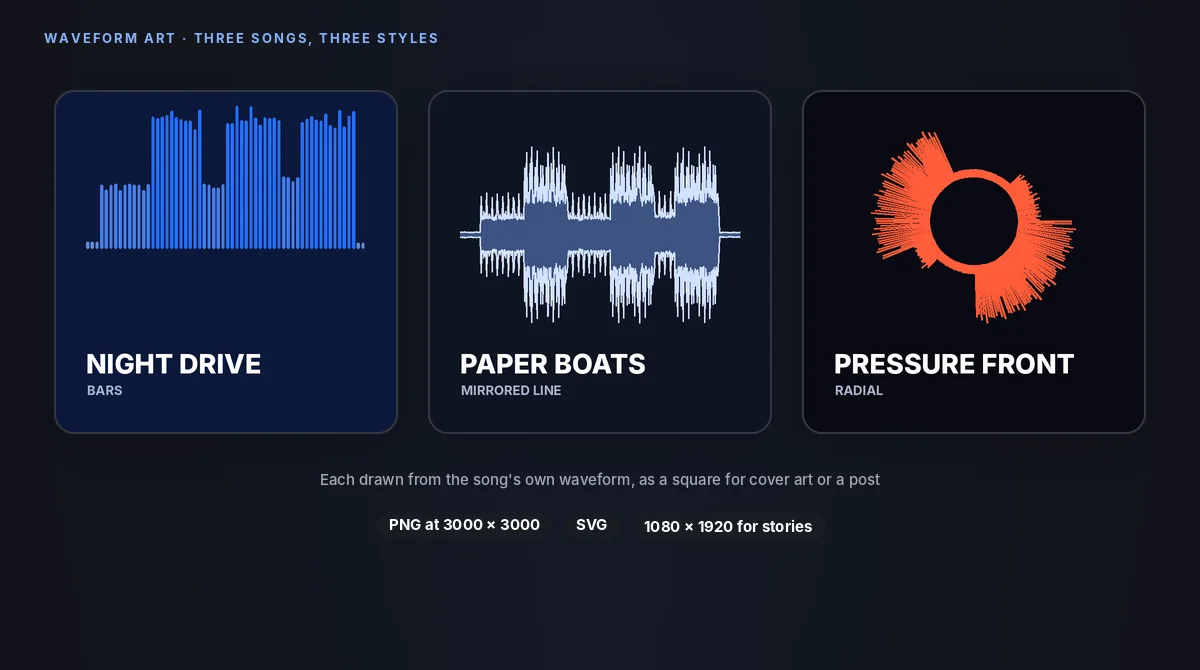
A waveform cover is honest about the song, which is its charm and its trap: a heavily limited master stays near full level from the first chorus on and draws as a flat bar. Draw only the part that rises and falls most (the build into the drop, a quiet verse into a loud chorus), or switch to average levels, and keep the line thick enough to read in a playlist row.
Place and object ideas
A place or an object tells the story without a face: the listener fills in who was there. These covers are the easiest to extend into a video, because the place becomes the video's main location and the object becomes the motif that turns up in every scene.
- Place · empty room
The room without you
Cover: the room where the song happens with nobody in it, an unmade bed, a chair turned to the window, one bedside lamp on, late-afternoon light across the floorboards, shot from the doorway at eye height. Video: the same room through one day, people coming and going in the verses, and the lamp switched off on the final chorus.
Use this idea on my songUse this idea on my song - Object · still life
One object on a color
Cover: a single brass motel key on a plain green plastic fob, centered on a flat terracotta background, hard light from one side throwing a long shadow. Video: the key travels through the story, in a pocket on a night bus, on a diner counter, in a stranger's hand, until the last chorus finds it on the bed of the room it opens.
Use this idea on my songUse this idea on my song - Place · overhead
Drained pool from above
Cover: an empty swimming pool seen straight down at noon, pale blue tiles, a hard black shadow along one wall, a single yellow inflatable ring lying on the dry floor. Video: one summer afternoon at the pool, the verses in the empty basin, the water rising a little more each chorus until the last one ends in a splash.
Use this idea on my songUse this idea on my song - Object · aftermath
The table after the party
Cover: an overhead shot of a long table after a party, candle stubs, half-full glasses, a cake with one slice left and a wilted bouquet, in warm lamp light on a dark wooden top. Video: the party in reverse, the empty table in the intro filling with friends, noise and fresh candles until the last chorus is the toast.
Use this idea on my songUse this idea on my song - Place · night facade
One lit window
Cover: a dark apartment block at night shot straight on, every window black except one warm yellow square in the upper third, a silhouette leaning on its frame. Video: the city around that window over one night, the camera moving closer floor by floor through the verses and finally inside the lit room for the last chorus.
Use this idea on my songUse this idea on my song
Keep any object free of printing: a key fob with a number, a cassette with a label or a bottle with a brand all add words or logos that stores count against a cover. Plain, unbranded objects also make better motifs in a video, since Muvora's frames carry no lettering or logos either.
Concept series for a rollout
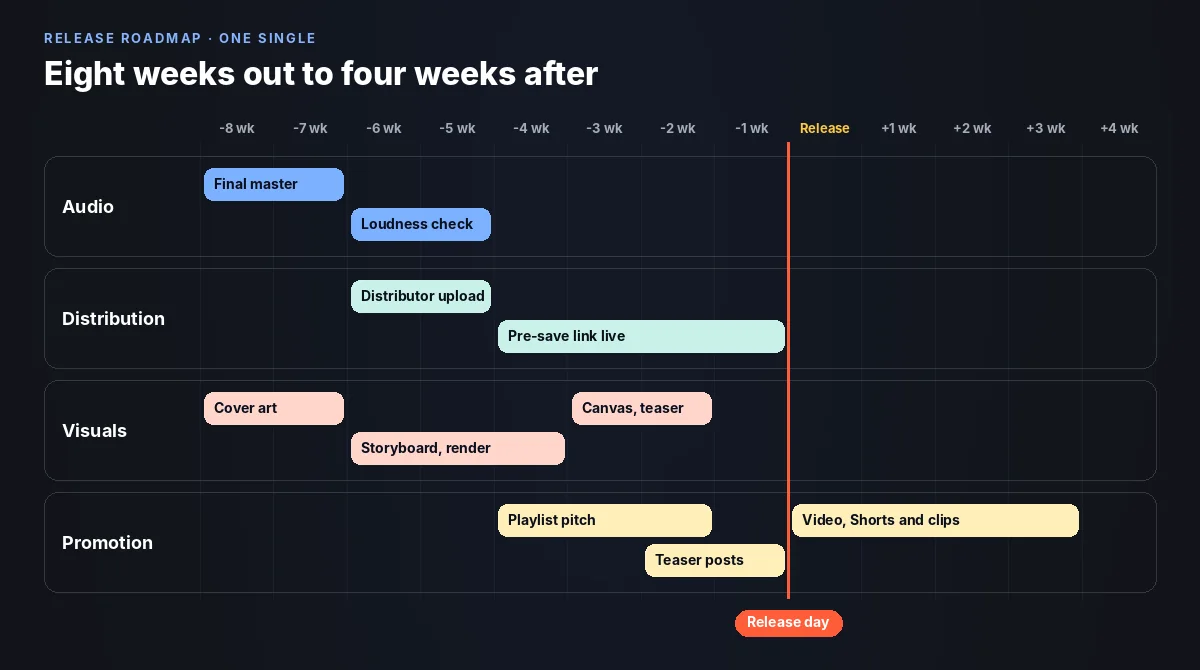
An album or EP that comes out a single at a time needs several covers, and each release needs a cover of its own (a distributor can refuse art that duplicates another release). The strongest rollouts pick one rule and change one thing each time, so every single looks new and all of them look related. K-pop releases often take this furthest, with a defined concept and a run of teaser images before each comeback; the K-pop music video ideas show how a concept can carry a release. Map the dates with the release timeline planner.
- Series · color
One photo, three colors
Covers: the same portrait for three singles, each printed in one color, deep red, then green, then blue, and the album cover the photo in full color at last. Video: each single's video lit in its own color, red tail lights for the first, green streetlight for the second, blue dawn for the third, with the same lead in all three.
Use this idea on my songUse this idea on my song - Series · time of day
Dawn, noon, dusk
Covers: one roadside diner shot from the same spot at dawn for the first single, at noon for the second and at dusk for the third, and at night with every light on for the album. Video: each single's story set at its hour in the same diner, with the same waitress in a pale blue uniform working all four.
Use this idea on my songUse this idea on my song - Series · reveal
Zoom out
Covers: the first single an extreme close-up of a hand striking a match, the second the face it lights, the third the whole kitchen around them, and the album the house from the street with that one window glowing. Video: each single's storyboard opens on its cover's framing and pulls back toward the next one's.
Use this idea on my songUse this idea on my song - Series · illustrated story
Chapters on a map
Covers: each single a scene from one journey in the same flat illustrated style, the leaving, the road, the arrival, and the album cover the hand-drawn map that joins them. Video: each single's video is its chapter, with the same two travelers described in the same words every time so they look alike from one video to the next.
Use this idea on my songUse this idea on my song
Decide the rule before the first single goes out, and write it down: the color sequence, the camera spot, the crop. Changing course halfway makes the early singles look like they belong to another record. The same rule works for the videos: keep the lead's description word for word between storyboards, and name each single's color or hour in its idea box. For the rest of a single-by-single release, see how to release music independently.
Make it work at thumbnail size
Listeners rarely see a cover large. They see it as a tile in a search result, a row in a playlist, a square on a lock screen, sometimes no more than 64 pixels across. Every idea above passes or fails there, so test before you finish, not after you upload.
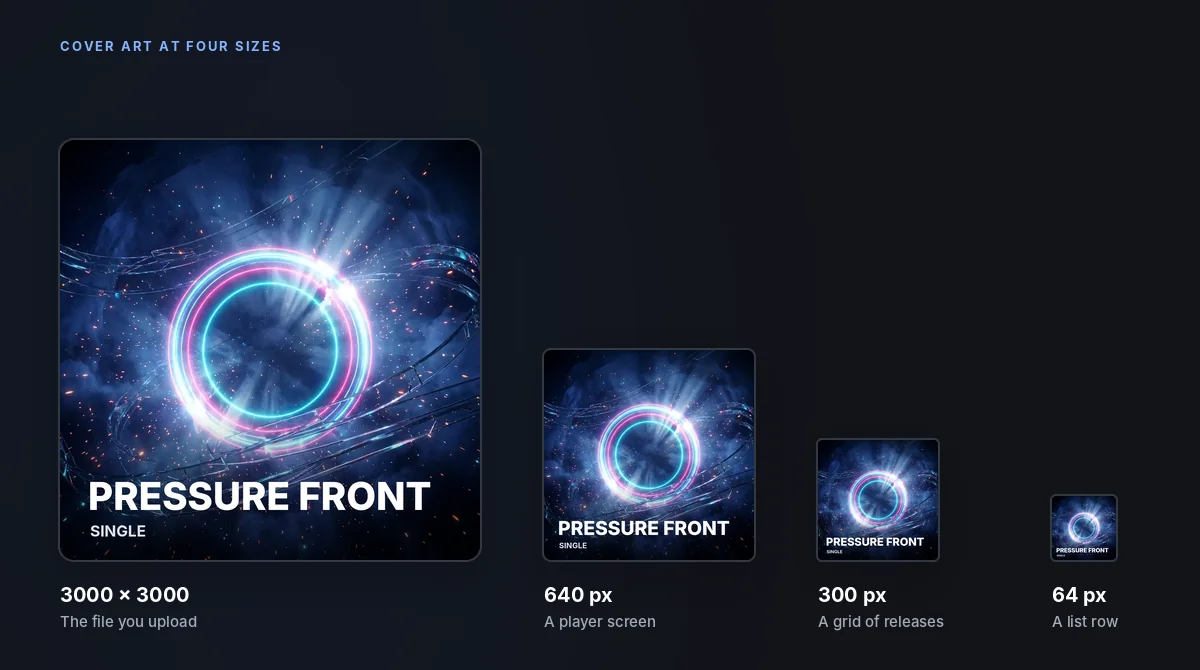
- Squint at it. Blur your eyes until details go; the shape that's left is what a thumbnail shows.
- Turn it gray. In grayscale, the subject should stand clear of the background. Two colors of the same brightness merge into one when they're small.
- Set it among its neighbors. Export a 64-pixel copy and lay it beside a dozen covers from your genre at the same size. If yours is the one you can't find, simplify it.
- Look on a dark and a light screen. A black cover can disappear on a dark app, a white one on a light page; a thin border or a lighter edge in the art helps.
- Keep the corners quiet. Some apps round the corners and lay a play button over one, so keep faces and letters away from the edges.
What text can go on a cover
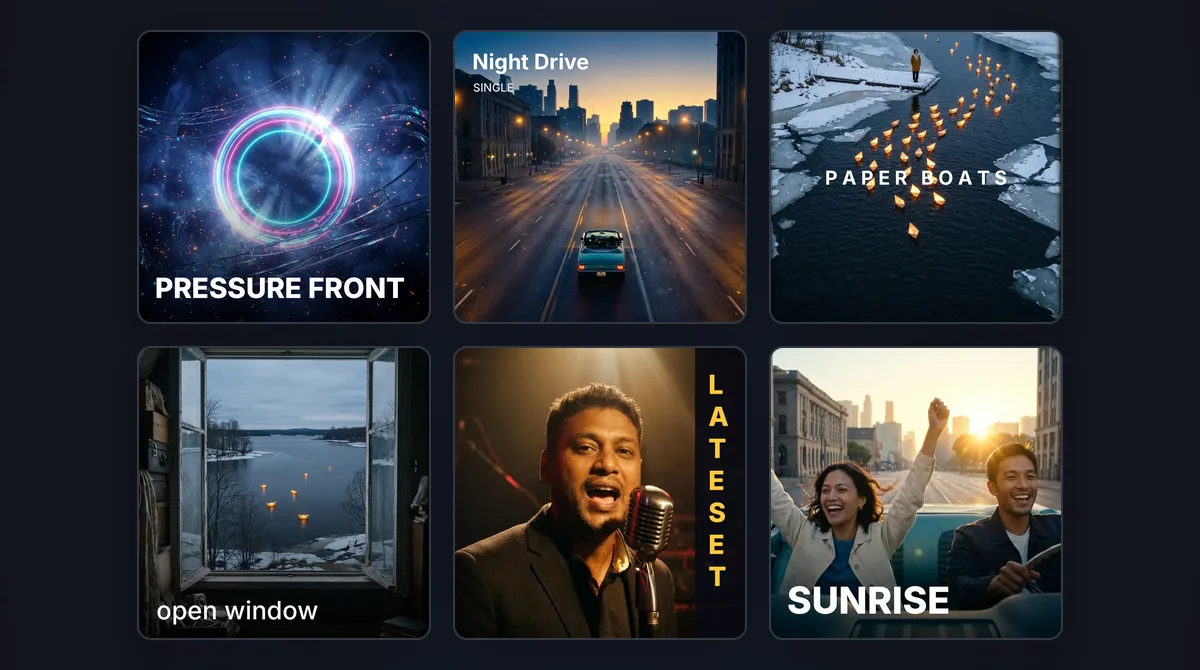
The rule is short: the artist name and the release title, or nothing. Both must match what you type into your distributor's form, featured artists and version names (Acoustic, Remix) included if they appear. Everything else counts as extra text that can get the art sent back: a lyric line, a release date, "out now", web addresses, social handles, store names and logos. The album cover size guide has each store's rules and the pixel sizes to export.
- Big enough to read in a playlist row, or small and deliberate enough that nobody needs to read it.
- One typeface, two at most, and the name and the title in clearly different sizes so the eye knows which to read first.
- Inside a margin of about a tenth of the width on every side, clear of rounded corners and play buttons.
- Spelled exactly as in the release details: capitals, accents and punctuation included.
One look for the cover, the Canvas and the video
A listener who taps your cover in a playlist sees a Canvas loop on the Now Playing screen, and later finds the video on YouTube and clips of it in their feeds. If those share the cover's palette and its central image, the release reads as one thing and each piece reminds them of the others. If they don't, it reads as four unrelated posts.
- Name the palette once and reuse the words. "Cobalt, cream and a touch of red" in the cover brief, the Canvas and the video's idea box.
- Promote the central image to the hero shot. The object, place or color on the cover is what the chorus's biggest shot should show.
- Match the light, not just the colors. A cover lit by a phone screen calls for a video lit by screens and lamps, not sunshine.
- Keep the words off the moving versions. The Canvas and the video show the look; the name and title stay on the cover.

For the Canvas there are two easy routes. The Canvas from an image tool turns the cover itself into a slow 1080 x 1920 loop. Or let the video make it: every Muvora render includes an 8-second vertical Canvas loop cut from the video's strongest chorus moment, in the video's own look. The Spotify Canvas maker page covers that route and the Spotify Canvas guide the specs and loop design. A full-length album visualizer in the cover's look is the next step up for YouTube.
Give the cover a video in its colors
Upload the song and describe the cover in the idea box: the palette by name, the central object or place, and the light. Muvora writes a free storyboard in that look, cut on your song's beats, and one render gives the YouTube video, the vertical and square cuts and the Canvas loop.
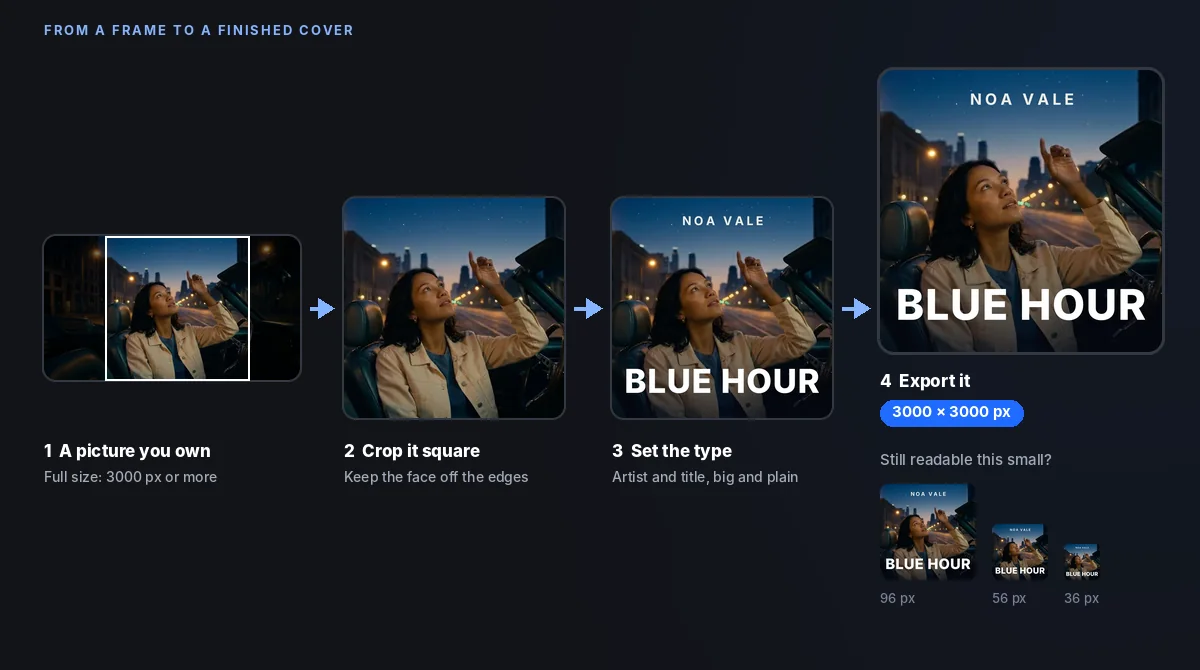
From idea to finished cover, step by step
- 01
Write the idea in one sentence
Say what the cover shows and why it belongs to this song, such as "one lit window in a dark block, because the song happens at 2 a.m." If it takes a paragraph, it's two covers.
- 02
Name the palette and the light
Choose two or three colors and say them in words, then pick one light source (a phone screen, a flash, low sun, a neon sign) and keep it the only one in the picture.
- 03
Make it at full size
Shoot or draw on a square of 4000 x 4000 pixels if you can and export 3000 x 3000 for your distributor, in RGB. Never enlarge a small image; it gets softer, not sharper.
- 04
Decide on type
Either no text, or the artist name and the title only, spelled as in the release details and kept inside a margin of about a tenth of the width.
- 05
Test it small
Export a 64-pixel copy, turn it gray, and set it beside a dozen covers from your genre on a dark and a light background. Simplify until it stands out.
- 06
Check the file
Run the final export through the album cover checker for shape, size, format, color mode and file size, then upload it with the release.
- 07
Brief the video in the same words
Paste the cover's description into Muvora's idea box when you upload the song, so the storyboard, its style frames and the Canvas loop share the cover's palette, light and central image.
The cover's done; now the video
Upload the track, press "Use this idea on my song" on the concept you chose, or paste your own cover's description, and read the storyboard Muvora writes for it. Editing is free, and the free plan gives 5 new storyboards a month to try a look or two.
Written by the Muvora team. Last updated November 14, 2026. Spotted something out of date? Tell us at [email protected].