The short answer
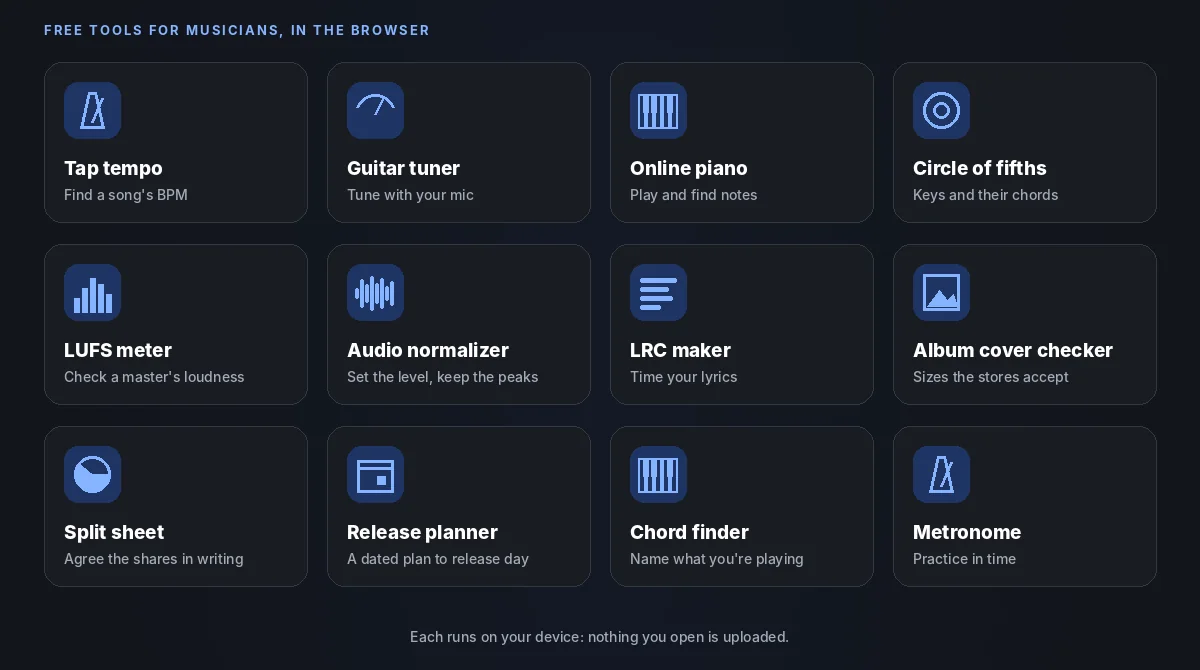
The best free tools for musicians depend on the job. As of November 2026, GarageBand (Mac, iPhone, iPad) or BandLab (browser, iOS, Android) suit recording a first song, Audacity edits audio, MuseScore Studio writes notation, GIMP and Krita make artwork, and DaVinci Resolve edits video. Muvora's free browser tools cover tuning, tempo, loudness checks, lyric timing and release planning.
- Pick tools by job and by the computer or phone you already have, not by a ranking.
- A free DAW plus a free audio editor covers recording a whole song.
- Check the master's loudness and the cover's specs before your distributor does.
- Muvora's browser tools need no account and never upload your files.
- Every fact about another product is as of November 2026 and linked to its maker's page.
On this page (11 sections)ShowHide
How we picked these tools
"Best" means little without "for whom", so every tool here is matched to a job and to the musician it suits. To make the list, a tool had to pass four checks.
- Free for the job, not a trial. The free version does the job described here without a time limit. Several have paid plans or add-ons as well; we say so where they do, and describe it in words, since prices change.
- Named platforms. Where it runs (Windows, macOS, Linux, iPhone, iPad, Android or a web browser), as its maker states it.
- A clear fit. Who it suits best: a beginner on a phone, a producer on Linux, a songwriter who needs sheet music.
- Sourced. Every fact about another company's product links to that company's own page and was checked in November 2026. Check those pages again before you rely on them.
Free tools by job, at a glance
The table pairs each job with free software from other makers and with Muvora's free tools for the same job. Each row has its own section below with the links.
| Job | Free software from others | Runs on | Muvora's free tools |
|---|---|---|---|
| Write and arrange | MuseScore Studio (notation) | Windows, macOS, Linux | Song structure builder, syllable counter, chord progressions, circle of fifths |
| Record and produce | GarageBand, BandLab, Waveform Free, LMMS | Apple devices; browser and phones; Windows, macOS and Linux | Metronome, click track, drum machine, online piano |
| Edit audio | Audacity | Windows, macOS, Linux | Audio cutter, audio joiner, reverse audio, MP3 to WAV converter |
| Check the master | Your DAW's own meters, where it has them | Wherever your DAW runs | LUFS meter, audio normalizer |
| Tune and keep time | Your DAW's own tuner and click | Wherever your DAW runs | Guitar tuner, tap tempo, BPM calculator, vocal range test |
| Time the lyrics | Nothing extra to install | Any browser | LRC maker, lyric file converter |
| Make the artwork | GIMP, Krita, Canva's free plan | Windows, macOS, Linux; Canva in a browser | Album cover checker, color palette generator, waveform generator |
| Release and promote | Spotify for Artists | Web, iOS, Android | Release timeline planner, pitch generator, split sheet, press release |
| Make the video | DaVinci Resolve, Kdenlive, Shotcut | Windows, macOS, Linux | Shot list generator, audio spectrum visualizer, safe zone checker, a free storyboard |
Skip the blank page
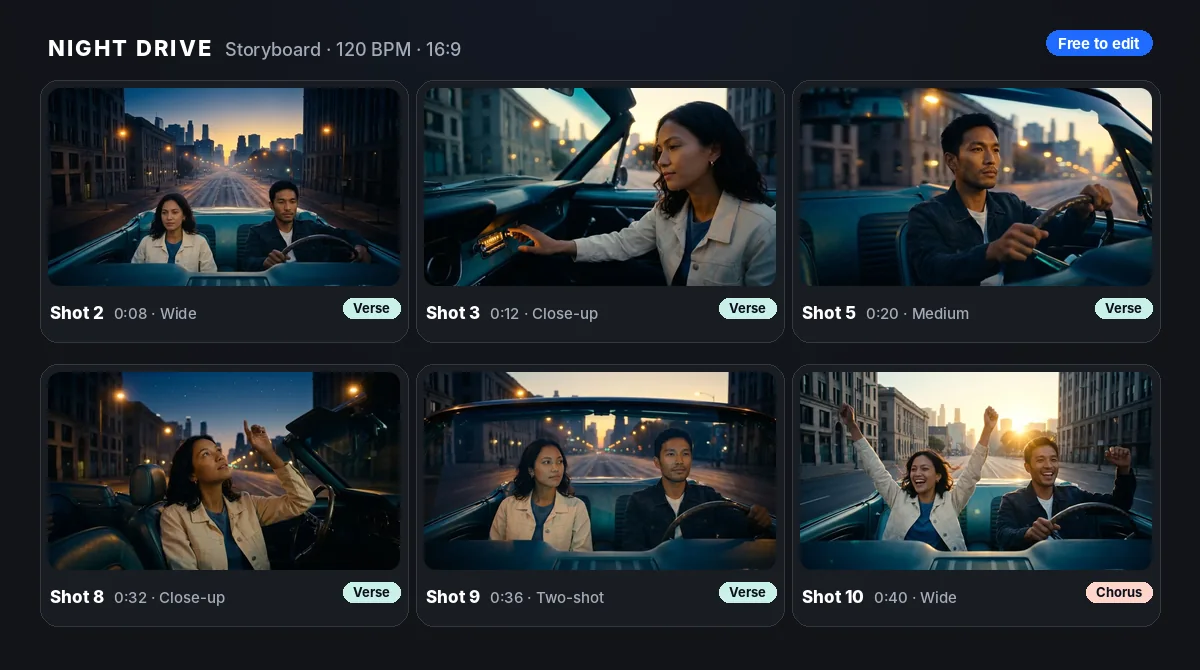
Upload your song and Muvora's AI director plans a shot-by-shot storyboard on the beat. Edit every shot for free, and pay only if you render.
A free toolkit for one release, step by step
- 01
Write and map the song
Lay the sections out in bars with the song structure builder, count the syllables in every line with the syllable counter and try chord changes with the chord progression generator. If a player needs sheet music, write it in MuseScore Studio.
- 02
Practice to a steady click
Tune with the guitar tuner, set the tempo with the metronome, and make a click track as a WAV to load into your recording software, so every take sits on the same grid.
- 03
Record and produce in a free DAW
Use GarageBand on a Mac, iPhone or iPad, BandLab in a browser or on a phone, or Waveform Free or LMMS on Windows, macOS or Linux. Clean up takes and edit audio files in Audacity.
- 04
Check the master
Open the final mix in the LUFS meter to read its integrated loudness, true peak and loudness range, and see how far streaming services' reference levels would turn it down. Fix anything you don't like in the mix or the master, not after release.
- 05
Time the lyrics
Play the song in the LRC maker and tap along to stamp each line, then export LRC, SRT or WebVTT for players, captions and lyric videos.
- 06
Make and check the cover
Design the artwork in GIMP, Krita or Canva's free plan, then run it through the album cover checker for the square shape, pixel size, file type and color mode distributors ask for.
- 07
Plan the release and the pitch
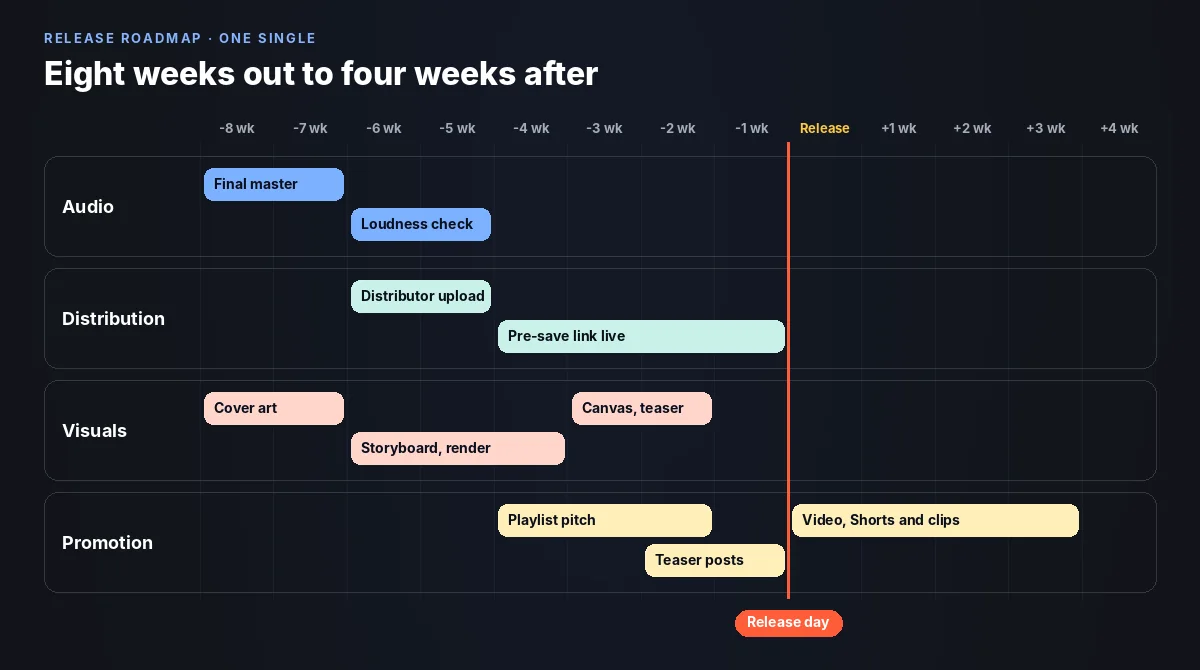
Build a dated plan with the release timeline planner, sign a split sheet with your co-writers, write the playlist pitch with the pitch generator and send it from Spotify for Artists at least 7 days before release day.
- 08
Make the video
Storyboard a music video free in Muvora and render it with credits, or edit footage you filmed in DaVinci Resolve, Kdenlive or Shotcut. Check vertical cuts against each app's buttons with the safe zone checker.
Write and arrange
Writing needs fewer tools than any other job: a way to hear chords, a way to see the song's shape and somewhere to keep the words. These are free and need no installing, except MuseScore Studio.
- MuseScore Studio: free, open-source notation software for Windows, macOS and Linux. Best for a songwriter who needs a lead sheet, a part for a string player or a score for a choir.
- Song structure builder: sections in bars at your tempo, with every start time, the total length and YouTube chapters. Best for planning an arrangement before you record.
- Syllable counter: the syllables in every lyric line and the rhyme scheme, with lines that don't match their pair flagged.
- Chord progression generator and chord transposer: progressions by key and mood that play back and save as MIDI, and any chord sheet moved to a new key with capo shapes.
- Online piano, chord finder and circle of fifths: play a part with the mouse, touch or the computer keyboard, name the chord under your fingers, and see a key's chords and its closest neighbors.
- Song title generator: title ideas by theme, or the strongest title hiding in your own lyrics.
For the craft itself, from a hook to a finished second verse, read how to write a song, and for splitting the credit once it's written, what a split sheet is.
Record and produce
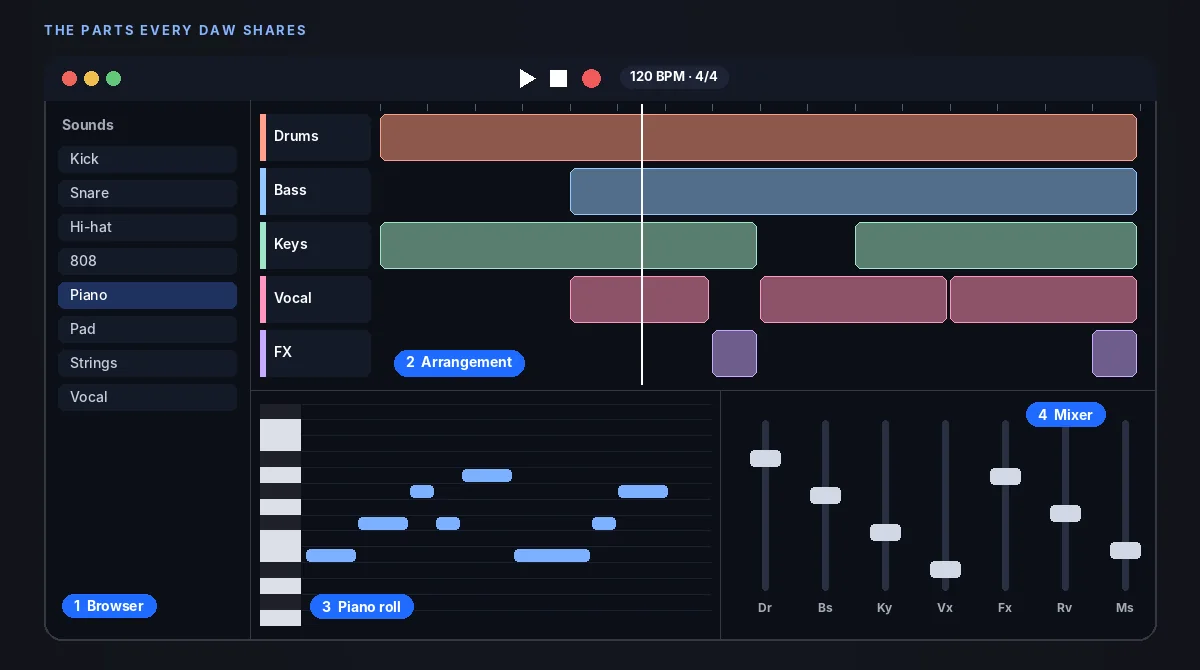
A DAW (digital audio workstation) is where you record, program drums and synths, and mix. Several capable ones are free. Pick by the device you have first, because moving a project between programs later is painful.
| Tool | How it's free | Runs on | Best for |
|---|---|---|---|
| GarageBand | Free from Apple | Mac, iPhone, iPad | Mac and iPhone owners recording their first songs |
| BandLab | A free plan, with paid memberships for extras | Web browser, iOS, Android (online) | Recording on a phone or a borrowed computer, and working with others |
| Waveform Free | Free, with no track limit or trial expiry; paid expansions | Windows, macOS, Linux | A full DAW on Windows or Linux without a time limit |
| LMMS | Free and open source | Windows, macOS, Linux | Programming beats and synth parts with a piano roll |
| Audacity | Free and open source | Windows, macOS, Linux | Recording and editing audio: vocals, demos, voice notes |
- GarageBand. Apple's GarageBand page describes a sound library of instruments and presets with virtual session drummers; it is free on the App Store for Mac and for iPhone and iPad.
- BandLab. BandLab is free to download with a free plan in most regions, and runs in a web browser and on iOS and Android, with an internet connection. Projects carry across web and mobile, though some features differ.
- Waveform Free. Tracktion's Waveform Free has no track-count limit or trial expiry, and runs on macOS, Windows and Linux; extra features come as paid expansions.
- LMMS. LMMS is a free, open-source, community-driven DAW for Windows, macOS and Linux, built around a piano roll, a beat sequencer and a song editor.
- Audacity. Audacity is free, open-source audio software for Windows, macOS and Linux, and its FAQ says it will stay free. It's an editor and recorder rather than a beat-making DAW: the place to trim a vocal, clean a demo or join takes.
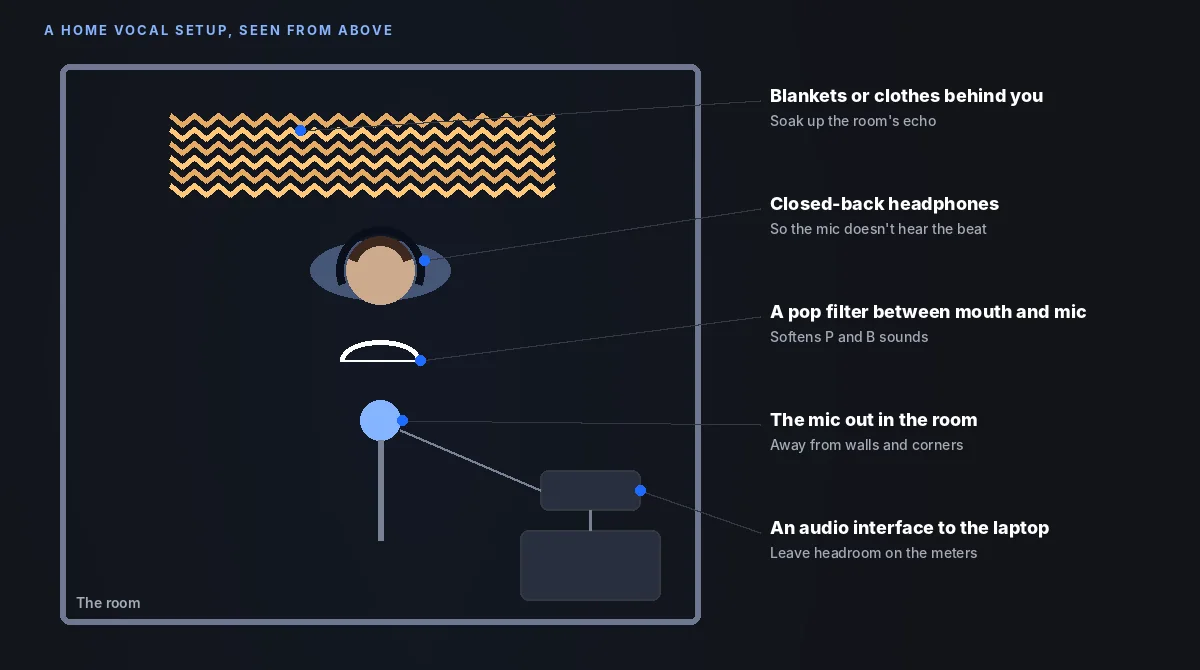
Muvora's practice tools fill the gaps a DAW leaves when you're away from it: the metronome and the click track generator for steady time, the drum machine for a quick 16-step groove saved as a WAV loop or a MIDI file, the guitar tuner, and the vocal range test to find the notes a melody can reach (the tuner and the range test listen through your microphone on your device and record nothing). For technique, read how to record vocals at home and how to make a beat.
Edit audio and check the master
Before a song goes to a distributor, check its loudness and its file. These tools read and change audio on your device, so an unreleased master never leaves your computer.
- LUFS meter: integrated loudness, short-term and momentary maximums, true peak and loudness range, measured as ITU-R BS.1770 describes, and how far Spotify, YouTube and Apple Music's reference levels would turn the song down. Best for a final check of a master.
- Audio normalizer: brings a file to a loudness target such as -14 LUFS, or a peak level, without letting the true peak cross a ceiling. It only changes the gain, so it suits demos and reference files rather than replacing mastering.
- MP3 to WAV converter: 16-bit, 24-bit or 32-bit float WAV from MP3, M4A, AAC or FLAC. Converting a lossy file doesn't bring back what the encoder threw away; export WAV straight from your DAW when you can.
- Audio cutter, audio joiner and reverse audio: cut a snippet on the bar lines with fades, join several files with a gap or a crossfade, or play a file backwards, each saved as a WAV.
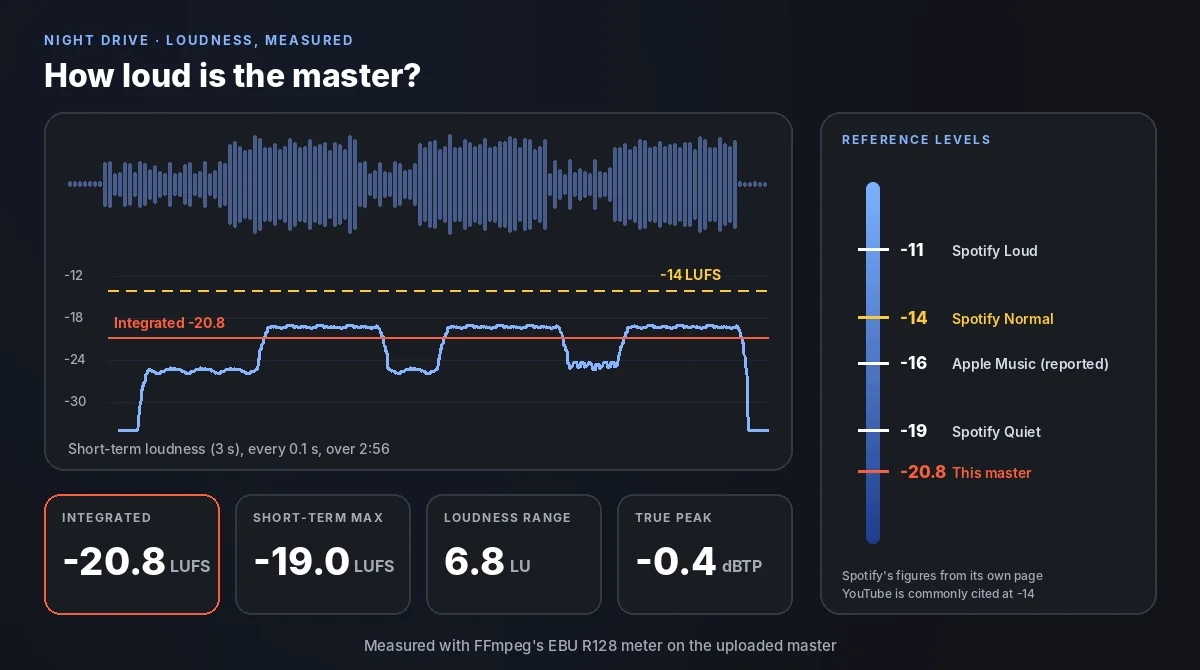
What the numbers mean, and why louder isn't automatically better, is in LUFS for streaming; the steps of a master, from EQ to the limiter, are in how to master a song.
Tempo, timing and keys
Tempo and tuning tools are the ones you reach for most, often mid-session, so they're best when they open instantly in a browser tab.
- Tap tempo: tap along to any song to find its BPM, with the half-time and double-time readings.
- BPM calculator: beats and bars in seconds, frames and milliseconds, for delay times and for cut lengths in a video.
- Note frequency chart: every note's frequency from C0 to C8 for any A4, and hertz to the nearest note.
- Camelot wheel: the keys that mix with yours, for DJs and anyone building a set.
For what tempo actually is (and why a 174 BPM track can feel like 87), read what BPM is.
Time the lyrics
Timed lyrics feed synced-lyric players, captions and lyric videos. You don't need paid software for them: two browser tools make and convert the files.
- LRC maker: play your song, paste the lyrics and tap along to stamp each line, then export LRC, SRT or WebVTT. Best for timing a song you have as a file.
- Lyric file converter: move timed lyrics between LRC, SRT and WebVTT, and shift every line earlier or later at once.
- Syllable counter: worth a pass before timing, since lines with too many syllables are the ones singers rush.
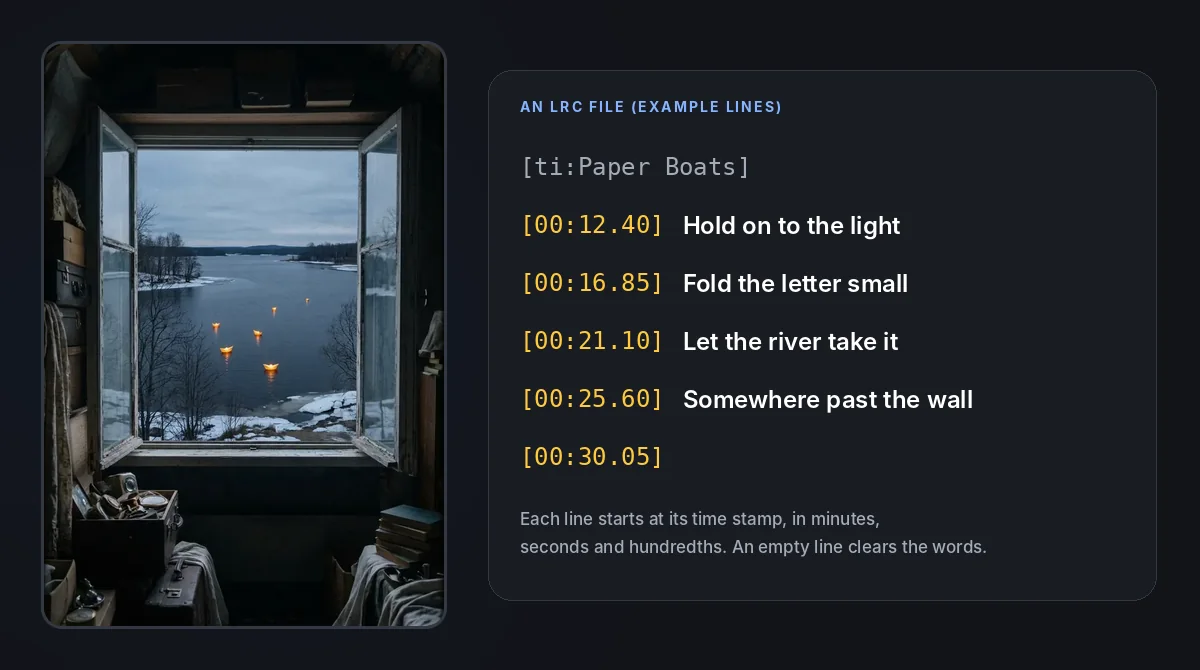
The format, its tags and where lyrics for streaming services usually go (through your distributor or a lyrics service) are in how to make an LRC file.
Make the artwork
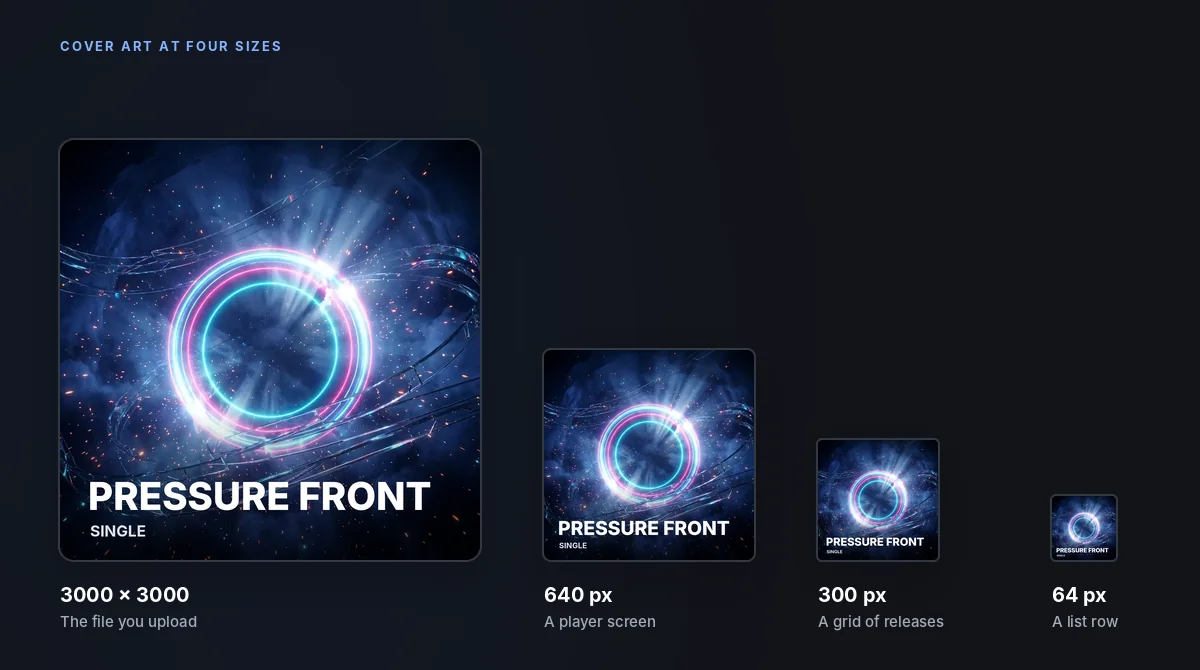
Cover art, thumbnails and Canvas loops get rejected for small reasons: the wrong pixel size, a file that's too big, a color mode a store won't take. Make the picture in a free editor, then check it before you upload.
- GIMP: a free, open-source image editor for GNU/Linux, macOS and Windows. Best for photo-based covers: retouching, layers, text and export.
- Krita: a free, open-source painting program for Windows, macOS and Linux, and its FAQ says what you create with it is yours. Best for drawn and painted covers.
- Canva: a free plan in the browser with templates, alongside paid plans. Best for quick covers, posts and promo graphics in one place.
- Album cover checker: square shape, pixel size, file type, color mode and file size against what Apple Music, Spotify and distributors ask for.
- Color palette generator and waveform generator: a release's palette pulled from any image, and the song's own waveform as PNG or SVG artwork.
- YouTube thumbnail preview and video frame grabber: see a thumbnail as viewers will, and pull the exact frame you want from your video at full size.
Release and promote
The paperwork and promotion around a release take more hours than the upload itself. Your distributor handles delivery to the stores; these free tools handle the rest. Spotify for Artists is free to join and works on the web and in apps for iOS and Android, and it's where you pitch the song, add a Canvas and read your stats.
- Release timeline planner: a dated plan worked back from release day, from the master to the video, the pitch, the Canvas and the clips, with a calendar file.
- Split sheet generator: each writer's role, publisher and share, checked to add up to exactly 100%, ready to print and sign.
- Spotify pitch generator: a playlist pitch from your song's facts, counted against a character limit you set.
- Music press release generator and artist bio generator: a one-page press release and bios in four lengths, written only from the facts you type.
- YouTube description generator and music hashtag generator: a video's title, description, chapters and tags, and hashtags sized to each app.
- Streaming royalty calculator: an estimate of what your streams pay after your distributor's cut and your splits.
For the whole path from a finished master to release day, read how to release music independently; for where the money from each stream goes, how music royalties work.
The one release visual most artists skip
A music video, a vertical cut and a Canvas loop come from one render in Muvora. Upload the song and the storyboard, every shot timed to your beats, is free to read and edit: 5 new storyboards a month with no card.
Make the video
There are two free-to-start routes to a music video. If you have footage, a free editor cuts it. If you don't, Muvora plans one from the song itself: the analysis and the storyboard are free, and you pay credits only to render.
- DaVinci Resolve: Blackmagic Design offers a free version alongside the paid Studio version, for Mac, Windows and Linux, with editing, color and audio in one program. Best for an editor who wants room to grow.
- Kdenlive: a free, open-source editor for Linux, Windows and macOS with a multitrack timeline, titles and subtitles. Best for Linux users.
- Shotcut: a free, open-source editor for Windows, macOS and Linux that edits on its timeline without importing first. Best for quick cuts of a live take or a teaser.
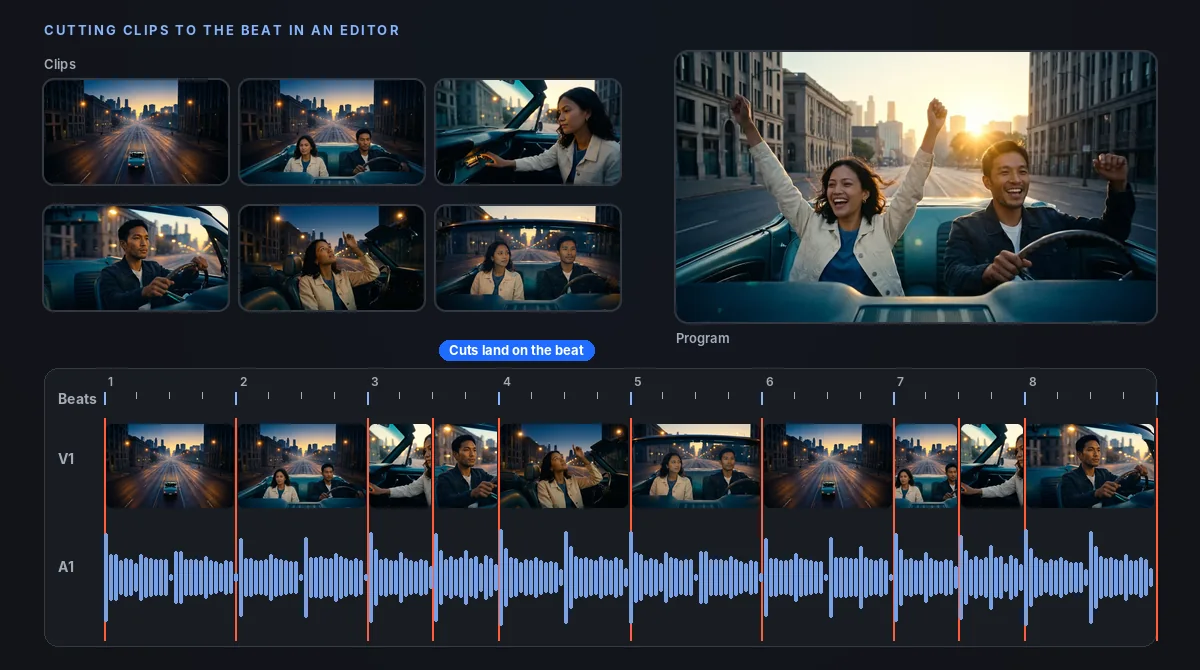
- Muvora: upload the song and its AI director writes a storyboard of every shot, cut on the downbeats, which you edit for free. Rendering costs credits per finished second, from 38 credits a second in Visualizer quality, with the price shown before you render. It doesn't edit footage you filmed, but its exports are ordinary MP4 files that open in any editor.
Muvora's browser tools help either route: the shot list generator plans shots on the beat from a tempo and sections, the beat marker generator drops a marker on every beat for your editing timeline, the safe zone checker shows where each app's buttons cover a vertical frame, and the audio spectrum visualizer turns a song file and its cover into a classic spectrum video on your device. For a fuller comparison of editors, read the best video editing apps for music videos; for every free route to a video, how to make a music video for free.
No footage? Start from the song
Upload the track and see the whole music video as a storyboard first: the brief, the look and every shot cut on your downbeats, with style frames before you pay. See the free AI music video generator for what the free plan includes.
Written by the Muvora team. Last updated November 16, 2026. Spotted something out of date? Tell us at [email protected].