Preview your YouTube thumbnail before you upload it
Add up to three thumbnails, type the title, channel and length, and see them where viewers will: the home grid and search results on a computer, the column of suggestions beside a playing video, and a phone's feed, in the light or the dark theme. Each image is checked against YouTube's thumbnail rules and read for detail under the length badge. The images stay on your device.
Free, no sign-up. Runs in your browser: nothing is uploaded.
Add up to three thumbnails to compare. JPG, PNG or GIF, 16:9. Read on your device, never uploaded.
Kite Season - Night Drive (Official Music Video)
Kite Season
12K views · 2 days ago
A generic drawing of how YouTube lays out on the home page on a computer, with the thumbnail about 360 px wide. Sizes, fonts and line breaks vary with the device, the window and YouTube's redesigns; gray outlines stand in for other videos.
Where the title is cut (about)
- Home: shown whole, on 2 lines.
- Search: shown whole, on one line.
- Up next: shown whole, on 2 lines.
- Phone: shown whole, on 2 lines.
Worked out for a font like YouTube's at its usual sizes, two lines in each place. Your phone's text size and font change where the line breaks, so put the artist and the song first, where every layout shows them.
Song finished? Upload it and Muvora plans the whole video on its beats. The storyboard is free.
Make the videoUpload a new songHow to use the YouTube thumbnail preview
- 01
Add your thumbnails
Choose up to three images (JPG, PNG or GIF), or try the sample frame first. Each one is read in your browser and shown with a letter, A to C.
- 02
Type the title and details
Enter the video's title, the channel name, the length the badge should show and a views line, exactly as the upload will have them.
- 03
Switch places and themes
Flip between Home, Search, Up next and Phone, and between Light and Dark, to see where the title is cut and how each picture holds up small.
- 04
Read the checks
Under the preview, each thumbnail gets its size, shape, file type and file size checked, plus a look at the corner the badge covers and its contrast once small.
One thumbnail, four sizes
The same 16:9 picture is shown about 360 pixels wide in the home grid and in search results on a laptop, about 168 wide in the column beside a playing video, and the full width of a phone in its feed. A face that reads at 360 can turn into a smudge at 168, and the title beside it is cut after two lines in each place, at a different word every time. The preview draws its own simple version of each layout at those sizes, so you judge the picture at the scale people meet it, then read the thumbnail guide for what makes one worth tapping.
- About 360 px on home and search
- About 168 px in the up-next column
- Two lines of title, cut differently in each
What the checks look at
The file is checked against the rules on YouTube's custom thumbnail page as they long read: 16:9, at least 640 pixels wide, 1280 × 720 recommended, JPG, GIF or PNG, under 2 MB (the current page is reported to suggest 3840 × 2160 and to allow larger files from a computer, while the phone app keeps 2 MB). Then two quick readings of the pixels: how much edge detail sits under the bottom-right corner, where YouTube prints the video's length, and how far the light and dark parts stay apart once the picture is shrunk to a few dozen pixels. Neither knows what matters to you; they tell you where to look.
- 16:9, 640 px wide or more, under 2 MB
- Detail under the length badge flagged
- Contrast judged at a small size
Compare three, then let viewers choose
Three candidates side by side show quickly which one survives at the up-next size and which title break hides the song's name. Make them genuinely different (a close-up, the chorus's big image, a frame with the title on it) rather than three crops of one shot. After the video is out, YouTube's own test can show up to three thumbnails to different viewers and keep the one with the most watch time. To get the frames in the first place, step through your finished video in the video frame grabber and save each one at full size.
- A, B and C in every layout
- Different ideas, not three crops
- YouTube's test can settle it by watch time
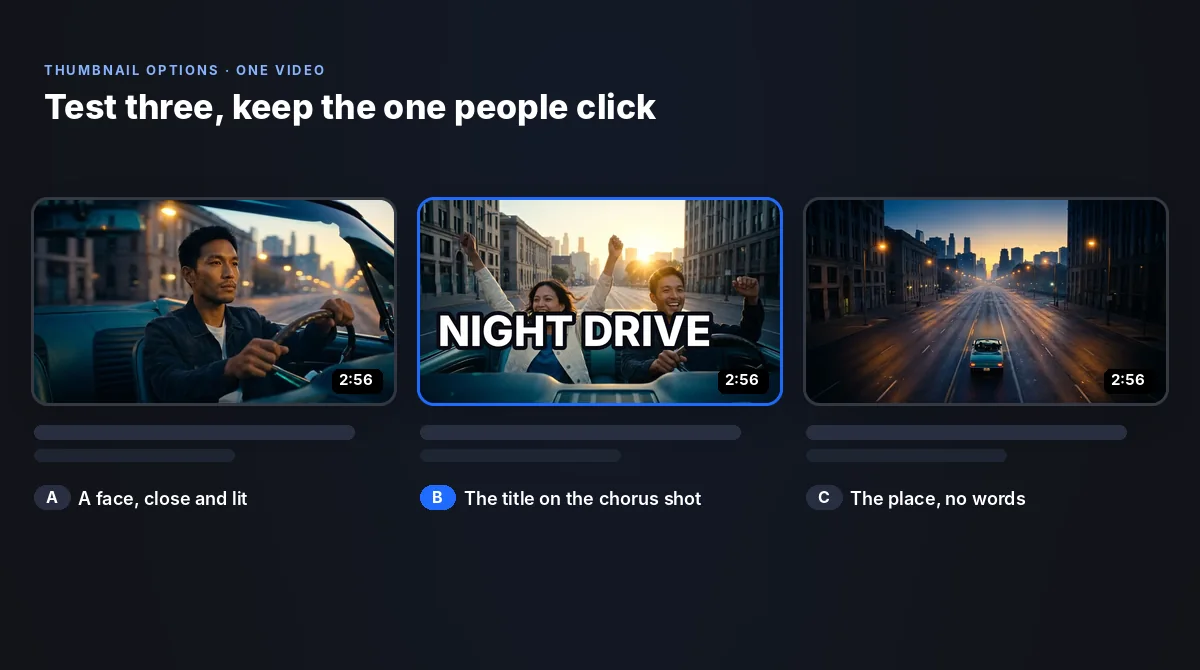
Start with a video that has frames worth choosing
Every shot in a Muvora video is drawn as a picture first: the storyboard gives each one a framing, a light source in the scene and an action, so the chorus has a frame built to carry a thumbnail. Plan that shot while you edit the storyboard for free, render, then grab its frame from the 16:9 export and test it here beside two others.
Questions, answered
Can't find what you need? Start a free storyboard and see for yourself.
Does this show exactly what YouTube will show?
No. It draws a simple, generic version of YouTube's layouts at about their usual sizes, with titles cut after two lines. Real sizes change with your window, your phone's text settings and YouTube's redesigns, so treat it as a close guide and check the live page after you publish.
Why is my title cut off in a different place on my phone?
Where a title breaks depends on the width it has, the font and the text size your phone uses. The tool estimates the cut for a font like YouTube's at its usual sizes and lists it for each layout, so put the artist and the song first, where every layout shows them.
What covers the bottom-right corner of a YouTube thumbnail?
The video's length, printed in a small dark badge. It stays the same size on every thumbnail, so it hides a bigger share of a small one, such as in the suggestions column. Turn on the badge outline to see the area, and keep faces and words out of it.
Can I see how my thumbnail looks in dark mode?
Yes. Switch the theme to Dark to see it on a near-black page, as many viewers browse. A thumbnail with a dark edge can melt into the dark theme, while a bright one can glare on the light theme, so check both.
Why does the tool warn about a WebP thumbnail?
YouTube's thumbnail help page lists JPG, GIF and PNG. Save a WebP as a JPG for a photo-like frame, or as a PNG for flat color and sharp lettering, and keep it under 2 MB so it uploads from the phone app too.
Are my thumbnails uploaded anywhere?
No. Each image is read by your browser on your device, drawn into the preview and checked there. Nothing is sent to Muvora, YouTube or anyone else, and removing an image or closing the tab clears it.
Keep exploring
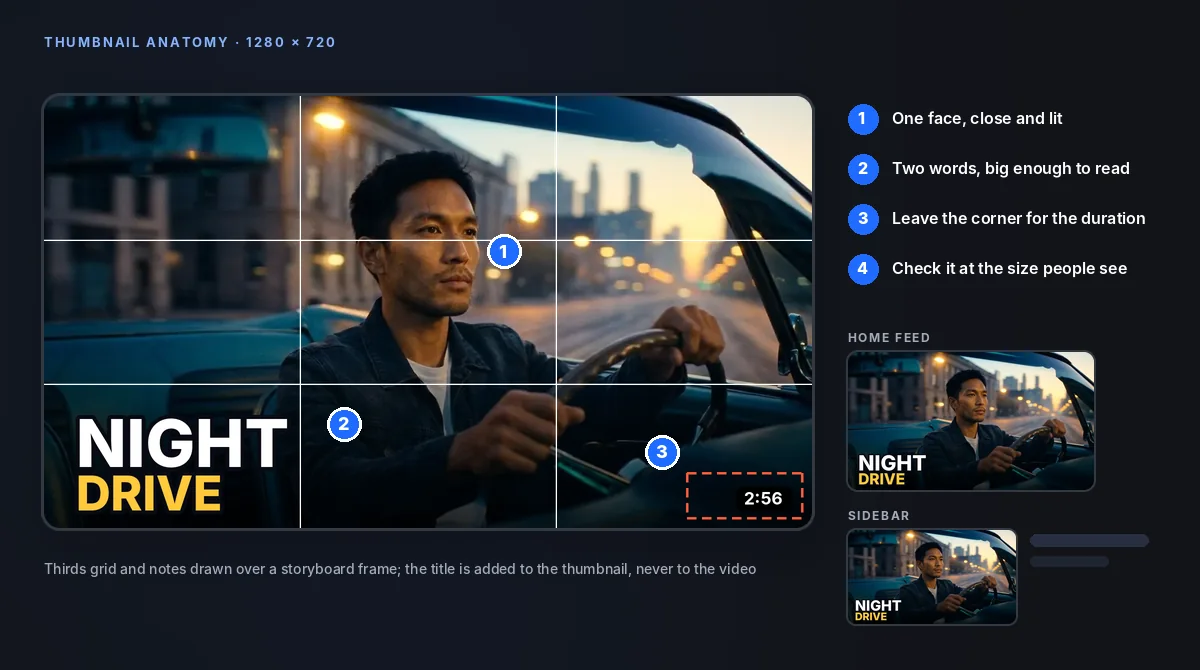
Music video thumbnails
YouTube's size and file rules, what gets a music video thumbnail clicked, grabbing the right frame, the words, the color and testing.
Read the guideVideo frame grabber
Open a video, step to the exact frame and save it as a full-size PNG, JPEG or WebP, or a 1280 × 720 YouTube thumbnail.
Open the tool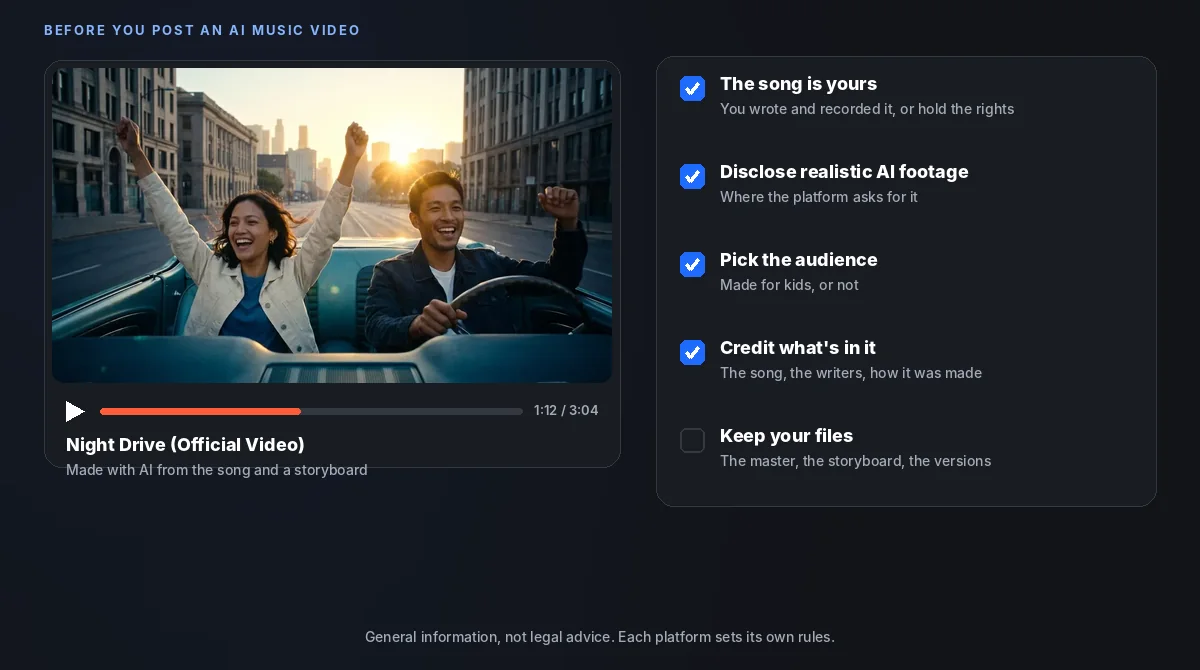
AI music videos on YouTube
When YouTube wants AI disclosed and what the label does, whether an AI music video can earn, Content ID on your own song and the made-for-kids setting.
Read the guideYouTube description generator
A music video's title, description, chapters, hashtags and tags, checked against YouTube's limits.
Open the tool
Upload a music video to YouTube
The title format, a description template, chapters, thumbnail, captions, premiere and the Short, in the order you set them.
Read the guideYouTube music videos
A full-length 16:9 video for your channel, plus the Shorts cut, from one render.
Learn moreColor palette generator
Drop in any image and get its five to eight main colors with hex codes, shares and readable text colors, ready to copy as CSS or as an idea for a video.
Open the toolAudio spectrum visualizer
A song file as a moving spectrum: bars, mirrored bars, a circle or a waveform over your cover art, recorded to a video on your device.
Open the tool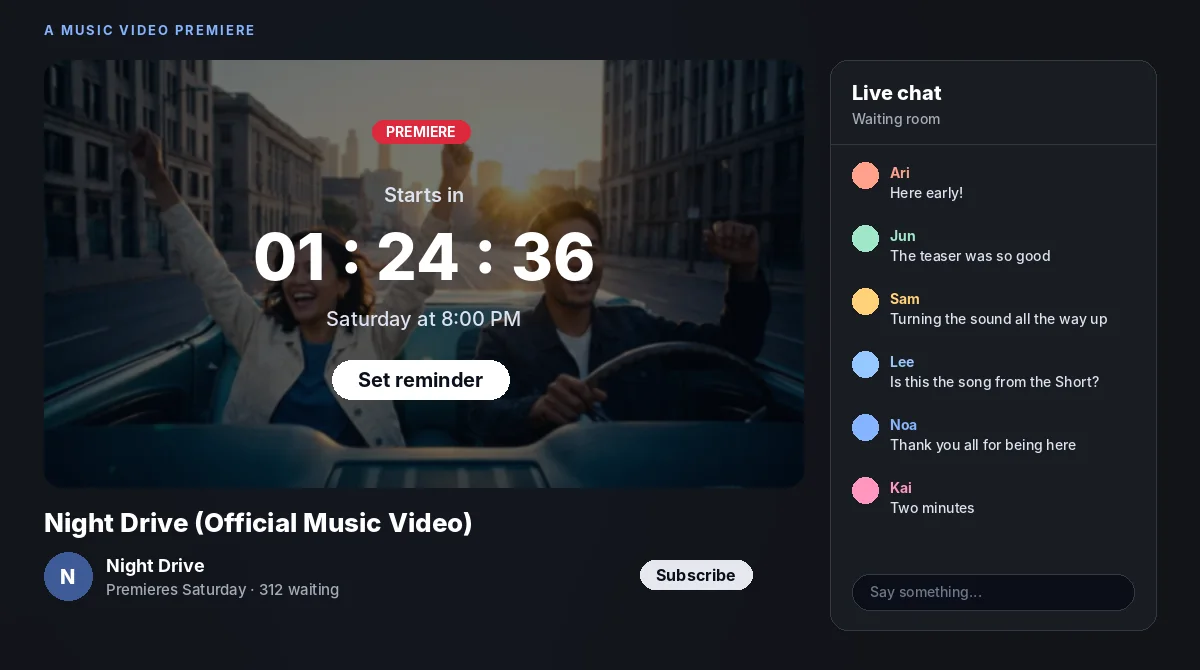
Premiere a music video on YouTube
What a YouTube Premiere does, the limits that catch people out, the setup step by step, and a plan for the week before, the hour of and the days after.
Read the guideMusic video thumbnail maker
Make a 16:9 YouTube thumbnail from your photo or a frame of your video, with the title set big and the duration corner kept clear.
Open the tool
More free tools: artwork and video formats
Cover art, Canvas loops, YouTube thumbnails, a spectrum visualizer, sizes, safe zones and bitrates, a video file's specs, and a vertical cut of any clip.
Your song deserves a music video
Upload a track and get a free beat-synced storyboard in minutes. Render it when you are ready.
No card needed to start.






