The short answer
A good AI music prompt names the genre and era, the mood, the main instruments, the voice and how it's delivered, and the tempo, then describes the song's shape in order. Paste your own lyrics where the tool takes them, with section labels if it supports them, change one thing between takes, and describe sounds rather than naming real artists.
- Answer five things every time: genre and era, mood, instruments, voice and tempo.
- Describe the arrangement in order: what starts, what joins, what drops out.
- Section labels such as [Chorus] are hints a tool may follow, not commands.
- Change one thing per take and note what each change did.
- Name sounds, never real artists, and check your plan's terms before releasing anything.
On this page (9 sections)ShowHide
- 1.The parts of an AI music prompt
- 2.How to write an AI music prompt, step by step
- 3.What Suno and ElevenLabs document about prompts
- 4.14 AI music prompt examples by genre
- 5.Describing the voice
- 6.Structure, lyrics and section labels
- 7.Fixing a take: change one thing at a time
- 8.What to leave out of a prompt
- 9.From the song prompt to the video prompt
- Questions
The parts of an AI music prompt
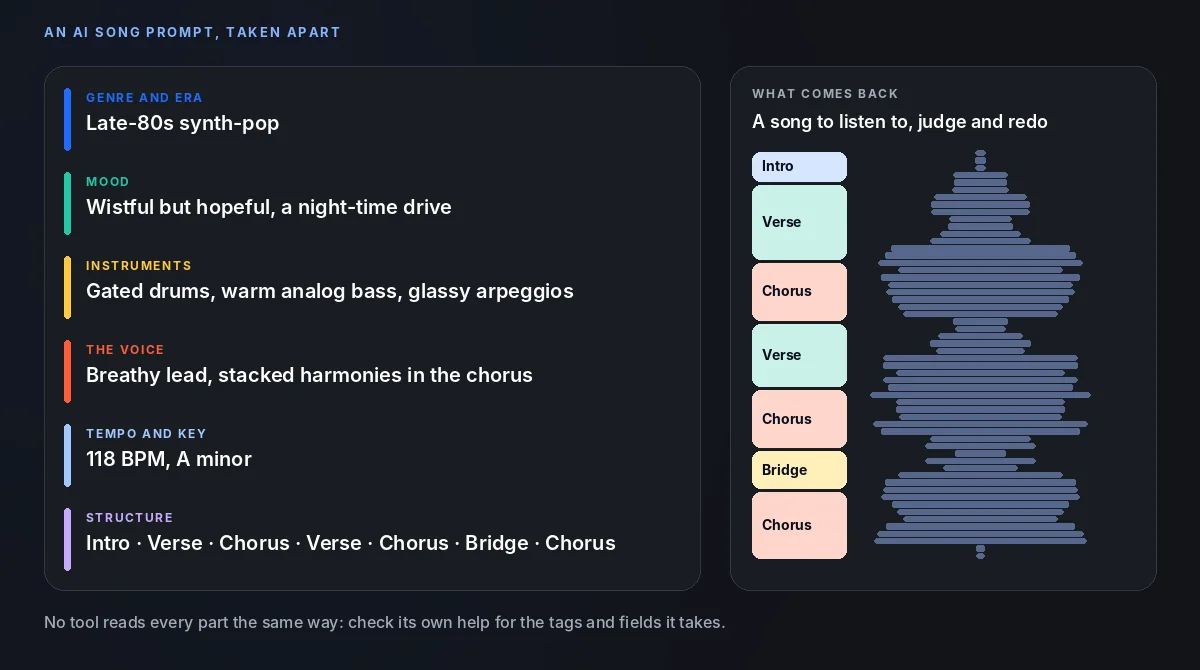
Every music prompt answers the same questions whether you mean it to or not: what kind of song, from when, in what mood, played on what, sung how, and how fast. ElevenLabs' prompting guide puts it plainly: any question you leave open, the model answers with the most statistically likely choice, which is to say the most average one. The work is deciding each answer yourself, in words a session musician would understand.
| Part | Vague | Specific | What it decides |
|---|---|---|---|
| Genre and era | Rock | Mid-2000s garage rock | The drum sound, the guitar tone, how polished the mix is |
| Mood | Sad | Tired but not defeated, late at night | The chords, the dynamics, how the voice leans into lines |
| Instruments | Guitar and drums | Fuzzy rhythm guitar, live drums with loose hi-hats, picked bass | What fills the space under the voice |
| Production | Good quality | Dry, close-mic'd, tape-warm | How near and how polished it sounds |
| Voice | Female vocals | Low, smoky female voice, conversational in the verses, belted in the chorus | Who sings and how close they feel |
| Tempo and feel | Fast | Around 140 BPM, driving eighth notes | How the song moves, and later how a video cuts to it |
| Shape | Has a chorus | Quiet first verse, the full band from the first chorus, a breakdown before the last one | Where the song builds and how it ends |
Production words matter more than most people expect. ElevenLabs' guide says studio language such as sidechained, close-mic'd, tape saturation and plate reverb audibly changes the mix, and that naming an era sets a record's whole production character. It also notes that a longer prompt isn't always a better one: a few evocative words leave the model room to surprise you, while detail gives you control. Decide which you want before you start typing.
How to write an AI music prompt, step by step
- 01
Decide what the song is for
Write down where it will be heard and how long it should run, such as a 2:30 single for streaming, a 30-second hook for vertical video or a 3-minute instrumental bed.
- 02
Write the style line
Name the genre with its era and one or two moods in a single line, such as late-90s R&B, warm and patient.
- 03
Add the instruments and the production
List the three or four instruments that carry the song and say how the record should sound: dry or roomy, polished or dusty, sparse or dense.
- 04
Describe the voice
Say who sings and how, from the range and texture to how close the voice sits and how the delivery changes between verse and chorus, or ask for an instrumental.
- 05
Give the tempo, and the key if the tool reads one
Add a BPM and a feel, plus a key such as A minor where the tool's own help says it follows one, measuring a demo's tempo and key first if you have one.
- 06
Lay out the shape and paste the lyrics
Describe the arrangement in the order it happens, and paste your own lyrics into the lyrics field with section labels where the tool supports them.
- 07
Generate, listen and change one thing
Listen to every take to the end, keep the best one, and change a single word or setting for the next round, noting what each change did.
Skip the blank page
Upload your song and Muvora's AI director plans a shot-by-shot storyboard on the beat. Edit every shot for free, and pay only if you render.
What Suno and ElevenLabs document about prompts
Each generator has its own fields and reads prompts its own way, so the most reliable guide to a tool is its own help. Here is what two widely used ones document as of November 2026. Other tools work differently: read their help before assuming any of this carries over, and see the best AI music generators for what each is built for.
Suno has two ways in. Simple mode takes a description, and its help gives "A synth pop song about having fun all night" as an example, adding that you can mash up genres and include ideas about instrumentation and song structure. Custom mode adds a lyrics field (your own lyrics stay yours, its help says), a Styles field and Advanced Options, among them Exclude for elements you don't want and Vocal Gender, which its help suggests pairing with style words such as gritty or soft. Its v6 FAQ (September 2026) says the v6 models understand the language musicians use for vocals, instrumentation, structure, mood and references, that each generation makes two songs, and that setting the Variety slider to 0 keeps full control of your style tags. A generation can run up to 8 minutes.
ElevenLabs Music's prompting guide asks you to decide five things (genre, mood, instrumentation, tempo and production era) and says the model follows a stated BPM accurately and often captures a stated key, written as "130 BPM" or "in A minor". It suggests narrating the arrangement in order with small words like start with, just, then and bring in; adding "instrumental only" for a song without vocals; timing cues such as "lyrics begin at 15 seconds"; and saying what to leave out, as in a drum loop with no melody. Its Music overview puts a generation at 3 seconds to 5 minutes, and its API offers composition plans for exact control of sections.
| Part | Suno | ElevenLabs Music |
|---|---|---|
| The description | Simple mode's description, or Custom mode's Styles field | One prompt in plain language |
| Lyrics | Custom mode's lyrics field, or lyrics it writes | Your own, or lyrics it writes to fit the length |
| What to leave out | Exclude, under Advanced Options | Said in the prompt, such as instrumental only or no melody |
| The voice | Vocal Gender, plus words like gritty or soft | Delivery words: whispered, belted, deadpan, stacked harmonies |
| Tempo and key | Musical terms in the description; its glossary lists tempo words | A BPM it says it follows accurately, and a key it often matches |
| Structure | Structure words in the description; labels in the lyrics as hints | The arrangement narrated in order; composition plans in the API |
| Length | Up to 8 minutes a generation | 3 seconds to 5 minutes |
14 AI music prompt examples by genre
These prompts were written for this guide as starting points. Each answers the five questions in a line or two; swap any part for your own and keep the rest. Where a tool has separate fields, the style and instruments go in its description or style field, the voice in its voice setting if it has one, and the BPM in a tempo field if it offers one.
| Genre | Prompt | Why it works |
|---|---|---|
| Synth-pop | Bright 2020s synth-pop, 118 BPM, sidechained bass, glassy synth plucks, claps on 2 and 4, airy female lead close to the mic, the chorus opening into wide stacked harmonies, euphoric with a bittersweet edge | An era, a groove and a lift into the chorus |
| Boom bap | Dusty 90s boom bap, 88 BPM, chopped soul piano loop, crunchy snare, upright bass, laid-back male rap verses, a half-sung hook, late-night city mood | The drum sound and the loop set the era |
| Melodic trap | Dark melodic trap, 142 BPM with a half-time feel, rolling hi-hats with triplet rolls, sliding 808 bass, eerie bell melody, auto-tuned male vocal, cold and moody | The half-time feel stops it rushing |
| R&B | Slow modern R&B, 72 BPM, Rhodes chords, warm sub bass, finger snaps, breathy female vocal with layered ad-libs, intimate and patient | Texture words carry the mood |
| Country | Mid-tempo modern country, 96 BPM, strummed acoustic guitar, pedal steel swells, brushed snare, warm male baritone with a light twang, story verses and a singalong chorus | Names the instruments that say country |
| Indie rock | Mid-2000s indie rock, 132 BPM, jangly clean guitars, driving eighth-note bass, live drums with open hi-hats, raspy male vocal, restless and hopeful, gang vocals on the last chorus | Builds to a bigger final chorus |
| Deep house | Deep house, 122 BPM, four-on-the-floor kick, warm rolling bassline, filtered chord stabs, chopped soulful female vocal, a long build into the drop, sunrise after a long night | Club structure in plain words |
| Liquid drum and bass | Liquid drum and bass, 174 BPM, rolling breakbeats, deep sub bass, lush pads, soft female vocal, floating and melancholy | The tempo and the breaks define the genre |
| Lo-fi | Lo-fi hip-hop instrumental, 75 BPM, swung drums with a soft snare, dusty jazz guitar chords, vinyl crackle, tape warmth, no vocals, rainy-window calm | Says no vocals outright |
| Piano ballad | Piano ballad, 66 BPM, solo grand piano in the verses, strings joining in the second chorus, intimate male tenor rising to falsetto in the bridge, aching but hopeful | The arrangement grows in the order written |
| Afrobeats | Afrobeats, 104 BPM, syncopated percussion with shakers and congas, bright highlife-style guitar licks, smooth male vocal with call-and-response backing vocals, sunny and flirtatious | Percussion first, as the genre is built |
| Metalcore | Modern metalcore, 150 BPM, drop-tuned guitars, double-kick drums, screamed verses, a clean sung chorus, a crushing breakdown before the last chorus | Separates the screamed and sung parts |
| Indie folk | Warm indie folk, 92 BPM, fingerpicked acoustic guitar, upright bass, soft harmonium, close two-part harmonies, nostalgic and gentle | A small band keeps it intimate |
| Gospel | Contemporary gospel, 80 BPM, Hammond organ and piano, a choir answering a strong female lead, building to a key change for the final chorus | Call and response, then a lift at the end |
Already have the song?
When the song is finished, the next step is its video. Upload it and Muvora writes a free storyboard around its sections and beats, with lyric captions timed to the vocal if you want them.
Describing the voice
The voice is what listeners notice first, and a single word like female or male leaves almost everything else open. Describe it the way a producer would brief a session singer: the range, the texture, how close it sits, how it's delivered, and how that changes through the song.
| What it changes | Words to try |
|---|---|
| Range | Low alto, high tenor, baritone, falsetto in the chorus |
| Texture | Breathy, raspy, smoky, clear, nasal, gritty |
| Distance | Close-mic'd and dry, roomy, drenched in reverb, double-tracked |
| Delivery | Conversational, whispered, belted, deadpan, fast rap, half-sung |
| Layers | Stacked harmonies, call and response, a choir answering, ad-libs between lines |
| Change over the song | Quiet in the verses and belting the last chorus; one voice in verse one, two in verse two |
For a duet, say so and give each voice its own description; ElevenLabs' guide gives "two singers harmonizing in C" as an example of directing more than one vocalist. Never describe a voice as a named singer's. Streaming services take down tracks that impersonate real artists, as how to make a song with AI explains, and a described sound gets you closer to something of your own anyway.
Structure, lyrics and section labels
Most tools take lyrics in a field of their own, and many users mark the sections there with labels in square brackets. Treat those labels as hints. Suno's early documentation, written for its first models, called bracketed words "metatags" that guide a prompt without being sung (Using Metatags); its current help center has no page on them, and its music glossary suggests structure words in the description instead, such as "verse-chorus-verse with extended bridge". ElevenLabs asks you to narrate the arrangement in the prompt and offers composition plans for exact sections. Neither documents that every label is obeyed, so check each take.
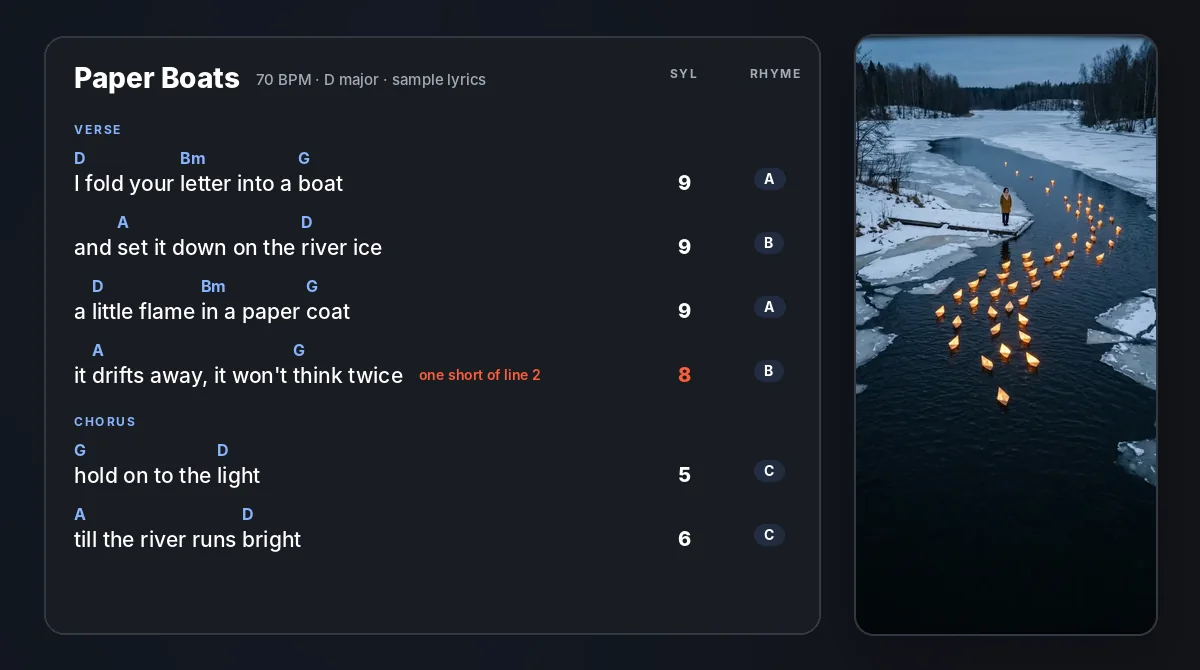
A lyric sheet laid out for a generator looks like this, with original lines written for this guide and a stage direction in brackets where the arrangement should change:
- [Intro: piano only]
- [Verse 1] Porch light's on but the house is asleep / I count the cars that don't slow down
- [Pre-Chorus] Every engine sounds like you / every engine sounds like you
- [Chorus] Come home before the morning finds me / I left the door the way you left it
- [Verse 2] Your coat still hangs where the hallway bends / I wear it out to check the mail
- [Bridge: half time, voice alone]
- [Final Chorus: full band, a step higher]
- [Outro: piano fades]
Write the lyrics yourself where you can: they're the part of an AI song you clearly own and the part listeners repeat. Keep a verse's lines to similar syllable counts so the voice doesn't rush or stretch; the syllable counter shows where they don't. Find rhymes with the rhyme generator, strip stray chords and timestamps from pasted lyrics with the lyrics formatter, and see how to write a chorus and how to write a verse for the words themselves.
Fixing a take: change one thing at a time
When a take is close but wrong, the temptation is to rewrite the whole prompt. Resist it. Change one word, one field or one setting, generate again and compare. Change four things at once and you won't know which one helped, so you can't repeat it on the next song.
| What you hear | Try changing |
|---|---|
| Too busy, everything at once | Add sparse, name only two or three instruments, and say what plays alone at the start |
| The chorus doesn't lift | Describe the change: the chorus opens wide, stacked harmonies, bigger drums |
| Generic, could be anyone | Name an era and two production words, such as 1970s, tape saturation, plate reverb |
| The voice sits too far back | Close-mic'd vocal, dry, upfront |
| The tempo feels wrong | Give a BPM and a feel: half-time, swung, driving eighth notes |
| An instrument you didn't ask for | Use the tool's exclude field, or say it plainly: no saxophone |
| The words feel rushed | Fewer syllables per line, or a slower tempo |
| The song stops abruptly | Describe the ending: a last chorus, then the piano alone |
- Keep a prompt log. For each round, note the tool and model, the full prompt, the settings, the one thing you changed and what you heard.
- Save the takes you nearly kept. A verse from one take and a chorus from another tell you what to ask for next time.
- Stop when it's the song. Tools that regenerate one section are for fixing the weakest part, not for polishing until the song loses its shape.
What to leave out of a prompt
- Real artists' names. Describe the sound instead: the era, the instruments, the kind of voice. Imitating a named artist is where AI songs run into takedowns.
- Other people's lyrics and titles. Write your own; words pasted from someone else's song bring their rights with them.
- Contradictions. Slow and 170 BPM, or acoustic with a wall of synths, leaves the model to pick one for you.
- Too many genres. Two can blend into something new; five usually turn to mush.
- Words about quality. Masterpiece and professional describe nothing you can hear; production words do.
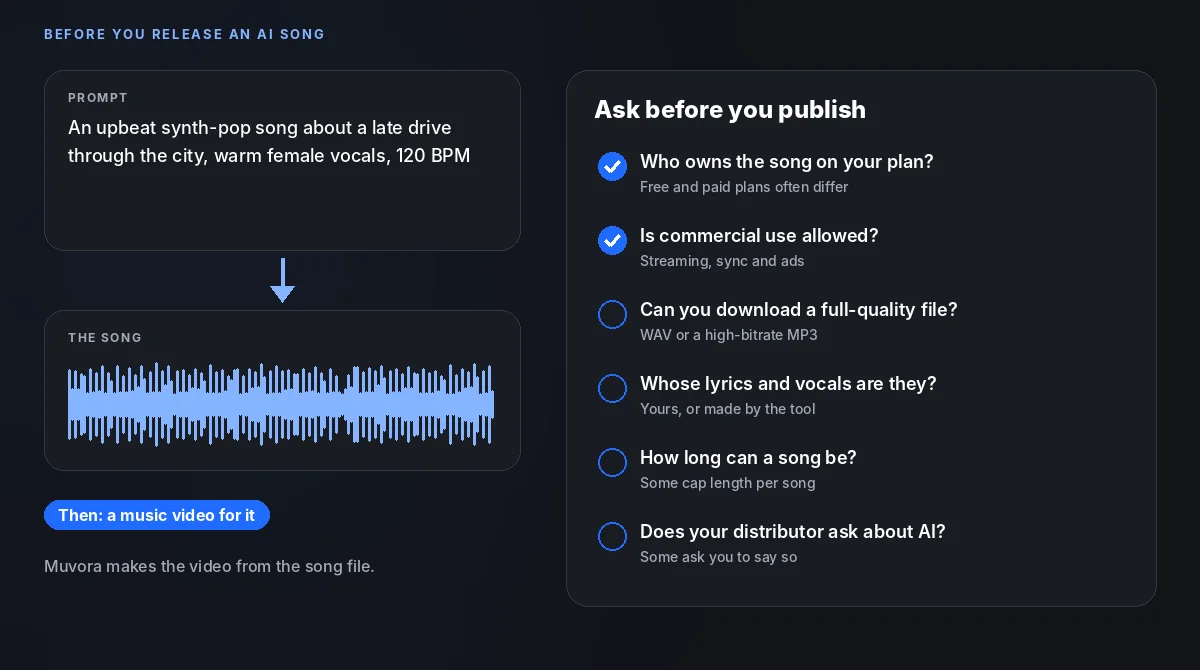
What you may do with the result is decided by the tool's terms and your plan, not by the prompt. The plan usually decides downloads and commercial use, and who owns an AI-made song is unsettled in many countries. The best AI music generators lays out each tool's plans, and how to make a song with AI covers ownership and the streaming services' rules.
From the song prompt to the video prompt
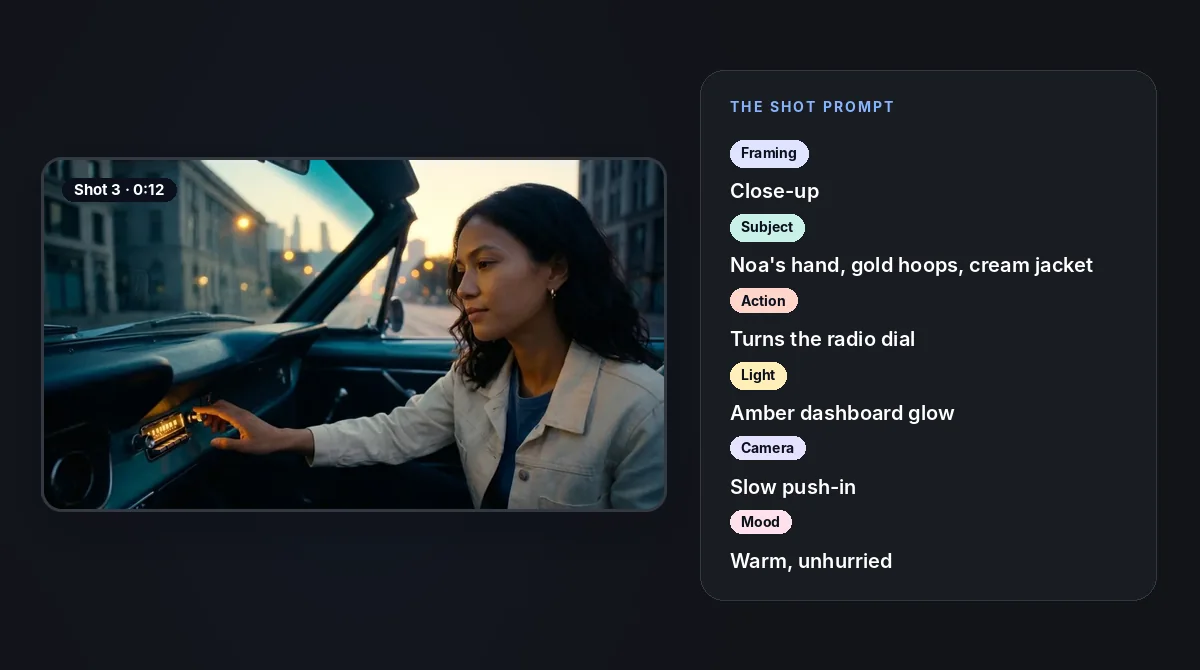
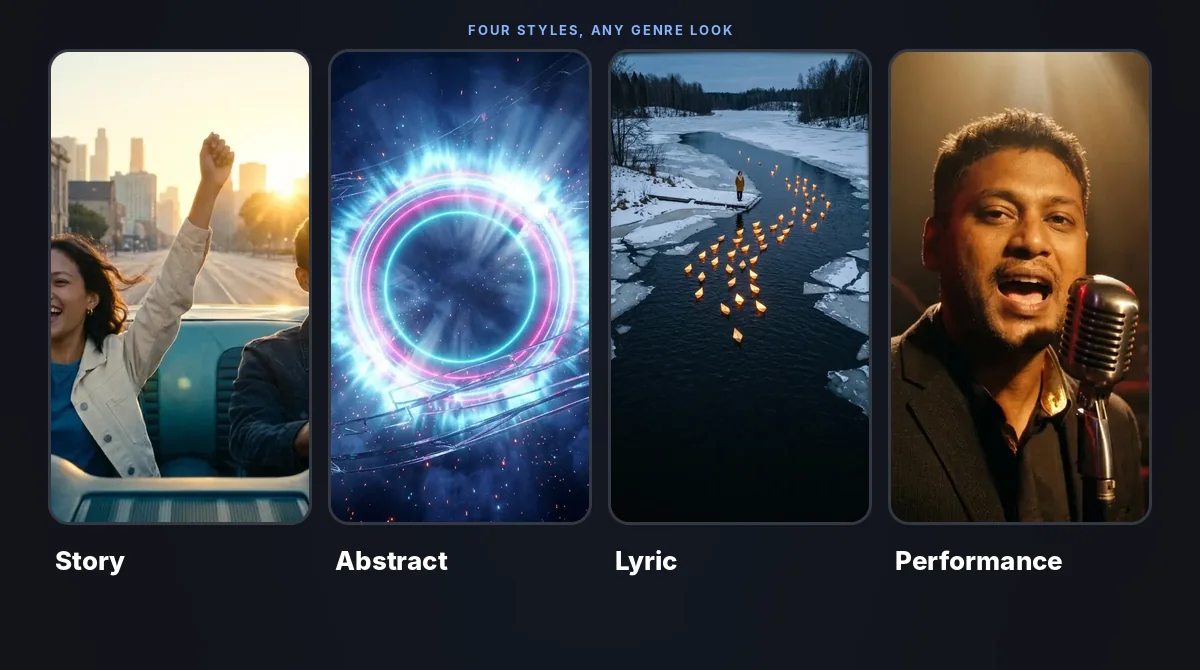
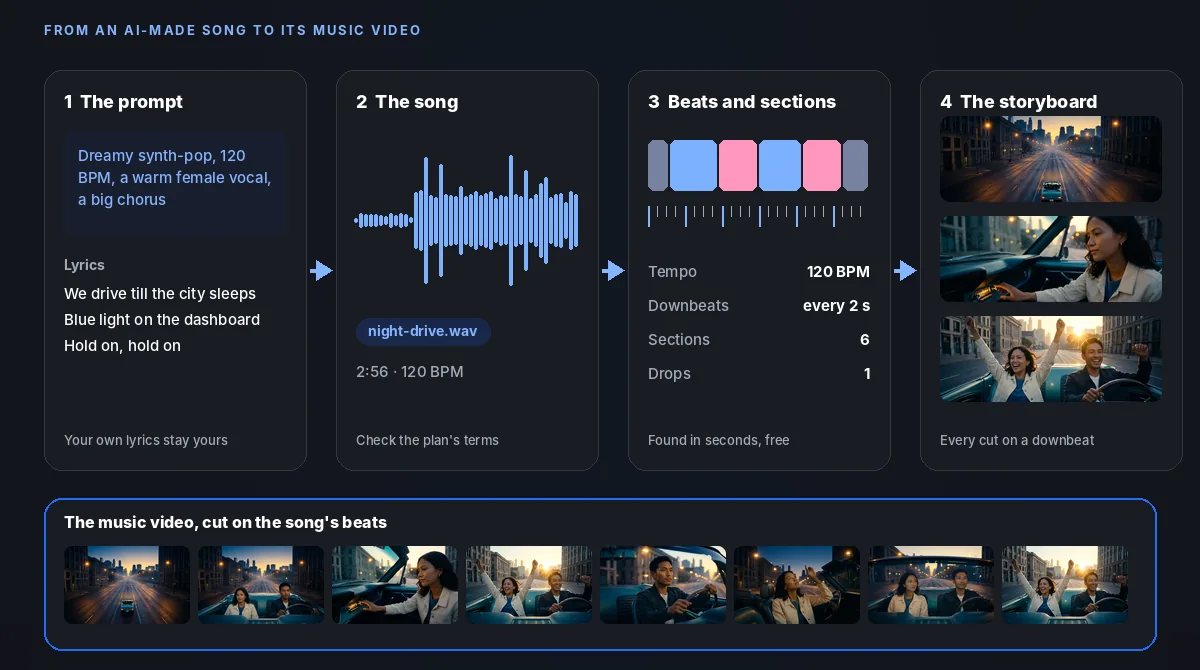
Once the song is finished, the next prompt is for the picture, and it's a different kind of writing. A song prompt describes sounds; a video prompt describes who is on screen, where, what happens and how it looks. In Muvora you don't describe the music at all: the upload's analysis reads the tempo, beats, sections and drops from the file itself, and every cut lands on a downbeat. The idea box, up to 600 characters, is for the picture.
| In the song prompt | In the video idea |
|---|---|
| Late-90s R&B, intimate and patient | A small kitchen at 2am, one warm lamp, two people talking quietly over cold coffee |
| Driving indie rock, restless and hopeful | Three friends on a night bus to the coast, the city falling away behind them |
| Deep house, sunrise after a long night | A rooftop at dawn, dancers in silhouette, the sky turning from violet to gold |
| Lo-fi, rainy-window calm | A desk by a rain-streaked window, a cat asleep on the notebooks, slow city lights |
| The chorus opening into wide harmonies | The chorus moves from close-ups to wide shots of the whole group |
AI music video prompts covers writing those ideas and single shots in detail. For a Suno song, Suno to video explains the upload, and AI song to video covers songs from any generator; either way you need the rights to use the song in a video, which the generator's terms and your plan decide.
Turn your AI song into a music video
Upload the finished song (MP3, WAV, M4A, AAC or FLAC, up to 8 minutes) and Muvora analyzes it and writes a free storyboard cut on its beats. Describe the picture in the idea box, edit any shot, and see the exact price before you render.
Written by the Muvora team. Last updated November 18, 2026. Spotted something out of date? Tell us at [email protected].