The short answer
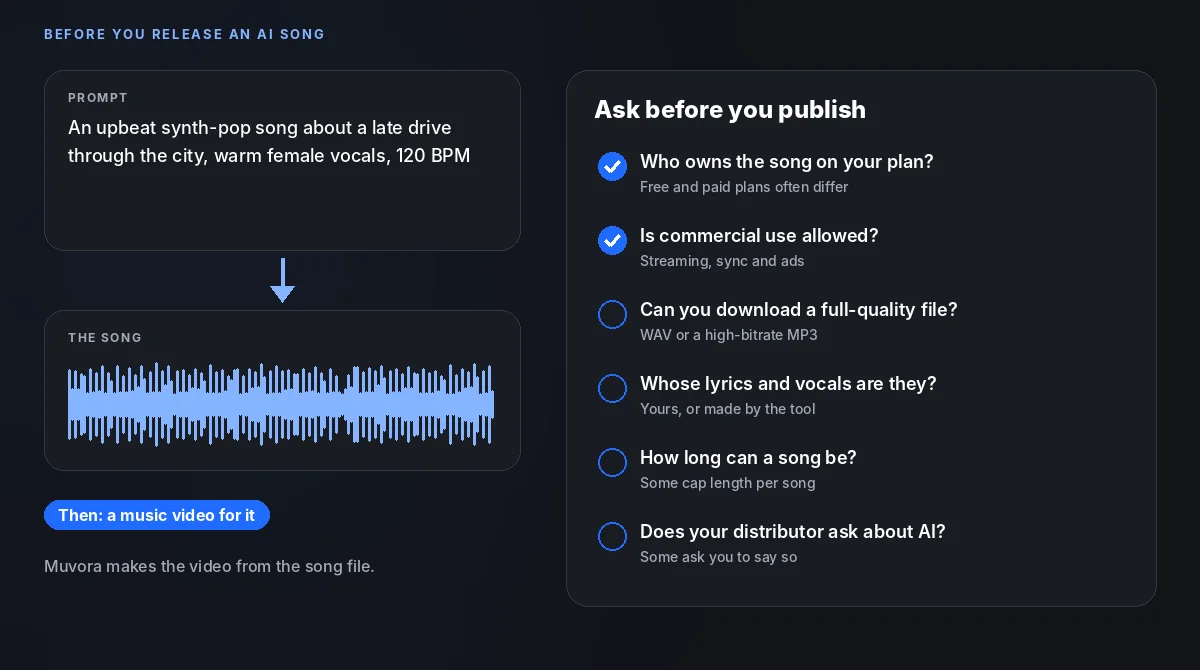
To make a song with AI, write a style prompt (genre, tempo, instruments, voice, mood) and, ideally, your own lyrics, then generate several takes in a tool such as Suno or ElevenLabs Music, edit the best and download it. Use a plan that allows commercial use, check your distributor's AI rules before release, and remember that in the US prompts alone don't make you the author.
- Write the lyrics yourself: they're the part of an AI song you clearly own.
- The plan decides downloads and commercial use, and Suno's and ElevenLabs' free plans allow no commercial release.
- In the US, prompts alone don't make you the author of what the model generates.
- Streaming services ban AI clones of real singers and filter mass uploads; distributors set their own AI rules.
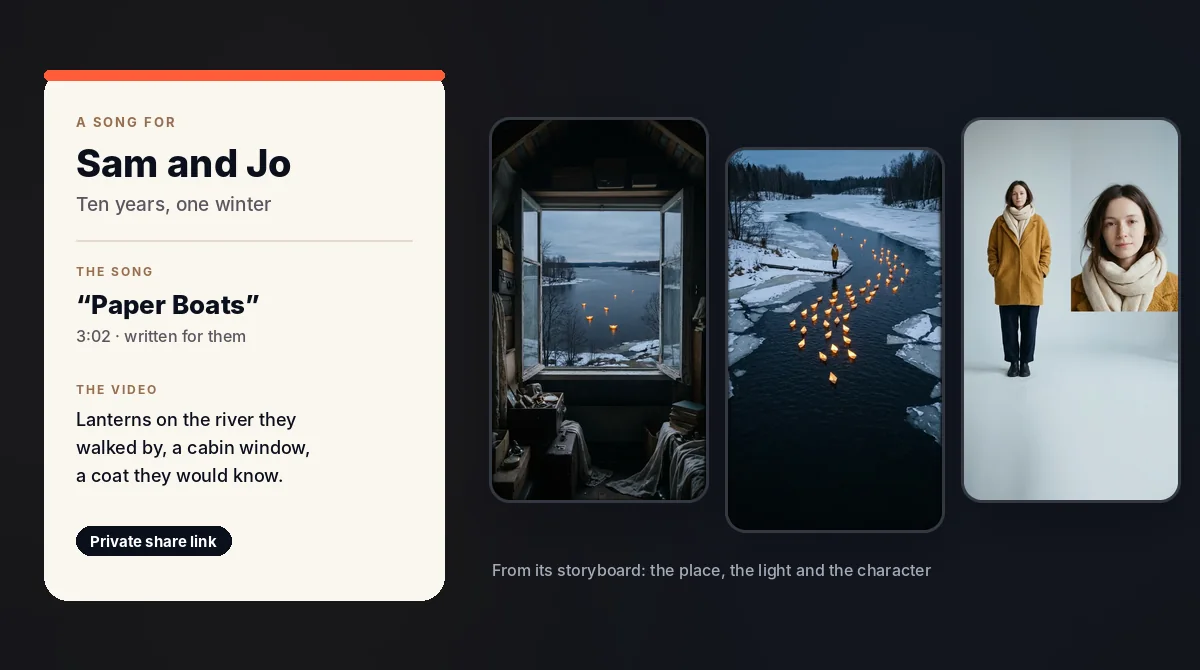
- A finished AI song still needs a face, and a video planned on its own beats gives it one.
On this page (7 sections)ShowHide
- 1.What an AI music generator does
- 2.The main AI music generators, and what their plans allow
- 3.How to make a song with AI, step by step
- 4.Writing the prompt and the lyrics
- 5.Who owns a song made with AI
- 6.Releasing an AI song: what streaming services and distributors say
- 7.Turn the finished song into a music video
- Questions
What an AI music generator does
You describe a song in words (its genre, tempo, instruments, voice and mood), usually add lyrics, and the model returns a finished recording: vocals, arrangement and mix in one file, often two takes per request. Most tools then let you extend a song, regenerate one section, or upload audio to build on. What they don't do is follow instructions literally. Every take is a new interpretation of the same words, which is why making a good AI song is mostly choosing, fixing and choosing again.
| Input | What it does | How to use it well |
|---|---|---|
| Style prompt | Sets the genre, era, instruments, tempo, voice and mood | Describe sounds and instruments, never a real artist |
| Lyrics | The words the voice sings, in the order you write them | Write them yourself and sing them aloud before you paste them |
| Section tags | Mark where the verse, chorus and bridge start | Put [Verse], [Chorus] and [Bridge] on their own lines |
| Audio upload | A melody, a demo or your own voice to build from, where the tool allows it | Upload only audio you have the rights to |
| Section edits | Regenerate, replace or extend one part without redoing the rest | Fix the weakest section, then stop before the song loses its shape |
The main AI music generators, and what their plans allow
Dozens of tools make music from text. The table covers five widely used ones, alphabetically and not ranked, with what each one's own pages (or reputable reporting where noted) said in November 2026. Plans, models and terms change every few months, so read the current pages for the plan you'll actually use before you make anything you mean to release.
| Tool | What it makes | Downloads and commercial use |
|---|---|---|
| ElevenLabs Music | Full songs with vocals from a prompt or lyrics, with section editing | Free plan for personal use only; the entry paid plan allows commercial use but not release to streaming services; higher plans add release to Spotify and Apple Music. Self-serve plans exclude film, TV and studio games |
| Google Lyria 3 | 30-second tracks from text or a photo in the Gemini app, in beta since February 2026 | Every track carries SynthID, Google's imperceptible watermark for identifying audio its AI made |
| Stable Audio 3.0 | Tracks up to about six minutes, from models Stability AI says were trained on licensed data (May 2026, as reported by The Decoder) | Under the Stability AI Community License you own the audio and may use it commercially, with an enterprise license required above a revenue threshold |
| Suno | Full songs with vocals from a style prompt and lyrics, with editing tools and stems on paid plans | Free plan: no song downloads and no commercial rights. Paid plans: commercial use and a set number of downloads a month |
| Udio | Songs generated and played inside its platform | Downloading audio, video and stems was disabled after its partnership with Universal Music Group on October 29, 2025 |
Suno's plans changed after its settlement with Warner Music Group in November 2025. Warner said then that Suno would launch licensed models in 2026, that songs made on the free tier would no longer be downloadable, and that paid users would get monthly download caps (Engadget); the pricing page now reads that way. Rights also follow the plan you were on when you made a song: Suno's help center says songs made while subscribed to a paid plan stay commercially usable after you cancel, and that subscribing later doesn't add commercial rights to songs made on the free plan (Suno).
Udio's change matters if you already made songs there: its help center still says downloading is disabled, so a song you didn't save as a file before then can't be uploaded anywhere for now, Muvora included. Udio to video covers what to do with songs you did save. If you make instrumentals to sell rather than songs to release, the same plan terms decide whether you may sell them; how to sell beats online covers licensing them once they're yours to sell.
Skip the blank page
Upload your song and Muvora's AI director plans a shot-by-shot storyboard on the beat. Edit every shot for free, and pay only if you render.
How to make a song with AI, step by step
The routine below works in any of the tools above. The order matters more than the tool: the decisions that make a song yours come first, and the plan question comes before the download, not after the song takes off.
- 01
Start with what the song is about
Write one sentence: who is singing, to whom, and what happens. A clear idea gives the prompt and the lyrics something to agree on, and it's the part no tool supplies.
- 02
Write the lyrics yourself
Write at least a verse and a chorus, or adapt words you've already written, and mark each section with a tag such as [Verse] or [Chorus]. Lyrics you write stay your own work, whatever the tool's terms say about the recording.
- 03
Write the style prompt
Describe the genre and era, the tempo, the main instruments, the voice and the mood in a line or two, in plain musical terms rather than an artist's name.
- 04
Generate several takes
Run the same prompt and lyrics a few times, listen to every take to the end, and keep the one whose chorus lands. Write down the prompt and settings that made it.
- 05
Fix sections, then settle on one take
Regenerate or extend the weak parts, check that every line is sung the way you wrote it, and choose one final take before you do anything else with the song.
- 06
Download it on the right plan
Download the best quality your plan offers, a WAV where you can, on a plan whose terms allow what you intend, and save a copy of those terms beside the file.
- 07
Check it like a master
Trim silence at the start and end, measure the loudness, and listen on headphones, a phone speaker and in a car before you call it finished.
- 08
Release it and give it a video
Send it to a distributor that accepts AI-assisted music, answering its AI questions truthfully, and make the music video and the short clips from the same file.
Already have the song? Plan its video free
Upload the file you downloaded, paste the lyrics you wrote, and Muvora finds its tempo, downbeats, sections and drops, then writes a storyboard you can edit before rendering anything.
Writing the prompt and the lyrics
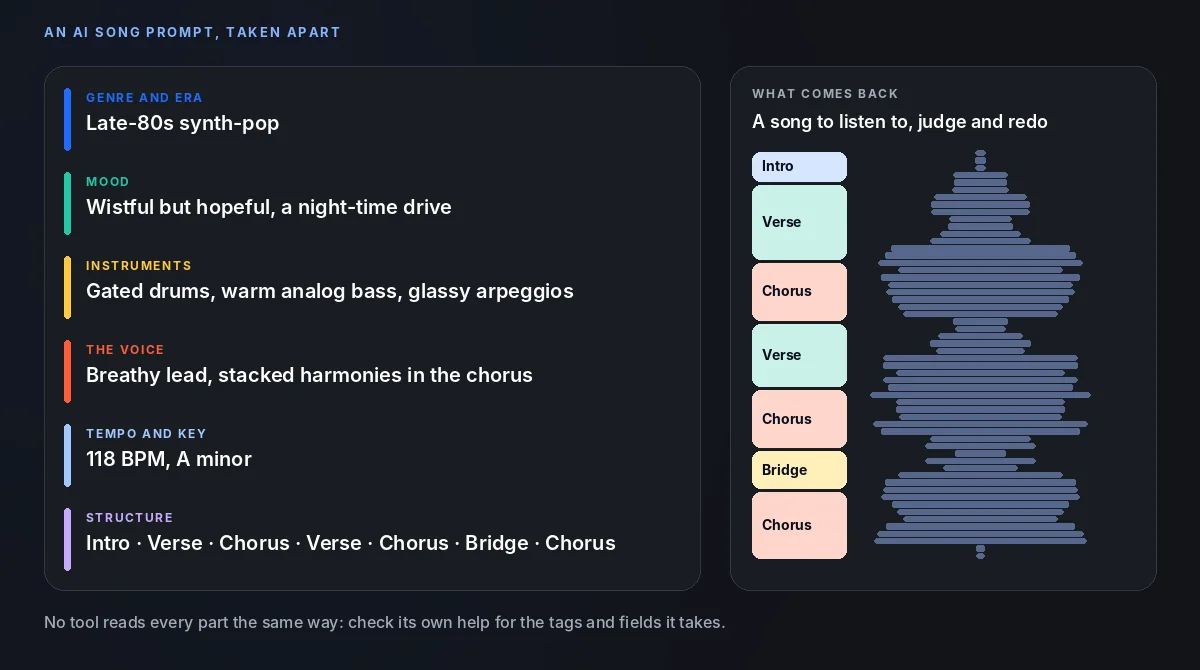
A good style prompt reads like a note to a session band: what kind of song, how fast, played on what, sung by whom, in what mood. Each part narrows what the model reaches for. Leave one out and the model fills it with its most common answer, which is usually the blandest one.
| Part | Example | What it settles |
|---|---|---|
| Genre and era | Late-90s R&B; dusty boom bap; 2010s indie folk | The drums, the harmony and the production style |
| Tempo and feel | Slow and swung, around 70 BPM; driving four on the floor | How the song moves; treat a number as a hint and describe the feel too |
| Instruments | Rhodes, upright bass, brushed drums | What carries the arrangement under the voice |
| Voice | Warm low female voice, close and breathy; gravelly male baritone | Who sings, and how close the voice sits |
| Mood | Wistful, late at night, quietly hopeful | Chord color, dynamics and delivery |
| Shape | Short intro, two verses, a big final chorus, a quiet ending | Where the song builds and how it ends |
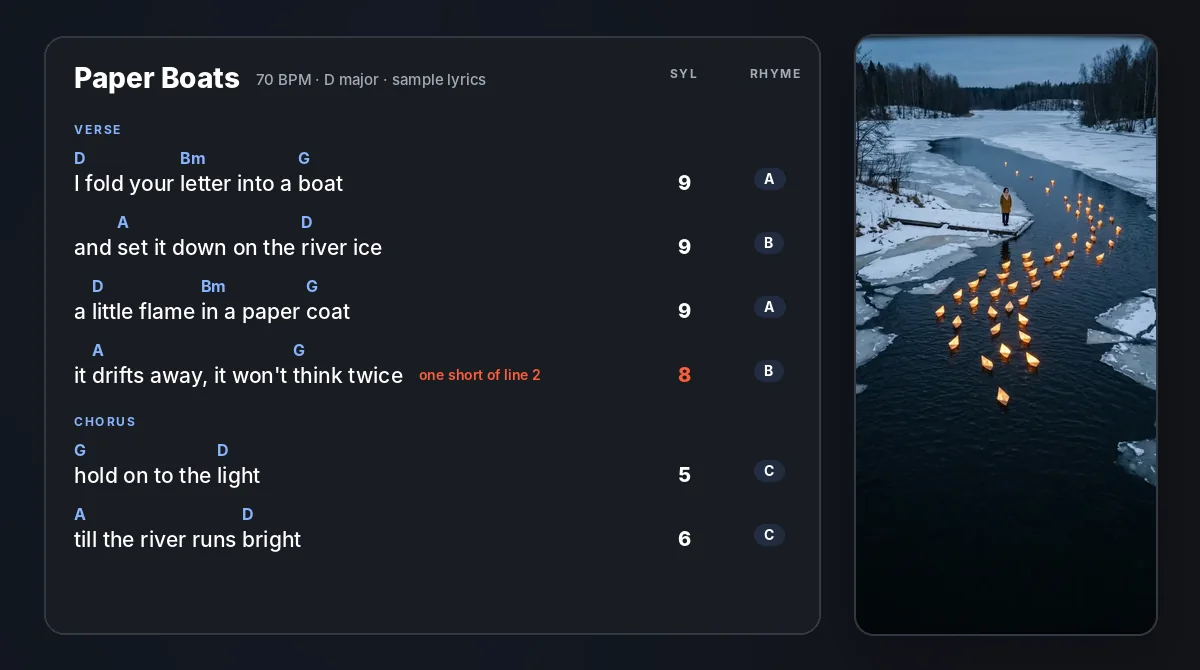
Lyrics deserve more of your time than the prompt, because they're the part listeners hold on to and the part that's yours. Keep lines in a verse to similar syllable counts so the voice doesn't rush or stretch, put the title in the chorus, and read every line aloud. The syllable counter shows where lines run long, the rhyme generator finds perfect and near rhymes, and how to write a song covers structure, hooks and rewriting.
Who owns a song made with AI
Two separate questions decide it: what the tool's terms give you, and whether copyright law protects the result. The terms come first. Suno's help center says that on its free plan Suno owns the songs and you may use them only for non-commercial purposes, while songs made on a paid plan belong to you, commercial use included (Suno). ElevenLabs says commercial rights vary by subscription tier. The plan you were on when you made the song is the one that counts.
Copyright law asks something different: did a human author the music? The US Copyright Office's report on copyrightability (January 2025) concludes that, with the technology generally available, prompts alone don't give a user enough control to be the author of the output, and that prompts work as instructions conveying unprotectable ideas. Human expression is still protected when AI is involved: lyrics you wrote, a melody you played in, and creative changes you made can count, judged case by case. Suno's own help page agrees that writing a prompt isn't creating the song, and that if you wrote the lyrics, you own those lyrics (Suno).
- Write the lyrics, and keep the drafts. They're the part with the clearest protection, and dated drafts show they came first.
- Play or sing something in. Where a tool takes your own melody or voice as input, your recorded part is your own expression.
- Register what's yours. In the US, a registration that includes AI-generated material has to disclose it and leave it out of the claim; how to copyright a song covers the filing.
- Keep the terms you made it under. Save the plan's terms on the day you download, beside the master file.
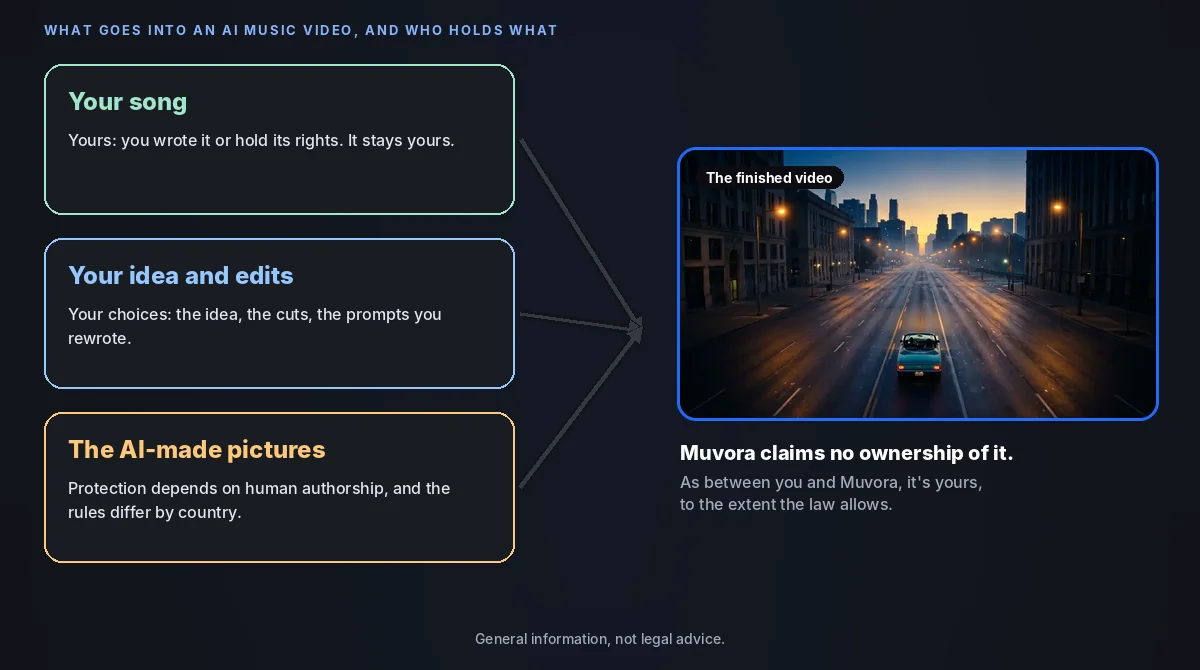
The same questions come up again once the song has a video: the song, the AI-made pictures and your own edits each have their own answer, which who owns an AI music video sorts out.
Releasing an AI song: what streaming services and distributors say
AI songs reach the streaming services the same way other songs do, through a distributor, but the services now treat them with rules of their own. Spotify says all music on it is treated equally regardless of the tools used to make it, while it fights impersonation and spam, and since April 2026 it has shown AI credits, in beta, in Song Credits on mobile where artists disclosed them through their label or distributor (Spotify).
| Service | What its policy says | Source |
|---|---|---|
| Spotify | Vocal impersonation only with the artist's authorization; a spam filter that stops recommending mass uploads, duplicates and artificially short tracks; AI credits shown when your distributor sends them | Spotify newsroom |
| Deezer | Detects fully AI-generated tracks, tags them for listeners, keeps them out of algorithmic recommendations and editorial playlists, and takes down AI tracks used for fraudulent streams or not streamed for six months | Deezer newsroom |
| Bandcamp | Music generated wholly or in substantial part by AI isn't permitted, and neither is using AI to impersonate artists or styles | Mixmag |
| TuneCore | Music made with AI models trained on fully licensed data can be distributed; music from models trained on unlicensed data can't | TuneCore help center |
| YouTube | No automated or AI tools used to churn out high volumes of similar content | YouTube spam policy |
Distributors differ the most, so choose one before you make a catalog, not after. Suno's help center notes that some distributors exclude songs that aren't eligible for copyright protection (Suno), and a distributor whose policy turns on how the model was trained, as TuneCore's does, may treat two AI songs differently. How to choose a music distributor compares what to look for, AI policies included, and how to release music independently covers the release itself.
The numbers explain the caution. Deezer reported in July 2026 that nearly 90,000 fully AI-generated tracks reached it every day, more than half of all new deliveries at June's peak, while such tracks drew only 1 to 3% of streams, and up to 85% of their streams in 2025 were fraudulent (Deezer). An AI song released into that flood is one of tens of thousands that day. What sets one apart is what a person brings to it: words worth hearing, a recognizable look, and a reason to press play. YouTube's impersonation policy adds that disclosing AI is no free pass to copy someone's likeness or voice.
Turn the finished song into a music video
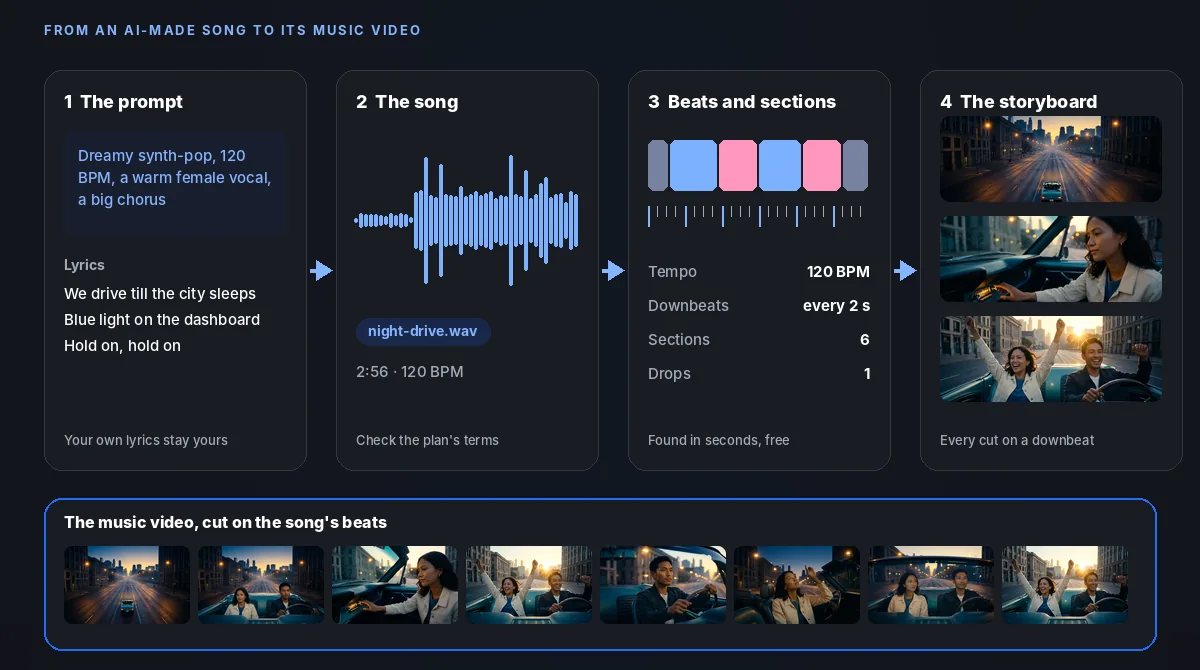
An AI song arrives without the things a release usually has: no singer to film, no band photos, no live clips. The video becomes its face. Muvora makes it from the audio file you downloaded: it measures the tempo, every beat and downbeat, the sections and the drops, aligns the lyrics you paste to the vocal word by word, and plans every cut on a downbeat; then an AI director writes the storyboard shot by shot. You read and edit the storyboard for free and pay credits only to render.
| Your song | Style to start with | Why |
|---|---|---|
| An AI vocal with no artist behind it | Performance, with a drawn character as the singer | The sung lines are lip-synced to the AI vocal, and the character can appear in the other shots |
| A song whose words carry it | Lyric, with karaoke captions | Each word lights up as it's sung, timed from the lyrics you paste |
| An instrumental | Abstract | Motion and color that follow the beat and flash on the drops, with no singing shots or captions |
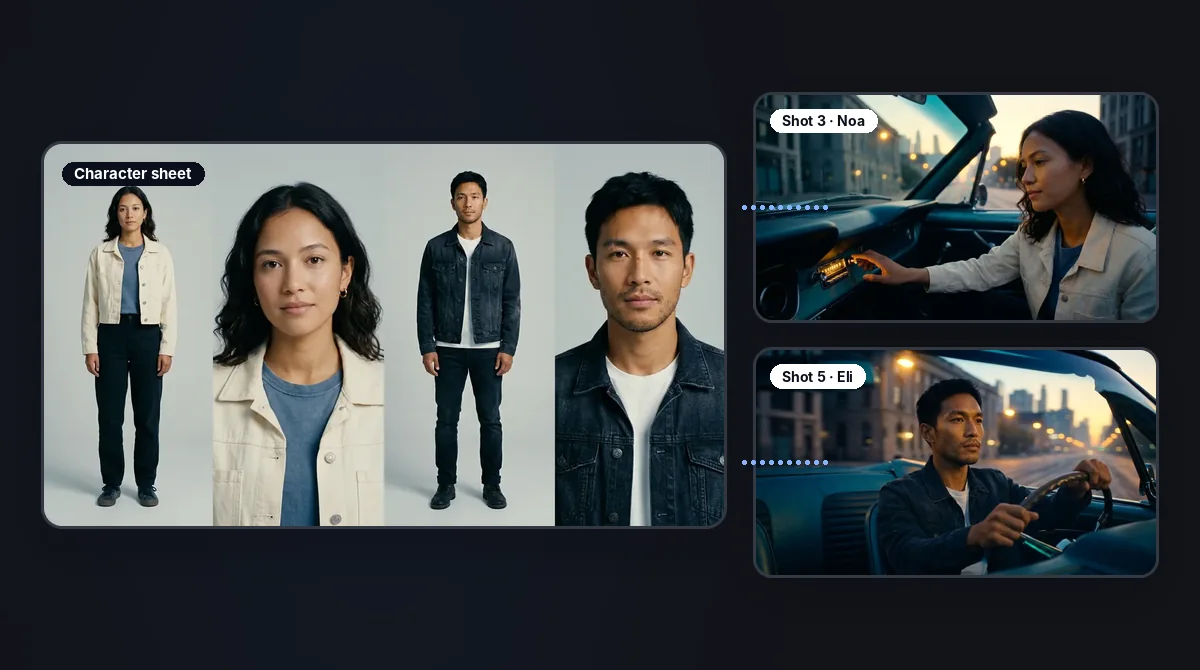
| A song that tells a story | Story, with one recurring character | A character sheet keeps the lead the same from shot to shot |
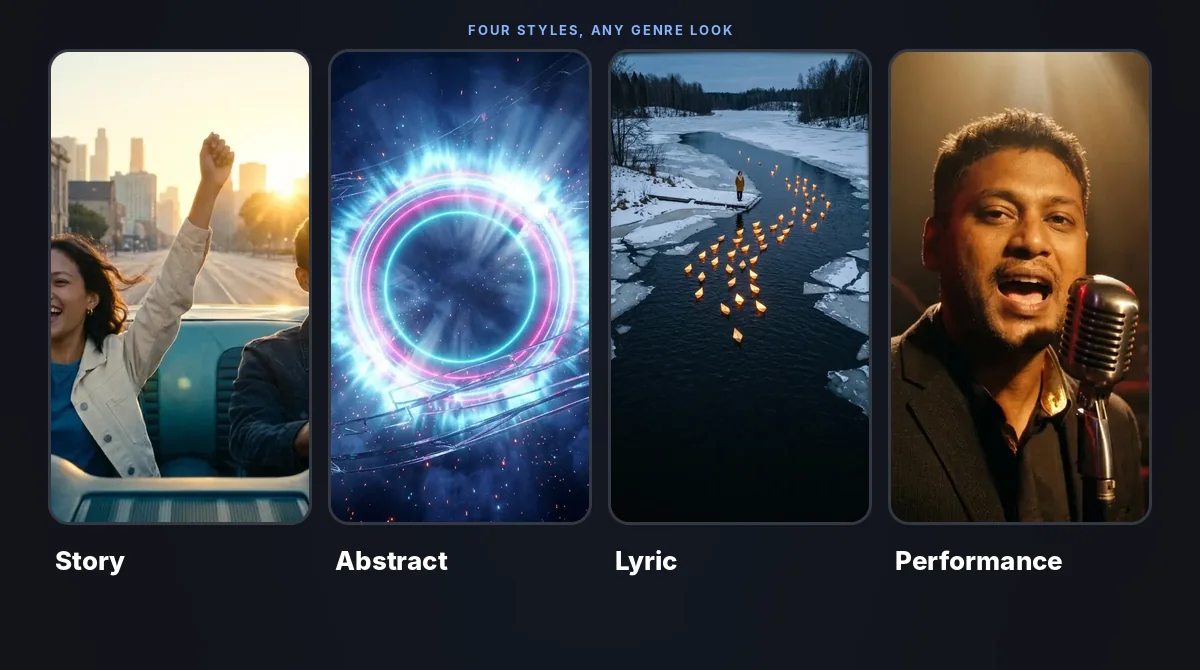
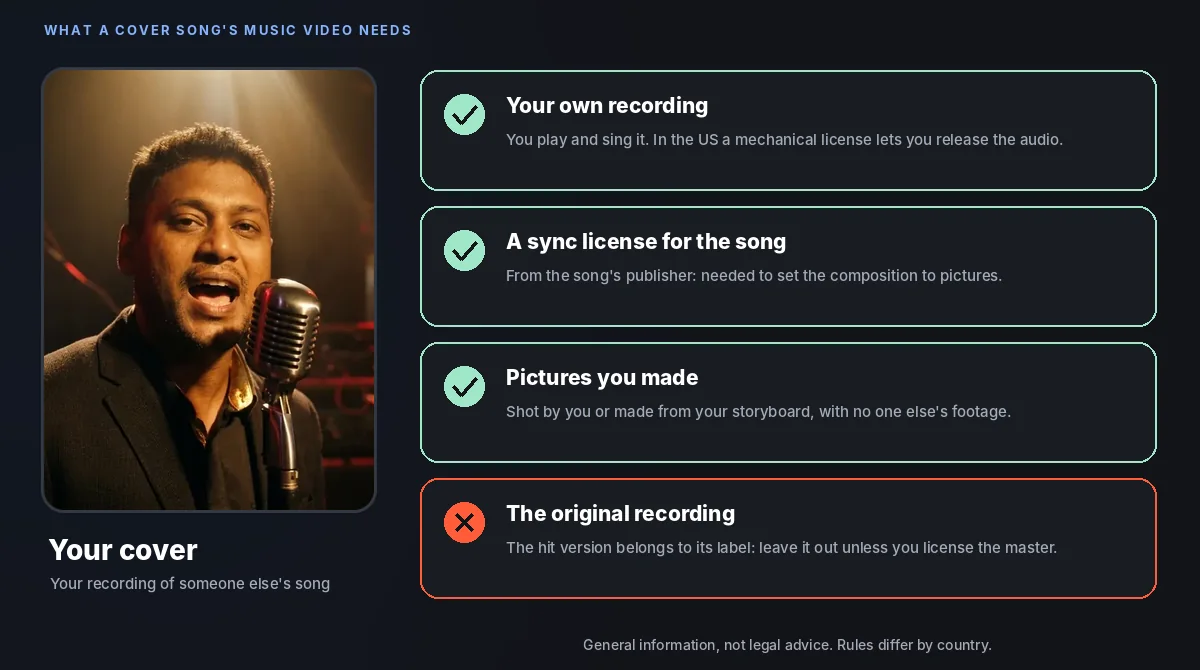
Upload the file as you downloaded it (MP3, WAV, M4A, AAC or FLAC, up to 8 minutes), with the lyrics pasted without their section tags, and tick that you have the rights to use the song in a video, which for an AI song means a plan whose terms allow it. AI song to video shows the workflow for any tool, Suno to video the Suno case, and the Suno music video guide takes one song from download to release, including how to test the hook before rendering the whole song.
Give your AI song a face
Upload the song, add a picture of a drawn character you have the rights to, and the sung shots lip-sync to the AI vocal. The storyboard is free, with 5 new storyboards a month on the free plan, and lip-synced seconds render at 75 credits a second.
Written by the Muvora team. Last updated November 17, 2026. Spotted something out of date? Tell us at [email protected].