The short answer
As of November 2026, our picks are Suno and ElevenLabs Music for full songs with vocals, Stable Audio, Soundraw and AIVA for instrumentals, and Mureka or Suno for stems. Choose the plan before you make anything you'll release: most free plans allow no downloads or commercial use, and the plan you were on when you made a track decides what you may do with it.
- Choose by the job: a finished song with vocals, an instrumental to build on, or stems to mix.
- On most of these tools the free plan rules out downloads, commercial use or both.
- Udio's help center still says downloads are switched off, so nothing made there leaves as a file.
- Spotify, Apple Music and DistroKid now ask about or show AI use; answer their questions truthfully.
- Whichever tool made the song, the downloaded file can become a music video planned on its own beats.
On this page (8 sections)ShowHide
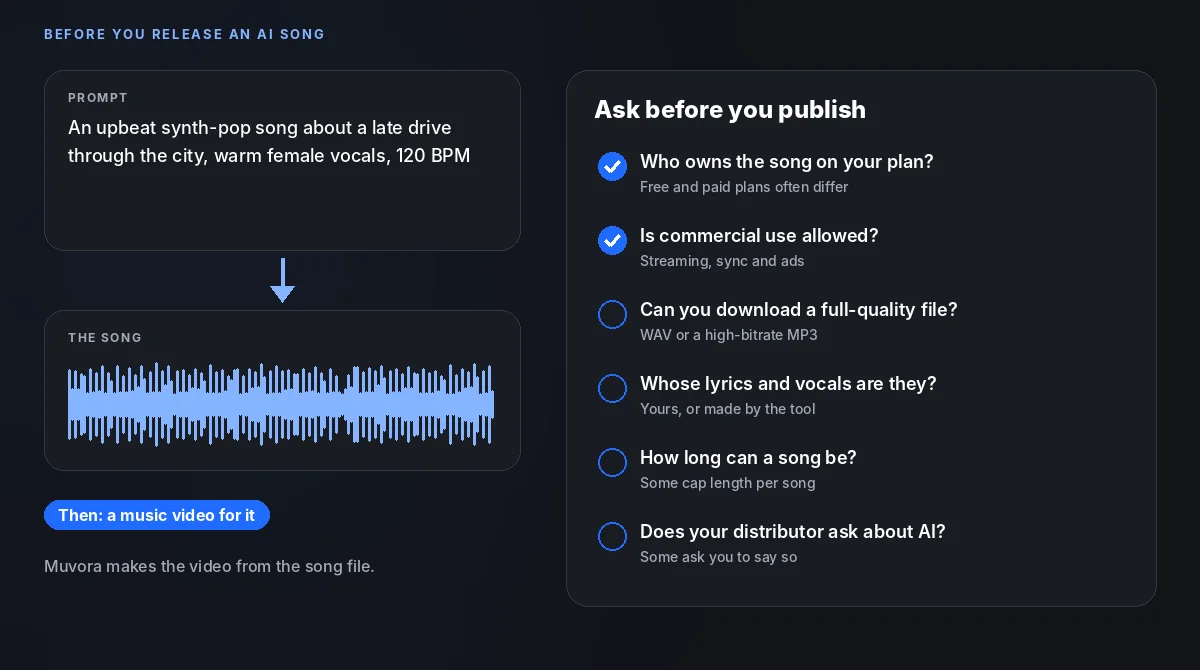
- 1.How we picked, and what to ask any generator
- 2.Our picks by use
- 3.The best AI music generators for full songs with vocals
- 4.The best AI music generators for instrumentals
- 5.Where to get stems from an AI song
- 6.Who owns the song: each tool's terms by plan
- 7.Labels and disclosure: what the services now ask
- 8.After the song: making its music video
- Questions
How we picked, and what to ask any generator
Muvora doesn't make music, so it has no generator of its own in this list; it makes music videos for songs, including songs from every tool below. We read each tool's own pricing, terms and help pages on November 18, 2026, plus the trade press where a change was reported rather than announced, and grouped the tools by what they're built to make. We don't score how good the music sounds: that depends on your genre and your ear, and every tool here has a free way to try it. We do check the things that decide whether a track can be released, because those are written down.
- Who owns a track made on the plan you're on, you or the company?
- Does the plan allow commercial use, and release on streaming services in particular?
- Can you download at all, how many tracks a month, and in which formats (WAV, or MP3 only)?
- Does it sing your lyrics, or make instrumentals only?
- How long can a track be, and can you extend or replace one section?
- Can you get stems, and on which plan?
- Does the plan ask you to credit the tool when you publish?
- What do its terms say about disclosing that the music was made with AI?
The year changed most of these answers. Suno moved to download caps on paid plans after settling with Warner Music Group in November 2025 (Engadget); Udio switched downloads off after its partnership with Universal Music Group; Google bought ProducerAI and turned it into Flow Music; ElevenLabs updated its music terms in October 2026; Stability AI released open-weight models. Anything you read about these tools from 2025 is probably out of date.
Our picks by use
| The job | Our pick | Also built for it | Why |
|---|---|---|---|
| A finished song with vocals from your lyrics | Suno | ElevenLabs Music, Mureka | Full songs from a style prompt and lyrics, with section editing, commercial rights on every paid plan |
| Releasing that song on streaming services | ElevenLabs Music (Creator plan and up) | Suno (any paid plan) | Its music terms say in a table which plans may distribute to streaming services |
| Songs in several languages | ElevenLabs Music | Lyria 3 in Google's Gemini app (eight languages at launch) | ElevenLabs says its Music v2 writes lyrics, vocals and arrangements that sound native to the language you write in |
| Instrumentals, beds and score | Stable Audio 3.0 | Soundraw, AIVA | Tracks up to six minutes from models Stability AI says were trained on fully licensed data |
| Beats you shape bar by bar | Soundraw | Stable Audio 3.0 | A mixer that toggles instruments and sets intensity and length, with artist plans that allow release |
| Stems to mix and remix | Mureka (Premier) | Suno (Pro and up), ElevenLabs Music | Splits a song into up to 12 stems, with MIDI and WAV exports |
| MIDI to arrange yourself | AIVA | Mureka (Premier) | Downloads MIDI on every plan, and its Pro plan gives you the copyright |
| Trying ideas quickly in Google's apps | Google Flow Music | Lyria 3 Pro in Google's Gemini app | Free to start, with Google's newest music model |
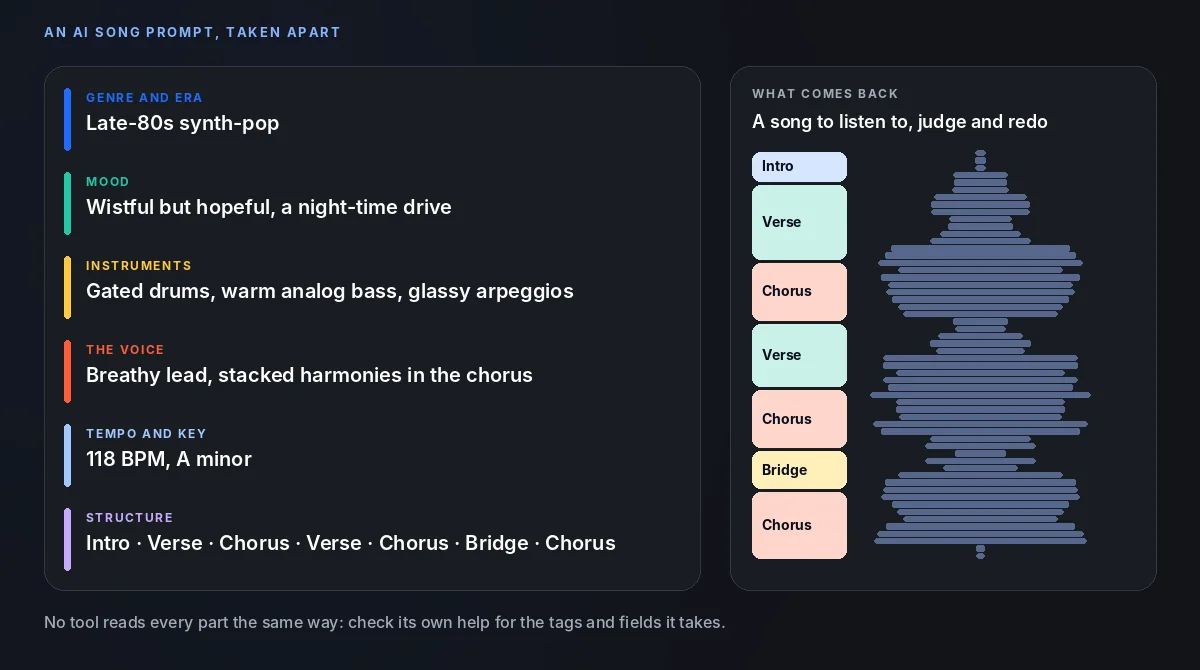
Most people who want a song to release want the first two rows, which is why most of this guide is about plans and rights. If you'd rather write and play the music yourself and use AI only for a part, how to make a song with AI walks through the prompt, the lyrics and the takes step by step.
Already made the song? Give it a video
Upload the file you downloaded and Muvora measures its tempo, downbeats, sections and drops, then writes a storyboard shot by shot that you can edit for free before rendering anything.
The best AI music generators for full songs with vocals
Suno: our pick for full songs with vocals. Suno writes and sings a complete song from a style prompt and your lyrics, then lets you extend it, remix it or replace a section. Its pricing page lists a free plan with a daily allowance of credits on its free model, but no song downloads, no commercial rights and no stems. Every paid plan adds its best v6 models, commercial use, a monthly number of downloads and stem separation; the larger plans add Suno Studio (a workspace with MIDI, effects and automation), more downloads, and on the top plan, credits for visuals for your songs. Built for: songwriters who want a finished vocal song from their own words.
ElevenLabs Music. ElevenLabs' music page describes Music v2 as handling long-form songs, fast rap and genre changes inside one track, with section-by-section regeneration and multilingual vocals. Its Music Terms, last updated October 9, 2026, are the clearest of any tool here, because a table sets out every plan: no downloads on the free plan, downloads but no streaming release on Starter, streaming release allowed from Creator up, lossless WAV downloads from Pro up. Built for: releasing vocal songs, in more than one language, under terms you can read in one table.
Mureka. Mureka's plans page presents its V9.5 model, which it calls more natural and expressive, commercial rights on the paid plans, and on Premier a studio with stem splitting into up to 12 parts, MIDI and WAV exports, remixing and the option to use a voice of your choice as the AI singer. Its FAQ says it's subscription-only for purchases and that downloads stop when a membership ends, while songs stay playable. It also makes music videos from tracks inside the same app. Built for: producers who want the parts of an AI song as well as the song.
Google Flow Music. Flow Music began as Riffusion, launched as ProducerAI, and was bought by Google in February 2026 and renamed, as Music Business Worldwide reported when Google's Lyria 3.5 model arrived there on July 29, 2026. Its home page offers full-length songs with vocals, unlimited downloads and music videos, and says it's free to start. Google's Labs announcement said everything ProducerAI made is embedded with SynthID, Google's imperceptible watermark for AI-made content. Lyria 3 Pro also makes songs of up to three minutes for paid subscribers in Google's Gemini app (9to5Google, March 2026). Built for: quick ideas and experiments inside Google's apps.
Skip the blank page
Upload your song and Muvora's AI director plans a shot-by-shot storyboard on the beat. Edit every shot for free, and pay only if you render.
The best AI music generators for instrumentals
Stable Audio 3.0: our pick for instrumentals. Stability AI's Stable Audio page describes a family of models trained on fully licensed data that make full tracks with a dynamic structure up to six minutes long, with editing that reworks a segment or extends a composition; the examples on the page are instrumentals and game-style score. The Decoder reported in May 2026 that the small and medium models come with open weights, so a producer can run them on their own computer. Under the Stability AI Community License, you own the outputs to the extent the law allows, and commercial use is free below an annual revenue threshold, above which Stability asks for an enterprise license. Built for: beds, scores and instrumentals, and producers who want a model of their own.
Soundraw. Soundraw makes instrumental tracks and beats from the genres, energy and length you pick, and says its model was trained on music made by its own in-house team. Its mixer lets you switch instruments on and off and set the energy bar by bar. On its pricing page, the Creator plan covers commercial use as background music in videos and podcasts but not releasing songs, while the Artist plans add distribution and monetization on Spotify and Apple Music, with WAV and stems from Artist Pro up. Built for: rappers and singers who want a beat to write over.
AIVA. AIVA composes in more than 250 styles, lets you create style models of your own or upload an audio or MIDI influence, and downloads MIDI on every plan, so you can open the composition in a DAW and rearrange it. Its pricing page spells out ownership plan by plan: on the free and Standard plans AIVA owns the copyright (Standard allows monetization on YouTube, Twitch, TikTok and Instagram only), and on Pro the copyright is yours with full monetization. Built for: composers and video creators who want MIDI and clear ownership.
Where to get stems from an AI song
Stems are the song's parts as separate files (vocals, drums, bass, the rest), all the same length and starting together. You need them to remix a song, to balance an AI vocal against your own instruments, to make a TV mix without vocals, or to hand a mix engineer the parts. Most generators make them by separating the finished mix, which works well on clean arrangements and less well on dense ones, so listen to each stem alone before you build on it. What are stems in music explains how to use them.
| Tool | Stems | Plan |
|---|---|---|
| Mureka | Up to 12 stems, plus MIDI and WAV exports | Premier |
| Suno | Two kinds of separation on Pro (Auto, and Split from mix); a third, Advanced split, on Premier and up | Any paid plan |
| ElevenLabs Music | Two stems (vocals and instrumental) or four | A paid feature, priced as a share of the song's generation cost |
| Soundraw | Stems with WAV downloads | Artist Pro and Artist Unlimited |
| Udio | Stem downloads switched off with audio and video downloads | None at present |
Who owns the song: each tool's terms by plan
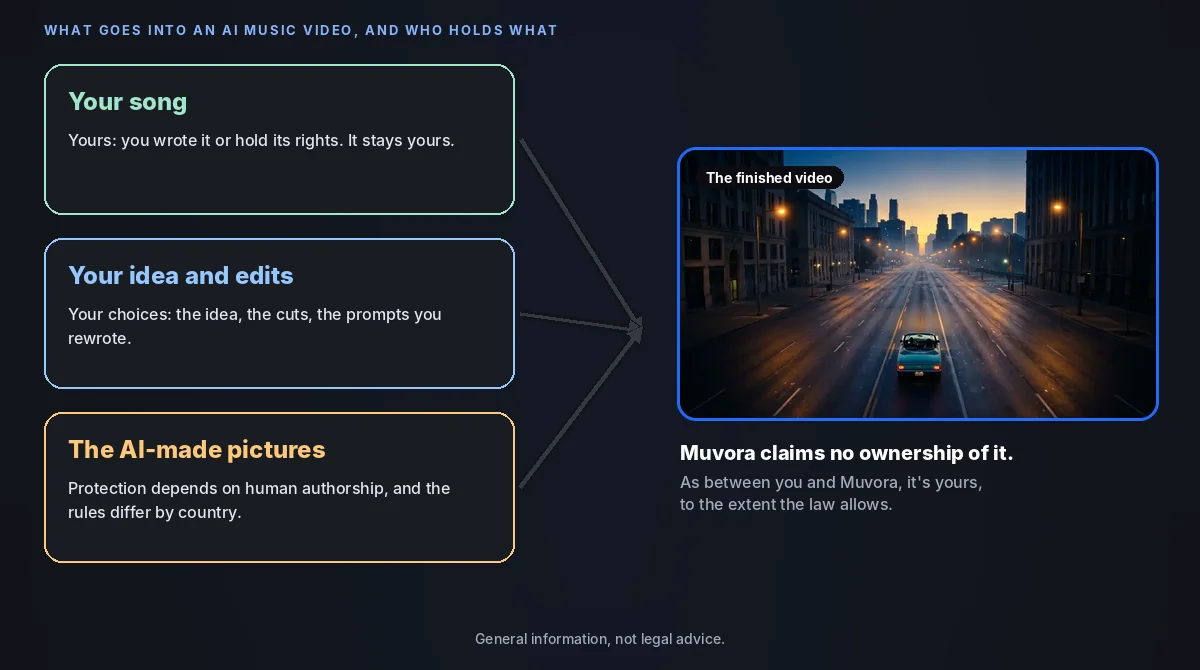
Two questions decide what you can do with an AI track. The first is contract: what the tool's terms give you on your plan. The second is copyright law, which in the US protects human authorship, so a track generated from a prompt alone may have no copyright owner at all. Suno's own copyright article says as much: music made 100% with AI would not qualify in the US, writing the prompt does not count as creating the song, and lyrics you wrote are yours. Who owns an AI music video explains the US Copyright Office's position.
| Tool | Free plan | Paid plans or license |
|---|---|---|
| Suno | Suno owns the songs; you may use them for non-commercial purposes | You own songs made while subscribed, and keep commercial use after you cancel |
| ElevenLabs Music | No downloads; streaming release prohibited; Eleven Music must be credited when you distribute | Commercial use outside film, TV, radio and studio games; streaming release from Creator up; Free to Pro for individual use only |
| AIVA | AIVA owns the copyright; no monetization; credit AIVA | Standard: AIVA owns it, monetization on four social platforms. Pro: you own the copyright |
| Soundraw | Free to try; its home page says commercial use comes with the paid plans | Creator: background music only. Artist plans: release and monetize songs |
| Stable Audio 3.0 | Community License: you own outputs as the law allows | Commercial use free below a revenue threshold; an enterprise license above it |
Two tools here don't publish a plan-by-plan table. Mureka's plans page gives commercial rights with its paid plans. Flow Music runs under Google's Terms of Service, which say Google won't claim ownership of original content its services let you generate, and which bar misleading people into thinking AI-generated content was made by a human.
Labels and disclosure: what the services now ask
Putting an AI track on a streaming service goes through a distributor like any other release, and in 2026 the services and distributors began asking how it was made. None of this bans AI-assisted music outright on the services below, but each has a rule worth knowing before you upload.
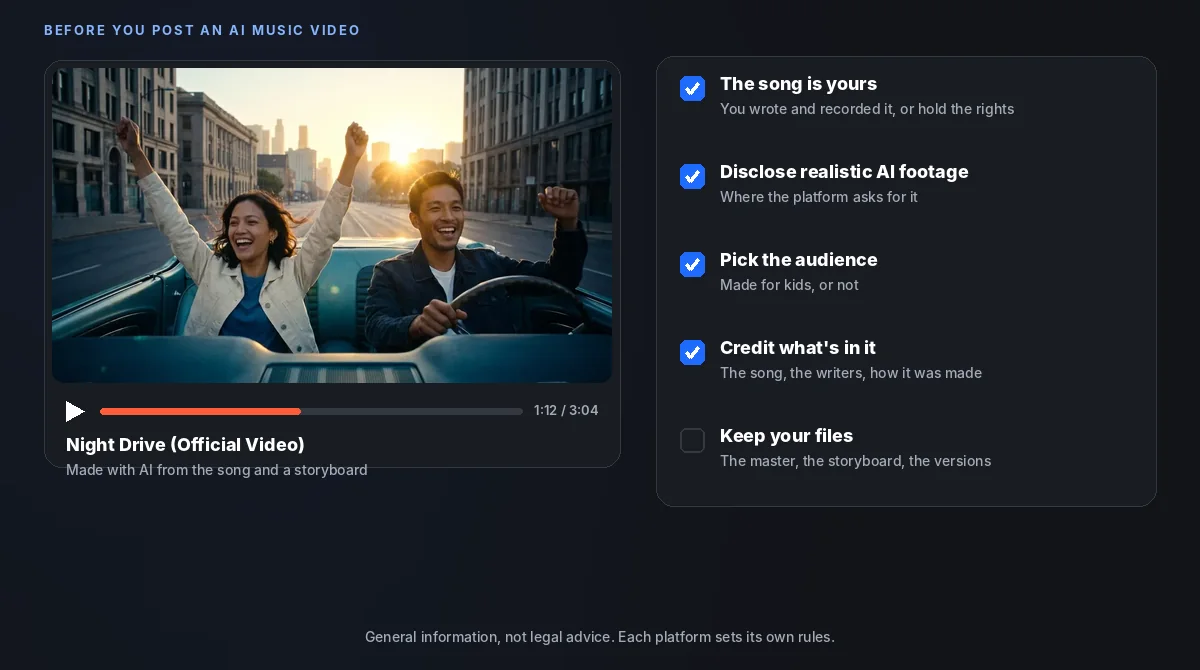
- Spotify's AI credits. Spotify's AI credits page says you can mark specific roles, such as lyrics, vocals, instrumental performance or production, as AI-generated through distributors that support it; the credits are in beta and show in song credits on mobile.
- Spotify's AI Persona badge. A separate badge marks an artist whose public identity is a photorealistic AI-generated person, whether the artist discloses it or Spotify's review finds it, and music from AI Personas isn't included in editorial or personalized recommendations unless a listener engages with the artist, for example by following them. Using AI tools for the music alone, with a real person or a stage name behind the profile, doesn't bring the badge.
- DistroKid's self-disclosure. Digital Music News reported on May 14, 2026 that DistroKid's upload now asks creators which parts of a track, if any, were made with AI.
- Apple Music's transparency tags. Complex reported on August 22, 2026 that Apple told labels and distributors that content with a material portion made by AI must carry its new tags.
- YouTube. Its rules on altered or synthetic content and on mass-produced uploads apply to AI songs and their videos; AI music videos on YouTube covers what to disclose and when.
Two habits keep you on the right side of all of them: answer every AI question in your distributor's upload truthfully, and never prompt a tool to copy a named artist's voice. ElevenLabs' terms also make you responsible for following each platform's disclosure rules wherever your track ends up.
After the song: making its music video
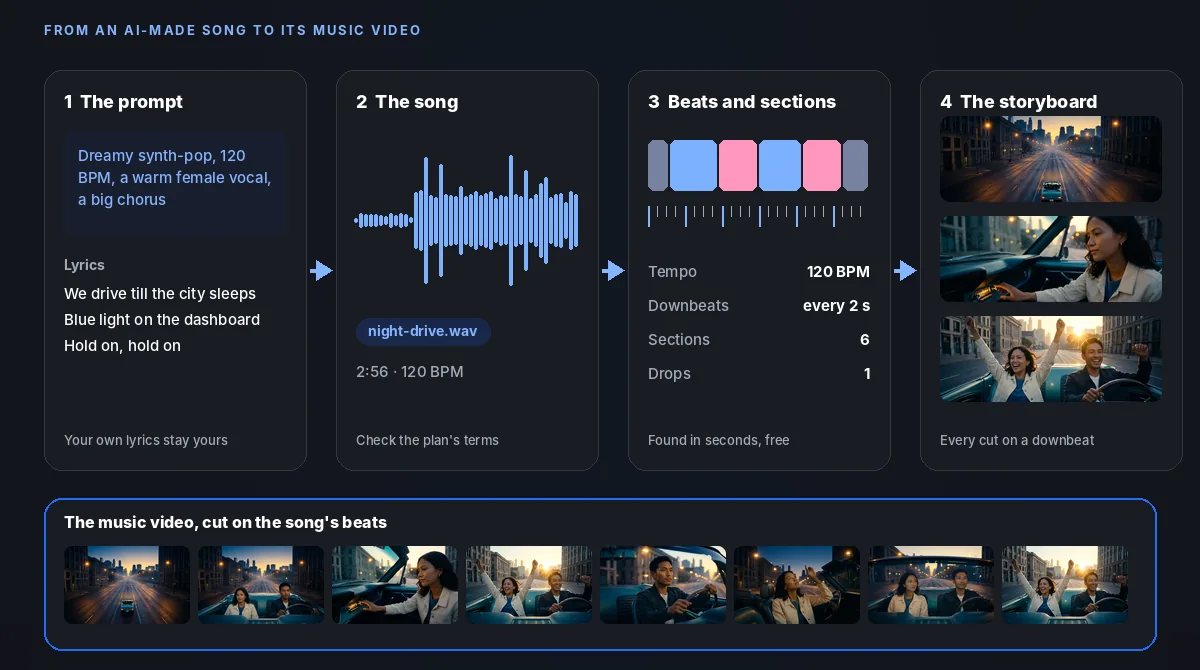
A song from a generator arrives without what a release usually has around it: no band to film, no live clips, often no singer at all. Several generators now add visuals of their own (Suno's top plan includes credits for visuals, Mureka and Flow Music make music videos in the same app). Muvora is built only for the video. It takes the finished file from any of them, measures the tempo, every beat and downbeat, the sections and the drops, plans every cut on a downbeat, and has an AI director write the storyboard shot by shot. You read and edit all of it for free, and pay credits only to render.
| What the generator gave you | Start with | What you get |
|---|---|---|
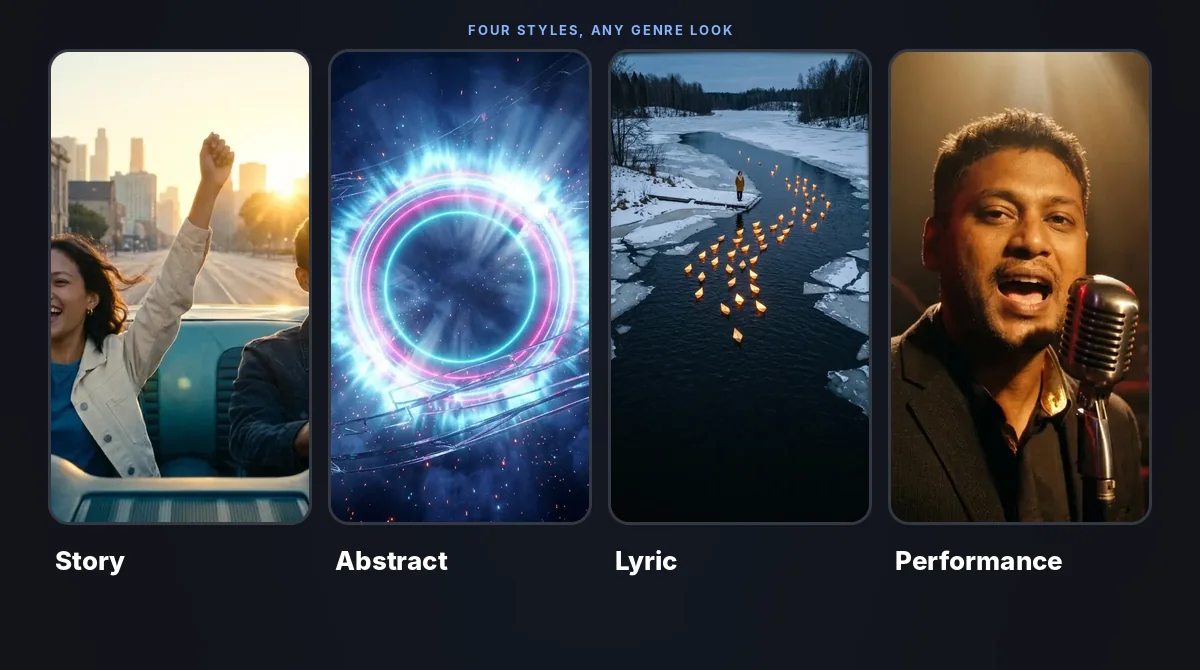
| A vocal song with no real singer behind it | Performance, with a drawn character you have the rights to | The sung lines lip-synced to the AI vocal, at 75 credits a second for those shots |
| A vocal song whose words matter most | Lyric | Karaoke captions timed to the vocal from the lyrics you paste |
| An instrumental or a beat | Abstract | Shapes, light and motion cut on the downbeats, a white flash on each drop, no captions or lip sync |
| A song that tells a story | Story | A small cast drawn from one character sheet, the same people from shot to shot |
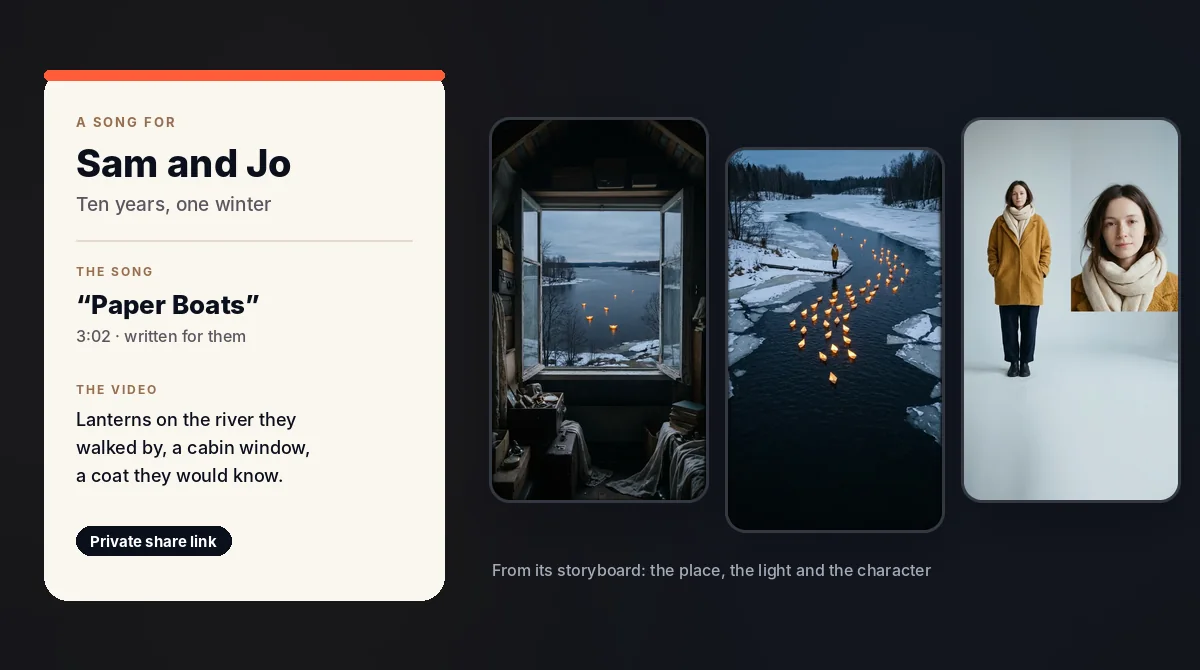
Upload the downloaded file (MP3, WAV, M4A, AAC or FLAC, up to 8 minutes and 60 MB), paste your lyrics without their section tags, and tick that you have the rights to use the song in a video; for an AI song that means a plan whose terms allow it. AI song to video covers any generator, Suno to video the Suno case, and the Suno music video guide takes one song from download to release. If the song was made as a present, how to make a custom song for someone covers the gift side.
Turn your AI song into a music video
Every widescreen render gives you the 16:9 video, a 9:16 cut, a square post and an 8-second Canvas loop, and the soundtrack is your file, unchanged. The free plan includes 5 new storyboards a month.
Written by the Muvora team. Last updated November 18, 2026. Spotted something out of date? Tell us at [email protected].