The short answer
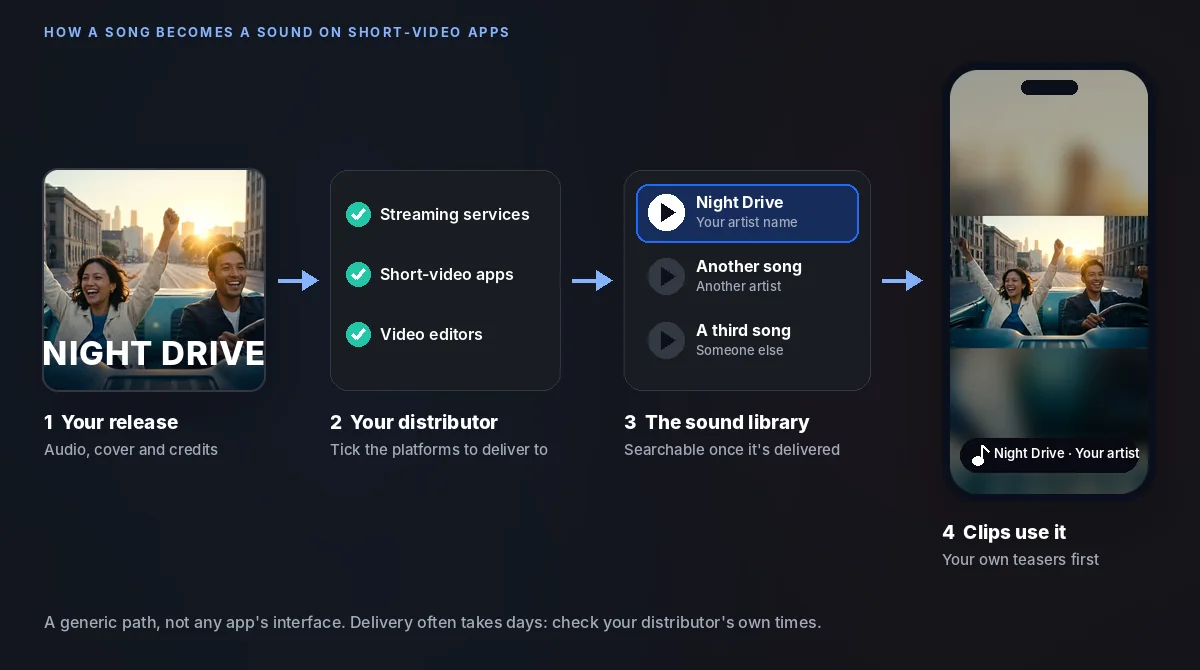
To get your music on TikTok, release it through a distributor that delivers to TikTok, or through SoundOn, TikTok's own distributor, which also delivers to CapCut. Upload a few weeks before release day; SoundOn's help asks for four. Once the release is live the song is an official sound under your artist name, and you can claim your artist profile for a Music tab and analytics.
- Distribution is the way in: check that your distributor lists TikTok, and CapCut if you want it.
- SoundOn delivers to TikTok, CapCut and other services, and takes exclusivity for ByteDance's apps.
- Upload about four weeks ahead; SoundOn says review and delivery usually take seven business days.
- Claim your artist profile once songs are live, for the Music tab and TikTok for Artists.
- TikTok pays through your distributor, by views of videos using your music, at a rate it doesn't publish.
On this page (8 sections)ShowHide
- 1.How songs get into TikTok's sound library
- 2.How to get your song on TikTok, step by step
- 3.SoundOn: TikTok's own distributor
- 4.Getting your music into CapCut
- 5.How long it takes, and teasing before release
- 6.Claim your TikTok artist profile
- 7.What TikTok pays when people use your song
- 8.Then give the sound something to be seen with
- Questions
How songs get into TikTok's sound library
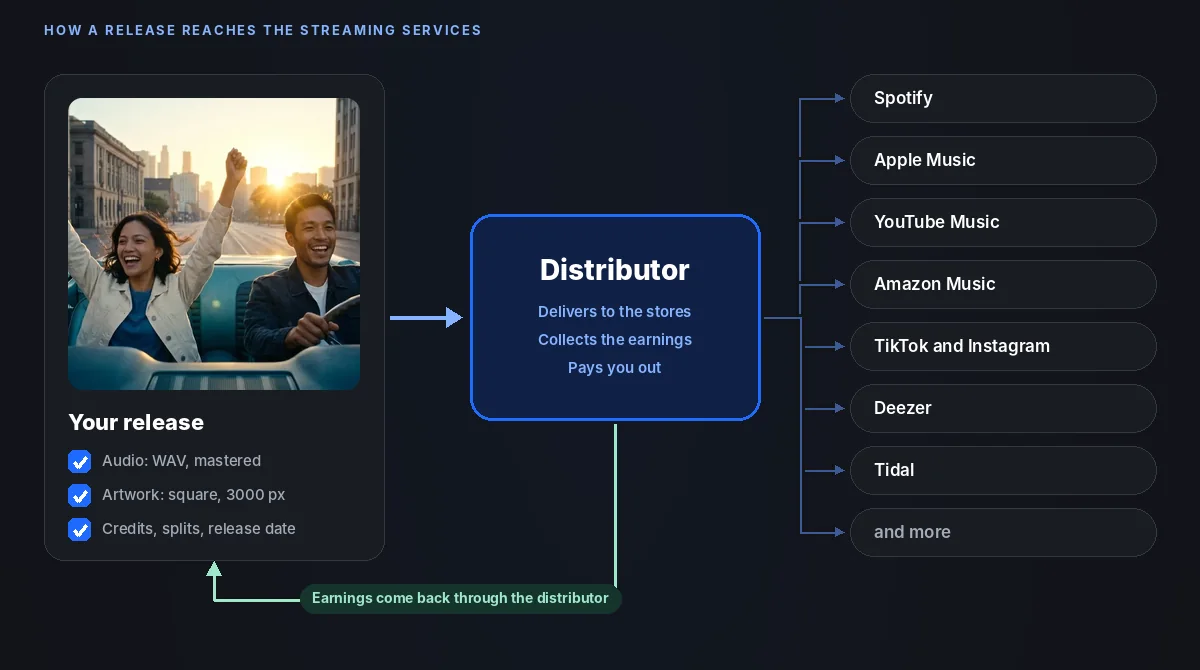
Posting a video with your song in it doesn't put the song in TikTok's library: TikTok files that audio as an original sound under your account. Songs reach the library through distribution. The service that delivers your release to Spotify and Apple Music sends it to TikTok as well, if it has a deal there and you select it, and TikTok runs a distributor of its own, SoundOn. Either way the song arrives as an official sound under your artist name, with your cover art, and every video that uses it links back to its sound page.
| Route | Where it delivers | What to check |
|---|---|---|
| Your distributor | TikTok, if it has a deal and you select it; some also deliver to CapCut and TikTok's Commercial Music Library | Its store list, and whether TikTok and CapCut are included in your plan |
| SoundOn, TikTok's own distributor | TikTok, CapCut and Douyin, plus more than 90 other services | Its plan table, its exclusivity for ByteDance's apps and its conditions for CapCut |
| SoundOn for TikTok, another distributor elsewhere | SoundOn to ByteDance's apps, the other distributor to the rest | That the other distributor doesn't also deliver to TikTok, and that the ISRC and UPC match |
DistroKid, for example, has delivered to TikTok since 2019, and its 2023 deal with TikTok covers CapCut and the Commercial Music Library too (Music Business Worldwide). SoundOn's help center names TikTok, CapCut and Douyin as its in-house partners and says it reaches more than 90 platforms. How to choose a music distributor compares what distributors offer beyond TikTok.
How to get your song on TikTok, step by step
- 01
Export a clean, full-length master
Bounce a WAV at 44.1 kHz and 16-bit or higher and trim the silence at both ends, since SoundOn's help turns down tracks under 60 seconds or with more than 5 seconds of silence at the start or end.
- 02
Choose your route
Check that your distributor lists TikTok, and CapCut if you want it, or sign up with SoundOn, and read what your plan says about TikTok before you upload.
- 03
Pick the clip TikTok uses
Where your distributor lets you choose the excerpt, set it to the hook. SoundOn asks for a clip of 15 to 60 seconds and recommends a 60-second one that is melodically or lyrically expressive.
- 04
Deliver weeks before release day
Upload about four weeks ahead, so a rejected release can be fixed in time and the pre-save link and the teasers have room to work.
- 05
Tease the song before it's live
Post short clips with your own audio until the official sound exists, or pre-release the TikTok clip where your distributor and plan offer it.
- 06
Make the first video with the official sound
On release day, find the song in TikTok's sound library, use it in your strongest clip and add it to your favorites so it's one tap away for every post after.
- 07
Claim your artist profile
Once your songs are live, apply for an artist account in the app to unlock the Music tab and the analytics in TikTok for Artists.
The export itself, from bit depth and sample rate to headroom, is in how to export a song, and the audio cutter finds the bars of the hook on a grid if you're choosing which seconds TikTok should use.
Skip the blank page
Upload your song and Muvora's AI director plans a shot-by-shot storyboard on the beat. Edit every shot for free, and pay only if you render.
SoundOn: TikTok's own distributor
SoundOn calls itself an all-in-one platform for marketing and distribution. TikTok launched it in March 2022 (Music Ally), and it delivers to TikTok, CapCut and Douyin as well as to the global streaming services. Its help center says you keep all rights to your masters. In return it asks for limited exclusivity: exclusive rights for the platforms you choose to distribute to through it, and for every ByteDance platform for the length of the license.
| Topic | What SoundOn's help says |
|---|---|
| Where it delivers | TikTok, CapCut and Douyin as in-house partners; Instagram and Facebook; and more than 90 streaming services, Spotify, Apple Music, Amazon Music and YouTube Music among them |
| Exclusivity | Exclusive for the platforms you choose through it, and for all ByteDance platforms during the term |
| Audio files | WAV at 44.1 kHz or more and 16-bit or more, under 200 MB; full songs only |
| What it turns down | Tracks under 60 seconds or with more than 5 seconds of silence at either end; covers, remixes and samples without licenses; karaoke, ringtone and dialogue-only tracks |
| Review and delivery | Content review usually 1 to 3 business days; review and distribution together usually 7; upload 4 weeks before release |
| The TikTok clip | 15 to 60 seconds, chosen while uploading; it can be pre-released at least 24 hours before the release date |
| Release time | A local release time on TikTok; other services go live at midnight in each territory unless you choose a global time |
| Statements | Monthly, around the 25th of each month |
Two more things SoundOn's help describes: its team works with TikTok creators to make videos with tracks it distributes, and its editors review tracks for TikTok playlists using the bio, influences and achievements you fill in. Neither is something to count on, but a complete profile keeps both open.
Getting your music into CapCut
CapCut, ByteDance's video editor, has a music library of its own, and plenty of people edit there before posting to TikTok, Reels or Shorts. Songs reach it the same way, through distribution, but fewer distributors deliver to it and the conditions are stricter than for TikTok.
SoundOn's help on CapCut sets out its conditions. The song must be 100% original, so covers and remixes aren't eligible; it must have one songwriter; and the uploader must control 100% of both the publishing and the master, with no publisher or publishing administrator representing it. A song registered with a collecting society that holds its performance or mechanical rights exclusively isn't eligible either, and SoundOn curates what it sends. If CapCut matters to you, ask your own distributor whether it delivers there and on what terms.
The same pages describe TikTok's Commercial Music Library, a catalog cleared in advance so brands can use its songs in their TikTok ads without a separate sync license, which earns the songs in it sync income. SoundOn's conditions for it are similar: one songwriter, and the uploader controlling 100% of the publishing with no third-party publisher. Under those rules, a song with several writers, or one signed to a publisher, can't go to either through SoundOn.
Editing a music video in CapCut with your own song is a separate job: how to make a music video in CapCut covers it, from beat markers to export.
How long it takes, and teasing before release
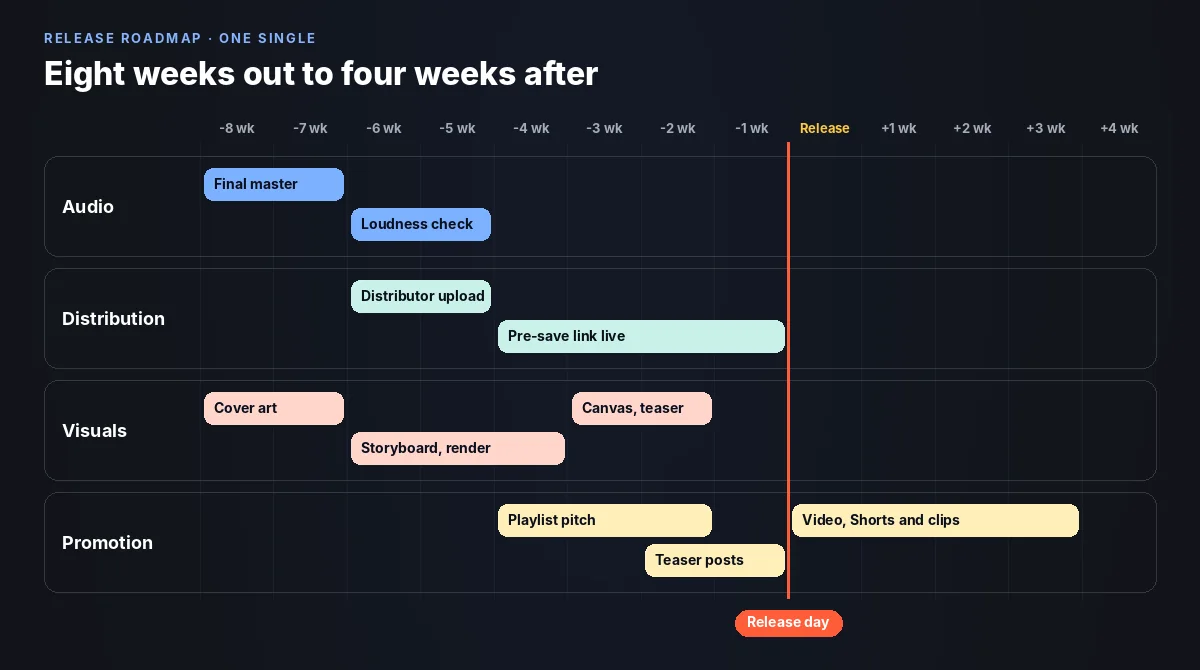
Plan backward from release day. SoundOn's help says its content review usually takes 1 to 3 business days and review plus distribution usually 7, and asks for uploads 4 weeks before release so a rejected track can be fixed in time; for a pre-save link it asks for 4 to 6 weeks. Other distributors set lead times of their own, so read theirs, and treat four weeks as a sensible default.
| When | What to do |
|---|---|
| 6 weeks before | Finish and export the master, choose the clip, gather the credits |
| 4 to 6 weeks before | Upload to your distributor; the pre-save link follows once the release is approved |
| 3 weeks before | First teasers with your own audio: the hook over a striking image |
| 1 week before | Confirm the release is approved for TikTok and prepare the release-day clip |
| 24 hours or more before | Where your plan includes it, the TikTok clip goes live early |
| Release day | Your first video with the official sound, then more with it every few days |
Until the official sound exists, a teaser posted with your own audio is filed as an original sound under your account, separate from the release; how to promote music on TikTok explains how to move every post to the official sound from release day. For albums, TikTok's Pre-Release tool, launched with TikTok for Artists in June 2025, lets fans pre-save a coming album to Spotify or Apple Music from TikTok.
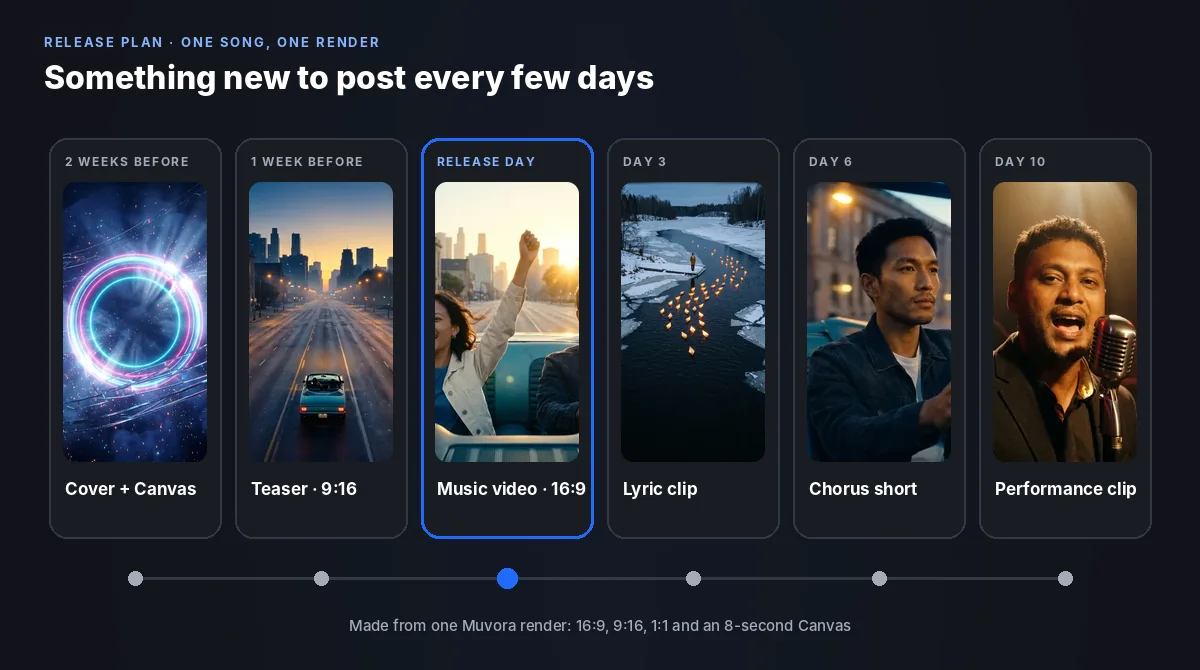
Have the teasers ready before the sound is live
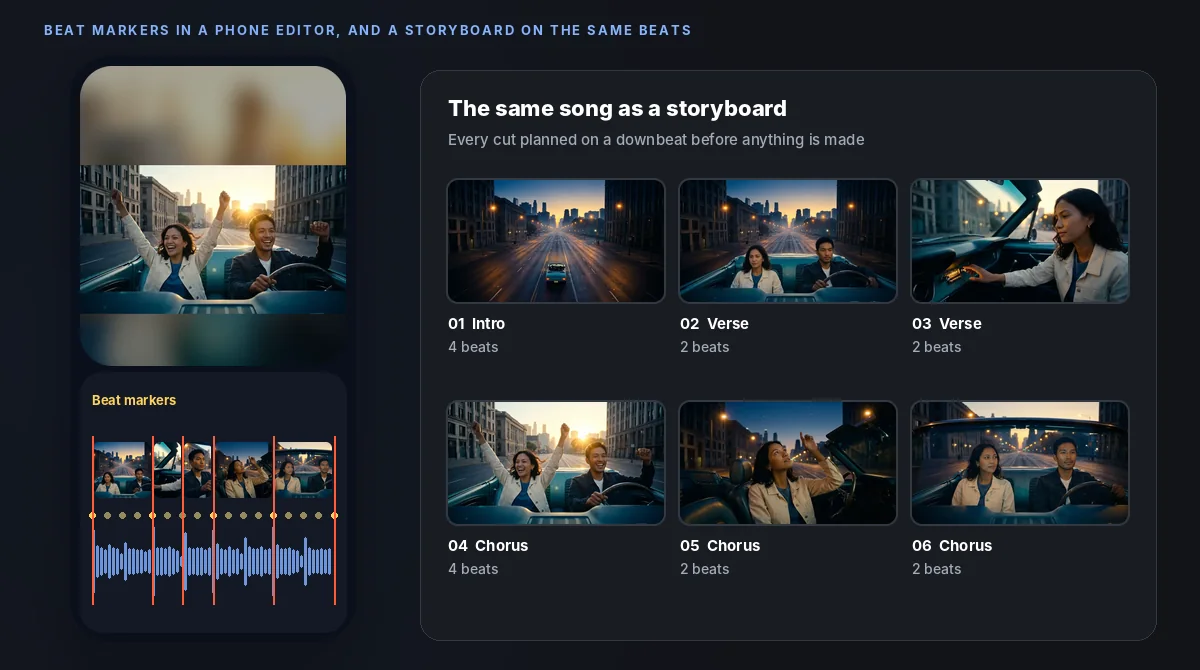
Render the video weeks ahead and cut your teasers from it. Upload the song, choose 9:16 and edit the free storyboard: every cut lands on a downbeat, and each drop gets a quick white flash.
Claim your TikTok artist profile
Once your songs are live, TikTok can tie them to your account. An approved artist account shows "Artist" under your name and adds a Music tab to your profile, where new releases can be pinned at the top. It also opens TikTok for Artists, the analytics platform TikTok launched globally on June 3, 2025 for artists with a certified artist account: views, posts and creator engagement for each track, likes, shares and completion rates for your posts, your followers' age, gender and language, and access you can give your team or label.
- Open the TikTok app, go to TikTok Studio and find the Artist Hub.
- Tap Apply, then search the music library for your artist name and songs.
- Choose your artist profile and tap Claim.
- Prove you're the artist, for example with screenshots of your distributor account or of your Spotify for Artists or Apple Music for Artists profile.
- Wait for TikTok's review; once it's approved, the Artist label and the Music tab appear on your profile.
Those steps follow distributor recordJet's help page (August 2026), which adds that you need at least three songs released on TikTok and that the feature isn't available in every country. SoundOn's help describes two ways to the Music tab: claiming an existing artist profile, or releasing a song through SoundOn. The verified badge is a separate thing, granted only to eligible artists. TikTok moves these menus and thresholds, so follow what the app shows you.
What TikTok pays when people use your song
TikTok pays for music through distributors rather than to artists directly, and it doesn't publish a rate. SoundOn's help on earnings explains the method: since December 25, 2024, royalties have been calculated from the number of views of videos that use your music, relative to the overall royalty pool; before that, they followed how many videos were made with it. It says it can't give an exact rate per view, because the rates vary with multiple factors. Your distributor passes on what it receives, less its share under your plan.
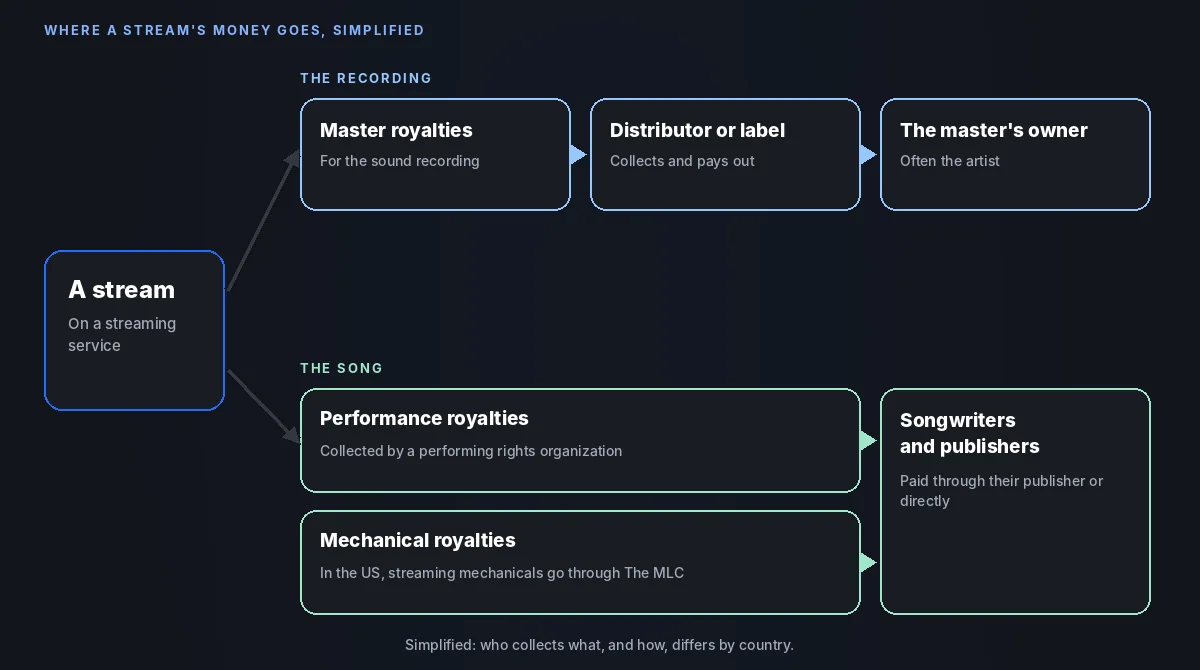
Songwriters are paid separately. A video that uses a song generates what publishers call micro-sync royalties, usually both performance and mechanical royalties, as SoundOn's publishing help describes them, and a publisher or a publishing administrator collects them. How music royalties work explains the recording's side and the song's side of the money.
Then give the sound something to be seen with
An official sound on its own is a line in a library. What makes people tap it is a video: your own clips first, then other people's. Every clip you post needs a picture that carries the hook for a few seconds, and that's where most release plans run out of material.
Muvora makes the music video from the song file. Upload it, choose 9:16 in the vibe step so every shot is framed for a phone, and the AI director writes a free storyboard with every cut on a downbeat and a cut at every section change and drop. You edit it, then render once for the 9:16 video, a square version and an 8-second Canvas loop; a widescreen render also gives the 16:9 video for YouTube. The soundtrack is your own file, so when you post, add the official sound in TikTok and turn the clip's own audio down.
The posting plan itself, from the hook you lead with to what to measure, is in how to promote music on TikTok, and the same clips work on YouTube Shorts and Instagram Reels. Promoting a show? A gig poster and a clip of the song make a good pair in the same week.

Make the vertical video for your single
Upload the song you're sending to TikTok and get a free storyboard framed for 9:16 and cut on its beats. The free plan includes 5 new storyboards a month, and you see the exact price before you render.
Written by the Muvora team. Last updated November 18, 2026. Spotted something out of date? Tell us at [email protected].