The short answer
Spotify playlists come three ways. Pitch one unreleased song to Spotify's editors in Spotify for Artists at least 7 days before release, which also puts it in your followers' Release Radar. Algorithmic playlists such as Discover Weekly follow what listeners do, so give people reasons to save and replay the song. Independent curators choose freely. Never pay for streams or placements.
- Deliver early: the song must appear under Upcoming in Spotify for Artists before you can pitch it.
- Pitch at least 7 days before release day, or the song misses your followers' Release Radar.
- Write the pitch from facts: sound, story, one standout detail and your release plan.
- After release, saves, follows and listeners' own playlists matter more than any single placement.
- Anyone selling streams or placements puts your music at risk of removal.
On this page (8 sections)ShowHide
The three kinds of Spotify playlist
When artists say "get on playlists", they usually mean one of three different things, and each is reached a different way. Spotify's own playlisting page splits its playlists into editorial ones, made by its editors, and personalized ones such as Discover Weekly, Release Radar and Daily Mix, built for each listener. The third kind belongs to everyone else: listeners, brands, blogs and independent curators.
| Kind | Examples | Who decides | What you can do |
|---|---|---|---|
| Editorial | Genre, mood and scene playlists with Spotify's name on them | Spotify's editors | Pitch one unreleased song in Spotify for Artists before release |
| Algorithmic | Release Radar, Discover Weekly, Daily Mix, Radio | Spotify's recommendations, per listener | Grow followers, and give listeners reasons to save, replay and share the song |
| Independent | Playlists made by listeners, curators, blogs, labels and brands | Whoever owns the playlist | Find curators who fit, write to them personally, let them say no |
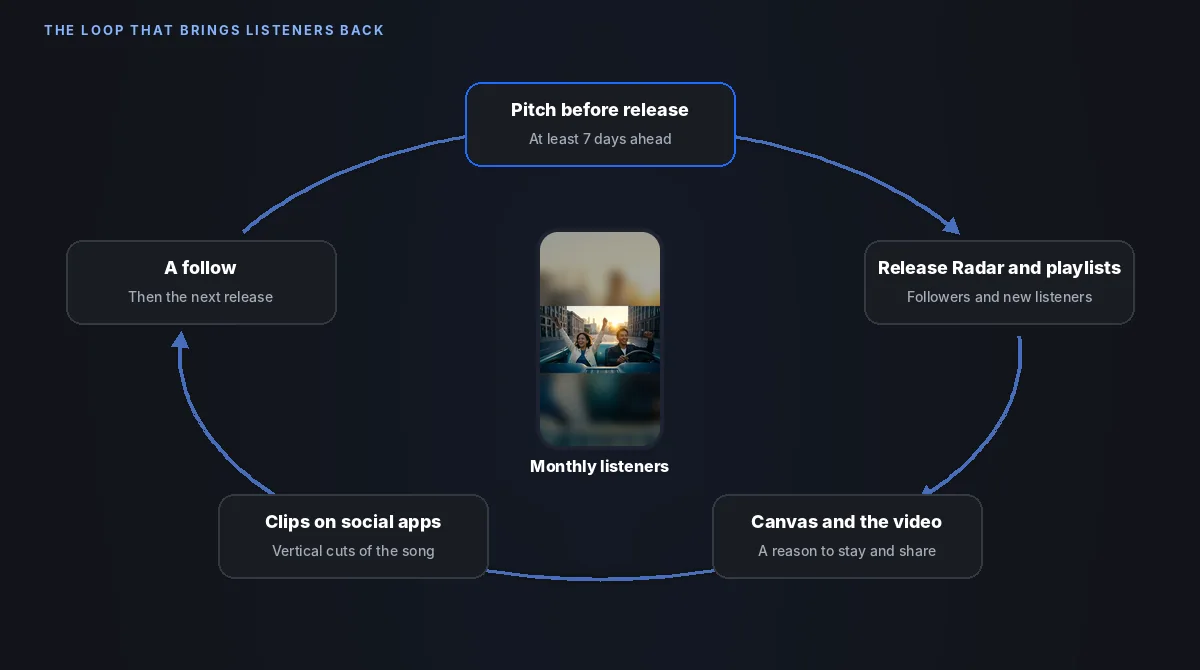
The routes feed each other. A pitch made in time places the song in your followers' Release Radar, the first week's listening shapes what recommendations do next, and a song that keeps getting saved is easier for an editor or a curator to say yes to. None of them is a switch you can flip, which is why the work before release day matters.
What Spotify itself says about pitching
Spotify's help page on pitching music to playlist editors sets out the rules, and they are short. You pitch from Spotify for Artists, under Music, then Upcoming, which lists a release only after your distributor has delivered it. You can pitch "one song at a time", and only songs that aren't out yet. A pitch made "at least 7 days before release" adds the song to your followers' Release Radar playlists. You can edit a pitch up to release day, though Spotify warns its editors may not see the change, and it notes the editors may choose a different song from the release than the one you pitched.
Its page on getting music on Release Radar adds how that playlist behaves: your followers get songs from your new releases, and a song stays in a listener's Release Radar for up to 4 weeks if they haven't heard it yet. So the cheapest promotion you have is a follower, and the deadline that matters most is the 7th day before release.
Skip the blank page
Upload your song and Muvora's AI director plans a shot-by-shot storyboard on the beat. Edit every shot for free, and pay only if you render.
How to pitch a song in Spotify for Artists
- 01
Deliver the release early
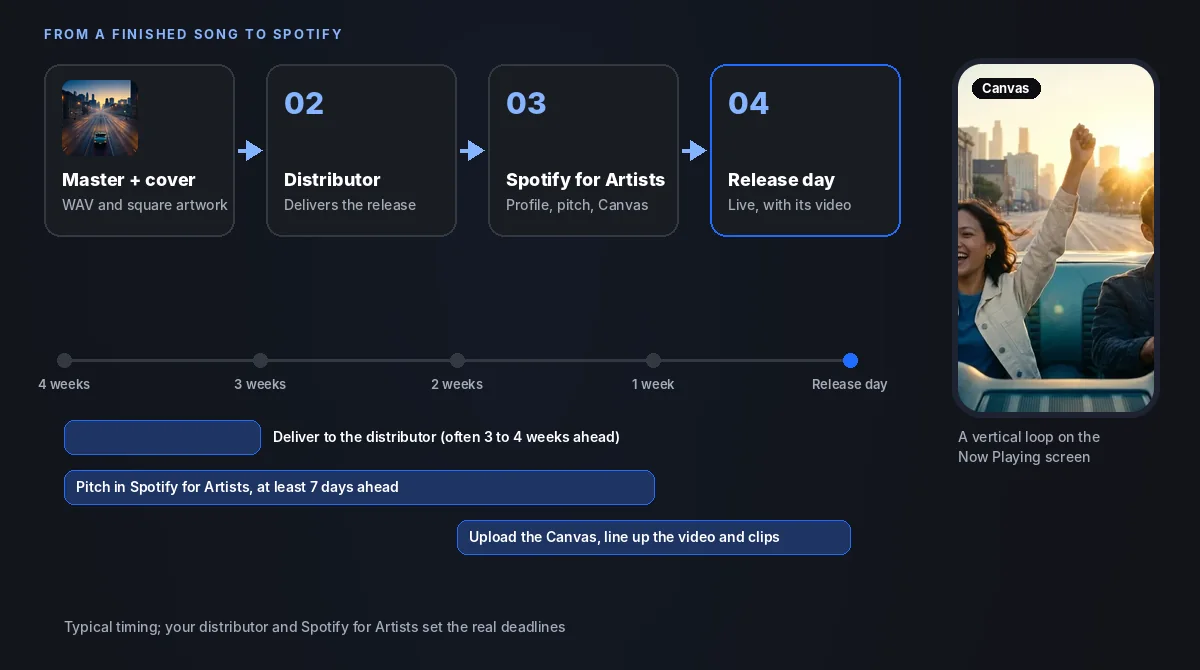
Upload the song to your distributor four weeks or more before release day, so it reaches Spotify and shows under Upcoming with time to spare.
- 02
Claim your profile and invite the team
Sign in to Spotify for Artists with the artist profile the release is on, and give your manager or label access if they pitch for you.
- 03
Open the song under Music, then Upcoming
Pick the one unreleased song you want editors to hear: usually the single, or the strongest track of an EP or album.
- 04
Fill in the tags honestly
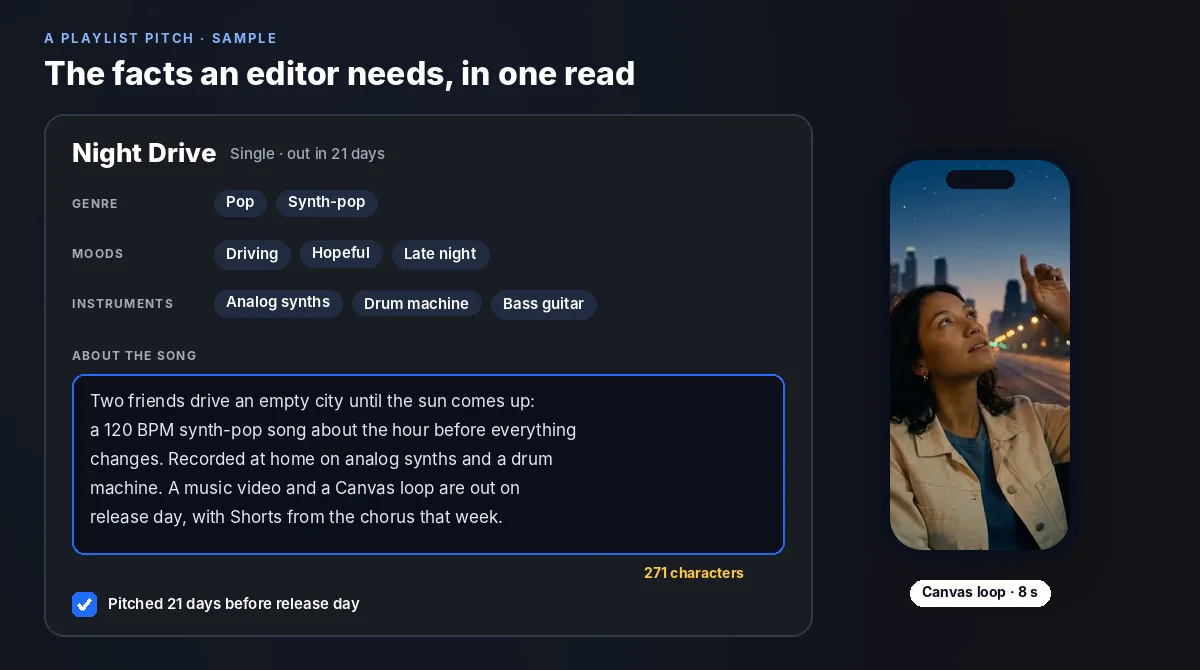
Choose the genre and subgenres, the moods, the instruments and the other details the form asks for, describing the song as it is rather than the playlist you hope for.
- 05
Write the description
Say what the song sounds like, what it's about, what makes it different, where you come from and what you're doing around release, within the form's character limit.
- 06
Submit at least 7 days before release
Earlier is better: it gives editors time to listen and makes sure your followers' Release Radar gets the song.
- 07
Have the release-day visuals ready
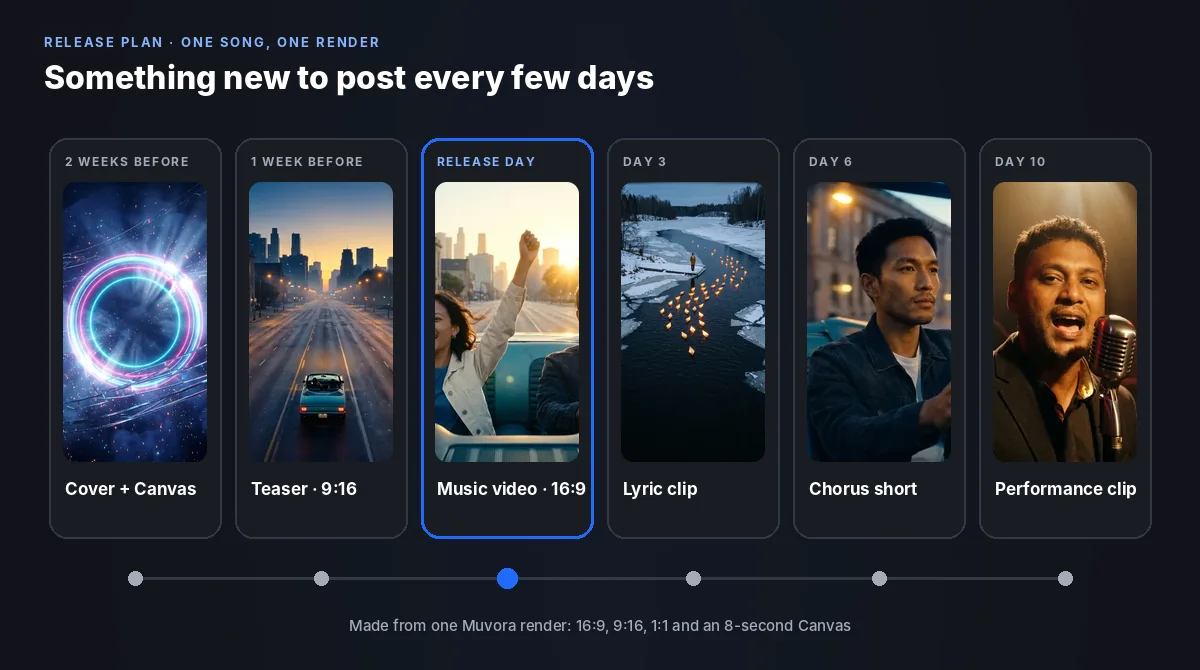
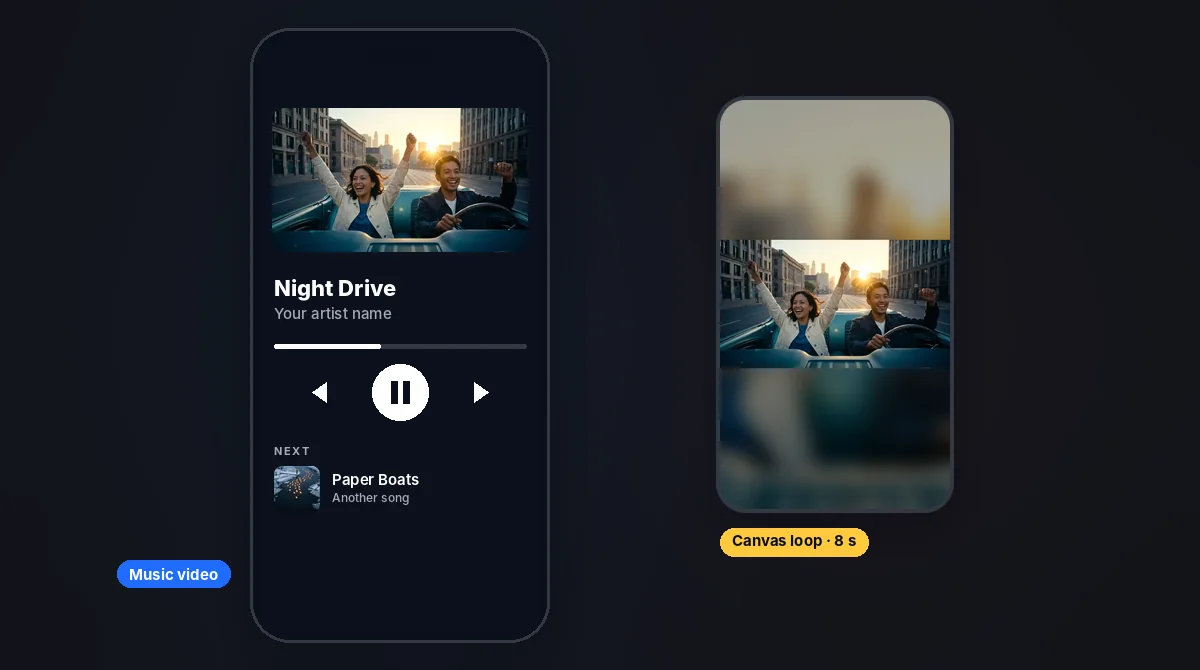
Upload the Canvas, finish the music video and line up the first vertical clips, so the listeners the playlists send have something to watch and share.
Other services work differently. Apple Music takes pitches from labels and distributors rather than from artists, and the rest vary, so ask your distributor which services it pitches and by what date it needs your details. The music release checklist puts those dates beside the rest of the release.
The pitching timeline
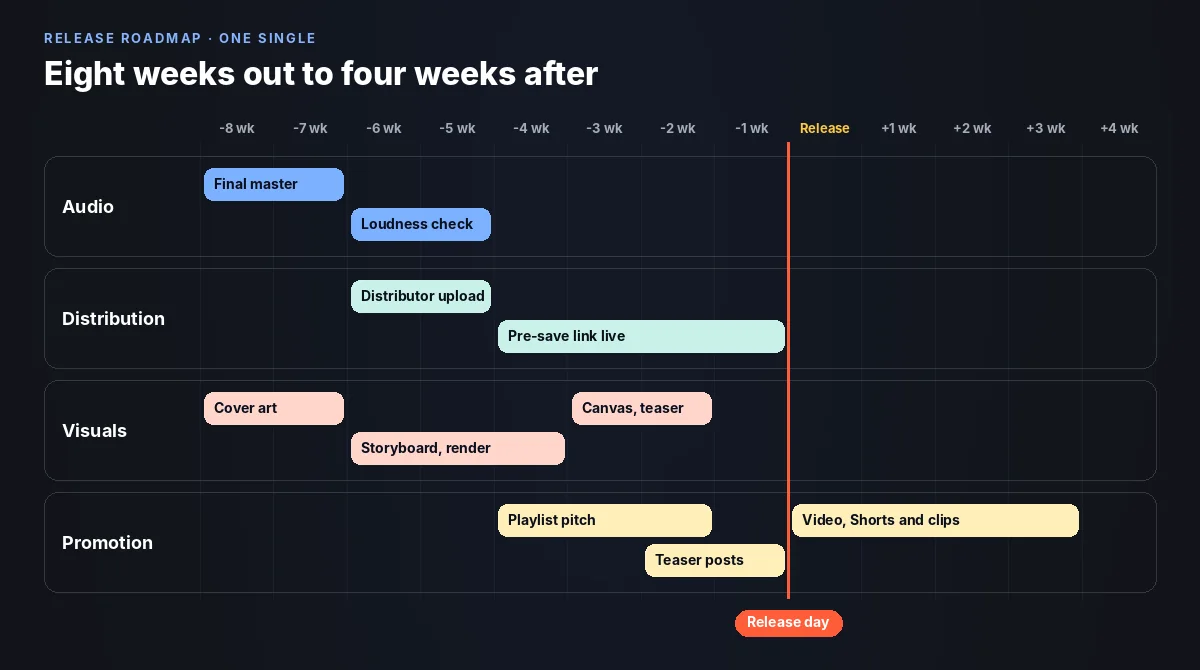
Seven days is the deadline, not the plan. Spotify's new releases page suggests pitching at least two weeks before the release date, and you can only pitch once the release has been delivered, so the real schedule starts with your distributor.
| When | What happens | Why then |
|---|---|---|
| 5 to 6 weeks before | Finish the master, the artwork and the credits | Delivery needs all three, and the pitch draws on them |
| 4 weeks before | Deliver to your distributor | The song needs time to reach Spotify and appear under Upcoming |
| 2 to 3 weeks before | Pitch the song in Spotify for Artists | Editors get time to listen before release week |
| 7 days before | The last day a pitch reaches followers' Release Radar | Spotify's own cut-off |
| Release day | Video out, Canvas live, first clips posted | The playlists send listeners; give them something to stay for |
| Weeks 1 to 4 after | Clips, curators and fans' own playlists | Release Radar keeps the song for up to 4 weeks for followers who haven't heard it |
Writing the pitch
The description is a few sentences an editor reads beside the audio. It works when it answers what they can't hear in the first thirty seconds: what the song is about, where it comes from, what makes it unlike the hundred other songs in the same genre that week, and whether anything will bring listeners to it. Five ingredients cover it:
- The sound, in the words a listener would use: the genre and subgenre, two or three moods and the instruments that stand out.
- The story in one line: what the song is about, or the moment it came from.
- One detail that is yours alone: a room, a sound, a reason the song exists.
- Where you come from: a hometown or a scene, since editors sometimes look for sounds from a place.
- The plan: a music video, a Canvas, vertical clips, shows, press. Only what is real.
That example runs to 464 characters, and every sentence carries a fact. Notice what it leaves out: no stream counts, no "for fans of" list it can't back up, no adjectives about quality. Spotify's public help doesn't state the description's character limit, so check the number the form shows before you write to it.

Put a music video in the release plan
Upload the song and Muvora writes a storyboard on its beats for free. Render it before you pitch, and the video, the vertical clips and the Canvas in your plan exist by release day.
What helps after release day
Once the song is out, the pitch is done and the listening takes over. Spotify's page on understanding recommendations says what each listener is shown is constantly influenced by how they engage with what they hear. It doesn't publish how much each kind of engagement counts, but the kinds you can encourage are plain: people saving the song, playing it again, adding it to their own playlists and following you.
- Ask for the save and the follow, not just the stream: a follower gets your next release in their Release Radar.
- Make your own playlist with the new song among songs your listeners already love, and post it to your artist profile.
- Set a Canvas for the track: the Spotify Canvas guide covers loops that don't jump, and Muvora's Canvas maker cuts one from your video.
- Post the video and the clips, each pointing back to the song: YouTube Shorts for musicians covers the vertical feed.
- Thank the curators who add you, and share their playlists rather than only the song.

Check the song's sources of streams in Spotify for Artists each week: listeners' own playlists, your profile, editorial or algorithmic playlists. The numbers tell you which of these is working, and the how to promote your music guide turns them into a month of posts.
Clips and a Canvas from one render
Pick 9:16 at upload and Muvora renders the vertical video, a square cut and an 8-second Canvas loop together, every cut on the beat. The storyboard is free, with 5 new storyboards a month on the free plan.
Independent curators
Independent playlists are the route you control most. Search Spotify for playlists your song would sit well on, open a few, and look at what they actually add: recent songs from artists your size, in your genre, with a description that says who it's for. A playlist with a huge follower count, no clear theme and hundreds of unrelated songs is a warning sign, not an opportunity.
Write to each curator yourself, briefly: who you are in a line (the artist bio guide helps you write it), a link to the song once it's live, one sentence on why it fits their playlist by name, and nothing else. Send it once. Curators who choose what they add will often say no, and that is how you know their yes means something to their listeners.
What to avoid
- An offer that names a number of streams or a placement before anyone has heard the song
- Playlists with large follower counts, no theme and songs from every genre
- A sudden spike of plays from one playlist or one country you've never had listeners in
- A pitch or an email to a curator that claims anything you can't show
- Pitching a song that isn't your strongest because it is the one that's ready
If your song lands on a playlist you didn't ask for and the numbers look wrong, don't wait for someone else to notice. Spotify's guidance is to tell your distributor or label what you know about how the song was promoted, and to report suspicious playlists your music was added to.
Written by the Muvora team. Last updated November 14, 2026. Spotted something out of date? Tell us at [email protected].