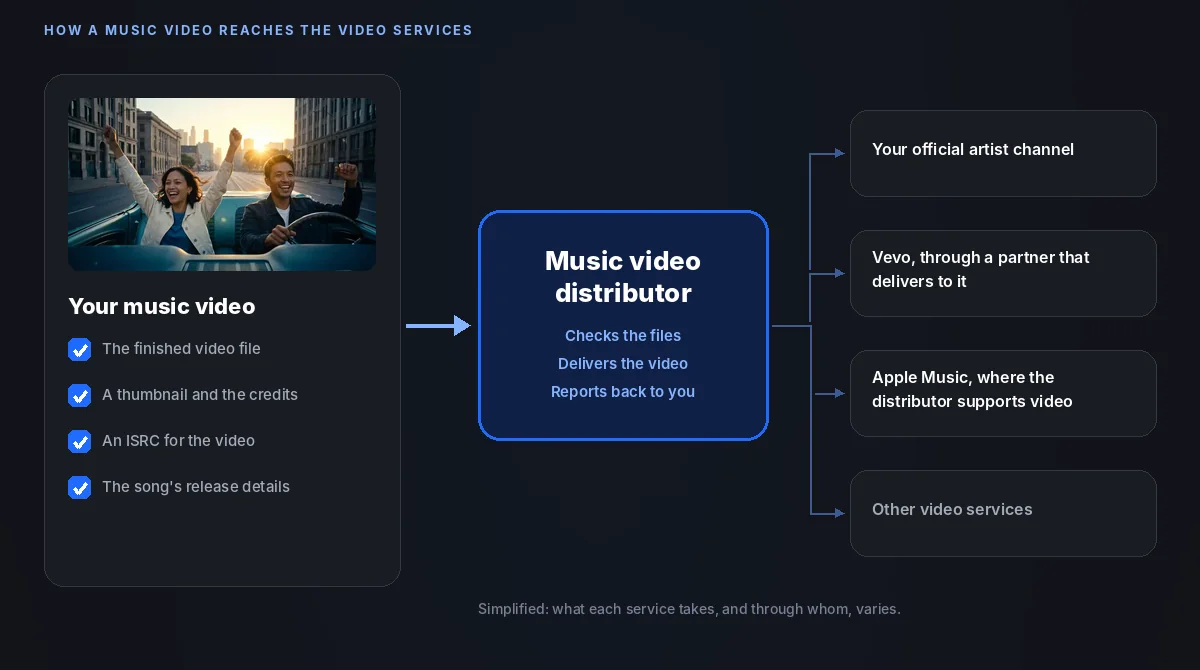
The short answer
You can't upload to Vevo yourself. Vevo's page for artists says any artist, signed or unsigned, delivers music videos through one of its content partners: a major label or an independent distributor such as DistroKid (through DistroVid), Ditto Music, Symphonic or UnitedMasters. The partner sets up your Vevo channel and delivers each official 16:9 video with its own ISRC, once it meets Vevo's content and file rules.
- Vevo takes videos only from labels and distributors it works with, but signed and unsigned artists alike can use them.
- What Vevo adds to YouTube is reach on TV: its channels and app on connected TV platforms, and editorial features chosen by its team.
- A Vevo video is 16:9, original, free of links, handles, dates and logos, and has an ISRC of its own.
- Fees, timings and file rules differ by distributor: read your distributor's video page before you make the video.
- An Official Artist Channel doesn't need Vevo, so treat Vevo as an extra for videos that can travel beyond YouTube.
On this page (7 sections)ShowHide
What Vevo is, in its own words
Vevo calls itself the world's leading music video network. Its page for artists says it holds more than a million videos from artists of every level, runs the largest network of music channels on YouTube, and sends its library beyond YouTube to connected TV platforms and streaming services, Apple TV, Hulu + Live TV, Pluto TV, Samsung TV Plus and Roku among them. That second part is what a channel you run yourself can't do: Vevo's 101 page describes over 130 free, live channels programmed by decade, genre and theme, plus an on-demand Vevo app, and its distribution page lists the partners by country.
- Promotion across the network. Vevo's page for artists says artists who host videos with it are eligible for promotion on YouTube and on connected TV platforms, editorial support on Vevo's social accounts, and customized and promoted playlists.
- A review of upcoming videos. The 101 page describes weekly and ad hoc reviews of upcoming premieres and catalog videos submitted by labels and managers, and says partners are encouraged to submit priority releases through an online form.
- Original series. Vevo films performance and other original content each year, and says labels and distributors can contact it to advocate for their artists.
- The TV audience. The 101 page put connected TV at 29% of Vevo's music video viewing in the first quarter of 2023, against 56% on phones and tablets.
Note who does the asking in each of those: a label, a manager, a distributor. Vevo's editorial features go to videos its partners put forward, so an independent artist's route to them runs through the distributor that delivers the video, not a form of their own.
How to get your music video on Vevo, step by step
- 01
Release the song through a distributor
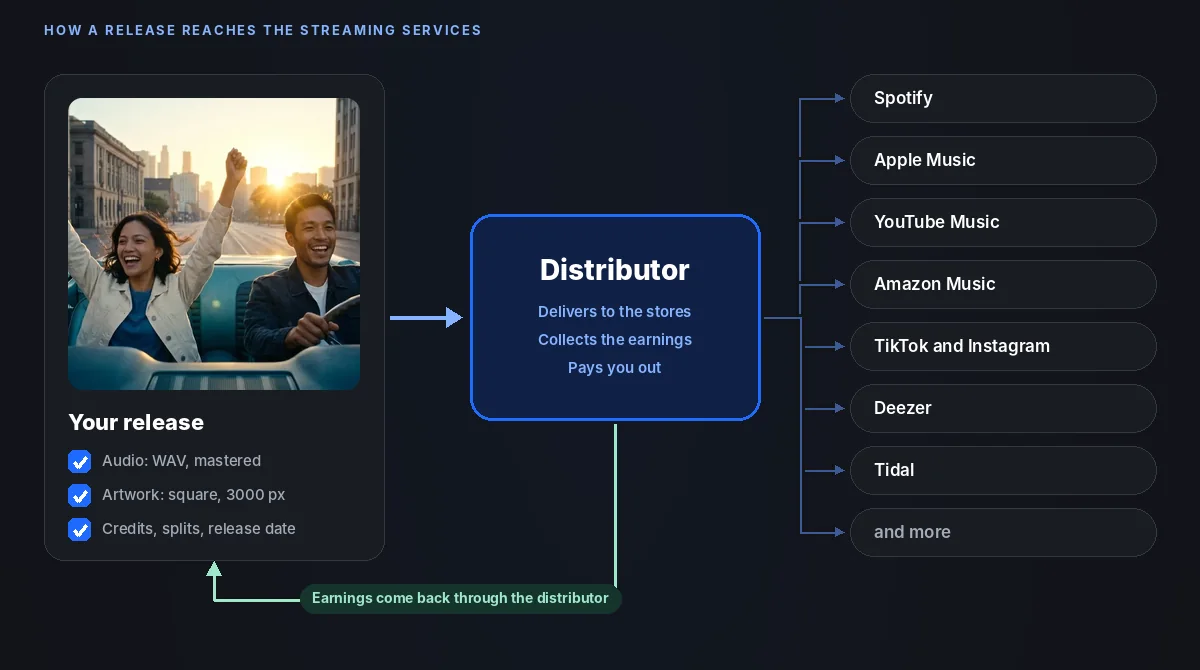
Put the audio out first, or set it for the same day, because video deliveries are matched to a released recording: Ditto's channel form asks for an Apple Music link, and InterSpace's help page says the audio must already be out through it.
- 02
Check that a distributor delivers to Vevo
Look for yours on Vevo's list of content partners or on the distributor's own music video page, and read what it charges and how long delivery takes before you commit.
- 03
Make the video to Vevo's rules
Make an official 16:9 video of your own original song, with no links, social handles, dates or burned-in logos, in a file your distributor accepts.
- 04
Get the video its own ISRC
Ask the distributor to assign the video an ISRC or supply your own, since the ISRC agency's rule is that a music video gets a code separate from the song's audio.
- 05
Prepare the channel details
For a first video, have your artist and channel names, store and social links, a square profile image and a wide banner ready, as the distributor's channel form asks for them.
- 06
Deliver the video, thumbnail and credits
Upload the video file, a 16:9 thumbnail, the title, the credits and the release date in the distributor's dashboard, leaving days to weeks before the date you announce.
- 07
Connect Vevo to your Official Artist Channel
Ask the distributor to connect your Vevo channel to your YouTube Official Artist Channel, so the Vevo uploads and your own sit together on YouTube.
- 08
Plan the release around it
Ask whether the video can premiere on YouTube on release day, then post vertical clips that point to it and add the Vevo link to your bios.
Make the official video first
Every Vevo delivery starts with a finished 16:9 video. Upload your song and Muvora writes a storyboard on its beats for free; the render is an H.264 MP4 at up to 1080p with your own master as the soundtrack, and no lettering or logos in the pictures.
Which distributors deliver to Vevo
Vevo's page for artists says any artist, signed or unsigned, can deliver music videos through Vevo, and that to get started, artists distribute through one of its content partners, a major label such as Universal Music Group or Sony Music, or an independent distributor. In November 2026 its list of some of the independent distributors it works with named DashGo, DistroKid's DistroVid, Ditto Music, EMPIRE Distribution, Foundation Media, Gotham West, Horus Music, InnerCat Music Group, Marvment, Seed Worldwide, Symphonic Distribution, UnitedMasters, Upstream Distribution, Venice Music and Vydia. The list says "some", and other distributors describe Vevo delivery on their own pages too.
| Distributor | How it charges, in words | What its own pages say |
|---|---|---|
| DistroKid | DistroVid, a separate plan for music videos, billed yearly | Unlimited music videos to Spotify, Apple Music, Amazon Music, Vevo, Tidal and Boomplay; DistroVid members are included in Vevo, with Vevo's mark on the video on YouTube; the platforms usually take days to a couple of weeks to go live |
| Ditto Music | A one-time fee to set up a Vevo channel, which includes the first video, then a fee for each later video | A channel set up from the dashboard; Vevo confirms a new channel in about 10 to 12 days; a video usually goes live in 3 to 5 working days; credits and collaborators can be paid automatically |
| Amuse | An add-on on any plan, charged per video, per year | Music video distribution to Spotify, Apple Music and Vevo |
Read the table for the shape of each offer rather than the names. DistroVid bundles Vevo into one yearly plan that also puts videos on the audio services; Ditto runs a Vevo channel for you, with a fee for each video; Amuse sells video delivery one video at a time. For a first channel, Ditto's setup page asks for the artist name, the channel name, an Apple Music (iTunes) link, social and website links, a profile image at 800 x 800 pixels and a banner at 2560 x 1440. How to choose a music distributor compares the rest of what each distributor offers, from Content ID to splits.
Skip the blank page
Upload your song and Muvora's AI director plans a shot-by-shot storyboard on the beat. Edit every shot for free, and pay only if you render.
What a video needs to pass
Your distributor checks the video before Vevo does, and a video that breaks a rule is delayed or turned back. The rules come from three places: Vevo's own specs, the distributor's guidelines, and the ISRC agency for the code. They don't agree in every detail, so treat your distributor's current list as the one that counts.
| Requirement | What the sources say | A Muvora export |
|---|---|---|
| Shape | 16:9; Ditto's guidelines say a video can't be square or vertical | The 16:9 export, from a render made with 16:9 chosen (a 9:16 render has no widescreen file) |
| Resolution | Ditto asks for at least 1280 x 720 for HD; DistroKid's video requirements ask for 1920 x 1080 up to 3840 x 2160 | 720p or 1080p: choose 1080p |
| File and codec | MP4 or MOV; Vevo's spec page lists H.264 or ProRes, and DistroKid says the services don't accept HEVC (H.265) | An H.264 MP4 |
| Frame rate | Vevo's spec page lists 23.976, 24, 25, 29.97, 30, 48, 50 or 60 frames a second | 24 frames a second |
| Sound | Vevo's spec page asks for uncompressed LPCM audio at 48 kHz; distributors' own lists vary | AAC, from your uploaded master; ask whether your distributor needs uncompressed audio |
| On-screen text | No links, social handles, gig or release dates, or retail buttons; credits allowed | No lettering or logos are drawn into the pictures; turn karaoke captions off for this version |
| Originality | Original content only: Ditto says Vevo doesn't accept cover videos | Your own song, with the rights confirmed at upload |
| Code | An ISRC of its own, separate from the audio's, per the ISRC agency | None: Muvora assigns no codes, your distributor does |
The content rules go further than most artists expect. A distributor's page passing on Vevo's best practices, Identity Music's, asks for no slates or title cards at the start, nothing at the end longer than three seconds in all, no chyrons or lower thirds, no burned-in logos, and no brand or product logos that could read as an ad beside the ads Vevo and YouTube sell. It allows hashtags and the cover art for a few seconds at the end. The lists differ at the edges: Ditto's allows a link to the artist's own website where Identity's rules out any URL, which is one more reason to follow your own distributor's version.
Some distributors add conditions of their own. InterSpace's help page says a Vevo video must be a professionally produced official music video rather than a lyric video or a visualizer, and that Vevo reviews an artist's streaming history at its own discretion; its own video deliveries must also run at least 60 seconds. Neither Vevo's public pages nor the distributors' guidelines quoted here mention AI-made videos as of November 2026, so ask before you pay for delivery. Vevo's videos on YouTube still follow YouTube's own rules for AI music videos, as on any channel.

Making a Vevo-ready video with Muvora
Muvora doesn't deliver anything to Vevo and assigns no codes. What it can do is make a video that already fits most of the rules above, so the distributor's checks are a formality. Upload the song, choose 16:9 and a style that reads as an official music video (Story, or Performance with your own photo), then render at 1080p. Cinematic makes its shots at 1080p; Visualizer and Standard give a 1080p file scaled up from their clips.
- Captions off. Muvora's karaoke captions are burned in, which makes the video read as a lyric video and puts text on screen that Vevo's partners may refuse. Render the Vevo version without them; a lyric version can go on your own channel.
- No brands in the idea box. Muvora never draws lettering or logos, but brands can appear as props when a storyboard asks for them. Keep brand names out of the idea and the prompts for a video headed to Vevo.
- The master as the sound. The soundtrack is your uploaded file, untouched and exactly as long as the video, so the video's audio is the same master the song's ISRC identifies. If your distributor wants uncompressed audio, lay the WAV master you uploaded under the picture in a video editor: it lines up from the first frame.
- Your rights, on record. Muvora asks you to confirm you own the song or have the rights to use it in a video before it analyzes anything, which matches Vevo's demand for original content.
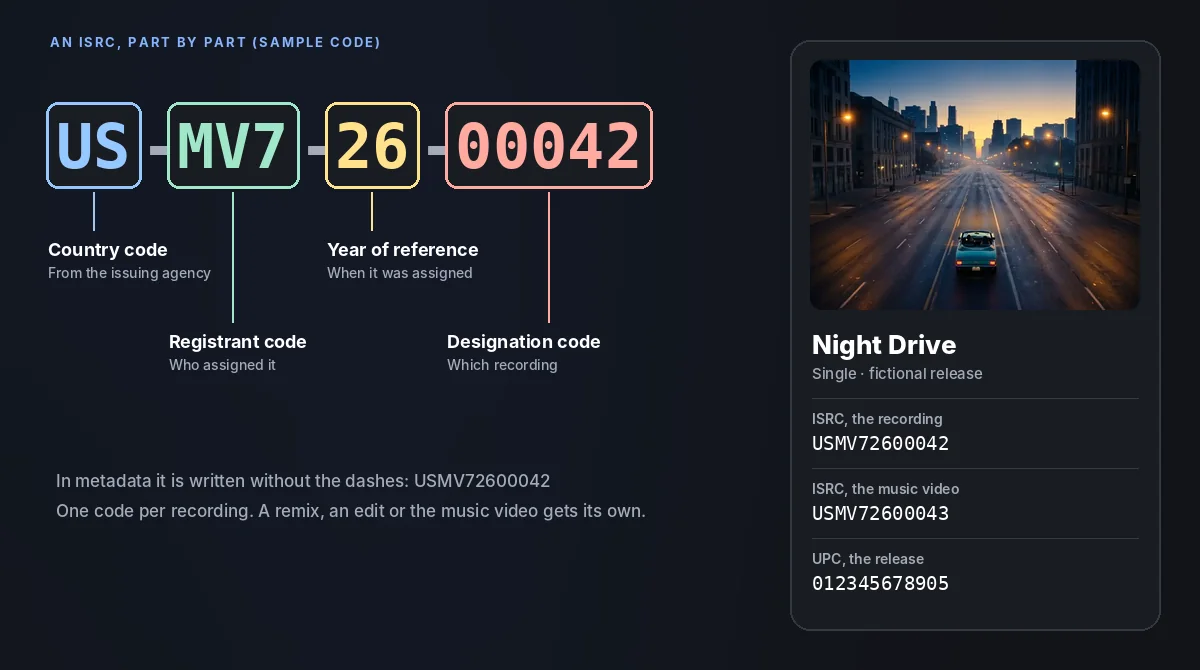
Ask your distributor two questions before you render: whether it accepts the H.264 MP4 with AAC audio as it is, and whether it wants the file at 1080p exactly. What is an ISRC code explains the video's code in full, and the storyboard is free to write and edit (5 new storyboards a month on the free plan), with the render's price in credits shown before you click Generate.
Make a widescreen video ready for delivery
Upload the master you released, choose 16:9 and leave captions off. Muvora plans every shot on the beat in a free storyboard and renders the video at 1080p, with vertical cuts for the clips that point to it.
Vevo and your YouTube Official Artist Channel
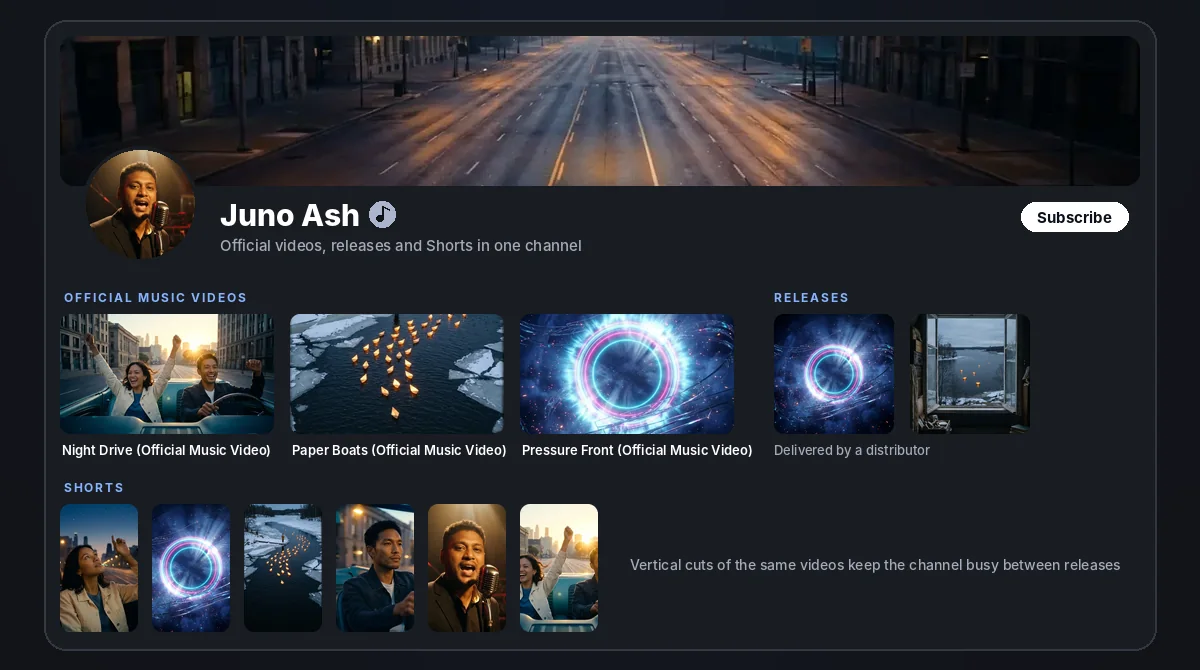
Vevo's 101 page sets out three steps on YouTube: your label or distributor requests and manages your Vevo channel, YouTube upgrades your own channel to an Official Artist Channel, and the label or distributor connects the two, syncing all content and future uploads. YouTube's introduction to Official Artist Channels says that when you get one, it merges the subscribers of your Topic channel, your Vevo channel if you have one, and your own channel into it.
- You don't run the Vevo channel. Ditto's help page says Vevo owns and operates the artists' Vevo channels on YouTube and doesn't give artists direct access to them; uploads, changes and takedowns go through the distributor's dashboard.
- Comments stay on. Ditto also says comments and ratings are a mandatory part of the Vevo experience, so they can't be turned off.
- Videos can move channels. Vevo's glossary describes "chowning": moving a video from one YouTube channel to another while keeping its address, its views and its comments, a process Vevo's content team handles with YouTube.
| What differs | Your own upload | A Vevo delivery |
|---|---|---|
| Who uploads | You, in YouTube Studio | Your distributor or label |
| Title, thumbnail and settings | Yours to change at any time | Changed through the distributor |
| Comments | On, held or off, as you choose | Always on |
| Reach beyond YouTube | YouTube only | Vevo's TV channels, app and partners, and its editorial features |
| Cost | Nothing to YouTube | Whatever the distributor charges for video |
| Time to go live | As soon as it's processed or at the time you schedule | Days to weeks, depending on the distributor |
| Rules | YouTube's | YouTube's, plus Vevo's content and file rules |
An Official Artist Channel doesn't need Vevo: YouTube's criteria ask for a release delivered by a distributor or label and a connection to a music partner, and say nothing of Vevo. You can have the music note, your releases and your own uploads in one channel without ever delivering a video to Vevo. YouTube Official Artist Channel covers how to get one.
Is Vevo worth it for an independent artist?
It depends on what you want the video to do. On YouTube itself, a video on your Official Artist Channel and one delivered through Vevo end up side by side, so the case for Vevo rests on the reach off YouTube and the chance of being picked for its features, against a fee, some loss of control and a slower path to going live.
- You want the video on TV screens through Vevo's channels and app, not just on phones
- The video is a full, original, official music video, not a lyric video or a visualizer
- Your distributor already delivers to Vevo, at a price that makes sense for one video
- You can deliver weeks before release day and give up quick edits after it
- You're happy for comments to stay on and for changes to go through the distributor
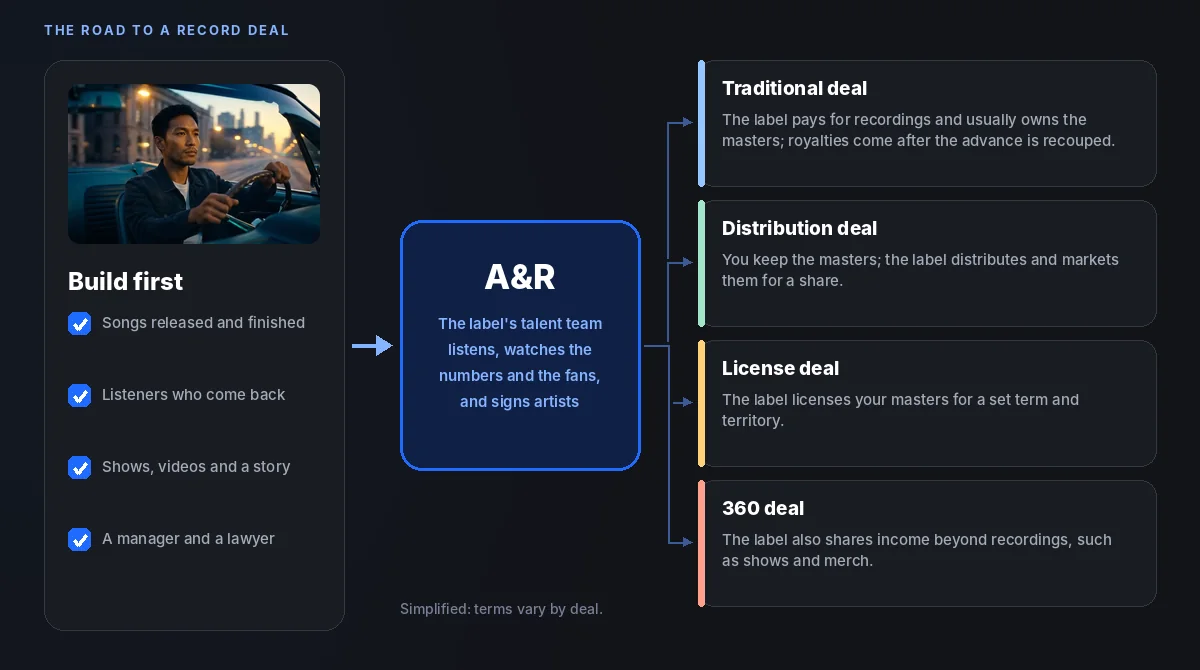
If most of those don't fit, your own channel is enough: upload the video yourself, premiere it on release day, and spend the effort on the upload itself and the clips around it. If they do fit, make the delivery part of the release plan from the start, since the video has to be finished before the distributor's deadline rather than the night before. If you sign to a label, ask how it handles video delivery too; how to get signed to a record label covers what else a deal involves.
Written by the Muvora team. Last updated November 17, 2026. Spotted something out of date? Tell us at [email protected].