The short answer
To get more views on a music video, make it easy to find and hard to skip. Title it Artist - Song (Official Music Video), test two or three thumbnails, open on your strongest image, add chapters and lyrics to the description, point Shorts and the lyric version back to it, share it with fans directly, and watch click-through rate, average view duration and returning viewers.
- Views are impressions times clicks: the title and the thumbnail decide how many showings become plays.
- Open on your strongest image; YouTube reports how many viewers are still there at 30 seconds.
- Shorts made from the video link back to it, which makes them the cheapest new audience you have.
- Tell the fans you already have, by email and on every channel, before paying for a single ad.
- Judge it by click-through rate, average view duration and returning viewers, not by the view count alone.
On this page (7 sections)ShowHide
- 1.Where music video views come from, and the plan
- 2.A title and a description people can find
- 3.A thumbnail worth tapping, tested against two others
- 4.The first 15 seconds and the last 20
- 5.Shorts, the vertical cut and the lyric version
- 6.Release day: a Premiere, your fans, collaborators and a capped boost
- 7.The numbers that tell you what to fix
- Questions
Where music video views come from, and the plan
A view starts as an impression: YouTube shows the thumbnail somewhere (a search result, the home page, the column of suggestions beside another song, a link on a Short) and someone taps it. YouTube only counts an impression when the thumbnail stays on screen for more than a second with at least half of it visible, according to its impressions FAQ. The rest of a video's views arrive from outside YouTube: a link in a newsletter, a story, a website, a message from a friend.
So there are two levers. Get the video shown more often and in better places, and make more of each showing turn into a watch. Every step below pulls one of them, in roughly the order you'd do them around a release.
- 01
Write a title people search for
Use the Artist - Song (Official Music Video) format, and put the words fans type (the song name, featured artists, the word lyrics on the lyric version) where YouTube can read them.
- 02
Make and test the thumbnail
Pick two or three candidate frames and let YouTube's Test & compare choose by watch time, on an ordinary publish rather than a Premiere.
- 03
Open on the best image
Cut any logo sting or slow fade and start on a picture that matches the thumbnail, so the people who clicked stay past the first seconds.
- 04
Fill in the description
Open with one line about the song and the streaming link, then add lyrics, credits and chapters taken from the song's sections.
- 05
Point the ending somewhere
Add an end screen, a card or two and a playlist of the release, so the next video starts when this one stops.
- 06
Release it as an event
Premiere it or schedule it for the song's release day, and tell your fans the time.
- 07
Post the Shorts and the other versions
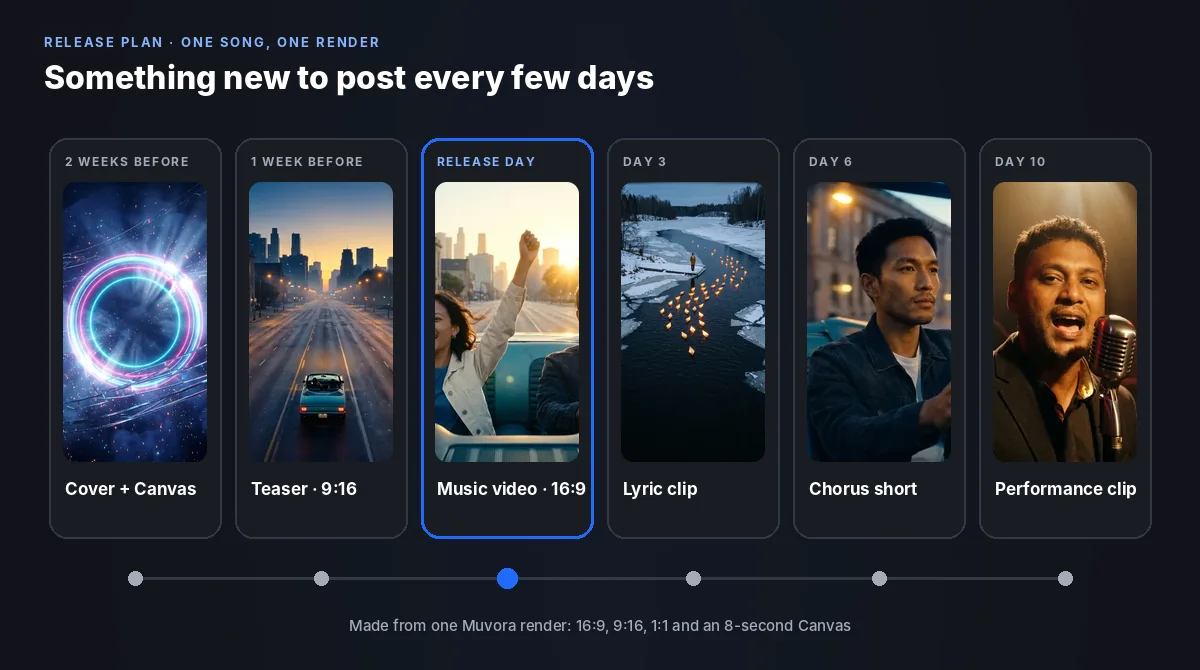
Cut Shorts from the video and link them to it, then post the lyric and vertical versions over the following weeks.
- 08
Share it, then boost it
Send it to your mailing list and every channel you run, invite collaborators onto the upload, and if you pay for promotion, set a total budget and an end date before you start.
- 09
Read the numbers and adjust
After a week, check click-through rate, average view duration and returning viewers, and change the thumbnail or the title if one of them lags.
A title and a description people can find
YouTube's own page on how search works names three things it weighs: relevance (how well the title, tags, description and the video itself match what was typed), engagement (whether people who search for it go on to watch it) and quality. You can't fake the last two. Relevance is in your hands, and for a music video it mostly means using the exact words people type.
| Version | Title | Words to have in the description |
|---|---|---|
| Music video | Harbor Lights - Glass Summer (Official Music Video) | The song and artist again in the first line, any featured artists, the album or EP |
| Lyric video | Harbor Lights - Glass Summer (Official Lyric Video) | The full lyrics, since many searches are a line of the chorus plus the word lyrics |
| Visualizer | Harbor Lights - Glass Summer (Official Visualizer) | The genre, the mood and where the song sits on the record |
| Live or acoustic | Harbor Lights - Glass Summer (Acoustic) | The place, the date and who plays on it |
| A Short from the video | A few words about the moment, with the song name | Nothing long: link the full video as the Short's related video instead |
Put the hook line and the streaming link at the top of the description, since that's the part showing before anyone taps for more, and the lyrics, credits and chapters further down. Chapters made from the song's sections let a viewer jump to the chorus they came back for; YouTube needs a first timestamp at 0:00, at least three of them and ten seconds or more for each. The song structure visualizer reads your audio and writes the chapter list, and the YouTube upload guide has a full description template.
YouTube description generatorFill in the release, the links and the credits and get the title, description, chapters and hashtags, checked against YouTube's limits.Tags matter less than most people think. YouTube's help on tags says they're useful mainly when a name is often misspelled and otherwise play a minimal role, behind the title, thumbnail and description. Add a few for the ways people misspell your artist name or the song, then spend the time you saved on the thumbnail.
Skip the blank page
Upload your song and Muvora's AI director plans a shot-by-shot storyboard on the beat. Edit every shot for free, and pay only if you render.
A thumbnail worth tapping, tested against two others
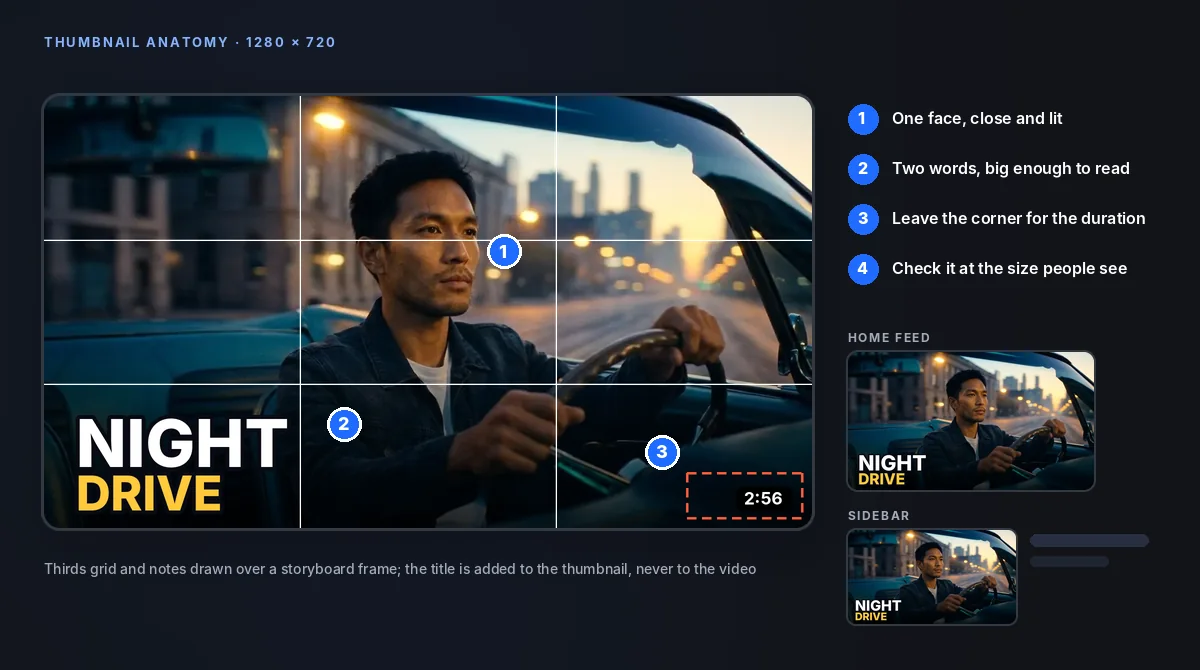
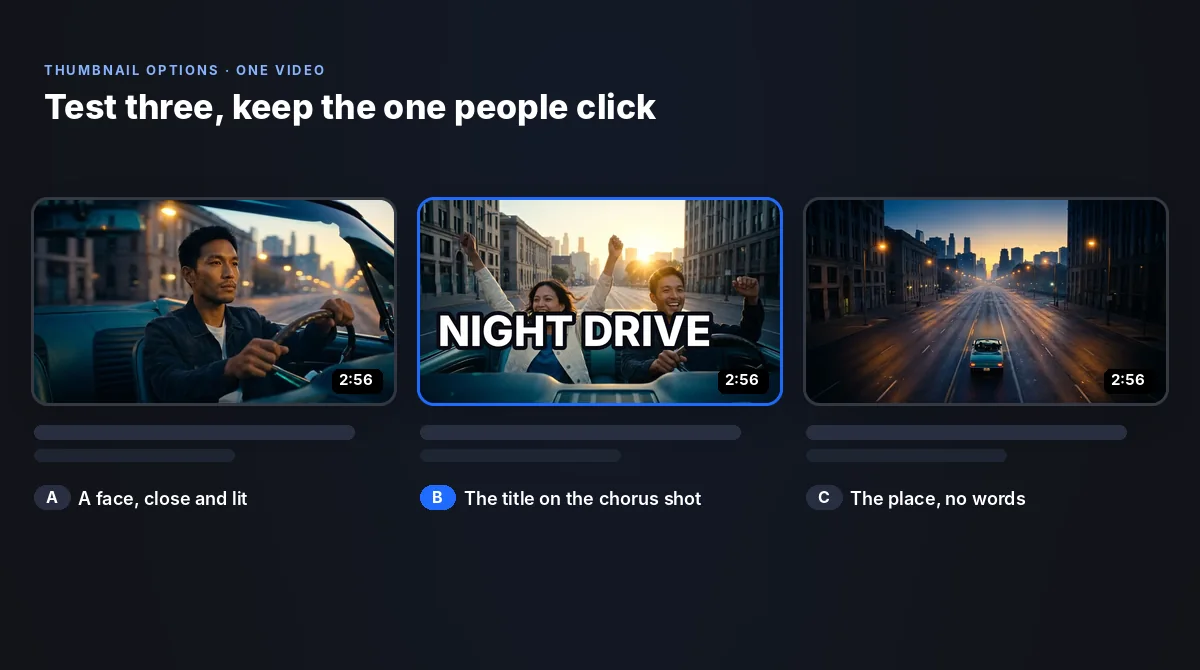
Of everything a viewer sees before pressing play, the thumbnail does the most to turn an impression into a view. For a music video, three kinds tend to work: a face (the artist or the lead, close enough to read an expression), the single strongest frame of the video (usually from the chorus), or a striking object or place that sums the song up. Whichever you choose, make it a real moment from the video, so the click feels honest and the viewer stays.

- Crop tighter than feels natural. A medium shot shrunk to thumbnail size shows about as much as a close-up does on a TV; a wide shot turns into texture.
- Two or three words at most. The title sits right beside the picture, so any text should add something (a line from the chorus, the word live), set large.
- Contrast against the page. Viewers see YouTube in a light or a dark theme, so check the thumbnail against both.
- Match the first seconds. If the thumbnail shows the chorus scene, open the video in that world, not on a title card.
Then stop guessing. YouTube Studio's Test & compare lets you upload up to three thumbnails (or three titles) on a public video. YouTube shows them to different viewers and keeps the one with the highest share of watch time, which it considers a better judge than clicks alone, and a test can take up to two weeks to settle. For the image itself, YouTube's custom thumbnail page asks for 16:9 and at least 640 pixels wide, and now suggests 3840 x 2160; a 1920 x 1080 frame from a 1080p export clears the minimum easily. Custom thumbnails need a verified channel.
The first 15 seconds and the last 20
The people who clicked start deciding whether to stay from the first frame, and YouTube measures it. The key moments report shows what share of viewers are still watching at 30 seconds, and YouTube's content analytics tips count videos that keep 50% or more at that mark as having above-typical intros. Music videos lose people early when they open on things nobody clicked for.
- A logo or a label sting. Five seconds of animated logo before the music is five seconds of something the viewer didn't choose.
- A long scene before the song. A short cold open can make the first note land; a minute of acting loses the people who came for the music.
- A slow fade up from black. Even a quiet intro can start on a picture: the place, the lead, the first detail of the story.
- An opening that doesn't match the thumbnail. If the thumbnail promised a neon street and the video opens in a kitchen, people assume they tapped the wrong thing.
In practice: put the strongest image you have in the first two or three seconds, cut on the first downbeat, and save the big reveal for the chorus rather than the last minute. If the song's intro runs long, think about a video edit with a shorter one; the guide to music video length covers when that's worth doing.
The other end of the video matters too. An end screen can fill the last 5 to 20 seconds with one more video, a playlist and a subscribe button, and up to five cards can pop up while the song plays. Send viewers somewhere specific: the lyric video, the previous single, the playlist of the record in order with this video first, which hands YouTube an obvious next video to play.
Start on the image people clicked for
Muvora's storyboard puts a shot on screen from the song's first second and cuts on the downbeats. Rewrite the opening shot until it matches your thumbnail, check the style frames, then render.
Shorts, the vertical cut and the lyric version
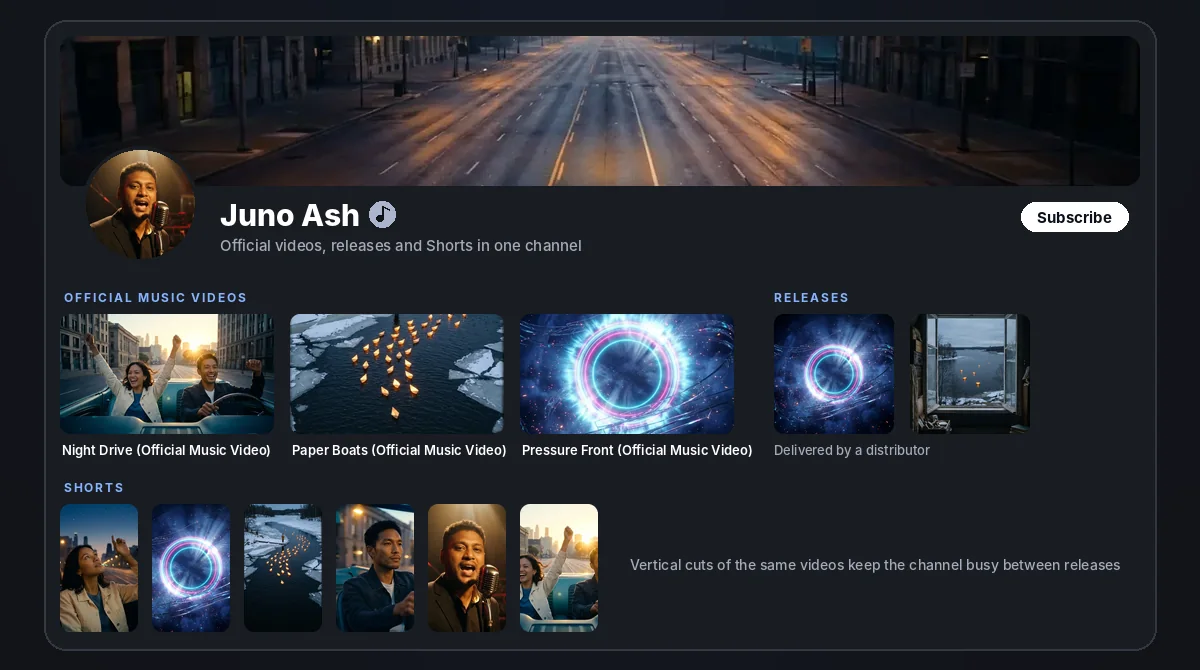
Shorts are where plenty of people now hear a song first, and YouTube gives you two ways to send them from a Short to the full video. A Short you make from your own public video with YouTube's Remix, then Edit into a Short (up to 60 seconds of it) is linked back to the original automatically. For a vertical clip you upload yourself, set its related video to the music video in YouTube Studio, and a link to it appears on the Short.
YouTube's own release strategy page for artists suggests an "Out now" Short on release day and linking the music video as the related video from Shorts that use the song. Plan a handful rather than one: the hook, the drop or the chorus's best line, a behind-the-scenes moment, a lyric clip. The YouTube Shorts guide goes through choosing the moments and posting them.

Separate versions are separate ways in. A lyric video catches people who search a line of the chorus; a visualizer gives playlists something to play; a vertical version of the whole video counts as a Short if the song runs three minutes or less. Upload each under its own title with the music video linked in its description, and spread them over the weeks after release so each one sends people back to the others. For the lyric version, see how to make a lyric video.

Release day: a Premiere, your fans, collaborators and a capped boost
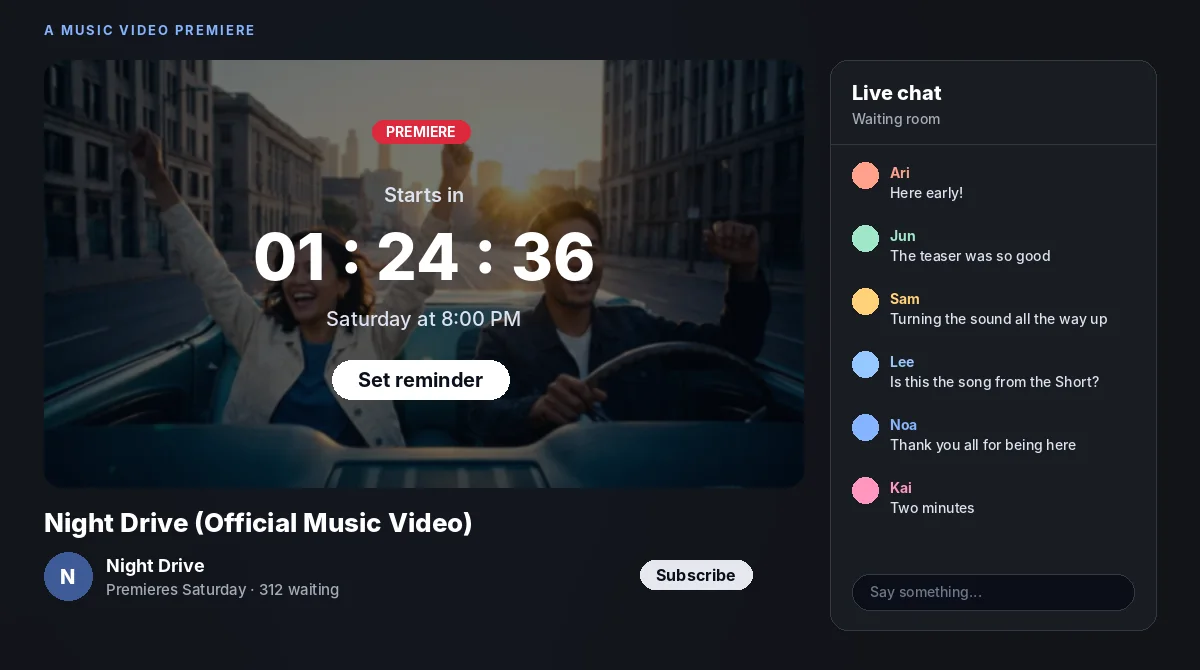
A Premiere turns the upload into an appointment: the watch page goes up early, fans set reminders, and the video plays for everyone at the same moment with a live chat beside it. You can add a trailer of 15 seconds to 3 minutes that plays on the waiting page, and a countdown before it starts. YouTube's release strategy page suggests premiering the video on the day the song comes out, so streams and views feed each other.
The first views of almost any music video come from people who already know the artist. Tell them directly, and more than once:
- Email. A short note to your mailing list on release day with one link, the video, and one line about why you made it.
- Every channel you run. A post, a story with a link, and the link in your bio switched to the video for the first week.
- Your website. Embed the video on the home page, so visitors can watch it without leaving.
- Everyone involved. Featured artists, the producer and anyone on screen sharing it with their own followers.
YouTube has a formal version of that last point. When you invite collaborators to a video, their name and subscribe button appear on it once they accept, and YouTube aims to recommend it to their audience as well as yours. A featured artist is the obvious first invite.
Paid promotion can add impressions, but treat it as an experiment with a ceiling. YouTube Studio's Promote runs a Google Ads campaign for a video: you set a total budget and an end date (YouTube suggests ten days), and it estimates the views before you commit. Decide the most you're prepared to lose before you start, aim it at people likely to enjoy the song (fans of similar artists, the countries you're already streamed in), and judge it on how long paid viewers watch, not on how cheap each view was.
- Premiere or publish time set, and announced a few days ahead
- A thumbnail test running, if you chose an ordinary publish
- Release-day email to your list with the video link
- A story and the link in bio on every account
- The video embedded on your website
- Featured artists invited as collaborators on the upload
- An Out now Short with the music video as its related video
- If you promote: a total budget and an end date set, judged on watch time
To lay out the weeks before and after release day, from the first teaser to the last Short, the release timeline planner turns a release date into a dated plan.
The numbers that tell you what to fix
A view count tells you that something happened; YouTube Analytics tells you why. Give a new video a week, then read these in YouTube Studio, comparing the video with your own earlier ones rather than with anyone else's.
| Number | What it measures | If it's low |
|---|---|---|
| Impressions | How often YouTube showed the thumbnail | The video isn't being surfaced: work on search words, Shorts and outside links |
| Impressions click-through rate | The share of impressions that became views | Test another thumbnail or a clearer title |
| Average view duration | How long the average view lasts | Find where the retention graph drops and fix that part |
| Viewers at 30 seconds | The share still watching after the intro | Open on a stronger image that matches the thumbnail |
| Returning viewers | People who watched your channel before and came back | Give them a reason: the next release, a series, links between videos |
| Traffic sources | Where views came from: search, browse, suggested, Shorts, outside YouTube | Put more into the source that already works |
On click-through rate, YouTube gives one reference point: in its impressions FAQ, half of all channels and videos have an impressions click-through rate between 2% and 10%. It adds that the rate depends on the kind of content, the audience and where the thumbnail appeared, that new videos and videos with fewer than 100 views swing more widely, and that thumbnails shown in the YouTube Music app aren't counted as impressions. Read yours against your own history, not as a pass mark.
Returning viewers are the number artists most often skip. A music video that brings the same people back (to the lyric video, the next single, the live version) builds an audience YouTube can show the next release to, which is the case for releasing a set of visuals around each song instead of one video and then silence.
Make the whole set from one render
Upload your song and edit a free storyboard timed to its beats. One render gives you the 16:9 video for YouTube, the 9:16 cut for Shorts, a square version and a Canvas loop, with karaoke-style captions if you want them. See the YouTube music video maker for what each export is for.
Written by the Muvora team. Last updated November 14, 2026. Spotted something out of date? Tell us at [email protected].