The short answer
To sell beats online, make finished beats from sounds you're allowed to sell, offer each as non-exclusive leases with written limits and as an exclusive, tag the previews, and deliver MP3, WAV or trackouts by tier through a beat store or your own site. Most buyers find beats on YouTube, so post each one as a type beat video that moves with it.
- A lease can be sold again and again; an exclusive is sold once, and earlier leases stay valid.
- The license is the product: files, caps, music videos, credit, publishing split and Content ID, in writing.
- Tag every preview and keep clean files for buyers, named with the tempo and key.
- Name a type beat after a sound, but keep the artist's face, likeness and logo out of the video.
- A leased beat in Content ID claims your buyers' videos too, so say so in the license.
On this page (8 sections)ShowHide
- 1.Leases and exclusives: what you're actually selling
- 2.How to sell beats online, step by step
- 3.What a beat license should spell out
- 4.Files, tags and naming
- 5.Where producers sell beats
- 6.Type beat videos: name the sound, never show the artist
- 7.Content ID and leased beats
- 8.When a beat becomes someone's song
- Questions
Leases and exclusives: what you're actually selling
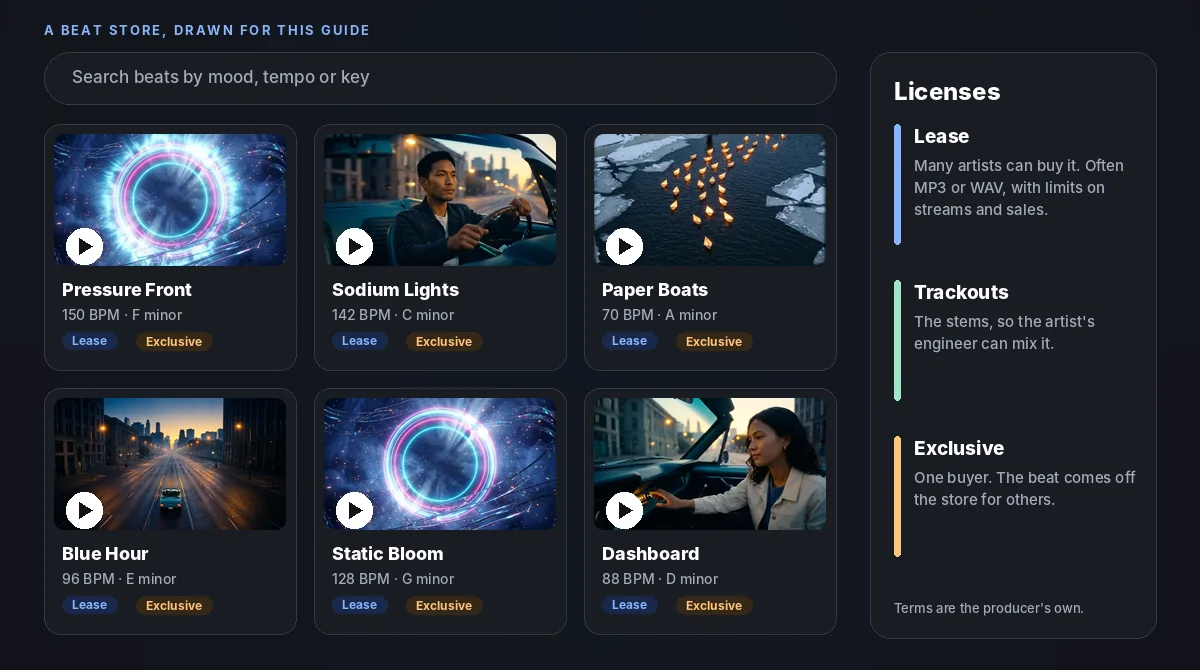
A beat sale is a license, not a sale of the beat itself. Airbit's support pages put the whole system in two types: exclusive and non-exclusive. An exclusive takes the beat off the store once it's bought; every other license, whatever the producer calls it (an "unlimited" lease included), is non-exclusive, and the producer can keep leasing the same beat to other artists. Each license sets its own limits on streams, distribution and the rest, so buyers are told to read the terms before they pay.
The two kinds don't cancel each other. Songtrust's guide for beat sellers points out that leases sold before an exclusive stay valid until their contracts run out, so don't promise a buyer sole use of a beat that other artists still hold for months. List how many leases are out when you sell an exclusive, and set the exclusive price with that in mind.
| Tier | Files usually included | Limits often set | Who it suits |
|---|---|---|---|
| Basic lease | An untagged MP3 | Low caps on streams and sales; sometimes no music video at all | An artist testing a song or posting a demo |
| WAV lease | MP3 and WAV | Higher caps; a music video is often allowed | An artist releasing a single |
| Trackout lease | MP3, WAV and the stems | Higher caps again | An artist who wants the beat mixed around their vocal |
| Unlimited lease | Usually everything above | No caps, but still non-exclusive | An artist who expects the song to grow |
| Exclusive | Everything, with the beat taken off sale | Set by the contract; earlier leases stay valid | An artist who wants the beat to themselves |
Airbit's licensing overview says most producers offer two to four non-exclusive licenses with different terms and files (MP3, WAV, trackouts), and its beat licensing primer describes the ladder: a basic tier with an MP3 and a set number of downloads or streams, higher tiers adding a WAV, more downloads and performance rights, and the producer deciding whether each allows a music video. An artist can start small and move up as a song earns, which is why every limit has to be written down precisely.
How to sell beats online, step by step
Here is the whole routine, from the first beat you list to the sale that turns it into someone's song. Most producers set it up once and then repeat steps 4 to 7 for every beat.
- 01
Make beats you're allowed to sell
Build every beat from sounds whose license allows selling beats made with them, and clear or replace any sample. A buyer's song can be taken down over one uncleared loop, and the buyer will come back to you about it.
- 02
Set your license tiers
Decide what each tier includes: the files, the caps on streams and sales, how many music videos and whether they may earn money, radio and live use, the term, the credit and the publishing split. Put it in a contract template that every sale sends automatically.
- 03
Tag the previews
Put a short spoken tag on every version people can stream for free, so an unlicensed copy is easy to recognize, and keep the untagged files for paying buyers.
- 04
Export and name the files
Export a high-quality MP3, a WAV and, for trackout tiers, stems that all start at the same point and run the same length. Name every file with the beat's title, tempo and key so buyers can find it in a folder of downloads.
- 05
Open a store
List the beats on a beat marketplace, on your own website, or both, with each tier's price and terms visible before checkout and the tagged preview playing on the page.
- 06
Give every beat a video
Post each beat to YouTube with a video that moves with it, the store link and a summary of the tiers in the description, then post a vertical cut of the best eight bars as a Short.
- 07
Deliver and keep records
Send the files and the signed terms with each sale, log who bought which license, and take the beat down or mark it sold the moment an exclusive goes.
Two questions to settle before the first listing. If you sample, the sample has to be cleared on both sides before a buyer can release anything; music video copyright explains what that involves. And if an AI music tool generated any part of the beat, its terms for your plan decide whether you may sell the result at all; how to make a song with AI sets out what the main tools say. The craft side, from an empty grid to a finished WAV, is in how to make a beat.
Drum machineSketch a groove in the browser, from a trap hi-hat roll to a boom bap swing, and save it as a WAV loop or a MIDI file to build the beat on.Skip the blank page
Upload your song and Muvora's AI director plans a shot-by-shot storyboard on the beat. Edit every shot for free, and pay only if you render.
What a beat license should spell out
Every store lets you write your own terms, so the contract is yours to get right. BeatStars' help center says producers set their own license terms and that a non-exclusive license comes with limits such as streams and distribution copies (BeatStars). Traktrain's FAQ tells buyers that commercial use, copies and streams depend on the contract type and the producer's terms. Airbit's primer lists the switches it offers: MP3, WAV or both, trackouts or not, limits on distribution sales, streams and free downloads, and whether the beat may be used in a music video or on the radio.
- Files: exactly which files each tier delivers, and in what format.
- Streams and sales: the caps, which platforms count, and what happens when a song passes them (usually an upgrade).
- Music videos: how many, whether they may carry ads, and whether their views count toward a cap.
- Performances and radio: live shows, broadcast and paid performances, allowed or not.
- Term: how long the license lasts and how it renews.
- Credit: how you're named, for example "Prod. by" in the title or the description.
- Publishing: your share of the song's writing. Songtrust's guide reports that some producers call half the writing share typical for a lease, and less on an exclusive, while stressing that the split is always negotiable (Songtrust).
- Content ID: whether the beat is registered and how a buyer gets a claim released. Airbit suggests lines such as "This beat is registered for Content ID and a claim may be placed on your video" with the way to dispute it (Airbit).
- Samples: what's in the beat and who cleared it. A distributor's FAQ warns artists that even an exclusive beat may contain samples that aren't exclusive (recordJet).
Files, tags and naming
Buyers judge a store by how quickly they get usable files. The preview does the selling and the clean files do the work, so prepare both before you list a beat. Airbit's guide to voice tags describes the usual tag as someone saying the producer's name every 20 to 30 seconds, mixed into the preview MP3, and Airbit builds the tagged previews from your untagged files automatically.
| File | What it is | Who gets it |
|---|---|---|
| Tagged preview | The whole beat as an MP3 with a spoken tag every 20 to 30 seconds | Everyone: the store page, YouTube and socials |
| Untagged MP3 | The clean beat, compressed | Buyers of the basic lease and up |
| WAV | The uncompressed bounce of the finished beat | Buyers of the WAV lease and up |
| Trackouts (stems) | Each instrument group as its own file, all starting at bar one and running the same length | Trackout, unlimited and exclusive buyers |
- Name files for the buyer's folder: "Night Shift 140bpm Fmin.wav" says what it is long after the download.
- Bounce trackouts the same way every time: same start, same length, no master bus processing printed on them, so they line up in any session. What stems are covers the export settings.
- Offer an unmastered bounce with the trackouts: the artist's engineer mixes a vocal over the beat, and a version that hasn't been limited hard leaves them room to work.
Where producers sell beats
Producers sell through beat marketplaces, their own websites and, for discovery, YouTube. Most use more than one. What each store offers changes often, so the table sticks to what their own pages said in November 2026 and doesn't rank them: the right one depends on your catalog and where your buyers already look.
| Where | How it works | What its pages say |
|---|---|---|
| BeatStars | A beat marketplace with a store page for each producer | Producers set their own license terms; leases carry limits such as streams and distribution copies |
| Airbit | A marketplace plus a store you can embed on your own site | Every account starts with a non-exclusive and an exclusive license whose terms you can customize; an exclusive is removed from sale automatically |
| Traktrain | A marketplace for beats and drum kits | Its free plan covers MP3 leases, exclusive sales need a paid plan, and it takes no commission on MP3 beat sales |
| Your own website | Your domain with a store plugin or an embedded store | No platform's terms between you and your buyers, but you bring every visitor yourself |
| YouTube | Discovery, not a store | Type beat videos send searching artists to your store link |
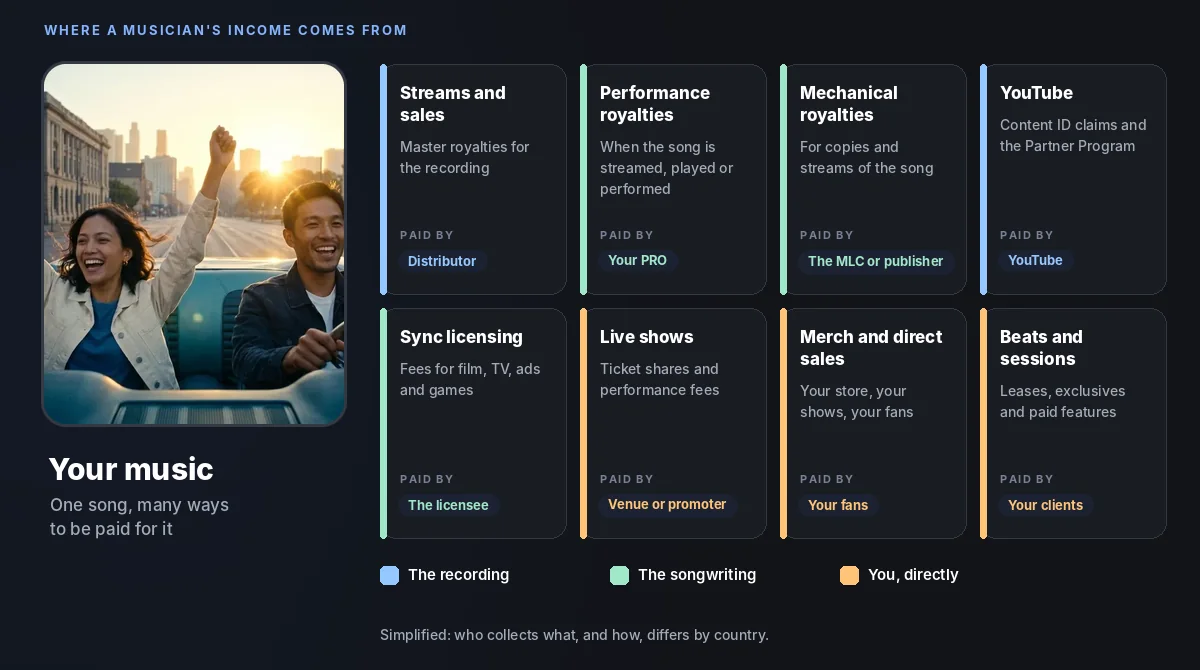
Songtrust's guide quotes producers recommending a site of your own beside the marketplaces, as a landing page that tells buyers who you are (Songtrust). Whatever you choose, keep the same names, tiers and terms everywhere, so a buyer who finds a beat on YouTube sees the same deal on every store it links to. Beat sales are one income stream among several; how to make money from music shows how they fit with the rest.
Type beat videos: name the sound, never show the artist
Artists shopping for beats search YouTube for the sound they want, and the sound has a name: an artist's. Producers title uploads accordingly: Songtrust's guide recommends search terms made of an artist's name and "Type Beat" to bring buyers to a beat (Songtrust). The title describes a style, the way "in the style of" would.
The picture is where producers get into trouble. A photo of the artist belongs to whoever took it, the artist's face and name carry rights of their own, and YouTube's impersonation policy doesn't allow using AI to make it look as if a famous person is willingly taking part in a video. Keep the named artist out of the video and the thumbnail entirely: no photo, no lookalike, no logo, no album art. Put the style in the setting, the light and the color instead, and say in the description that the beat isn't affiliated with the artist it's named after.
Volume is the other risk. YouTube's spam policy doesn't allow using automated tools or AI to churn out high volumes of similar content, and its example is a channel using the same background music and repetitive AI-generated imagery across many videos. A type beat channel posts often by nature, so give each upload pictures of its own rather than one loop under every beat. The YouTube side of AI-made videos, from disclosure to that policy, is in AI music videos on YouTube.
- Title: the style or the artist it suits, then the beat's own name, the tempo and the key, such as "Dark trap type beat, Night Shift (140 BPM, F minor)".
- Description: the store link first, then the tiers in a line each, the tempo and key, the credit, and a note that it isn't affiliated with the artist.
- Thumbnail: a frame of the video with the beat's name added in an editor, never the artist's picture. Making a thumbnail covers sizes and text.
- The first bars: pictures that change on the beat from bar one give a scrolling artist a reason to stay for the drop.
- Shorts: the best eight bars as a 9:16 clip, pointing to the full beat.

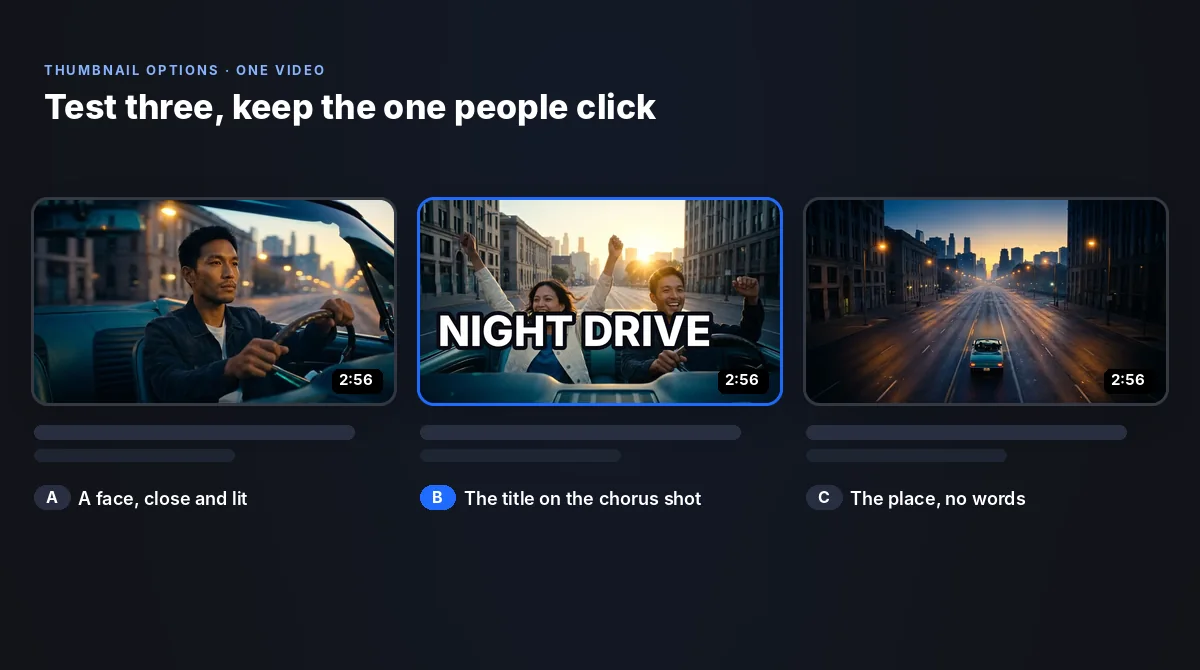
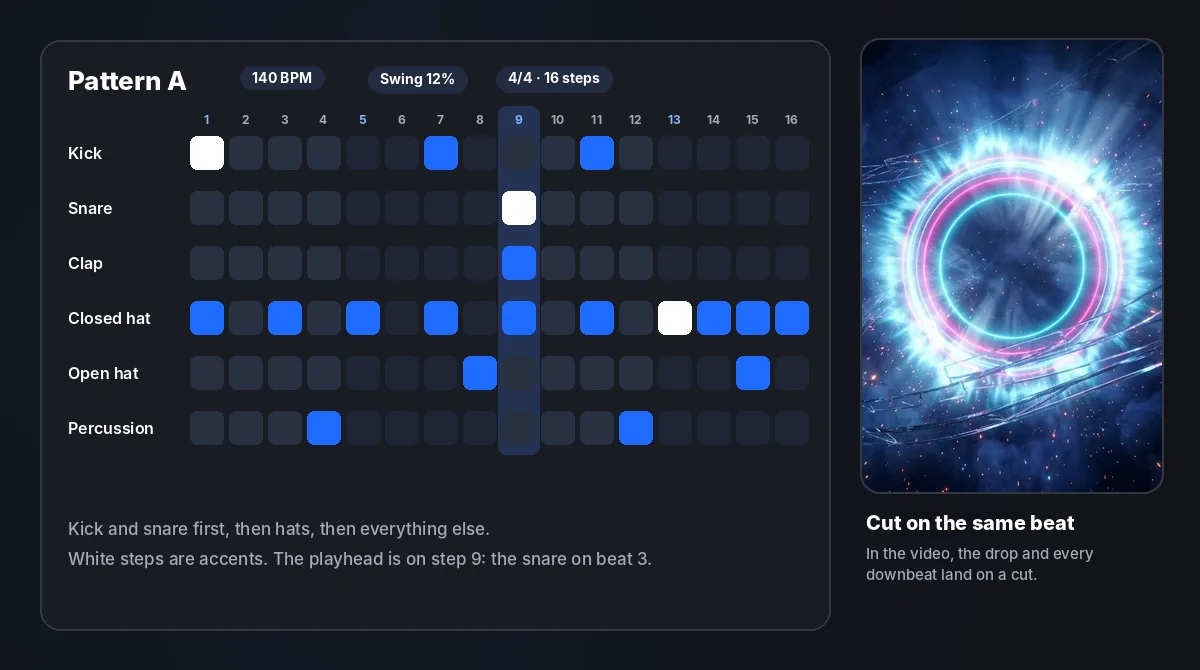
Muvora makes that kind of video from the beat file itself. It reads the tempo, every downbeat, the sections and the drops, and plans a storyboard whose cuts land on the downbeats, with a short white flash on every drop. Its pictures never show real people, logos or lettering, so the named artist can't slip into a frame, and each beat gets a storyboard of its own: describe your channel's palette and setting in the idea box once, then let each beat's video find its own places. The type beat video maker page shows the look.
Give every beat a video that moves
Upload a beat (MP3, WAV, M4A, AAC or FLAC, up to 8 minutes) and get an abstract storyboard cut on its downbeats, free to edit. Visualizer renders at 38 credits a finished second, and one render gives the 16:9 upload and a 9:16 cut for Shorts.
Content ID and leased beats
YouTube's Content ID can earn a producer money from every video that uses a beat, and it can just as easily claim the videos of the artists who paid for it. YouTube's page on content eligible for Content ID requires exclusive rights to the reference audio, rules out content licensed non-exclusively from a third party, and says content sold or licensed at scale for incorporation into other works must be routed to manual review before claiming. It doesn't name beats, but a leased beat is licensed for use in other people's songs by design.
On the producer's side, Airbit's guide to its Content ID program explains the trade. Once a beat is registered, claims land on any matching video, buyers' included, and a video under a claim can't be monetized by its owner. The producer then releases the claims of buyers whose license allows a monetized video. Airbit can only whitelist the producer's own channel, not customers', and taking a beat out of Content ID after an exclusive sale stops new claims without releasing the existing ones.
On the buyer's side, distributors keep leased beats out of Content ID altogether. Ditto Music's help page lists beats bought or leased under a non-exclusive license, and exclusives that the producer had already leased to others, among the tracks it won't register (Ditto); recordJet tells artists not to switch on Content ID for anything licensed non-exclusively (recordJet).
| Who | Do | Don't |
|---|---|---|
| A producer leasing beats | Say in the license whether the beat is registered and how to get a claim released; release paying buyers' claims quickly | Register a beat built on loops or samples that aren't yours alone |
| A producer selling an exclusive | Take the beat out of Content ID and release the buyer's existing claims | Keep the exclusive buyer in the dark about leases still running |
| An artist with a lease | Opt out of Content ID when you distribute the song | Read a claim from the producer as proof the lease is invalid |
| An artist with an exclusive | Ask whether the beat was leased before you bought it | Register it if earlier leases are still out there |
When a beat becomes someone's song
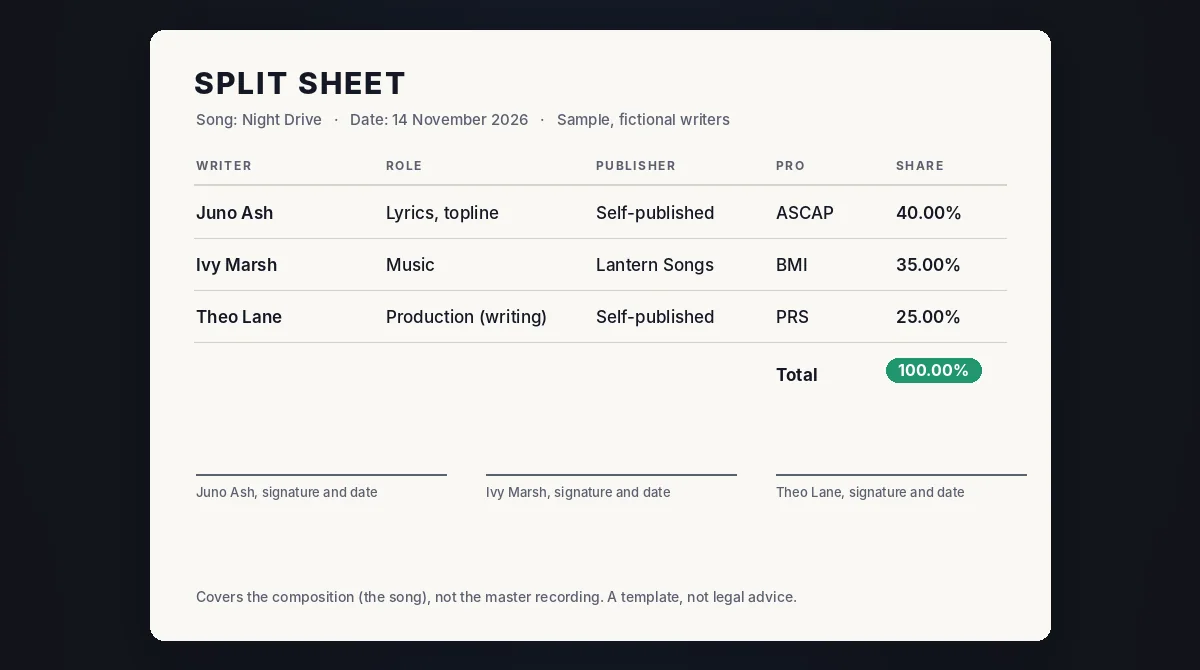
A sale is the start of a song, and the paperwork after it decides whether you're paid from that song. Agree the writer shares with the artist on a split sheet before release, register your share with your performing rights organization, and make sure the credit reads the way your license says. What a split sheet is covers the agreement, and how music royalties work explains which royalties the producer's share of the song earns.
Then the artist wants a music video, and the lease decides that too: the number of videos, and whether they may carry ads. An artist whose lease allows it can make the video like any other song's, and Muvora plans it from the finished track, rap or sung, with a Performance style that lip-syncs the vocal where it's delivered. Producers can point buyers to the music videos for rappers page with the files.
Leased a beat? Make the song's video
Check that your lease allows a music video, then upload the finished song, tick the rights box and get a storyboard planned on its beats for free. The free plan gives you 5 new storyboards a month.
Written by the Muvora team. Last updated November 17, 2026. Spotted something out of date? Tell us at [email protected].