The short answer
Most music videos are made at 24 frames a second, the rate cinema settled on, which gives motion a slight blur and a filmic cadence. Use 25 where video runs on 50 Hz power, 30 for a smoother, video-like look, and 48, 50 or 60 for slow motion played back at 24. Keep one rate from the shoot to the export, and upload at that rate.
- 24 fps is the music video default; 30 and 60 look smoother and more like video.
- Record above the timeline's rate only for shots you'll slow down.
- A beat lasts fps × 60 ÷ BPM frames, so a cut can always land within half a frame of it.
- Never convert a finished video by changing its speed: the song changes with it.
- Upload at the rate you edited at, which is what YouTube's own settings page asks for.
On this page (9 sections)ShowHide
- 1.The common frame rates and where they come from
- 2.How to choose a frame rate for a music video
- 3.Why music videos are usually 24 fps
- 4.Frames per beat: where cuts can land at any tempo
- 5.Slow motion: shoot high, play it back at the timeline's rate
- 6.Timecode, 23.976 and drop-frame, explained
- 7.What YouTube, TikTok, Instagram and Spotify accept
- 8.Converting between frame rates without moving the song
- 9.Frame rate in an AI music video made with Muvora
- Questions
The common frame rates and where they come from
A video is a run of still pictures, and the frame rate is how many of them play each second. The number changes how movement feels more than how sharp a picture is. At 24 frames a second each frame holds a little motion blur and fast pans step slightly, which audiences read as film. At 60 the steps disappear and movement looks live, like sport or a video game. Every common rate came from a technical compromise, and those histories still decide which settings your camera and editor offer.
| Rate | Where it comes from | How motion looks | In a music video |
|---|---|---|---|
| 24 fps | The sound-film standard, adopted by studios between 1927 and 1930 | Film cadence: a little blur, a slight step on fast pans | The default for story, performance and cinematic videos |
| 23.976 fps | 24 slowed by 0.1% (24 ÷ 1.001) to fit film into NTSC color television | The same as 24 | What many cameras record when set to "24"; keep a whole project at one or the other |
| 25 fps | PAL and SECAM television, tied to 50 Hz mains power | Almost the same as 24 | Shoots and broadcast in 50 Hz regions, such as Europe |
| 29.97 and 30 fps | NTSC television (30 ÷ 1.001) and its whole-number version | Smoother and crisper, the look of TV and phone video | Social clips, vlogs, phone footage, US broadcast |
| 48 fps | Twice 24 | Very smooth | Slow motion at half speed on a 24 fps timeline |
| 50 fps | Twice 25 | Very smooth, live | High frame rate in 50 Hz regions; half-speed slow motion at 25 |
| 59.94 and 60 fps | Twice 29.97 and 30 | Live, like sport or a game | Crisp dance and live footage, or slow motion at 2.5 times on a 24 timeline |
The 24 is older than video. When sound film arrived in the late 1920s, projectors could no longer run at whatever speed a theater liked, because the ear hears a change of speed as a change of pitch. Silent films had often been shown at 22 to 26 frames a second, and 24 became the compromise every studio adopted. Television then took its rates from the mains power of each region: 25 where the supply runs at 50 Hz and 30 where it runs at 60 Hz, later nudged to 29.97 for color.
How to choose a frame rate for a music video
- 01
Decide the look first
Pick 24 fps for a filmic look, which suits most story and performance videos, or 30 for footage that should feel immediate and native to a phone feed.
- 02
Check where it will be shown
Use 25 instead of 24 when the video is shot under 50 Hz lighting or made for broadcast in a 25 fps region, and check any platform that sets a minimum, such as Instagram's 30 for Reels.
- 03
Plan the slow-motion shots
Mark the shots you'll slow down and record only those at 48, 50, 60 or 120 fps, keeping every other shot at the main rate.
- 04
Set the camera and the project before anything else
Choose the same rate on every camera and phone, then create the editing project at that rate before importing a single clip, since changing it later moves every cut.
- 05
Match the shutter to the rate
Set the shutter to about twice the frame rate, 1/50 of a second at 24 or 25 fps and 1/60 at 30, so motion carries a natural amount of blur.
- 06
Export at the project's rate
Render the finished video at the rate you edited at, without converting it, and make any version a platform needs from that master.
- 07
Check the file before you upload it
Open the export in a file checker to confirm its frame rate, length and codecs, and that its duration matches the song to the frame.
The shutter step has a whole explanation of its own, the 180-degree rule, in how to make a music video look cinematic, along with ND filters and lights that flicker. The rest of this guide covers what the rate does to the beat, to slow motion, to timecode and to uploads.
Video file checkerOpen an exported video on your device to read its frame rate (and whether it's constant or variable), resolution, codecs and length, checked against YouTube, Shorts, TikTok, Reels and Canvas.Skip the blank page
Upload your song and Muvora's AI director plans a shot-by-shot storyboard on the beat. Edit every shot for free, and pay only if you render.
Why music videos are usually 24 fps
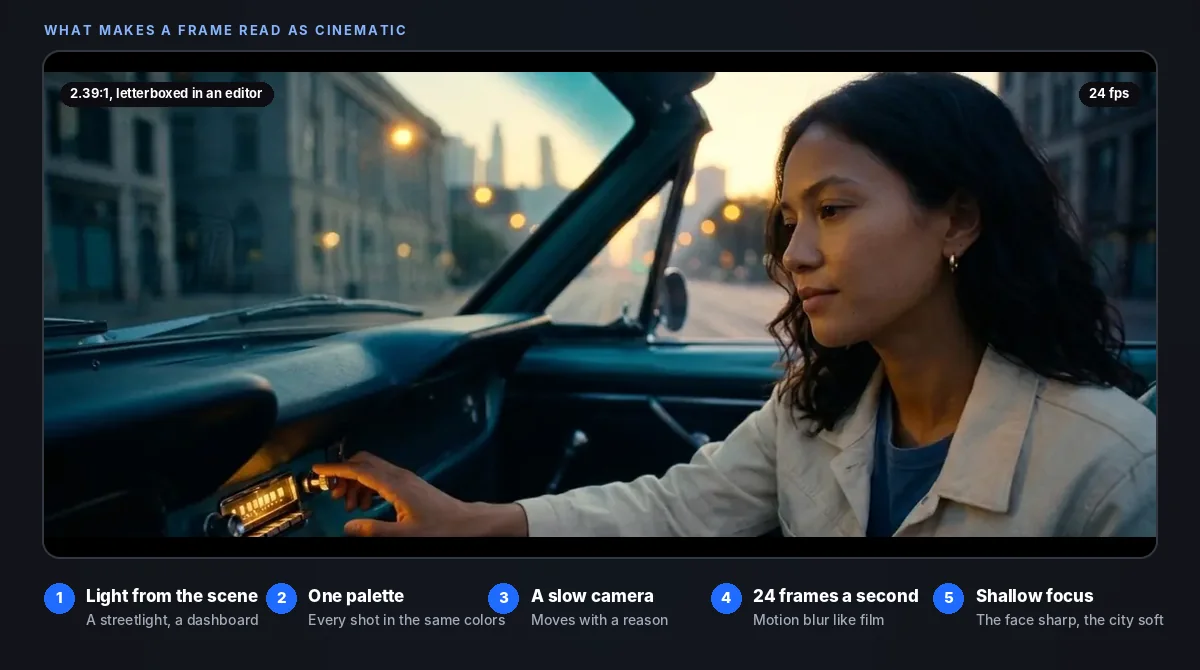
Music videos inherited 24 from film and commercials, which were long shot on film, and the look stuck after cameras went digital. The reasons are partly taste and partly practical. The slight blur at 24 smooths small shakes and makes light streaks and hair movement read as soft rather than jittery. Fewer frames also means less to make: an animated video at 24 needs 4,320 frames for a 3-minute song where 60 would need 10,800, and the same holds for every frame an editor grades or a visual effects artist touches.
- Choose 24 for story videos, performance videos lit like a film, animation and anything that should feel cinematic.
- Choose 25 when you shoot under 50 Hz mains lighting or deliver to broadcast in a 25 fps region. It looks almost identical to 24.
- Choose 30 when the footage comes from phones meant to look native to a social feed, or when a platform's minimum asks for it.
- Choose 50 or 60 for dance where every hit of choreography must read crisply, concert footage that should feel live, and screen-recorded or game visuals. Expect the smoothness to read as video rather than film.
A music video at 24 fps, cut on your song's beats
Upload a song and Muvora finds its tempo, downbeats, sections and drops, then an AI director writes a storyboard of shots timed to them. Every export is 24 frames a second. Reading and editing the storyboard is free, with 5 new storyboards a month.
Frames per beat: where cuts can land at any tempo
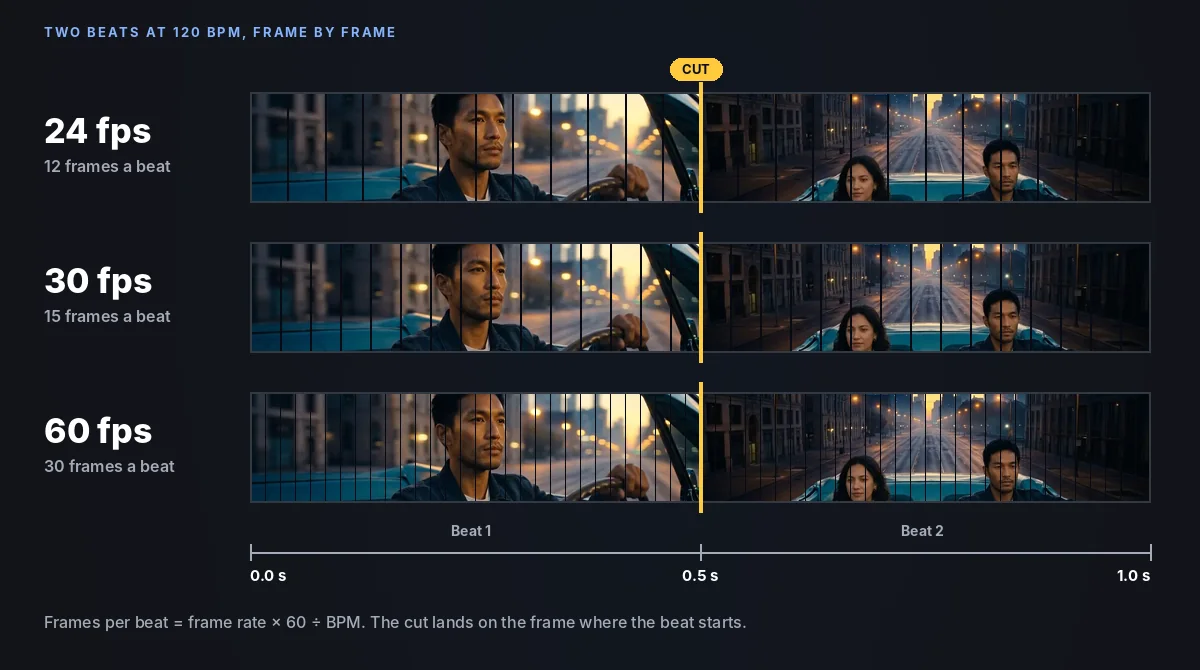
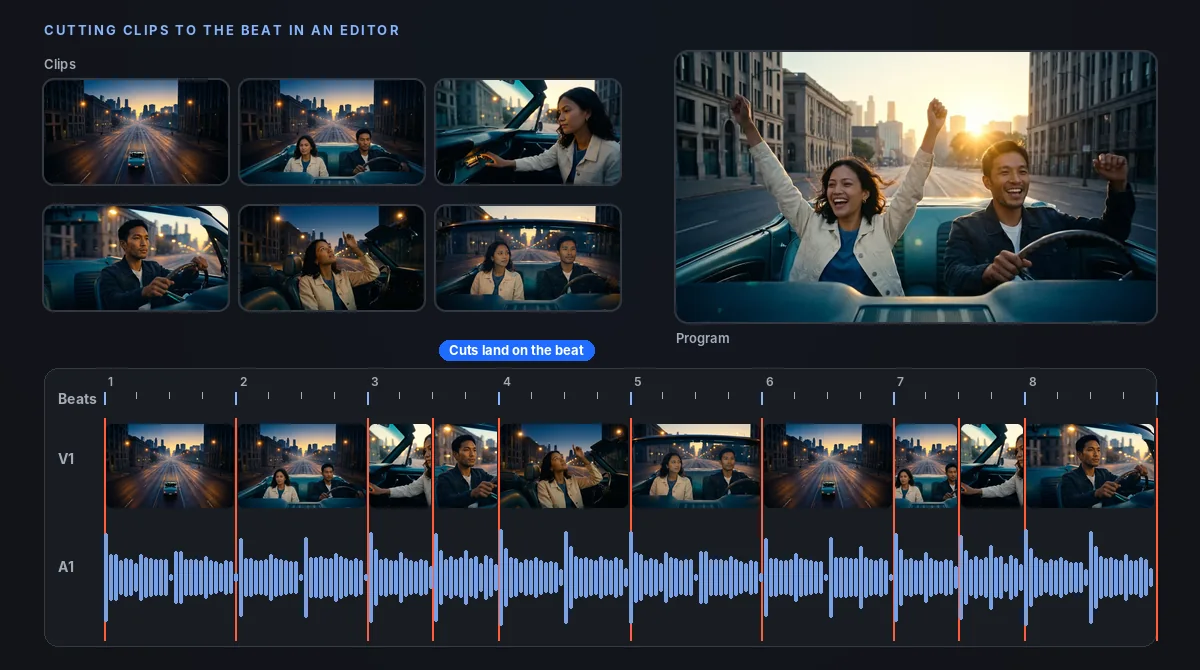
A cut can only happen between two frames, so the frame rate sets how finely an edit can follow the music. One beat lasts fps × 60 ÷ BPM frames, and a bar of 4/4 four times that. At 120 BPM and 24 fps a beat is exactly 12 frames. At 128 BPM it's 11.25 frames, so the beats fall between frames, but the bar is a whole 45. The table gives the common tempos at four rates.
| Tempo | 24 fps: beat / bar | 25 fps: beat / bar | 30 fps: beat / bar | 60 fps: beat / bar |
|---|---|---|---|---|
| 70 BPM | 20.57 / 82.29 | 21.43 / 85.71 | 25.71 / 102.86 | 51.43 / 205.71 |
| 90 BPM | 16 / 64 | 16.67 / 66.67 | 20 / 80 | 40 / 160 |
| 100 BPM | 14.4 / 57.6 | 15 / 60 | 18 / 72 | 36 / 144 |
| 120 BPM | 12 / 48 | 12.5 / 50 | 15 / 60 | 30 / 120 |
| 128 BPM | 11.25 / 45 | 11.72 / 46.88 | 14.06 / 56.25 | 28.13 / 112.5 |
| 140 BPM | 10.29 / 41.14 | 10.71 / 42.86 | 12.86 / 51.43 | 25.71 / 102.86 |
| 174 BPM | 8.28 / 33.1 | 8.62 / 34.48 | 10.34 / 41.38 | 20.69 / 82.76 |
Only some tempos divide evenly. At 24 fps a beat is a whole number of frames at 60, 72, 80, 90, 96, 120, 144, 160 and 180 BPM, and a bar of 4/4 also at 64 and 128. At 30 fps the beats come out whole at 60, 72, 75, 90, 100, 120, 150 and 180 BPM; at 25 fps only at 60, 75, 100, 125 and 150. Everywhere else, every cut has to be rounded to a frame, and how you round decides whether the edit stays in time.
For a ready-made marker list to import into an editor, the beat marker generator writes one marker per beat or bar at your frame rate, and how to edit a music video to the beat covers which beats to cut on and how long to hold each shot.
Slow motion: shoot high, play it back at the timeline's rate
Smooth slow motion comes from recording more frames than the timeline plays, then letting the editor play every captured frame at the timeline's rate. Editors call this conforming or interpreting the footage. The speed you get is the timeline rate divided by the capture rate: 60 fps footage on a 24 fps timeline plays at 40%, two and a half times slower than life, with no frames invented.
| Recorded at | On a 24 fps timeline | On a 30 fps timeline | One second of action lasts |
|---|---|---|---|
| 48 fps | 50% speed | 62.5% speed | 2 s at 24, 1.6 s at 30 |
| 60 fps | 40% speed | 50% speed | 2.5 s at 24, 2 s at 30 |
| 120 fps | 20% speed | 25% speed | 5 s at 24, 4 s at 30 |
| 240 fps | 10% speed | 12.5% speed | 10 s at 24, 8 s at 30 |
- Count a slow shot in timeline frames. At 120 BPM a bar on a 24 fps timeline is 48 frames. Filmed at 60 fps, those 48 frames hold only 0.8 seconds of real action, so a one-bar slow-motion shot needs less than a second of movement on set.
- Start and end it on downbeats like any shot. Slow motion doesn't excuse a shot from the grid; it just stretches what happens inside it.
- Singing in slow motion needs a faster track on set. Play the song faster by the same factor so the mouth matches at normal speed after the slowdown. Double speed for 48 fps on a 24 timeline is far easier to sing along to than two and a half times speed for 60.
- Invented frames are a fallback. Editors can make slow motion from ordinary footage by creating in-between frames (optical flow or frame blending). It works on simple, steady motion and tends to smear hands, hair and anything crossing in front of something else.
Timecode, 23.976 and drop-frame, explained
Timecode labels every frame as hours, minutes, seconds and frames (HH:MM:SS:FF). The last pair counts frames within a second, from 00 to 23 at 24 fps and from 00 to 29 at 30. That's simple at whole rates. The fractional rates, 23.976 and 29.97, run 0.1% slower than their labels, and that small gap matters to a music video because the song plays on the clock.
- 23.976 has no drop-frame count. It numbers 24 frames for every second of timecode while running 0.1% slow, so its timecode falls behind the clock: 00:03:00:00 on a 23.976 timeline is 3 minutes and 0.18 seconds of real time. A beat that falls exactly 3 minutes into the song sits about four frames earlier on the timecode ruler, near 00:02:59:20.
- 29.97 drop-frame skips numbers, never frames. To keep timecode in step with the clock, drop-frame counting leaves out frame numbers 00 and 01 at the start of every minute except every tenth, so 00:00:59;29 is followed by 00:01:00;02. Every frame of picture is still there. It's written with semicolons, and after an hour of real time it reads 01:00:00;00, where non-drop 29.97 reads 00:59:56:12.
- Drop-frame belongs to 29.97 only. Apple's timecode formats for film delivery list a drop-frame mode for 29.97 and non-drop for 23.976, 24, 25 and 30.
The practical rule is to work in real seconds. Find each cut from the song's tempo and its first downbeat in seconds, then convert that time to a frame at the true rate (23.976, not 24). Editors that show the audio waveform on the timeline do this for you when you cut against the waveform; trouble starts when a cut list made for 24 fps is typed into a 23.976 project, or the other way round. When your camera offers a true 24 and nothing ties you to broadcast, true 24 avoids the question.
What YouTube, TikTok, Instagram and Spotify accept
Most platforms take any common rate, and the ones that publish a rule mostly ask you not to change what you made. This is what each platform's own page says, as of November 2026.
| Platform | What its page says about frame rate | Source |
|---|---|---|
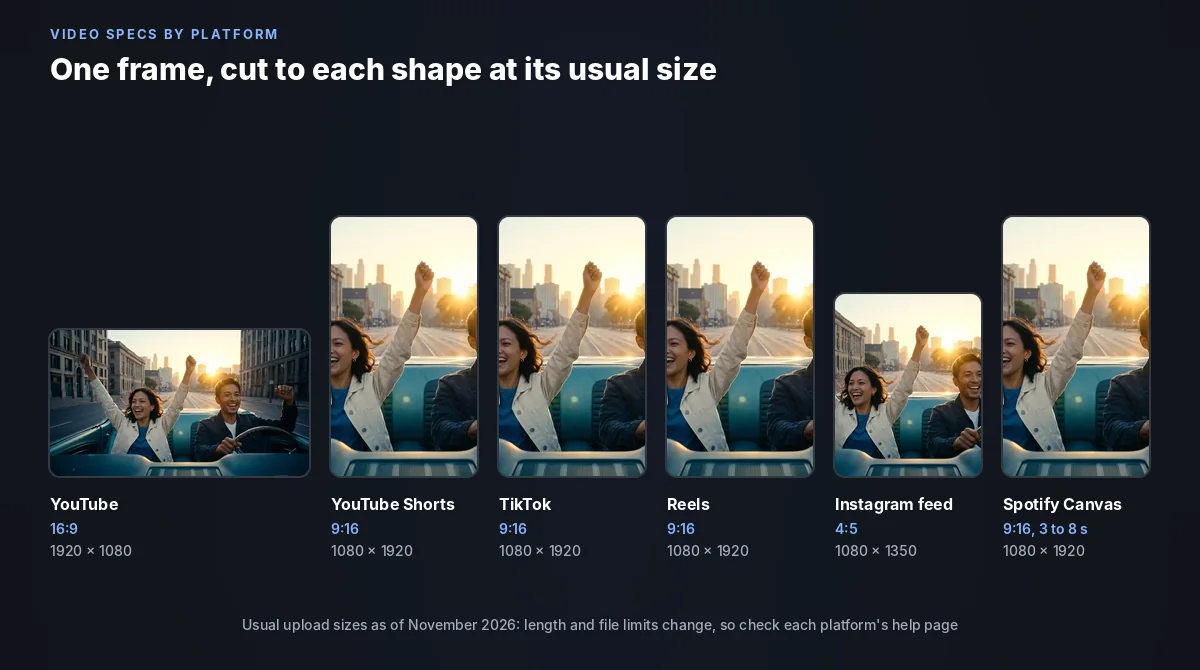
| YouTube | Encode and upload at the rate the video was recorded; common rates include 24, 25, 30, 48, 50 and 60, and others are acceptable. Interlaced footage should be deinterlaced, 1080i60 to 1080p30 | Recommended upload encoding settings |
| TikTok | Videos posted from other apps: at least 23 and at most 60 fps, MP4 recommended, H.264 recommended | Developer media transfer guide |
| Instagram Reels | A minimum of 30 fps and a resolution of at least 720 pixels | Reels resolution and size |
| Spotify music videos | No frame rate stated; 16:9, at least 1920 x 1080, longer than 30 seconds and shorter than 20 minutes, under 50 GB | Uploading videos |
| Spotify Canvas | No frame rate stated; 3 to 8 seconds, vertical 9:16, 720 to 1080 px tall, MP4 or JPG | Canvas guidelines |
YouTube's page also asks more of high frame rates: its suggested bitrate for a 1080p SDR upload is 8 Mbps at 24, 25 or 30 fps and 12 Mbps at 48, 50 or 60, because twice the frames carry twice the motion to encode. The video bitrate calculator works out a file's size from those figures. Services that take music videos through a distributor publish their own specs: getting a music video on Vevo and getting your music on Apple Music cover theirs.
Converting between frame rates without moving the song
A music video's picture can be converted; its soundtrack shouldn't be touched. The old television methods were built for films, where nobody minds a soundtrack running a little fast. In a music video the song is the reason for the video, so any conversion that changes speed changes the song: for 24 to 25, the classic speed-up runs everything 4% faster and raises the pitch by about 0.7 of a semitone. The safe conversions keep real time and repeat, drop or blend frames instead.
| From → to | Safe method | What changes |
|---|---|---|
| 24 → 30 | Repeat every fourth frame (four frames become five), the pattern film-to-NTSC transfers use | Same length; cuts move under a frame; a faint judder in pans |
| 30 → 24 | Drop one frame in every five, or blend frames | Same length; a slight stutter in steady motion |
| 60 → 30 | Keep every other frame | Clean: same length and motion, a little less smooth |
| 60 → 24 | Use it as slow motion, or blend frames for real time | Real time needs 2.5 captured frames per output frame, so blending can smear |
| 24 → 25 | Repeat one frame each second, or blend | Same length; a small hitch once a second. Never the 4% speed-up |
| 24 → 60 | Don't, unless a platform asks | Frames are only repeated: no smoother, and a bigger file |
- Convert the finished cut once, at export, never clip by clip before editing.
- Keep the audio exactly as it was: no speed change and no pitch correction.
- Check that the converted file's length matches the song's to the frame.
- Watch every drop and section change in the converted file to see each cut still lands.
- Keep the original-rate master; make each platform's version from it, not from another conversion.
Frame rate in an AI music video made with Muvora
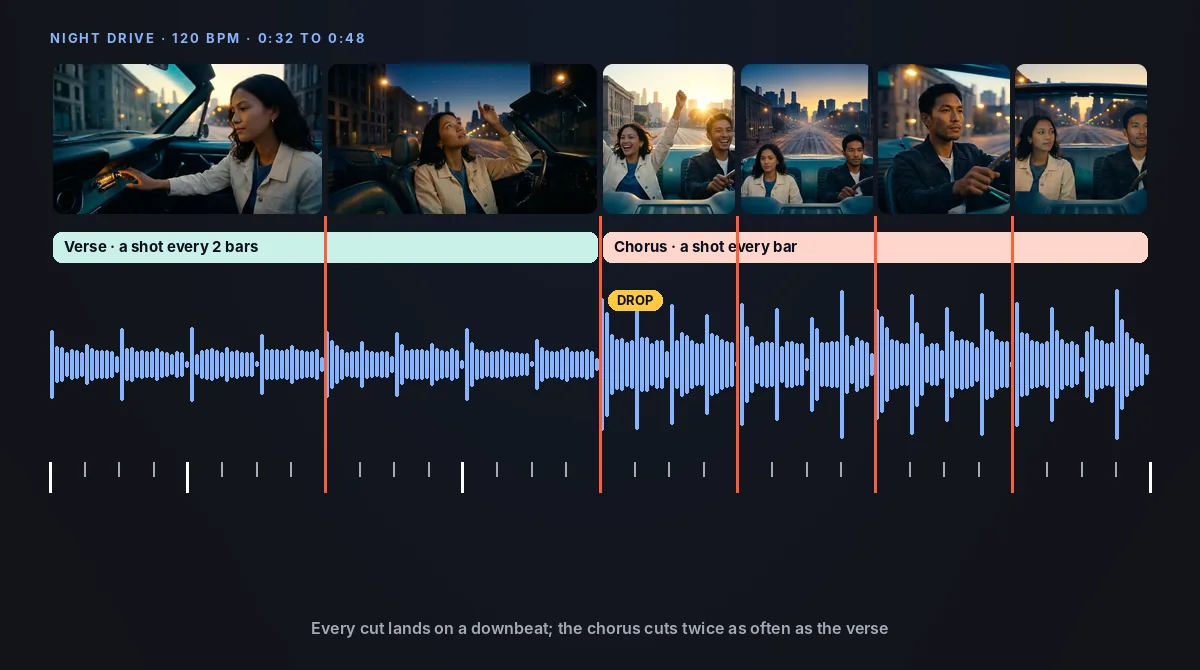
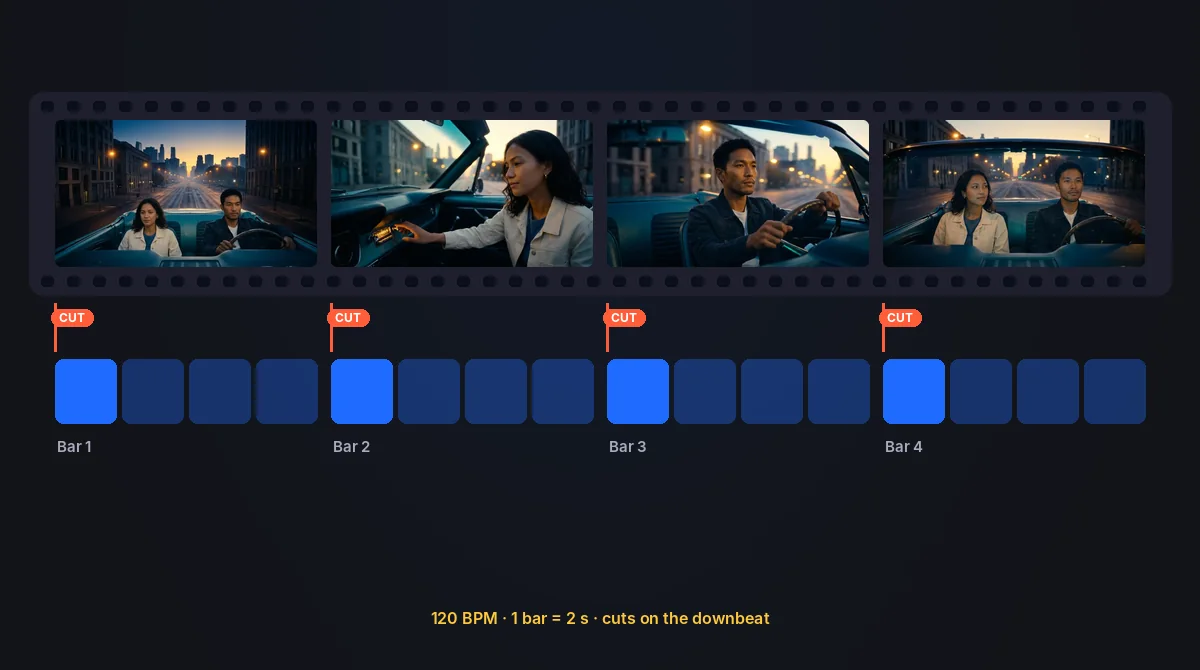
Muvora renders every music video at 24 frames a second, as H.264 MP4 files with your uploaded song as the soundtrack, from its first sample to its last, so the video is exactly as long as the file. Its shot planner decides every cut from the music, not by eye: each cut lands on a downbeat, every section change and every drop is a cut, and each one is placed on the frame nearest its planned time, within half a frame, rounded from the start of the song so nothing drifts. A two-frame white flash, one twelfth of a second, marks each drop. Any silence at the start of the file is silence at the start of the video, so trim it before you upload; how to export a song covers that and the rest of the export.
- Fast songs are counted in half time. At 174 BPM a bar at 24 fps is only 33 frames, so the planner counts very fast songs at half the tempo: a shot at 174 BPM lasts as long as one at 87 would.
- Quiet parts hold longer. Shots stretch over more bars in quiet sections and shorten in loud ones and choruses, and a driving genre such as hip-hop, EDM or rock cuts faster than lo-fi.
- Every shape from one widescreen render. It gives 16:9, 9:16 and 1:1 at 24 fps plus an 8-second Canvas loop, all with the same cuts; a 9:16 render gives every shape but 16:9.
- Editing it further: set the editing project to 24 fps and place the export at the very start of the timeline, and every cut stays on its beat. Convert only the copy a platform asks for, such as Reels at 30.

Get your song's cuts planned to the frame
Upload the finished song (MP3, WAV, M4A, AAC or FLAC, up to 8 minutes), read the storyboard and change any shot before you pay. The price shows before you render, and shots that fail cost nothing. See how the cuts are planned on the beat sync video maker page.
Written by the Muvora team. Last updated November 18, 2026. Spotted something out of date? Tell us at [email protected].