The short answer
To make a beat, pick a tempo for the style and program the drums first: a kick on beat 1, a snare or clap on beats 2 and 4 (or beat 3 alone for a halftime trap feel) and 8th- or 16th-note hi-hats. Then add a bass line that follows the kick, two to four chords and a short melody, arrange the loop into sections, and mix.
- Pick the tempo before anything else: it sets the style as much as the sounds do.
- Build the drums first, one layer at a time: kick, then snare or clap, then hi-hats.
- Write the bass to lock with the kick, then add a few chords and a short melody.
- Arrange the loop in blocks of 4, 8 and 16 bars, and change something every 8.
- Export a WAV, name it with the tempo and key, and read the license of anything you sampled.
On this page (11 sections)ShowHide
- 1.What you need to make a beat
- 2.How to make a beat in eight steps
- 3.Pick the tempo for the style
- 4.Program the drums first
- 5.Give the drums a groove: swing, velocity and fills
- 6.Add the bass and tune it to the key
- 7.Add chords and a melody
- 8.Arrange the loop into a full beat
- 9.Mix it: balance, space and headroom
- 10.Export the WAV, then sell or release it
- 11.Give the beat a video
- Questions
What you need to make a beat
You need less than the ads suggest. Beats are made in a DAW (a digital audio workstation), the program where you program drums, play or draw notes and mix: GarageBand, FL Studio, Ableton Live, Logic Pro, Reaper and BandLab are common choices, and any of them can finish a beat. Add headphones or speakers you know well, and a MIDI keyboard if you like playing parts in, though every note can be drawn with a mouse.
- A DAW on a computer, tablet or phone. Pick one and learn it properly; switching programs teaches you menus, not music.
- Headphones or monitors you trust. Check the low end on a second pair, a phone speaker or a car before you call a mix finished.
- Sounds: the drum kits and instruments that come with the DAW are enough to start. Any sample pack or loop you add comes with a license, so read it before you sell or release a beat built on it.
- A reference track in the style you're making, set to the same tempo in your project, to compare against as you go.
How to make a beat in eight steps
- 01
Pick the style and the tempo
Decide what the beat is for (a rap verse, a sung hook or an instrumental) and set the tempo that style is usually played at. Load a reference track you like into the project at the same tempo.
- 02
Program the drums
Place a kick on the first beat of the bar, a snare or clap on beats 2 and 4 (or on beat 3 alone for a halftime feel), then hi-hats in 8th or 16th notes. Loop that one bar until it grooves with nothing else playing.
- 03
Add swing and variation
Swing the hi-hats or vary how hard each one hits, add a ghost note or an open hat, and make a second bar that changes one thing, such as a hi-hat roll or an extra kick before the snare.
- 04
Write the bass line
Choose the key, then play the root note of each chord in a rhythm that follows the kick or answers it in the gaps. Tune an 808 to the key so it doesn't clash with the chords above it.
- 05
Add chords and a melody
Loop two to four chords under the main section, then write a short melody of one or two bars on top, leaving space where a rapper or singer will go.
- 06
Arrange the loop into sections
Copy the loop out to full length and build an intro, verses, hooks and an outro by muting and adding parts in blocks of 4, 8 or 16 bars.
- 07
Mix it
Balance the kick and bass first, then the rest of the drums, then everything else. Cut the low end from parts that don't need it and keep the loudest peaks under 0 dBFS so nothing clips.
- 08
Export and name it
Bounce a WAV of the whole beat from bar 1, plus the stems if someone will mix vocals over it, and name every file with the title, the tempo and the key.
Skip the blank page
Upload your song and Muvora's AI director plans a shot-by-shot storyboard on the beat. Edit every shot for free, and pay only if you render.
Pick the tempo for the style
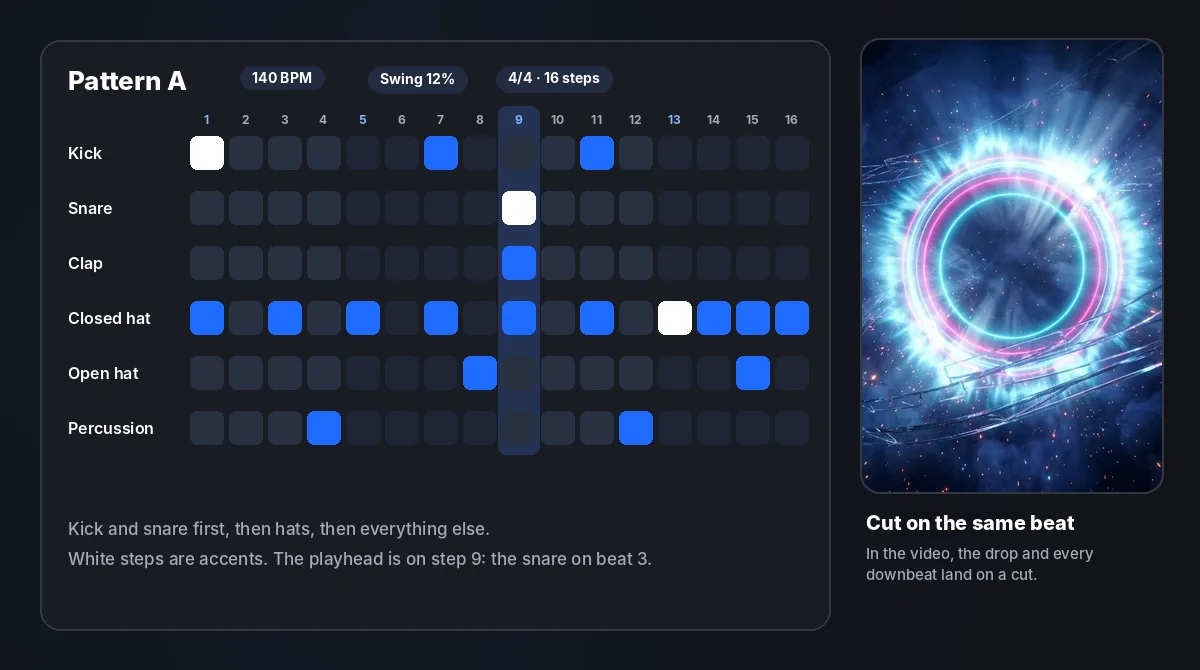
Tempo is counted in beats per minute (BPM), and each style lives in a range. The ranges are habits rather than rules, but a boom bap beat pushed to 140 BPM stops sounding like boom bap. The table gives the tempos producers often use, where the kick and snare usually land and how much swing each style tends to have. Steps are counted on a 16-step grid of one bar, where steps 1, 5, 9 and 13 are the four beats.
| Style | Tempo (often) | Kick and snare | Swing |
|---|---|---|---|
| Boom bap | 85 to 95 BPM | Kick on beat 1 and around beat 3, moving from bar to bar; snare on 2 and 4 (steps 5 and 13) | Swung, often 55 to 62% |
| Lo-fi hip-hop | 70 to 90 BPM | A lazy kick; a soft snare or rimshot on 2 and 4 | Heavy, often 58 to 66% |
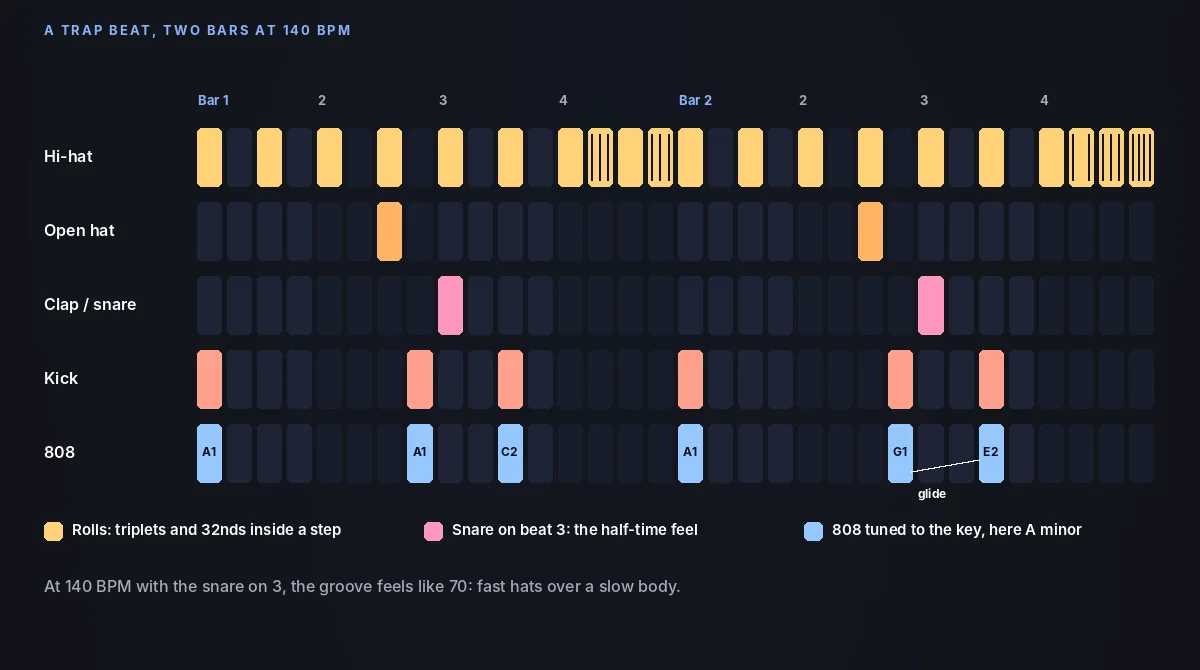
| Trap | 130 to 150 BPM, felt in halftime | Sparse, syncopated 808 kicks; snare or clap on beat 3 (step 9) | Straight, with hi-hat rolls |
| House | 120 to 128 BPM | A kick on every beat (four on the floor); clap on 2 and 4; open hats on the offbeats | Straight or a light swing |
| Reggaeton (dembow) | 90 to 100 BPM | A kick on every beat; snare on the 3-3-2 rhythm (steps 4, 7, 12 and 15) | Straight |
| Afrobeats | 100 to 115 BPM | A rolling, syncopated kick; a clave-like rimshot or snare pattern; busy shakers | A light swing in the percussion |
| Drum and bass | 170 to 175 BPM | The two-step: kick on 1 and the and of 3 (step 11); snare on 2 and 4 | Straight |
| Rock | 100 to 140 BPM | Kick on 1 and 3; snare on 2 and 4; 8th notes on the hi-hat | Straight |
Need the numbers behind a tempo? The BPM calculator turns it into bar lengths and delay times, and the metronome clicks it while you play parts in by hand.
Program the drums first
Drums are the beat's skeleton, so build them before any melody. Work on one bar of 16 steps and add one sound at a time, listening to the loop each time before adding the next. Most patterns come from three layers, with a fourth for motion.
- Kick: start on step 1. Boom bap and trap kicks move around: try one more just before beat 3 (step 8) or on the and of 3 (step 11). House puts one on every beat (steps 1, 5, 9 and 13).
- Snare or clap: the backbeat, on beats 2 and 4 (steps 5 and 13) in most styles, or on beat 3 alone (step 9) for a halftime feel. Layer a clap on the snare for a wider hit.
- Hi-hats: steady 8th notes (every other step) or 16ths (every step), with an open hat on an offbeat for air. On a real kit, closing the hi-hat cuts the open one short, and most drum machines copy that.
- Percussion: a rimshot, a shaker or a tom on the steps nothing else uses gives the loop movement without crowding the kick and snare.
Got a finished beat already?
Upload it and Muvora maps every beat, downbeat and drop, then writes a storyboard for a type beat video whose cuts land on the downbeats, no vocals needed. Reading and editing the storyboard is free, with 5 new storyboards a month on the free plan.
Give the drums a groove: swing, velocity and fills
A loop that is perfectly even and equally loud sounds programmed. Three things make drums feel played. Swing delays every second 16th note: on MPC-style drum machines 50% is straight and about 66% lands on a triplet, and boom bap and lo-fi often sit between the two. Velocity, how hard each hit is played, lets accents and quiet ghost notes alternate so a hi-hat line breathes. Variation keeps the loop from wearing thin: change something at the end of every fourth or eighth bar.
- Hi-hat rolls: two, three or four quick hits squeezed into the space of a 16th before a snare or at the end of a bar, the trademark of trap hi-hats.
- Ghost notes: a very soft snare a 16th before or after the backbeat, felt more than heard.
- Fills: a tom run or a snare roll in the last beat of an 8-bar phrase tells the listener a new section is coming.
- Drop-outs: take the kick out for the bar before a hook, so the hook hits harder when everything comes back.
Add the bass and tune it to the key
The bass carries the low end with the kick, so the two have to share the space. Choose the key first: hum over the drums, start from the chords, or, if you're working from a sample, find its key with the BPM and key finder. Then play the root note of each chord in a rhythm that follows the kick or answers it in the gaps between kicks.
- 808 or bass synth: trap and drill lean on a long, tuned 808 that can slide between notes; boom bap often uses a short bass guitar or synth note; house often puts a short bass note on the offbeats between the kicks.
- Tune it: an 808 is a note, not only a thump. Set it to the key's root and move it when the chord changes, or it will clash with everything above it.
- Make room: where the kick and bass hit at the same moment, shorten one, turn one down, or duck the bass under the kick with sidechain compression.
- Keep the low end in the middle: pan the kick and bass to the center, since wide stereo bass can lose its weight on speakers and systems that play in mono.
Add chords and a melody
With drums and bass in place, the chords set the mood. Two to four chords looped under the main section are plenty: minor keys are common in trap, drill and lo-fi, and seventh and ninth chords give lo-fi and R&B their soft edges. Play them as a pad, keys or plucked guitar, then write a melody of one or two bars on top (a riff, a vocal chop or a bell line) and repeat it with a small change the second time round.
Chord progression generatorPick a key and a mood, from dark and lo-fi to R&B and EDM, for common progressions spelled for your key. Play them at your tempo and download a MIDI file for your DAW.- Leave room for a voice: in the verse, the melody should drop out or sit an octave below where the vocal will be.
- Fewer parts, better parts: three strong layers (drums, bass and one melodic part) beat eight that fight over the same frequencies.
- Save a layer for the hook: add a counter-melody, a stack of claps or open hats only in the hook, so it lifts when it arrives.
Arrange the loop into a full beat
A loop becomes a beat when it changes over time. Copy the 4- or 8-bar loop out to full length, then shape sections by muting and adding parts. Sections usually run 4, 8 or 16 bars, which is also how listeners and rappers count: a hip-hop verse is commonly 16 bars and a hook 8. Song structure explained covers the common forms section by section.
| Section | Bars | What plays |
|---|---|---|
| Intro | 4 or 8 | The chords or the melody alone, perhaps filtered, with the drums out or only the hi-hats |
| Verse 1 | 16 | Drums and bass in, the melody thinned out to leave room for the voice |
| Hook | 8 | Everything in, plus one extra layer: a counter-melody, a clap stack or open hats |
| Verse 2 | 16 | Like verse 1 with one change: a new hi-hat pattern, or the drums out for its first 4 bars |
| Hook | 8 | As before, with the kick dropped for the bar just before it |
| Bridge or verse 3 | 8 or 16 | A break: new chords, halftime drums or a filtered section |
| Hook | 8 | The fullest version of the hook |
| Outro | 4 or 8 | Parts drop out one by one, or the intro comes back |
At 90 BPM a bar lasts 2.67 seconds, so that layout comes to roughly three to four minutes. Beats made for rappers to write over are often a little shorter, with two verses and two or three hooks, and a producer can always loop a section on request.
Bar height: how loud the section is. The strip under them: the shots, each cell one cut. Louder sections get more, shorter shots.
Mix it: balance, space and headroom
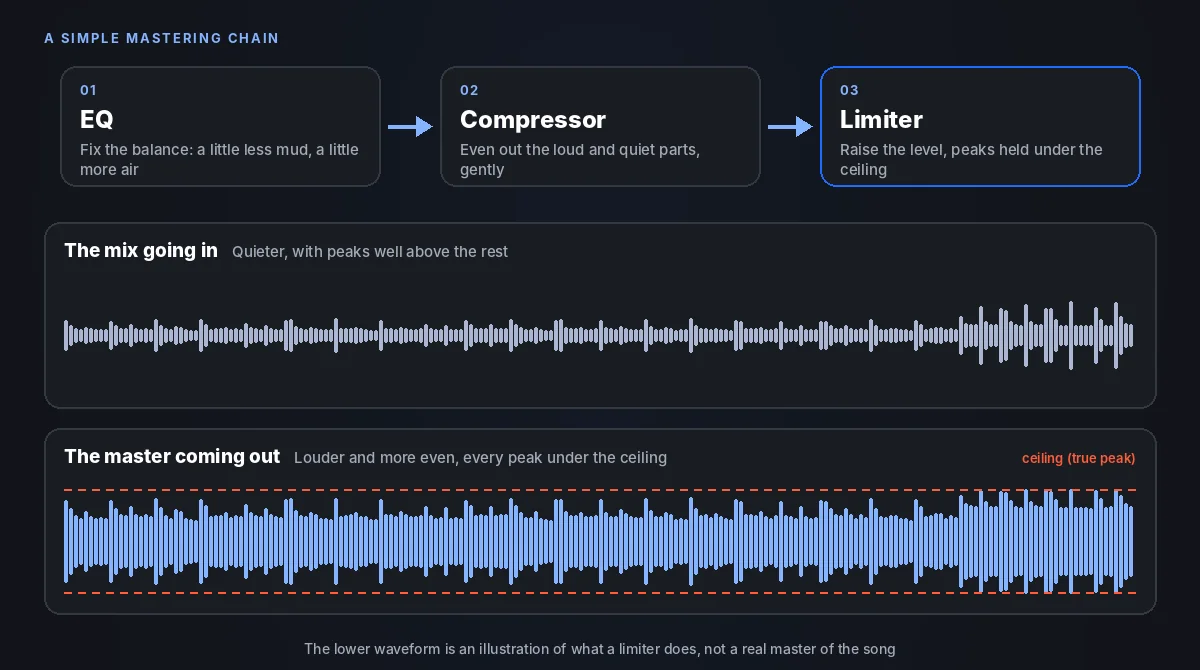
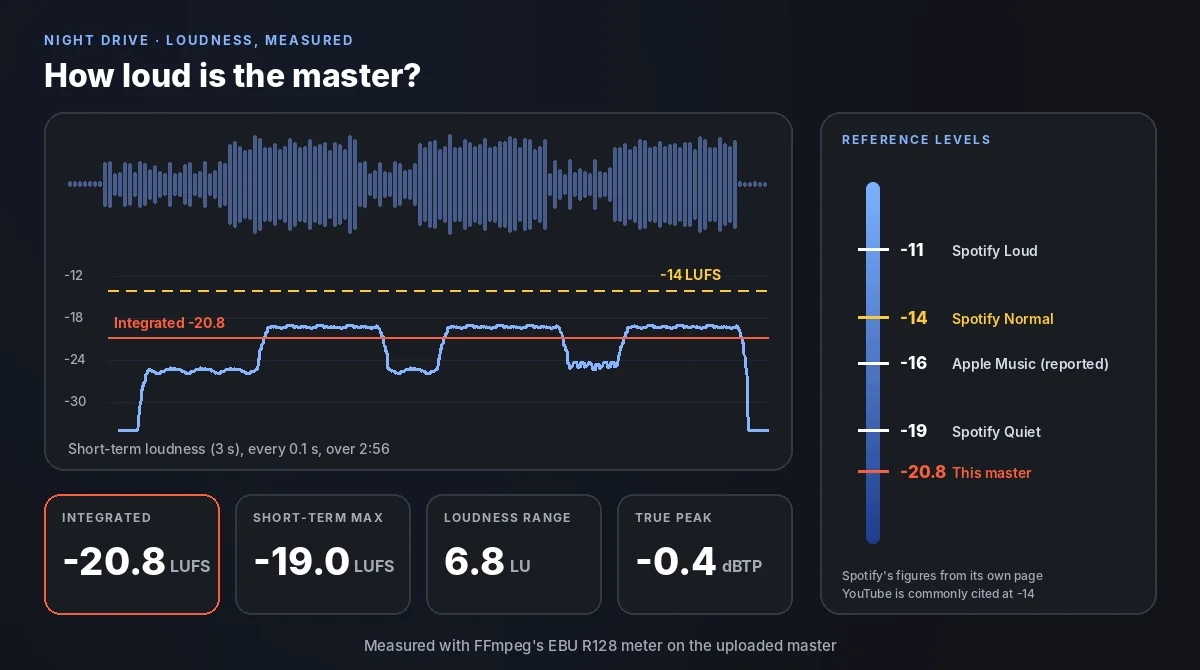
Mixing a beat is mostly balance. Set the kick and bass first, since they carry the most energy, then bring in the snare and hats, then everything else, checking the whole at a low volume. Cut the low frequencies from parts that don't need them (pads, hats, the melody) so the kick and bass have the bottom to themselves, pan percussion and doubled parts a little left and right, and keep the master's loudest peaks below 0 dBFS so nothing clips.
Don't chase loudness yet. Streaming services turn loud tracks down toward their own reference level, so a beat crushed to sound loud gains little there and loses its punch. Measure the bounce with the LUFS meter, and read LUFS for streaming for what each service does with it.
Export the WAV, then sell or release it
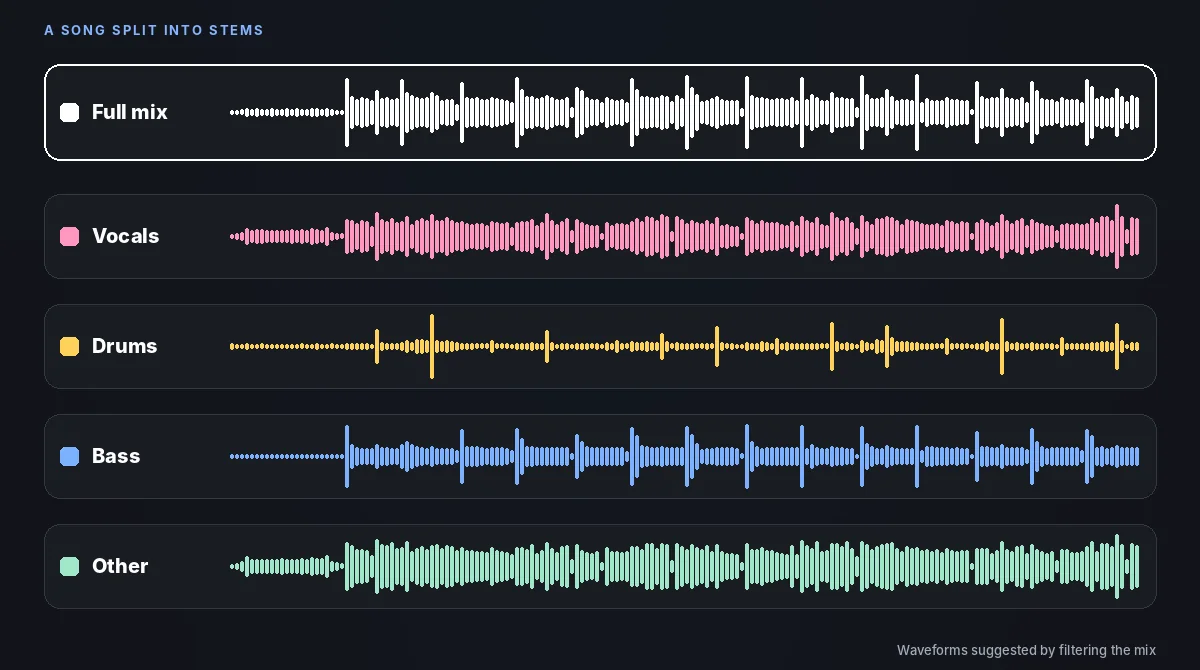
Bounce the finished beat as a WAV from bar 1, at the project's sample rate (44.1 or 48 kHz) and in 24-bit if your DAW offers it, and make an MP3 only for previews. If a rapper or a mix engineer will work on it, export the stems too: each part as its own WAV, all starting at bar 1, so they line up in any program. Name files so they are easy to find and play at the right speed, for example "night-shift_90bpm_F-minor.wav".
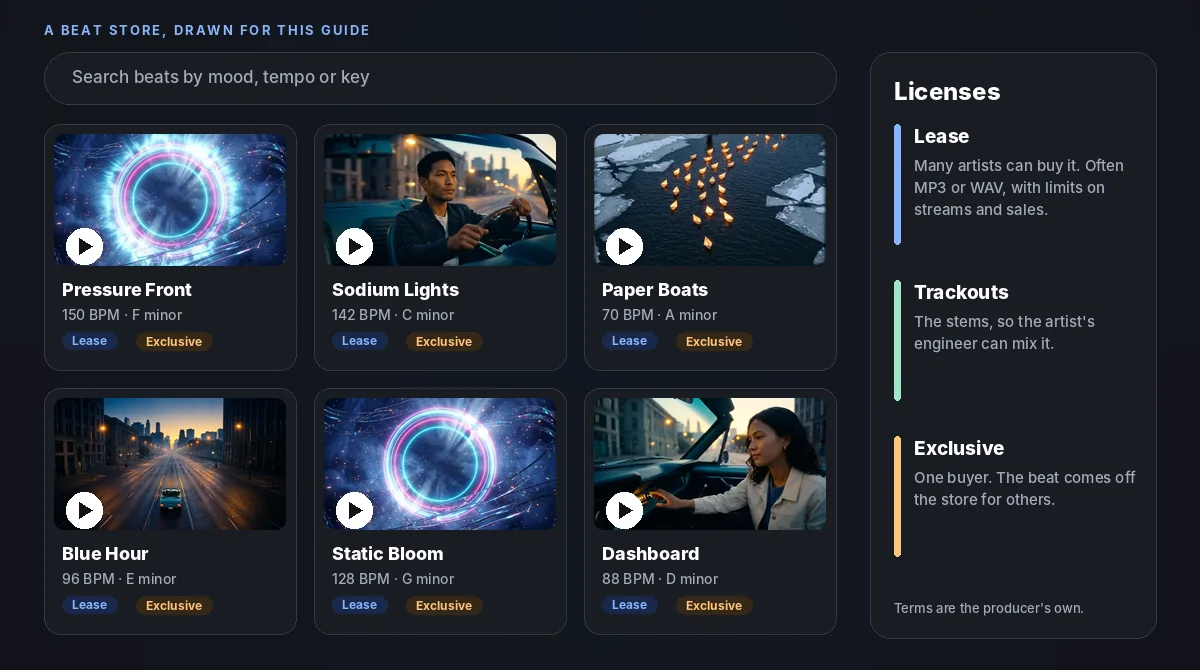
- Leases and exclusives: producers commonly sell non-exclusive leases, which several artists can buy and which cap things like streams, sales or videos, and exclusives, which go to one artist. Write down exactly what each license allows.
- Tagged previews: many producers put a short spoken tag on preview versions so an unlicensed copy is easy to recognize, and send the clean WAV after purchase.
- Samples: anything you sampled has to be cleared before a buyer can release a song on your beat. Music video copyright explains what clearing involves.
- Releasing it yourself: an instrumental goes to streaming services through a distributor like any song, and like any recording it needs an ISRC, which most distributors assign (what an ISRC code is). How to release music independently covers the rest.
Give the beat a video
On YouTube, beats are found through videos: producers post each one as a type beat video named after the style it suits, and most of those are a still image with a waveform. Pictures that change on the beat give a viewer something to watch through the first bars, and a vertical cut of the same video works as a Short or a Reel that points people to the full beat.
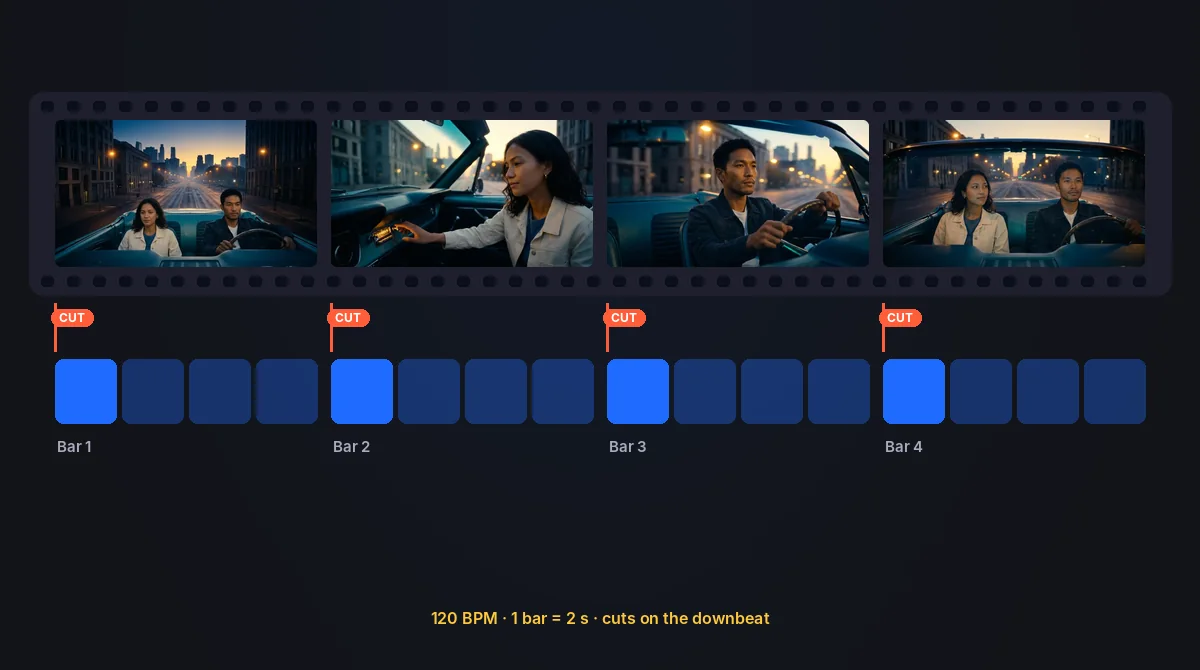
Muvora makes that video from the audio file. Upload the WAV (or an MP3 or FLAC: a long 24-bit WAV can pass the 60 MB limit) and it finds the tempo, every beat and downbeat, the sections and the drops. Pick the Abstract style for motion that pulses with the track or Story for a moody scene, and the hip-hop look for quicker cuts. The storyboard puts every cut on a downbeat and a flash on every drop, and you can change any shot before you pay to render. It never draws real people, so a type beat video suggests the artist's world through places, light and color rather than a face.
A widescreen render gives you the 16:9 video for YouTube, a 9:16 version for Shorts and Reels, a square cut and an 8-second Canvas loop. See type beat videos for how producers use it, or the music visualizer page for a video built around the sound itself.
Make a video for your beat
Upload the bounced beat for a free storyboard with every cut on a downbeat and a flash at each drop. You see the exact price before you render, from 38 credits a second in Visualizer.
Written by the Muvora team. Last updated November 15, 2026. Spotted something out of date? Tell us at [email protected].